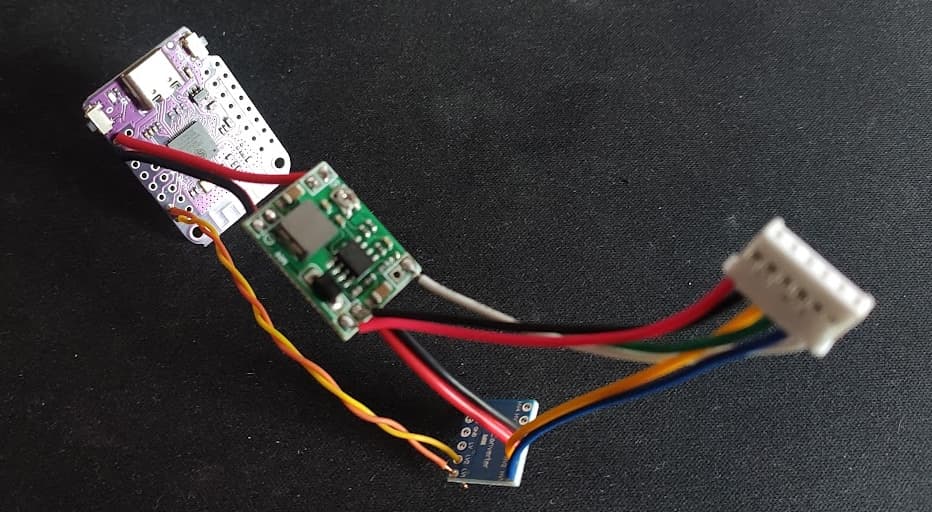
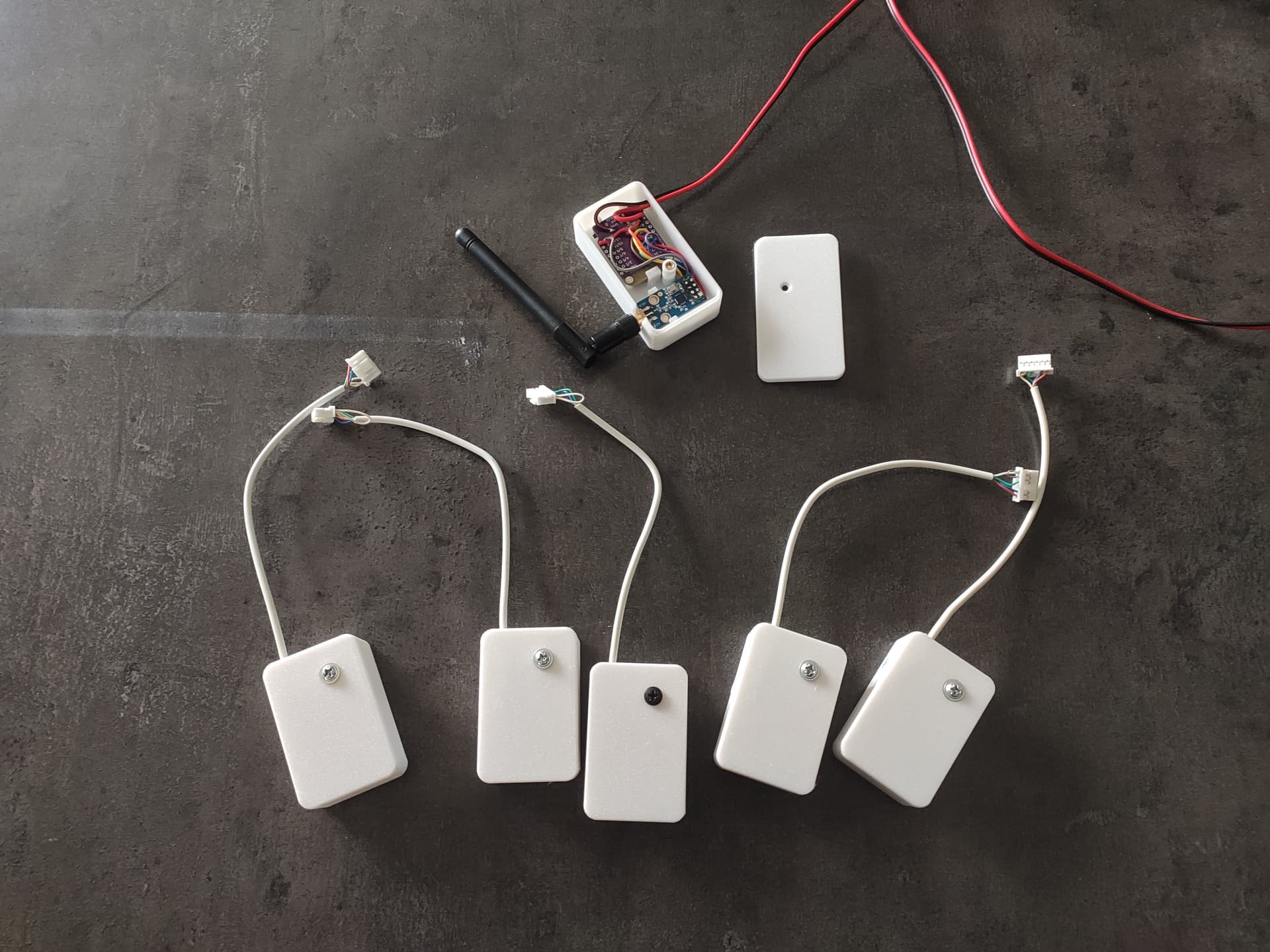
I’m glad to share an ESPHome component I’ve been working on for controlling Hitachi AC units through their proprietary serial protocol H-Link, making them fully integrated with Home Assistant - completely local and cloud-free!
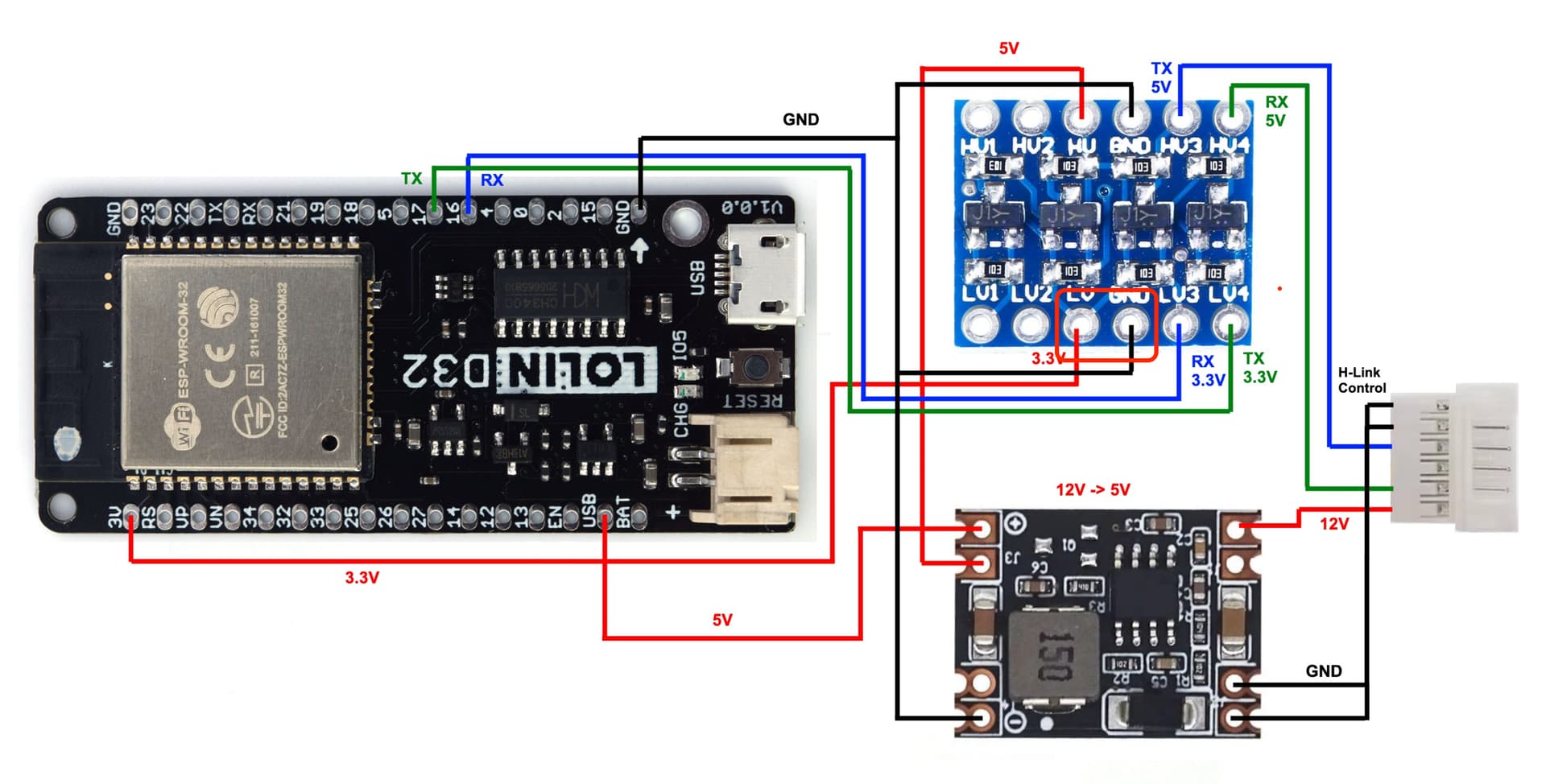
This solution works similarly to Midea ESP dongles but with a few differences. It requires a step-down converter (12V → 5V) to power on the ESP board and uses the H-Link protocol, which is different from Midea’s.
I’ve also included basic technical details about the hardware in the README file, so feel free to check it out. I hope this helps anyone looking for reliable local control of their Hitachi AC units!
I’ve recently integrated it into my own setup with a Hitachi RAS-70YHA2 unit. As part of the process, I documented the configuration and shared it here: GitHub - shardshunt/H-Link-Docks. It may be useful for others working with similar HVAC systems.
@shardshunt Thank you for the docs repo! I’ve included it as a reference in the README’s examples section.
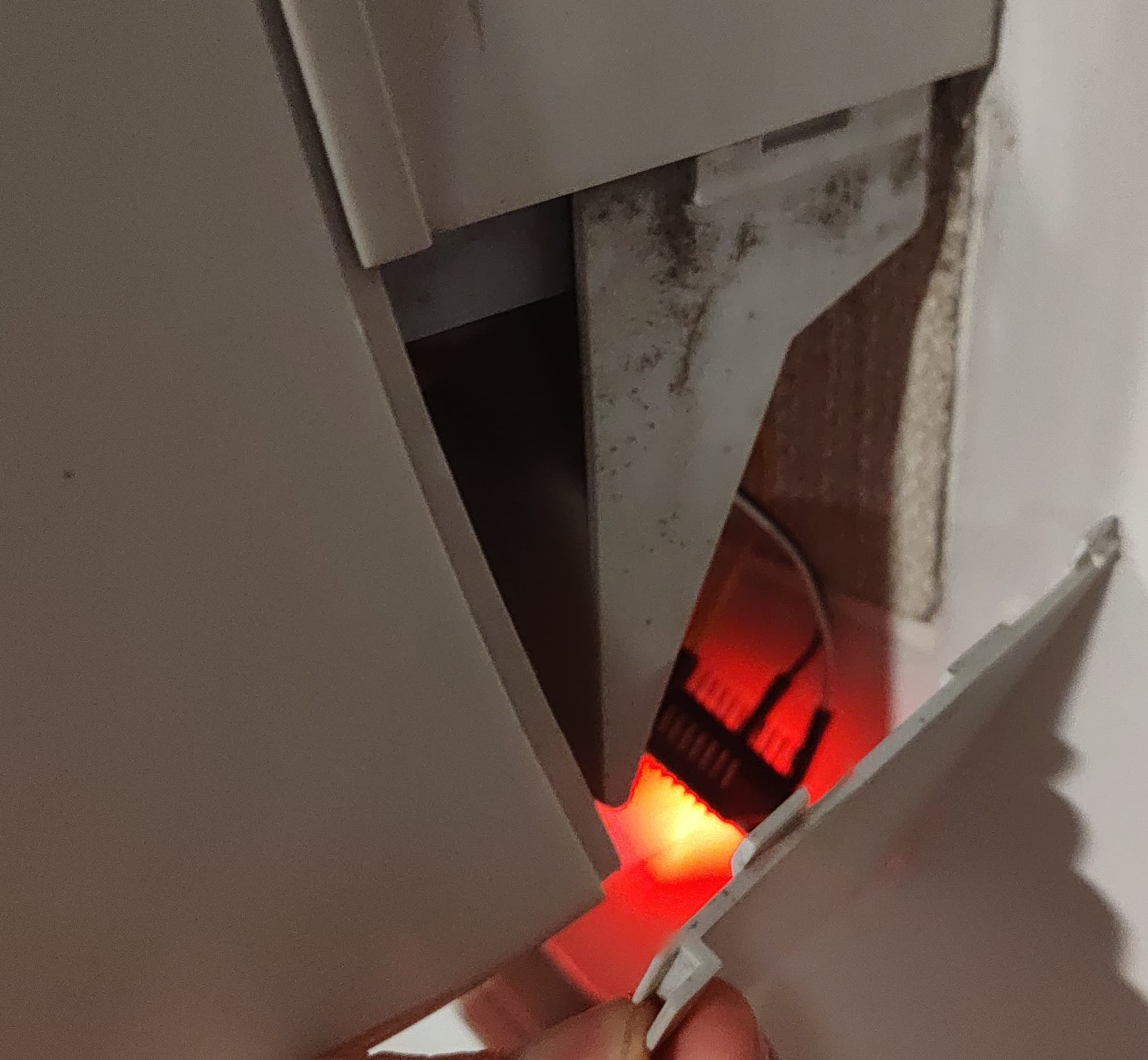
By the way, the HY2.0 connector also requires filing on both sides, and I had to cut the connector latch as well.
It’s truly impressive that mass-market hitachi air conditioning units with an age difference of 15–20 years still use the same protocol - something not very common in the consumer segment today.
I’m not affiliated with Hitachi in any way, so it’s totally up to you to test whether a particular model supports the H-Link protocol or not.
At the moment, it looks like there are many models that appear to be compatible, even quite old ones.
My advice is to first find a technical datasheet for the indoor split unit of your AC and look for an electrical wiring diagram. If it has a 6-pin connector marked as H-LINK (often referred to as CN7 in the documentation), there is a good chance that your split unit is compatible with this component.
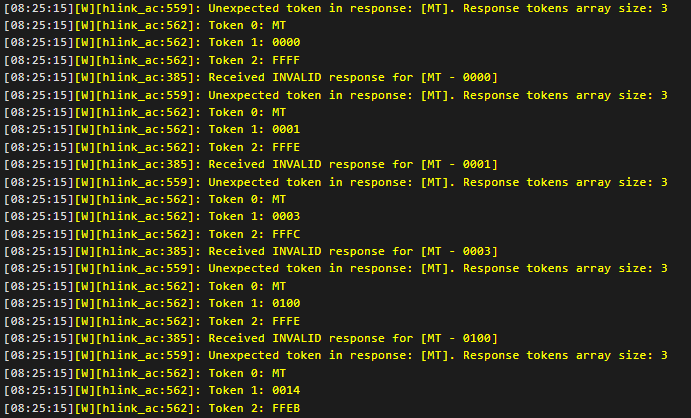
I have these message either the device is connected to the unit or not.
I also tried with a classic ESP32 WROOM, I tried Rx0/tx0 and Rx2/Tx2, on one of them I had the same result as above, and on the other one, I had a different error :
esphome:
  name: hitachi--s2
  friendly_name: Hitachi - S2

esp32:
  board: esp32-s2-saola-1
  framework:
    type: esp-idf

# Enable logging
logger:

# Enable Home Assistant API
api:
  encryption:
    key: "a4CVLjmDXPifbxrc1Of5wyQlGMdYs90n03yQU/xJUqI="

ota:
  - platform: esphome
    password: "3433cf267841f0c12df1c4fddec40287"

wifi:
  ssid: !secret wifi_ssid
  password: !secret wifi_password

  # Enable fallback hotspot (captive portal) in case wifi connection fails
  ap:
    ssid: "Hitachi--S2 Fallback Hotspot"
    password: "uigpCtaGx5JC"

captive_portal:

uart:
  id: hitachi_bus
  tx_pin: GPIO37
  rx_pin: GPIO39
  baud_rate: 9600
  parity: ODD

external_components:
  - source:
      type: git
      url: https://github.com/lumixen/esphome-hlink-ac.git
      ref: 2025.7.1
    components: [hlink_ac]

climate:
  - platform: hlink_ac
    name: "SNXXXXXX"
    hvac_actions: true # Remove or set to false if you don't need HVAC actions.
    supported_presets: # Presets are disabled by default. Remove this if your AC does not support Leave Home mode.
      - AWAY
    supported_swing_modes: # Could be removed if your AC does not support horizontal swinging. By default only vertical mode is exposed.
      - "OFF"
      - VERTICAL
      - HORIZONTAL
      - BOTH

switch:
  - platform: hlink_ac
    remote_lock:
      name: Remote Lock
    beeper:
      name: Beeper

sensor:
  - platform: hlink_ac
    auto_target_temp_offset:
      name: Auto Mode Temp Offset
  - platform: hlink_ac
    outdoor_temperature:
      name: Outdoor Temperature # Available only when device is active

text_sensor:
  - platform: hlink_ac
    model_name:
      name: Model

number:
  - platform: hlink_ac
    auto_target_temperature_offset:
      name: Auto Mode Temp Offset
Given the provided error messages, it looks like you have a UART misconfiguration. In the logs, you can see outgoing serial requests from the ESP32 board itself appearing as incoming RX messages from the AC unit (MT 0000 FFFF is sent to the AC unit from the ESP32). These obviously cannot be parsed as incoming messages.
Please double-check the correctness of your UART pins and hardware connections, make sure you did not short circuit RX/TX.
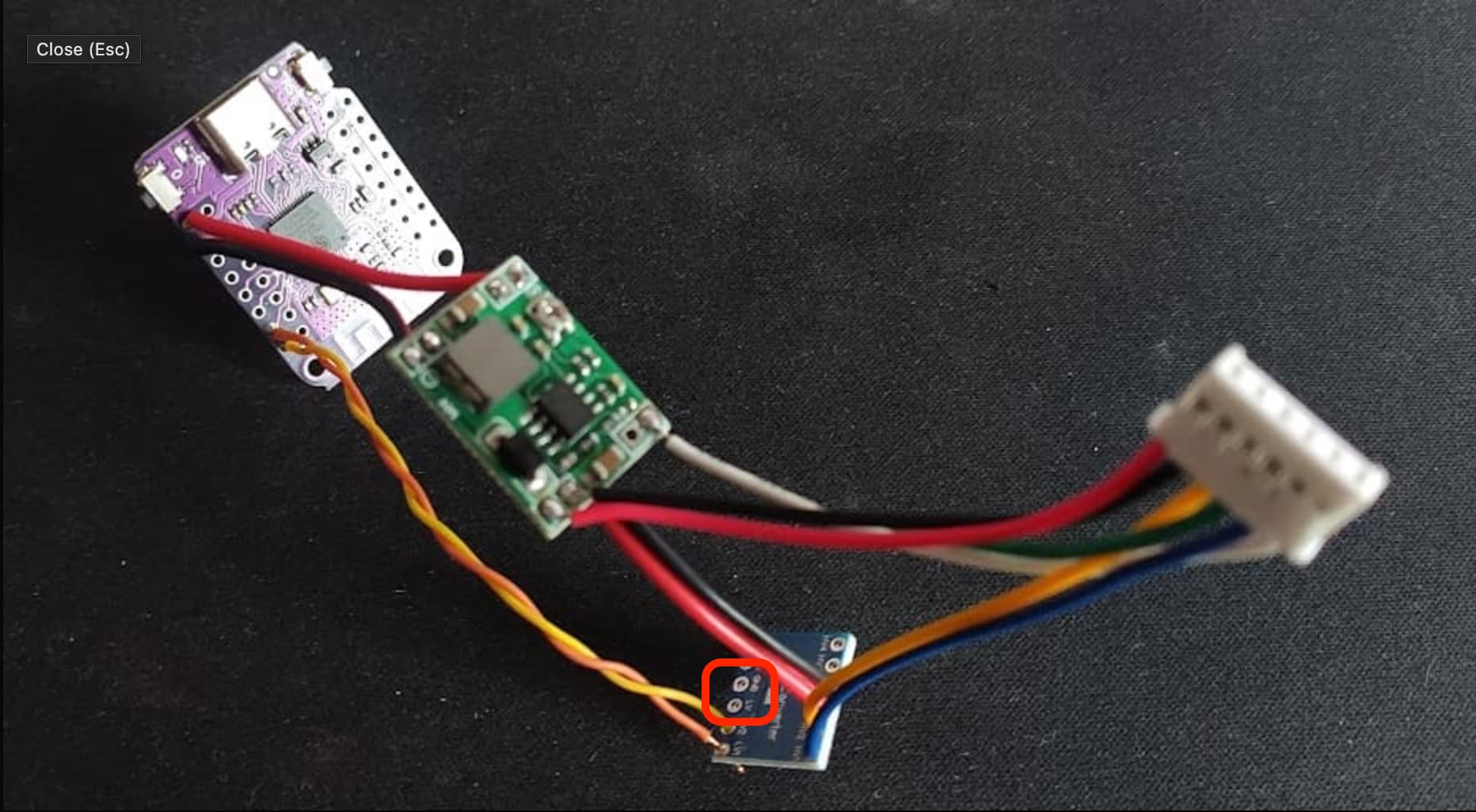
Also, from this picture, it looks like you are missing 3.3V and GND connections that should go from the ESP board to the LV and GND lines on the TTL converter.
Another thing, I have a HITACHI Thermodynamic Water Heater (HITACHI RAW35NHB + HITACHI TAW270NHB); and I saw the same CN7 connector on the motherboard of the indoor unit :
I really doubt this project would be compatible with the water heater. You can carefully check the protocol used here - making sure the signal levels, pinouts, etc. are the same. But it is so different from AC that I think it might use a completely different protocol under the hood.
Thanks, another question, is the room temperature and presence detector of the AC unit can be accessible from the h_link protocole, and therefore added to ESPHome / Home assistant ?
The AC room temperature sensor is simply the current temperature of the AC climate device, which is reported continuously.
Regarding the presence detector, I don’t have an H-Link AC unit with a motion detector sensor. You can investigate whether it’s available through H-Link by using these protocol reverse-engineering sensors. If a motion sensor is available, I can add it as a sensor.
I am very tempted to start hacking in that direction. I understand, though, that the protocol will most likely have differences with the AC protocol, and will require some additional reverse engineering.