I recently crashed HA. I am rebuilding and pretty much there except for MQTT. I aim running HAOS 16.0. Core 2025.7.3 Supervisor 2025.07.1. I am stuck between manual and GUI configuration. of MQTT. The broker I have used.(HiveMQ)requites a certificate and gives an days to add thiis to the configuration.yaml.
when I restart HA. each line generates an error.  Is there anyway to use the new GUI  and include a certificate?

I also raised this issue under [https://community.home-assistant.io/t/unable-to-connect-to-hivemq-mqtt-broker/849283](https://community.home-assistant.io/t/unable-to-connect-to-hivemq-mqtt-broker/849283)
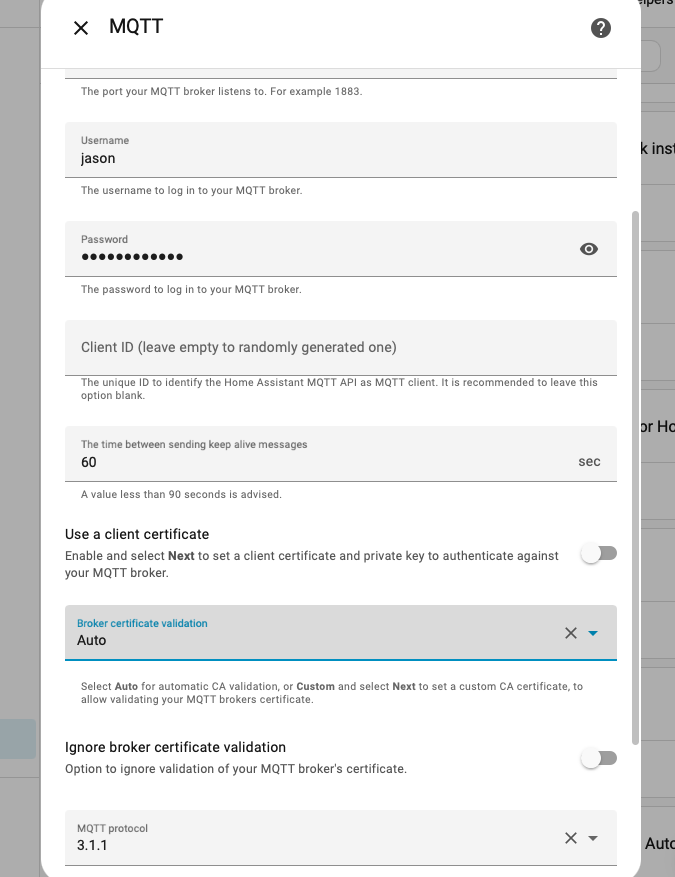
Thanks. Turns out the instructions from HiveMQTT and home assistant are out of sync. After several attempts and making sure I used te :"advanced setting " to enableb TLS as auto on the integration I got it to work.
Trying to understand how to make it work. I have an older version of HA running within a docker container, and on this version it was possible to upload the needed certificate. However I have switched to a Raspberry Pi with HA OS version 2025.8.0.
I want to add the MQTT integration
I select “Add new integration”
Search for MQTT & Select “MQTT”
I choose “manually enter MQTT broker connection details”
Adding my HiveMQ broker details
port 8883 (TLS)
username & password (triple checked, they are are correct) works on the older HA instance)
it just keeps failing, whatever i try
and the MQTT integration is not being added, so have to start from step 1 again.
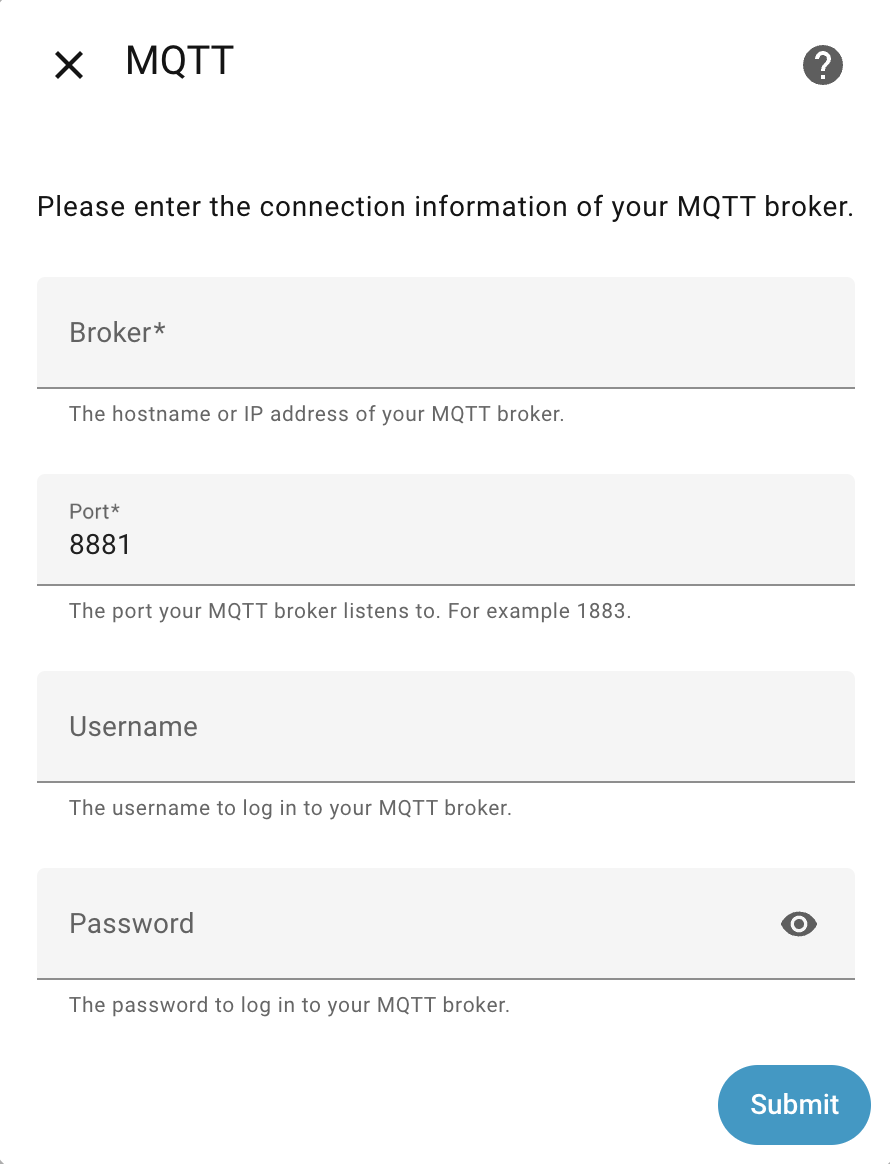
How can we get HiveMQ working with the needed certificate. Support is appreciated. I have no “advanced” settings, it only the Broker, port, username, password field I get in the setup screen
Ok. I actually got HiveMQTT integration to work. I have NO experience wit broker. The triick for me was again telling HQ to us auto in certificate verification. It did not require the certficate at this time I got tr added when I reconfigured the MQTT integrations set forth in thishttps://community.home-assistant.io/t/unable-to-connect-to-hivemq-mqtt-broker/849283/4
Thanks @captcurrent where in HQ can you tell it to use “auto”? As in the MQTT integration in HA you do not have this option.
Also the option to “reconfigure” does not exist as it never adds the MQTT integration as it fails on the first time you want to configure, so it never adds the integration at the first place.
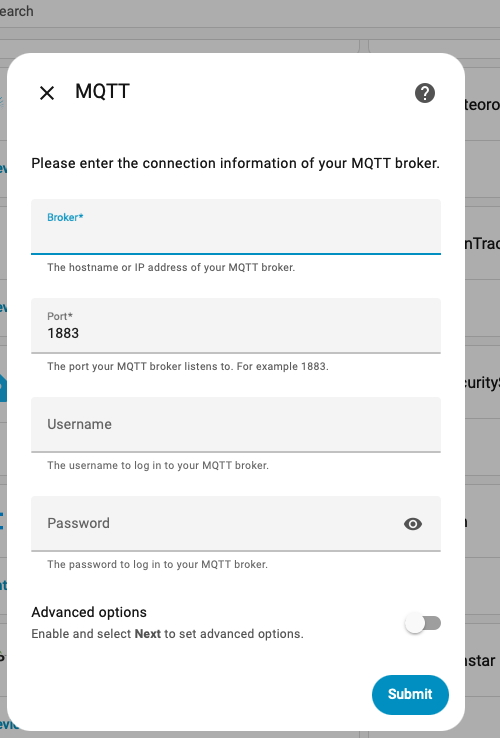
Ok thiis is form memory , but when you try to add the integration the MQTT iinstallation in HA OS. is seem to remember that this also had an advance option and as I remember this Brouh top another window that dealt certiicates. One of the option. here was aomething Like certiicate verification. The is where I selected auto. The link above shows the recovgure option. but It only appears after you get the MQTT integration installed. and sleet the three dots nest to the gear
I must assum Broker is Different the HA OS. Even in the HA OSA. the MQTT integration was extremely "finicky " to install
I do not have an “advance” option or anything else to click on. When I fill in all the details correct. it just fails and when I click on “submit” again on the error window, it goes back to filling in my details again. When I click “X” everything is gone and the MQTT integration is also gone