I’ve just bought a Hobot LEGEE D8 robot vacuum. Does anyone know if there’s an integration that works with it?
https://www.hobot.com.tw/legee-d8/
Several others have been asking the same question (basically) for years.
I don’t see any sign of anyone getting Hobot talking to HA.
I also search for any integration for Legee
However, no specific integration currently exist
I asked Hobot support for “local key” to my cleaner and set it up to tuya local as vacuum
There is some basics information about current status of cleaner
Room information for Legee, if I understood correctly, not supported
If anyone wants to create more useful integration, I’d like to help
2 Likes
Hi SlyF0Xx, I haven’t used tuya local, but would like to give that a try.
Can you share what you did to get the Legee’s current status in HA?
Hi,
I’m interested too.
Can you share with us how you obtain the local key ?
Thanks.
Kicking this one back up. I’m also interested in Hobot Legee integration.
1 Like
Hi everyone! I’m interested in this integration too. I assume that this integration should be through tuya smart servers, but I can’t log in through Tuya integration.
Has anyone else been able to obtain the local key? I’ve emailed Hobot both locally (Australia) and Taiwan but received no response.
1 Like
Extracting localKey and devId for HOBOT LEGEE D8 (and similar models)
Here’s a rather advanced method to obtain the localKey and devId from the HOBOT LEGEE D8 robot vacuum (likely works for other models that use the same app).
This guide isn’t for everyone—only those willing to dive a bit deeper.
Requirements:
• An iPhone
• Any method of installing an .ipa (PC (Sideloadly/Altstore/SideStore etc.) /Certificate/JailBreak). You can find plenty of tutorials on google about this.
Why iOS and not Android?
Because I prefer the hard way  .
.
I modified the iOS app so it logs every response from the Tuya servers. From there, you can grab the localKey and devId. The logs are kept in raw format for anyone who wants to further analyze them or map all DPIds for Home Assistant.
Steps to Extract
Link to screens, bcs I can upload only one screenshot as new user
- Install the modified app (LEGEE DUMP) using the link.
- First, uninstall the original App Store version.
- Once you’ve extracted the necessary data, it’s recommended to reinstall the official app.
 Don’t change the bundleId. It will break the Tuya server communication. The modded app must replace the original.
- Open LEGEE DUMP and log into your account.
- Refresh your device list by pulling down.
- Open the Files app on iPhone → look for:
On My iPhone → LEGEE DUMP - Inside, you’ll find various files, but the important ones are:
- tuya_devices.json
- dec_ecb.log
these files are generated after you log in and refresh devices
- In tuya_devices.json, you’ll see data in the format: deviceId : localKey
- In dec_ecb.log, you’ll find raw logs. This file contains DPIds, which can be very useful for deeper integration with LocalTuya. You can even feed the logs into AI to help parse them after experimenting in the app.
Note: This isn’t immediately useful for everyone, but I hope some skilled people will build on this to create a proper integration with HA. Maybe I’ll get around to it myself one day—that’s a story for another time.
For now, I only have basic functionality working in Home Assistant, but this opens the door for much more advanced setups.
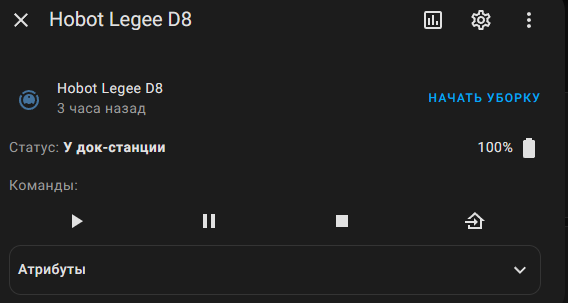
I can also just help someone get their key using my phone if you are willing to entrust the account.
1 Like
Method without physical iphone needed
And I managed to partially integrate the hobot legee d8 vacuum cleaner into the home assistant HA files
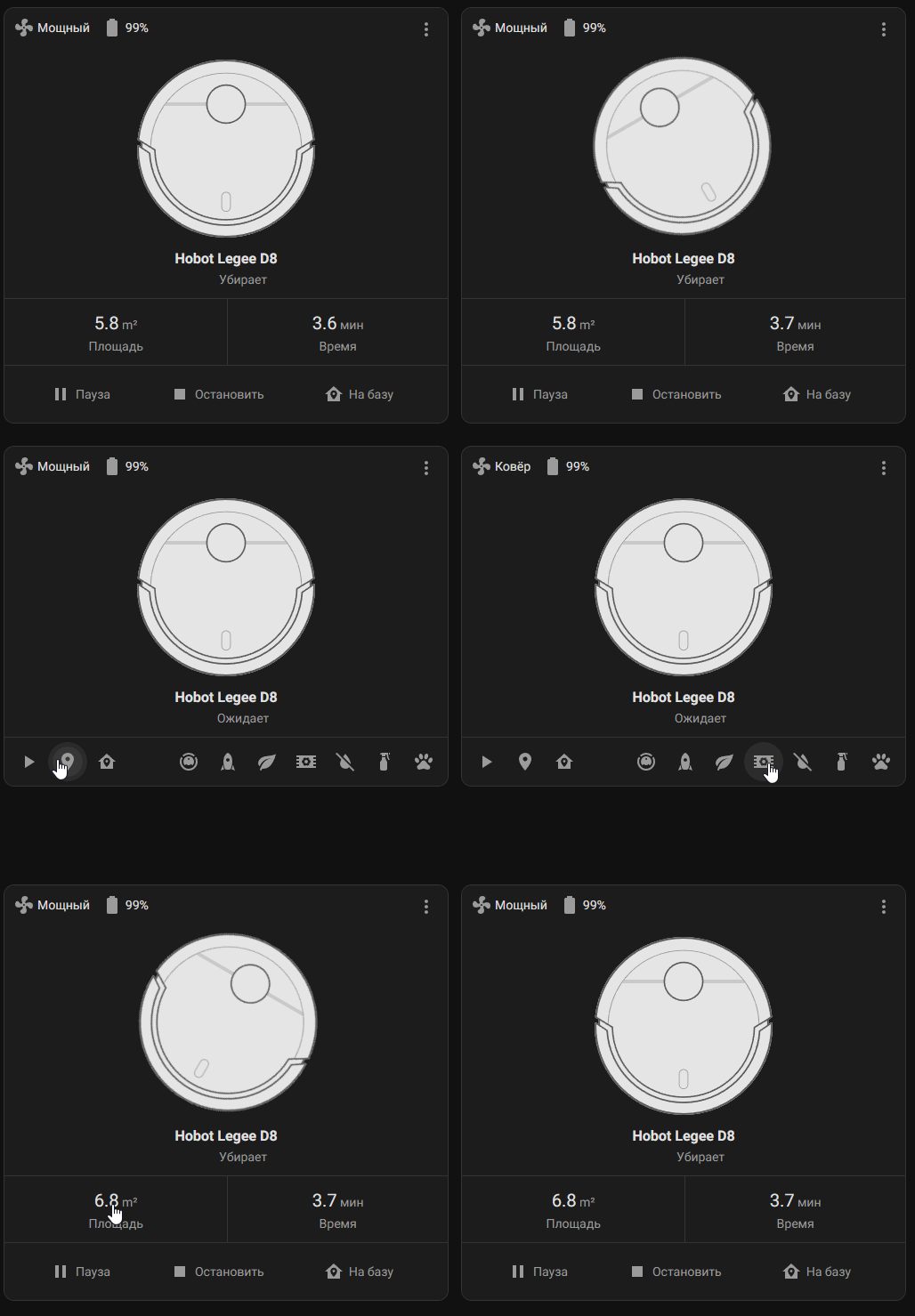
2 Likes
Thanks so much for sharing this! Appreciate your hard work!
I managed to install Legee dump on my iphone but it wouldn’t recognise my login info. Any ideas on what might be wrong?
thanks.
I’ll check the app tomorrow, maybe they’ve updated something.
1 Like
It turns out that the free installation methods of the sidestore type change the bundleId forcibly, and because of this, authorization breaks down. Therefore, with the current version, you can only use either a paid certificate or use the video that I recorded with a way to get the code using the iOS emulator. I will try to disable this check when I have time.
1 Like
I was able to get the details using your video guide and emulator. Thanks for that.
1 Like