Great. The add-on is installing and running. When I get home I’ll check if it controls the LEDs
1 Like
hey, is everything working so far?
Hi, its working with ambibox adalight serial driver but high speed HyperSerialPico is not working. Intel Nuc running HA OS
maybe you could try again. only thing i‘ve changed was app armor. disabled now again.
I’ve checked the addon store and there are no updates available for your repository.
@jonah1024 @NoName93 plans to update to v21?
v21 is still beta as far as I can see. as soon as it is stable I will update it.
Maybe I’ll need a reminder then.
EDIT: @rishabmehta7
Found some time and set up HyperHDR again as an unstable repo. Tested briefly - works perfectly for me. Stable and unstable can be installed in parallel - but only one of them can be started at a time.
Backup beforehand is a matter of course.
The latest version is currently 21.0.0.0beta2
1 Like
Is anybody successfully running this on a Pi 4 with Home Assistant OS and a HyperSerial USB device?
My Pi Pico with HyperSerialPico is successfully registering in the host, I can select it in HyperHDR (ttyACM0 in my case), but HyperHDR fails to connect to it.
Host USB logs
homeassistant kernel: usb 1-1.4: new full-speed USB device number 69 using xhci_hcd
homeassistant kernel: usb 1-1.4: New USB device found, idVendor=2e8a, idProduct=000a, bcdDevice= 1.00
homeassistant kernel: usb 1-1.4: New USB device strings: Mfr=1, Product=2, SerialNumber=3
homeassistant kernel: usb 1-1.4: Product: Pico
homeassistant kernel: usb 1-1.4: Manufacturer: Raspberry Pi
homeassistant kernel: usb 1-1.4: SerialNumber: <removed>
homeassistant kernel: cdc_acm 1-1.4:1.0: ttyACM0: USB ACM device
LEDDEVICE0_ADALIGHT    : <INFO> Opening UART: ttyACM0
LEDDEVICE0_ADALIGHT    : <ERROR> Could not detect HyperSerialEsp8266/HyperSerialESP32/HyperSerialPico device
LEDDEVICE0_ADALIGHT    : <ERROR> Device 'adalight' is disabled due to an error: 'Timeout writing data to ttyACM0'
i just installed v21, and i cant get signal from my usb video grabber, i already tested v21 in windows and my pi and worked but when i tried to use via home assistant cant get to work
08:40:21.697 LEDDEVICE0_WLED : WLED info => wifi quality: 60% (LOW), wifi channel: 5, leds: 227, arch: esp32, ver: 0.15.0, uptime: 36641s, port: 21324, power limit: 0mA
08:40:21.855 COMPONENTCTRL0 : LED device: enabled
08:40:21.855 SMOOTHING0 : Using alternative smoothing input (0)
08:40:21.895 SMOOTHING0 : Using alternative smoothing procedure (0)
08:40:23.128 MUXER0 : Priority 240 is now inactive
08:40:23.128 MUXER0 : Set visible priority to 255
08:40:23.128 HYPERHDR0 : New priority[255], previous [240]
08:40:23.128 HYPERHDR0 : No source left → switch LED-Device off
08:40:23.128 SMOOTHING0 : Clearing queued colors before: disabling
08:40:23.128 SMOOTHING0 : Smoothing queue is cleared
08:40:23.354 COMPONENTCTRL0 : LED device: disabled
08:40:34.244 PERFORMANCE : [USB: FPS = 115.51, decoding = 2ms, frames = 5, invalid = 7387, mode = direct]
08:40:34.246 MUXER0 : Priority 240 is now active
08:40:34.246 MUXER0 : Set visible priority to 240
08:40:34.246 PERFORMANCE : [USB: FPS = 115.51, decoding = 2ms, frames = 5, invalid = 7387, mode = direct], [INSTANCE0: FPS = 0.31, processed = 20]
08:40:34.247 HYPERHDR0 : New priority[240], previous [255]
08:40:34.247 HYPERHDR0 : New source available → switch LED-Device on
08:40:34.247 SMOOTHING0 : Clearing queued colors before: enabling
08:40:34.247 SMOOTHING0 : Smoothing queue is cleared
08:40:34.345 LEDDEVICE0_WLED : WLED info => wifi quality: 60% (LOW), wifi channel: 5, leds: 227, arch: esp32, ver: 0.15.0, uptime: 36654s, port: 21324, power limit: 0mA
08:40:34.611 COMPONENTCTRL0 : LED device: enabled
08:40:34.612 SMOOTHING0 : Using alternative smoothing input (0)
08:40:34.651 SMOOTHING0 : Using alternative smoothing procedure (0)
08:40:35.127 MUXER0 : Priority 240 is now inactive
08:40:35.127 MUXER0 : Set visible priority to 255
08:40:35.127 HYPERHDR0 : New priority[255], previous [240]
08:40:35.127 HYPERHDR0 : No source left → switch LED-Device off
08:40:35.127 SMOOTHING0 : Clearing queued colors before: disabling
08:40:35.127 SMOOTHING0 : Smoothing queue is cleared
08:40:35.391 COMPONENTCTRL0 : LED device: disabled
08:40:35.391 PERFORMANCE : [USB: FPS = 115.51, decoding = 2ms, frames = 5, invalid = 7387, mode = direct]
Same problem here.
Its seems to work with ESP32 modules but not with Pico’s unfortunately.
Where you already able to get it working with a Pico?
Thanks!
I found the fix and submitted it to the add-on repo (HyperSerialPico support by protyposis · Pull Request #1 · NoName93D/ha-addons · GitHub). It’s currently waiting to be merged by @NoName93.
In my case, it works when only the Pico is connected to the Pi. When my Sonoff ZBDongle-P Zigbee coordinator stick is connected, the Pico is still not recognized, but that seems to be another (unrelated) issue with the USB stack in HAOS. A workaround is connecting the Pico via a USB hub.
1 Like
Great! tested your fork and this works for me to!
Thanks for sharing!
@NoName93D Also thanks for making this Addon available for HA.
… merged now. Thank you.
Hi, I installed your extension, when I try to enter the interface it doesn’t open anything for me. Could you please tell me where I’m going wrong?

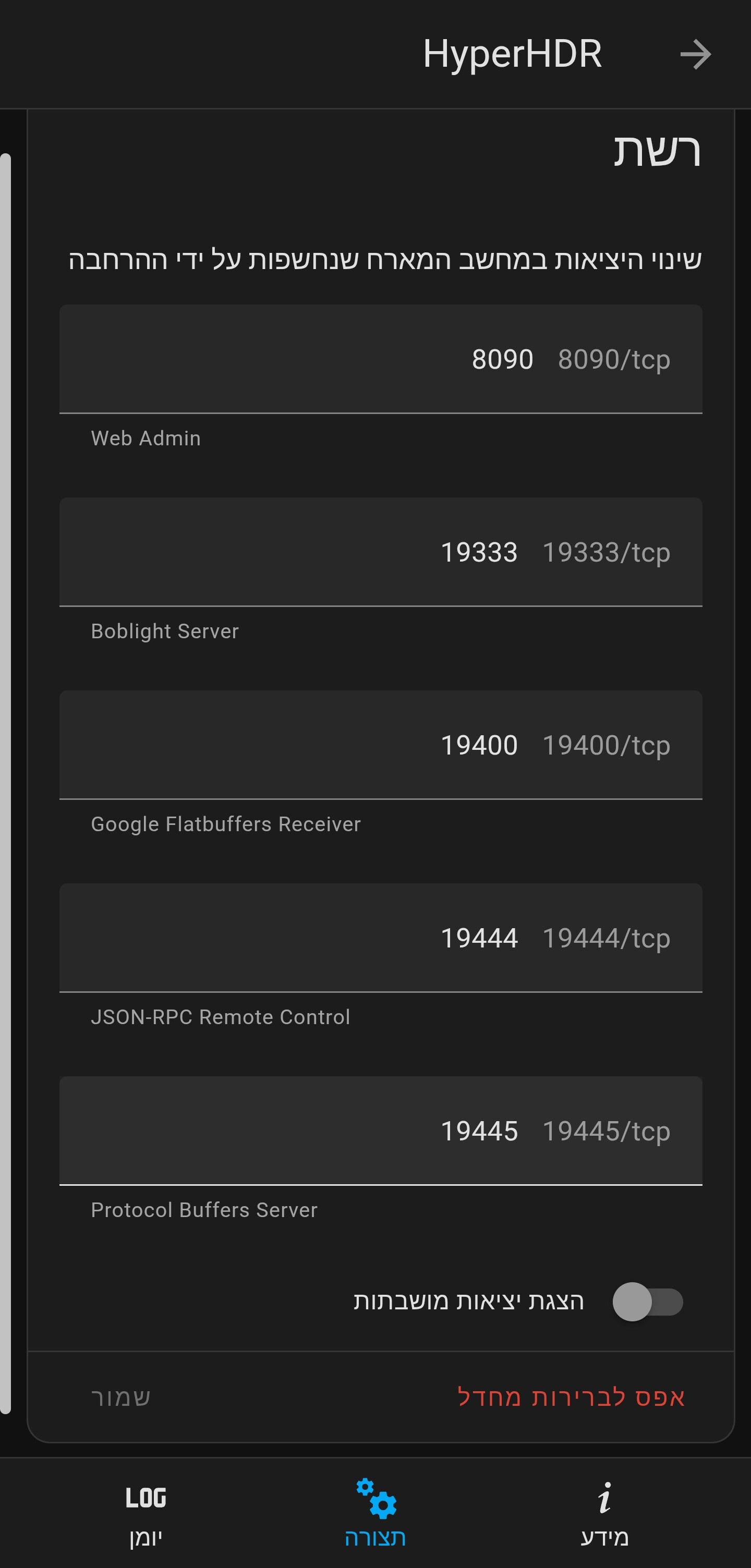
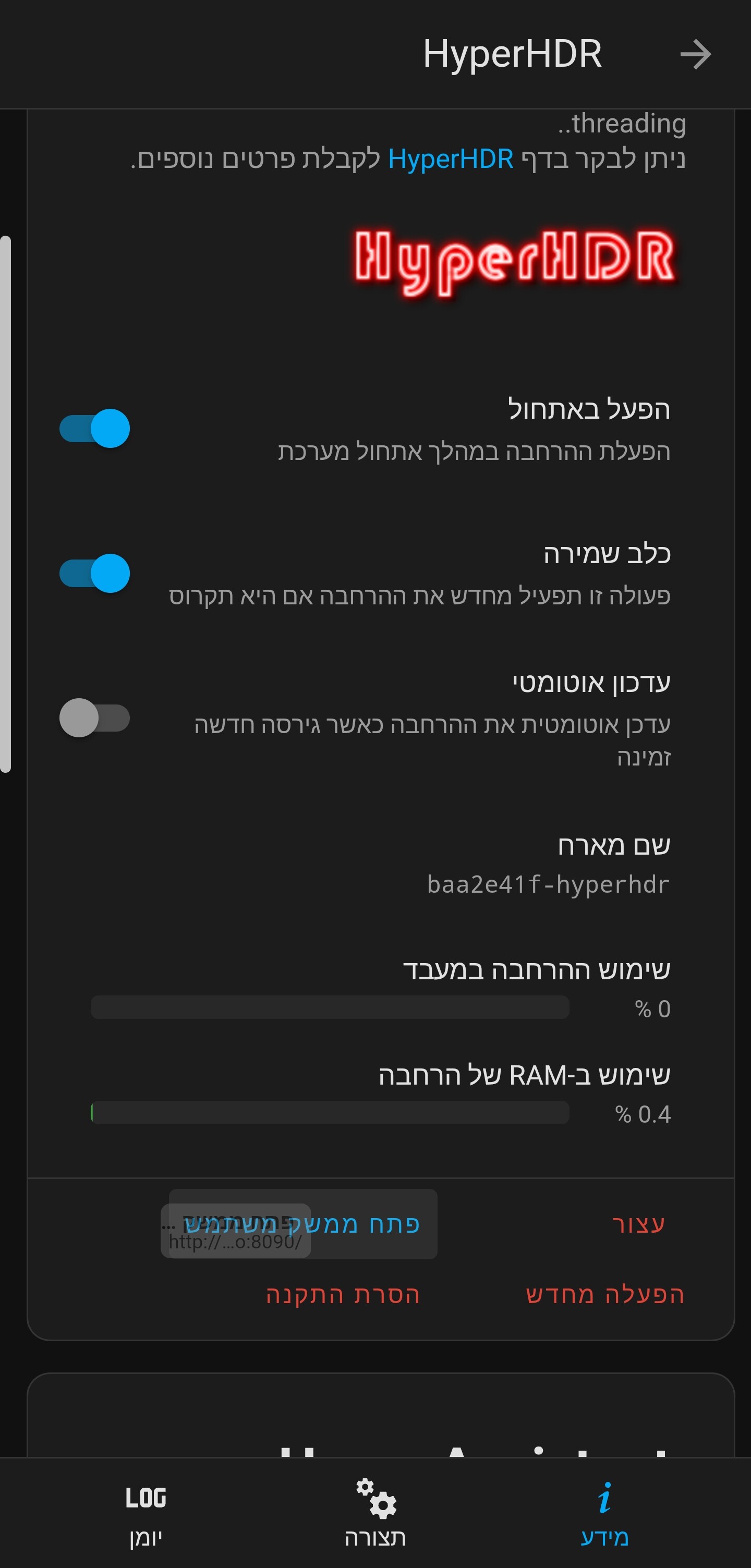

Which url do you use for access? Does it say anything about homeassistant.info?
Hyperhdr only works locally via the ip or hostname.
But not externally.
Can you check this?
Okay, you’re right, after trying to enter the local address of Home Assistant, it actually opened the address for me properly.
This is the address: http://homeassistant.local:8090/
But when I log in through this address and not through the local hyperhdr address, I get a video capture error.
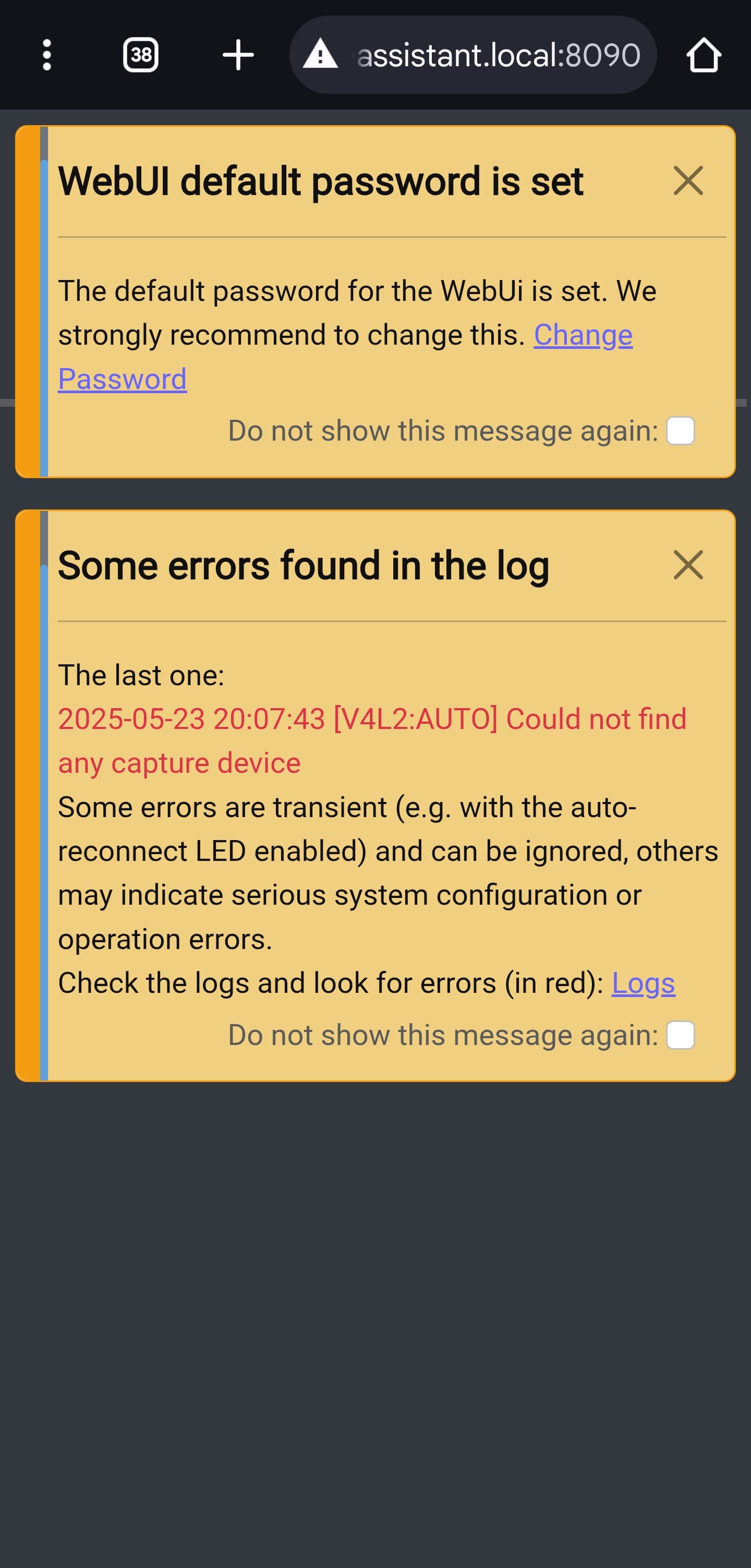
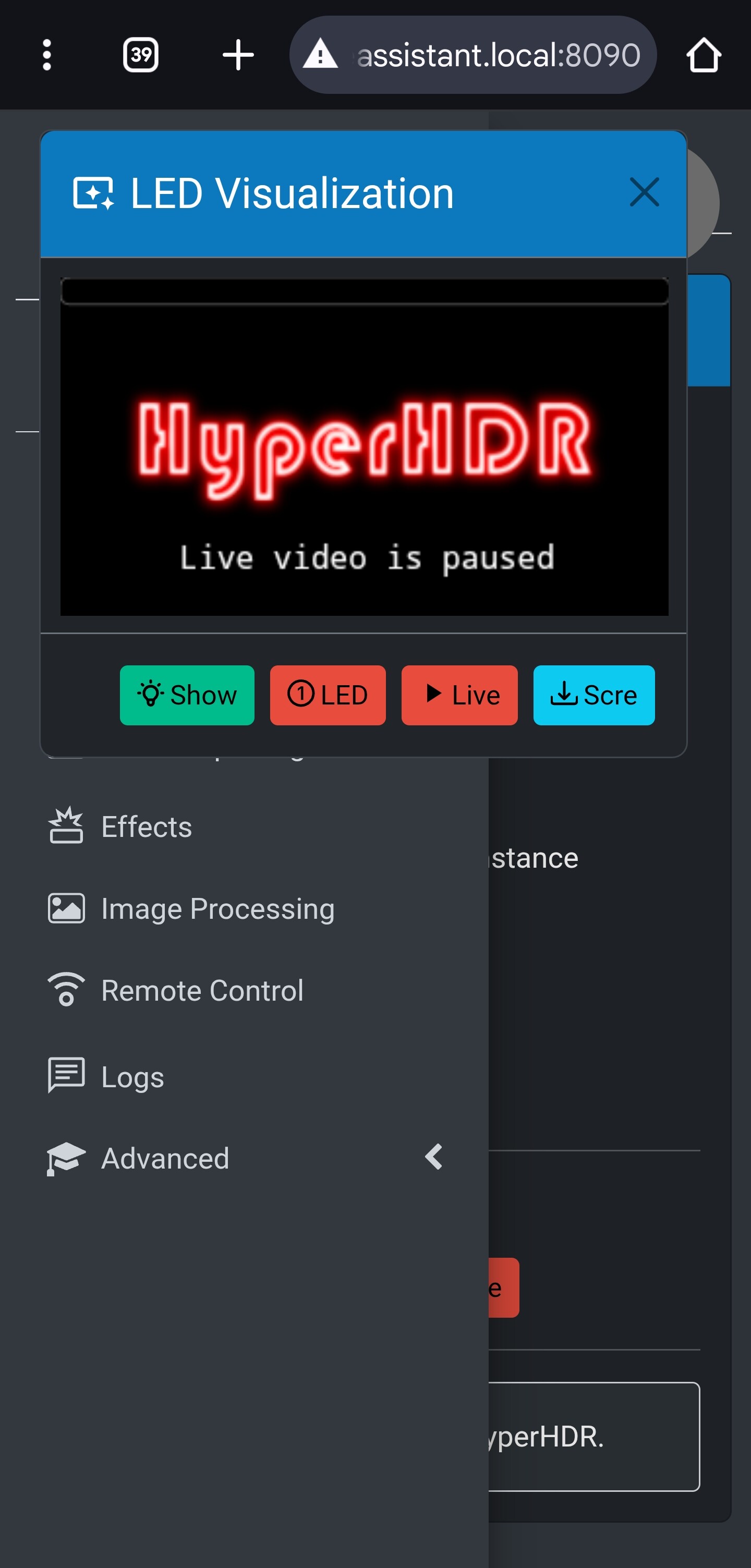
Another question, how can I use this to get the video capture home assistant out but not through the local address? i want to get the video signal please guide if you can 
… can you help?