Hi there!
I have a Dahua NVR and want to access snapshots from recorded video by providing a timestamp.
For example if someone opens the door, send a snapshot from the Doorbell camera from 3 seconds ago.
I have no idea how to accomplish this but I think it could be really useful for many people.
Is this possible with the integration?
When setting text as overlay, the integration inserts “+” instead of spaces. For example, see the following screenshots of setting an overlay of “one two three” and the result of “one+two+three”. Is there a way to insert spaces, instead? When accessing the camera’s settings, the overlays can be set with spaces.


I found the solution. Hopefully it also helps others. Need to use both quotes and %20 for spaces.
Old: One two three
New: “One%20two%20three”
Here is an example automation that automatically updates text reflecting the state of my light into the video:
Trigger
platform: device
type: changed_states
device_id: light.front_yard
entity_id: 70cb05135922472c8396718db6be5273
domain: light
Action
service: dahua.set_text_overlay
data:
  group: 1
  text1: Light%20is%20{{ states('light.hue_lily_outdoor_spotlight_1') }}
  text2: ""
  text3: ""
  text4: ""
target:
  device_id: 8aee60008fd285111778384440318243

2 Likes
Hello, i added the dahua integration on my dahua dvr and it’s correctly displaying the streaming.
When i try to enable motion detection, i receive a “not authorized” error message (see the lower part of the attached picture).
I also find many errors in the log like
aiohttp.client_exceptions.ClientResponseError: 401, message=‘Unauthorized’, url=URL(‘http://192.168.0.245:80/cgi-bin/snapshot.cgi?channel=1’)
Any idea?
Thank you

Your Device info is showing the camera as Generic RTSP, my guess this feature is not supported for “generic” devices. On my Dahua cameras it lists the device model.
Any solution? I have the same problem.
Hi Danny, Did you manage to get this sorted. If so can you please share?
I have the EmpireTech IPC-FL46N which seems to be the same as the Dahua IPC-L46N. I have the integration installed and it see’s the streams and even the floodlight. I’d like to work with rroller or who ever is working on this integration so that we can improve it for this floodlight cam. I’d really like to get the light color change and changing the status of the motion detection with flood light triggers.
Did anyone manage to get an Dahua NVR connected to this? Mine just says username, password or address is wrong but I can use the same details to log in via browser
Hello, I am trying to use the Dahua integration to integrate my Dahua IP Villa Door Station (VTO2202F-P-S2) into HA. After providing the camera details, I get 13 sensors, however I can’t see the “DoorbellPressed” one. Does anyone know how to get this sensor enabled? Any additional config needed?
Hello!
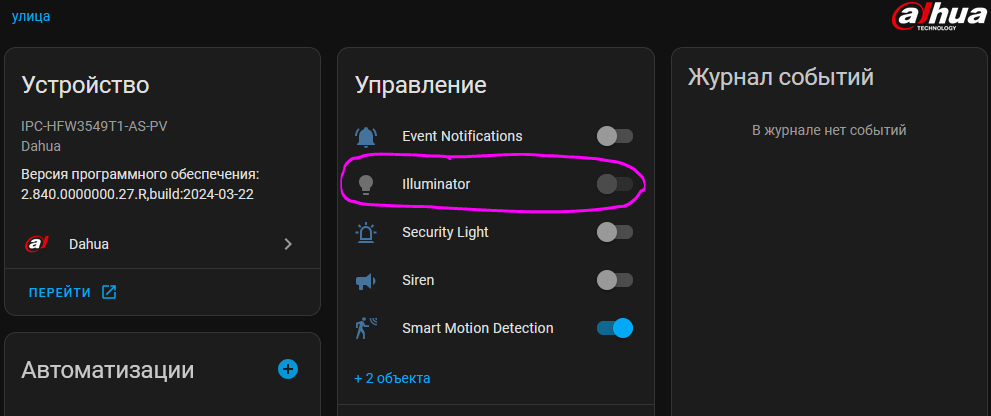
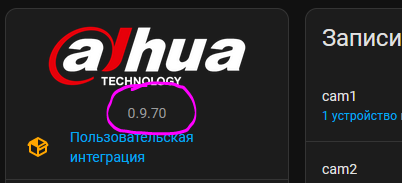
dahua integration 0.9.70
Actual version does not supports an ILLUMINATOR feature? Why? How to enable it?
how is your NVR having ‘Controls’ that includes ‘Disarming’?
my NVR is listed as ‘general RTSP’ not like your ‘DHI-nvr5216’ how do i get it to happen?
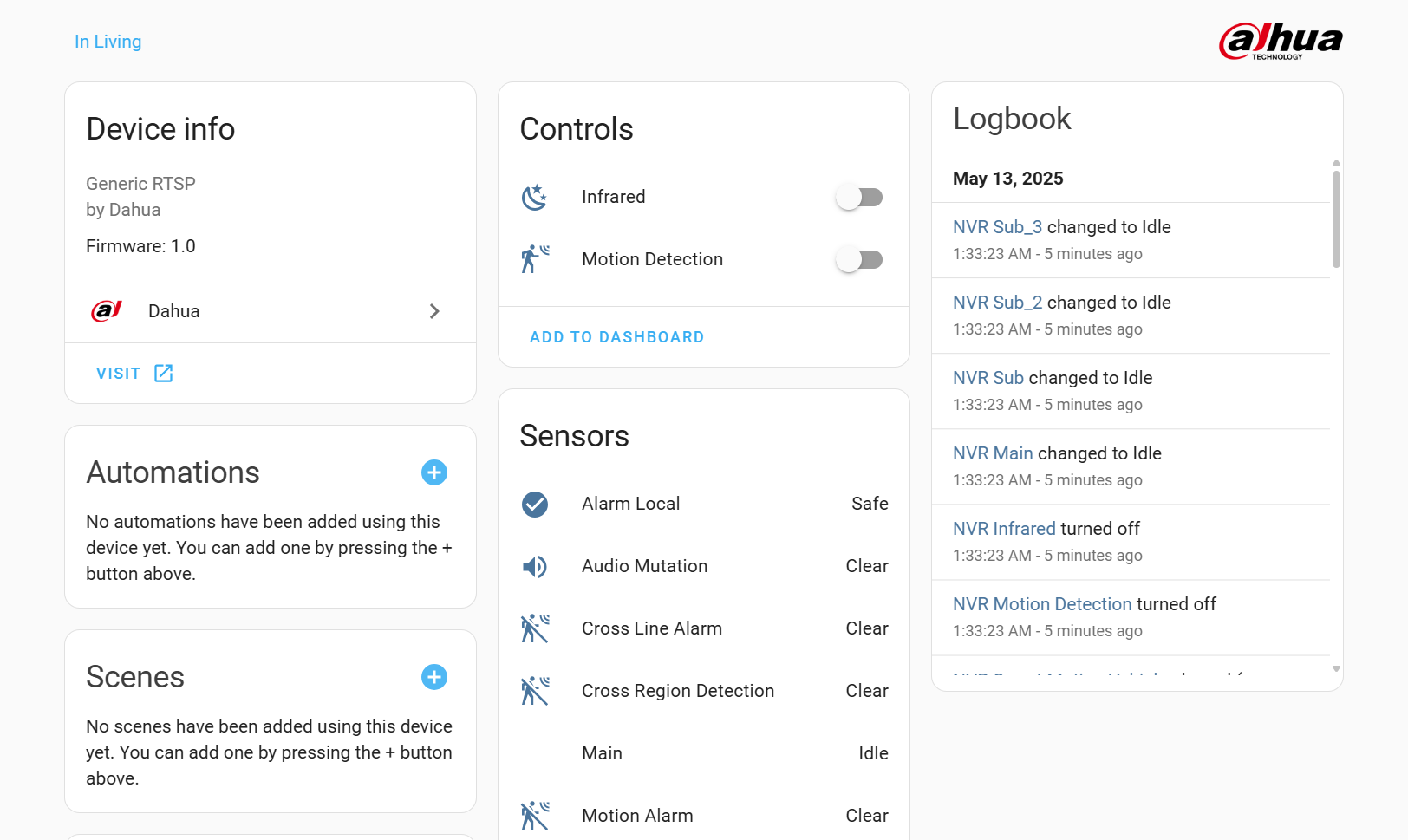
how do i fix that?
How did you get ‘disarming’ on your ‘controls’?
I don’t have that option and my NVR is considered to be ‘general device’
@Wekashinowa are you using the HACS Dahua integration?
Hi,
I can connect my Dahua DH-P3D-3F-PV camera using the ONVIF integration — I see the sensors and everything works. However, when I try the HACS Dahua integration, it doesn’t work, even though all settings (IP, username, password) are the same.
Has anyone managed to get this model working with the Dahua HACS integration? Any tips?
Thanks!
The Dahua DH-P3D-3F-PV does not work with the Dahua integration of rroller because it uses a different authentication method. However, since rroller hasn’t been developing its integration for a long time, for example, to include additional or more recent camera models, and is no longer responding to user questions and issue reports, this is unlikely to change.
Background: The Dahua DH-P3D-3F-PV was originally developed by Dahua for its former subsidiary Imou and has been marketed as the Imou Cruiser Dual for some time. I also use the Imou Cruiser Dual here, along with other Dahua cameras. Since Imou is no longer part of Dahua, Dahua is now marketing a few Imou models directly under the Dahua label. This includes the Dahua DH-P3D-3F-PV. However, because this uses a slightly different firmware and API version than the “original” Dahua models, it does not work with the Dahua integration of rroller. So, your only option is to continue using it via Onvif under HA. Unless Dahua releases a firmware version for the Dahua DH-P3D-3F-PV that then works with the API used by rroller.
BTW: If you use it via Onvif integration, you’ll probably also see a warning in the core protocol, something like this:
Logger: homeassistant.components.onvif
Quelle: components/onvif/event.py:181
Integration: ONVIF (Dokumentation, Probleme)
Erstmals aufgetreten: 09:23:53 (1 Vorkommnis)
Zuletzt protokolliert: 09:23:53

Cruiser Dual LAN Onvif: No registered handler for event from 1c:4d:89:xx:xx:xx: { 'SubscriptionReference': { 'Address': { '_value_1': 'http://192.168.1.181/onvif/Subscription?Idx=345', '_attr_1': None }, 'ReferenceParameters': None, 'Metadata': None, '_value_1': None, '_attr_1': None }, 'Topic': { '_value_1': 'tns1:VideoSource/tns1:Device/Trigger/DigitalInput', 'Dialect': 'http://www.onvif.org/ver10/tev/topicExpression/ConcreteSet', '_attr_1': { } }, 'ProducerReference': None, 'Message': { '_value_1': { 'Source': { 'SimpleItem': [ { 'Name': 'InputToken', 'Value': '00000' } ], 'ElementItem': [], 'Extension': None, '_attr_1': None }, 'Key': None, 'Data': { 'SimpleItem': [ { 'Name': 'LogicalState', 'Value': 'false' } ], 'ElementItem': [], 'Extension': None, '_attr_1': None }, 'Extension': None, 'UtcTime': datetime.datetime(2025, 9, 1, 7, 23, 52, tzinfo=datetime.timezone.utc), 'PropertyOperation': 'Initialized', '_attr_1': { } } } }
This is “normal” and, according to the developer responsible for HA Onvif integration, can’t be changed.
Are you hoping rroller will answer you? But okay, maybe you’ll get lucky. 
Note: DH-P3D-3F-PV and DH-P5D-5F-PV are the same models and only differ in the MP.
Hello,
I had a number of issues with fog and Frigate lately.
Frigate thinks that there are some movement but it is due to fog particles which are moving in front of the sensor (as a result Frigate is overloaded by the analysis tasks running all night).
As I have Dahua cameras, I was thinking if I could use this integration to enable/disable motion detection based on IVS events.
The idea was to rely on the Dahua camera to detect if there is some human moving, and if this is the case to trigger motion detection on Frigate: that would solve the fog issue (as the Dahua cameras have no issues handling the fog).
Did anyone already tried that ?
I am wondering if this fast enough (receiving the IVS from Dahua, triggering motion detection in Frigate and Frigate to start recording) not to miss recording the event.
Thanks !