Home Assistant Edge Gateway (TL;DR)
Linux Made Sane Edge Gateway is a Home Assistant add-on that gives you secure web access to Home Assistant and the rest of your homelab without opening inbound ports.
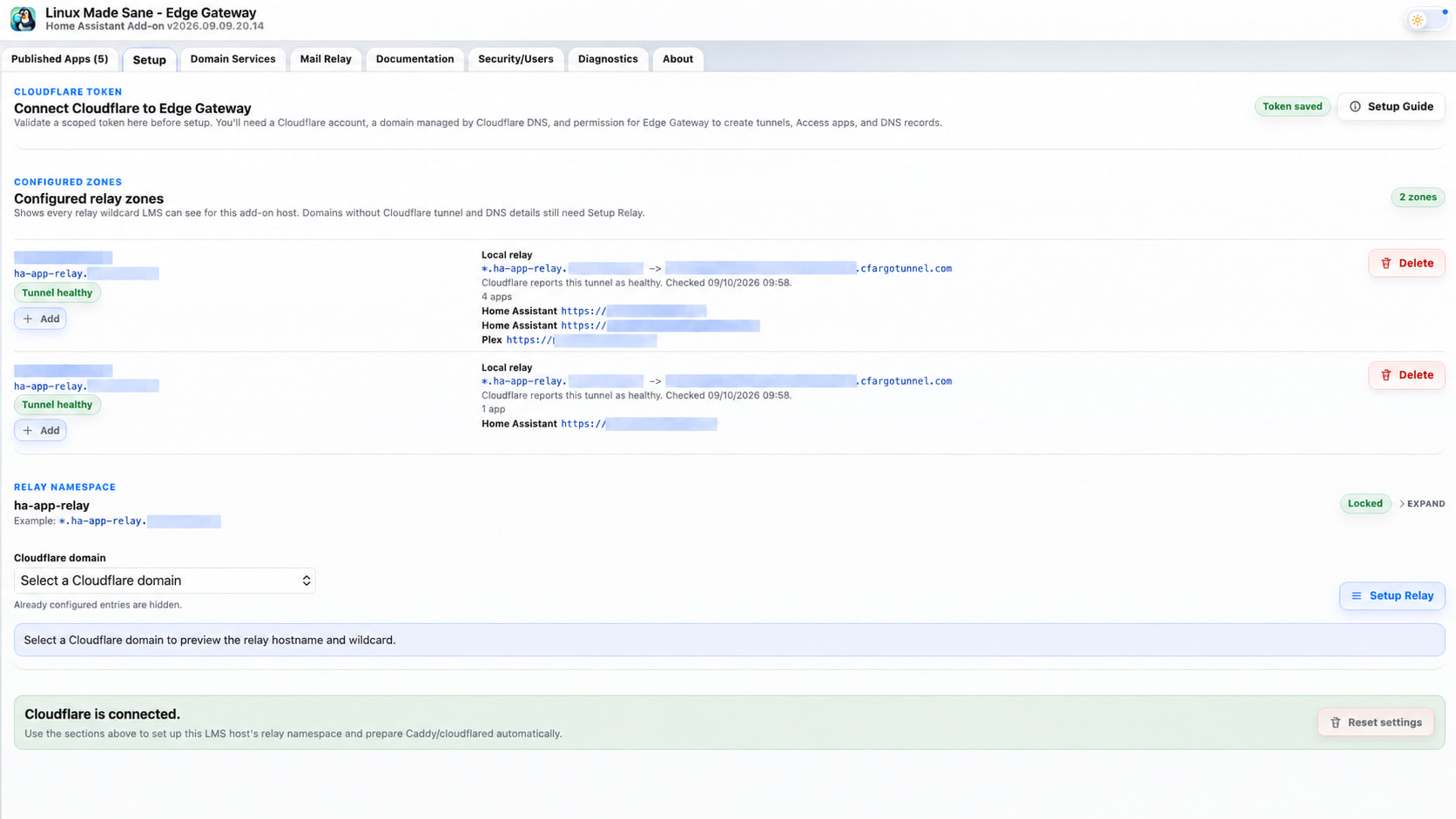
It uses Cloudflare Zero Trust / Cloudflare Tunnel for remote access, with Caddy, DNS and HTTPS managed for you, and adds per-app security using Passkeys, email access approval and trusted IP/CIDR rules.
It also now provides Home Assistant mail sending and a local SMTP relay, so old printers, scanners, UPS devices and other legacy hardware can still send mail over port 25, while the gateway handles modern authenticated delivery with SPF, DKIM and DMARC.
So in one add-on you get:
- Secure remote access to your whole homelab
- No router port forwarding
- Cloudflare Zero Trust / Tunnel
- Automatic DNS, HTTPS and reverse proxying
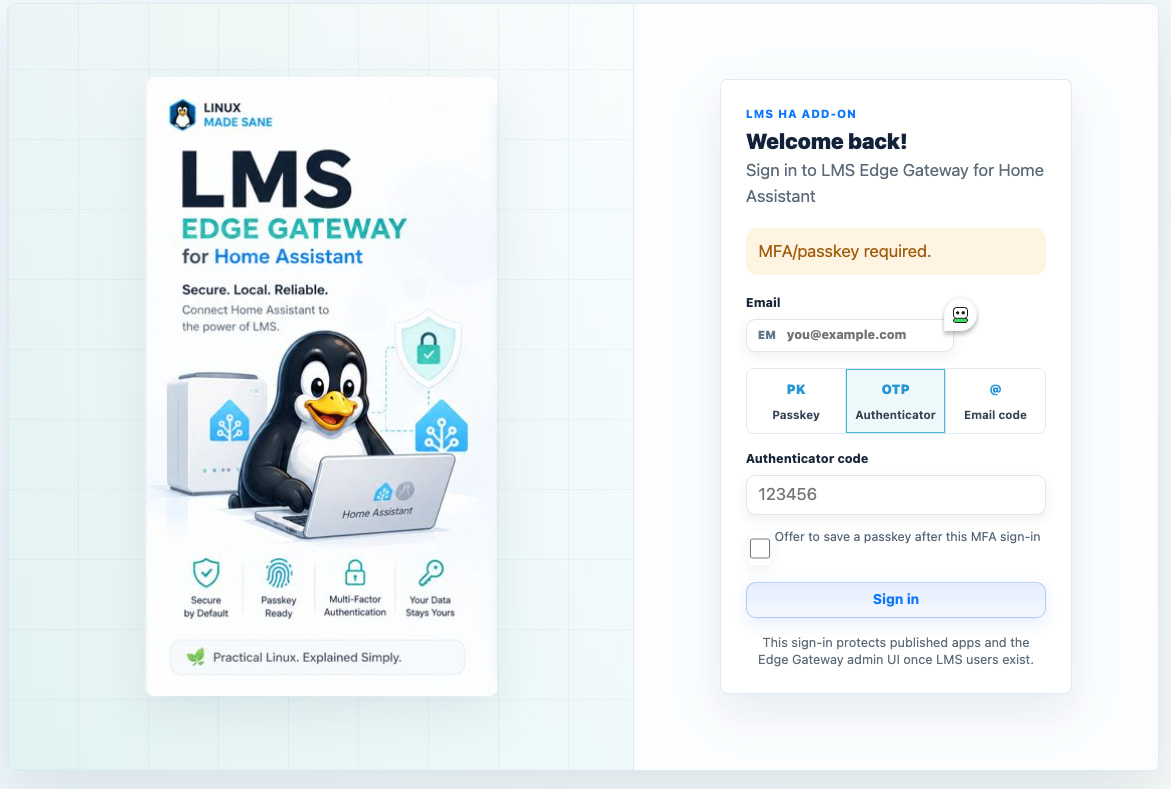
- Passkey protection
- Email access approval
- Trusted IP/CIDR bypass rules
- Home Assistant email sending
- SMTP relay for legacy devices
- SPF, DKIM and DMARC support
The aim is simple: make all the annoying infrastructure around Home Assistant and a homelab much easier to configure and manage.
Home Assistant Edge Gateway – Mail Relay, DKIM/SPF/DMARC, Passkeys & Secure Remote Access
I posted the first version of this a few months ago, but the project has moved on quite a bit since then.
For clarity, LMS here means Linux Made Sane, not Logitech/Lyrion Media Server. 
The original aim of the Linux Made Sane Edge Gateway for Home Assistant was to make secure remote publishing much less painful: Cloudflare Tunnel, DNS, Caddy, HTTPS and access control from a single Home Assistant add-on.
In simple terms, it lets you securely access Home Assistant and the rest of your homelab from anywhere through a normal web browser, using Cloudflare Zero Trust, without opening any inbound ports on your router.
That is still the core of it, but I’ve now added quite a bit more functionality around two areas that I find unnecessarily difficult in a typical Home Assistant / homelab setup:
- Email / SMTP
- Remote access authentication
Secure remote access to your entire homelab
The Edge Gateway isn’t limited to Home Assistant.
You can securely access Home Assistant and the rest of your homelab from anywhere through a normal web browser, without opening inbound ports on your router.
It uses Cloudflare Zero Trust / Cloudflare Tunnel for the external connection, so there is no need to expose ports 80/443, configure port forwarding, or place services directly on the public Internet.
That means the same gateway can securely publish things such as:
- Home Assistant
- Plex / Jellyfin
- Frigate
- Immich
- NAS web interfaces
- Internal dashboards
- Docker-hosted applications
- Other self-hosted web services
Each published application can have its own hostname and its own access policy.
You can then choose whether a service requires:
- Passkey authentication
- Email access approval
- Trusted IP/CIDR access
- Or a combination of those controls
The practical result is simple: your entire homelab can be reached securely from the web, from anywhere, without opening ports on your firewall.
Cloudflare handles the external Zero Trust tunnel, while the Edge Gateway takes care of DNS, routing, Caddy configuration and access controls from inside Home Assistant.
Home Assistant Mail Send + SMTP Relay
The Edge Gateway can now act as the mail infrastructure for Home Assistant and other devices on the network.
The idea is to support both modern applications and the older bits of hardware that refuse to die.
So you can have:
- Home Assistant sending mail through an authenticated SMTP relay
- Modern applications using authenticated SMTP
- Legacy devices using local SMTP / port 25
- Scanners
- Printers
- UPS devices
- NAS appliances
- Cameras
- Old embedded devices that only understand basic SMTP
The legacy device only needs to be able to talk to the Edge Gateway locally.
The gateway then handles the proper onward delivery.
This means you don’t have to try and persuade a 10-year-old scanner to understand OAuth, modern Microsoft/Google authentication or whatever the mail provider currently expects.
SPF, DKIM and DMARC
The mail functionality isn’t intended to be a dodgy open relay.
The Edge Gateway can help configure the pieces required for properly authenticated outbound mail, including:
- SPF
- DKIM signing
- DMARC
- DNS configuration
- Authenticated upstream relay
- Local relay restrictions
The aim is that mail generated by Home Assistant or legacy devices looks like properly configured mail when it reaches the outside world.
It also gives you one central place to see and manage the configuration instead of having SMTP settings scattered across Home Assistant, printers, scanners, NAS devices and random containers.
Passkeys and Email Access Approval
The remote-access side has also been expanded.
You can put the Edge Gateway authentication layer in front of Home Assistant or other web applications and require:
- Passkey authentication
- Email access approval
- Trusted network access
- Or combinations of those policies
This can be applied to Home Assistant, but also things such as Jellyfin, Immich, Frigate, NAS interfaces or other locally hosted applications.
Don’t expose an authentication page at all
One feature I particularly wanted was the ability to avoid advertising that there is even an application behind a hostname.
Instead of an unauthorised visitor being given a helpful login page, the gateway can return a genuine 404 / not found response.
The legitimate user can then use the email approval/authentication flow to gain access.
The intention is simple: an unsolicited request shouldn’t learn anything useful about what is sitting behind the gateway.
Trusted IPs and CIDRs
You can now define trusted IP addresses and CIDR networks.
For example:
- Home LAN
- Management VLAN
- Tailscale network
- VPN address range
- A trusted office/public IP
- Other known remote networks
Those can then have different access behaviour from the general Internet.
So I can, for example, allow normal access from my LAN or VPN while requiring passkey/email approval from everywhere else.
What Edge Gateway is becoming
I originally built this because I was fed up manually joining together:
Cloudflare
- DNS
- certificates
- cloudflared
- Caddy
- reverse proxy configuration
- authentication
- SMTP
- DKIM
- SPF
- DMARC
- access rules
All of those things are perfectly possible individually.
The problem is that individually configuring all of them is far more work than it should be, particularly if you just want Home Assistant and a few homelab services to work securely.
The Edge Gateway is increasingly intended to be the boring infrastructure layer underneath all of that.
Install the Home Assistant add-on, configure it through the UI, and let it take care of the plumbing.
Existing features
It still includes the original functionality:
- Cloudflare Tunnel management
- Cloudflare DNS integration
- Caddy reverse proxy
- Automatic HTTPS
- Multiple published applications/services
- Passkey/MFA protection for applications that don’t support it themselves
- Home Assistant ingress UI
- Runtime diagnostics and status
- Persistent configuration
- Automatic service configuration
The add-on is written in .NET/Blazor and runs as a native Home Assistant add-on.
GitHub:
https://github.com/lmsowner/ha_addon_lms_edge_gateway
Linux Made Sane:
It’s open source.
I’m particularly interested in feedback from people running awkward SMTP devices or self-hosted applications remotely, because those are the areas where I’ve found the biggest amount of unnecessary faffing about.
Issues, feature requests and PRs are all welcome.