Hello,
I have a Ugreen DXP2800 NAS and i will make a VM for Home Assisant. (no Docker). But my problem is, it is not working or in other words, the VM can make a IP connection.
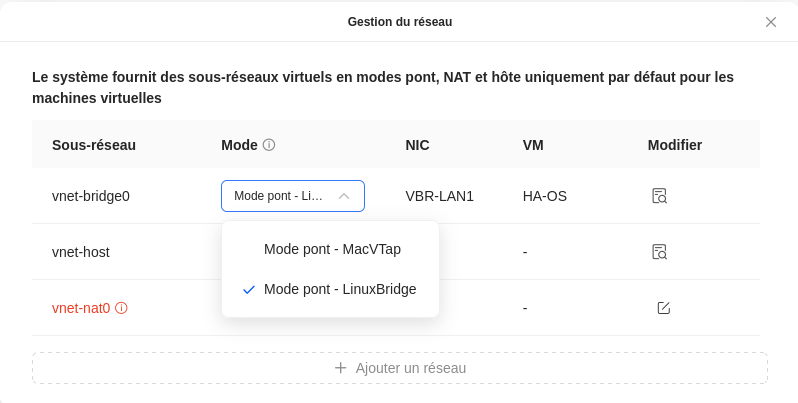
At first, i build in the DXP2800 setting a virtual network bridge.
From Home Assistant i download the: VMware ESXi/vSphere
I create the VM. The system typ is other.
I make an Linux Bridge:
When i start the machine, i cant the in my Router network list the new Home Assistant.
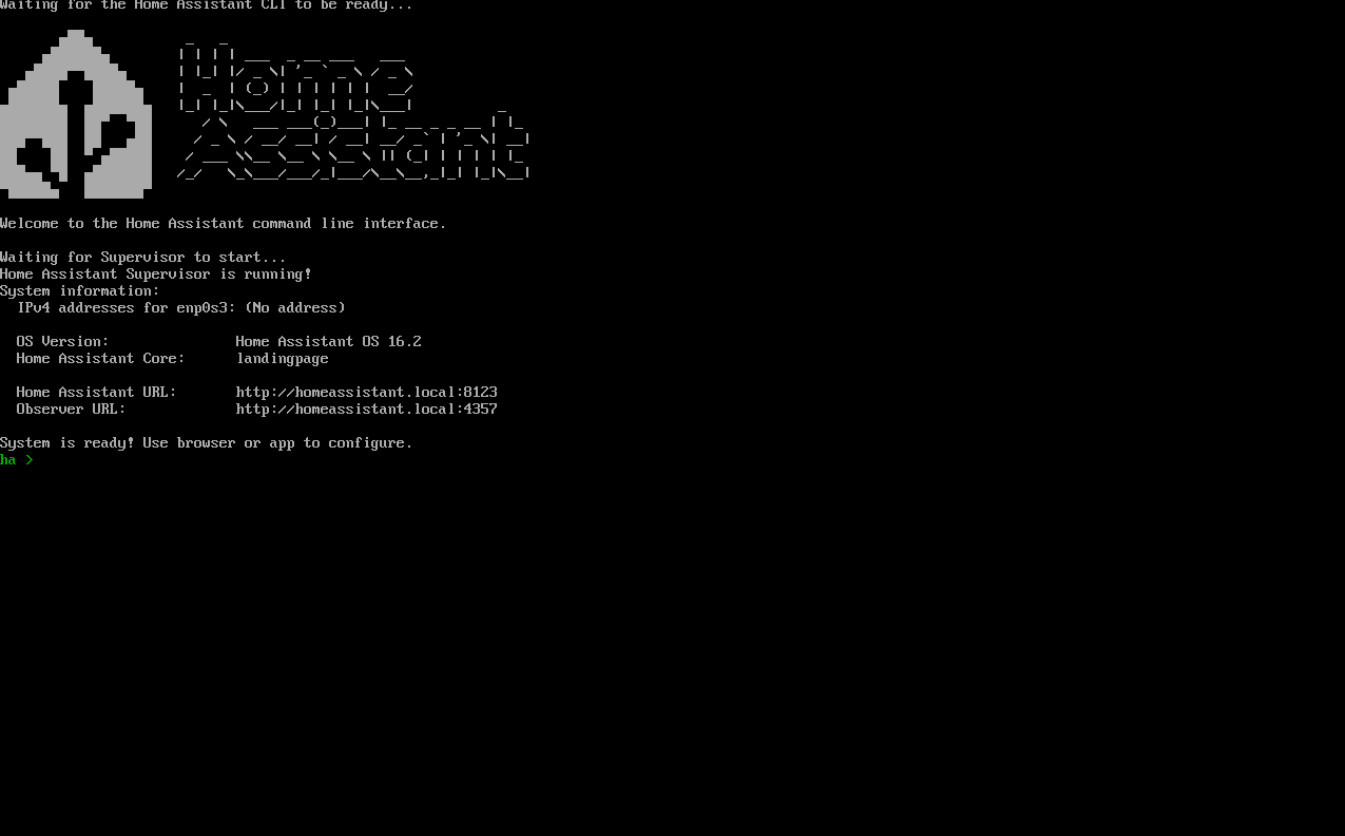
When i connect to the Home Assistant VM, I see only this window:
I try different network settings.
Have anyone a Home Assistant VM on a DXP2800 NAS?
I found a solution. I need no more help
David83L
February 5, 2025, 1:18pm
3
What was the solution? I have the same Problem
To make Home Assistant on the UGREEN NAS (should be working with any other NAS in a similar way) ready for both IPv4 and IPv6 with external access:
Set up a Virtual Bridge in the network settings of the NAS and assign it to the corresponding NIC.
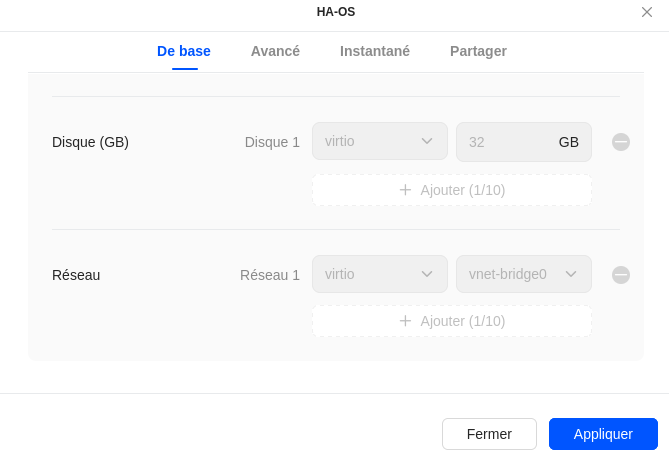
in the VM settings under “Manage”, assign the Linux Bridge as the mode to the VBR NIC.
Done
1 Like
Next time, don’t be a selfish bum and just provide the solution for others.
5 Likes
marcurs
May 3, 2025, 9:03pm
6
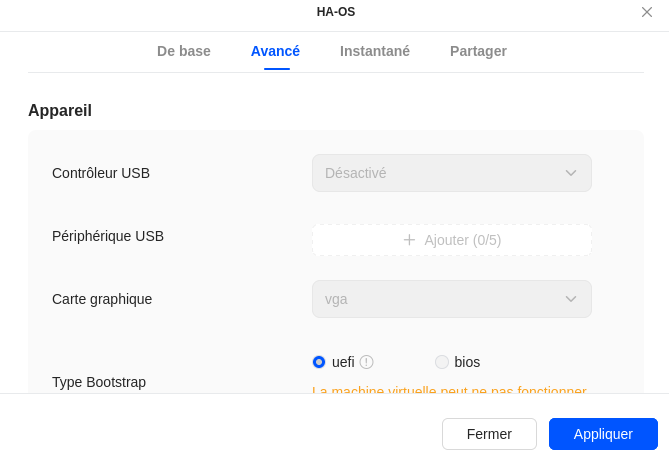
I fixed the same issue selecting UEFI bootstrap mode instead of BIOS.
18yt8zhg
October 19, 2025, 6:24pm
7
Hi,
I have a problem too to create VM for HA on my NAS Ugreen
I create a Virtual Bridge
In Virtual Machine, i change the bridge
Normally, everything it’s okay
But i check the connection, i don’t have an IPv4 adress… is it normal ? And how it’s possible to fix it ?
Maybe because my pool is in Btrfs instead of ext4 ?
Thanks