I have 2 houses with Home Assistant. One is my residence. The second house is a vacation rental. I am having trouble setting up MoT devices on the HA Yellow at my residence.
I cannot figure this out:
I want to connect all thread devices through Home Assistant.
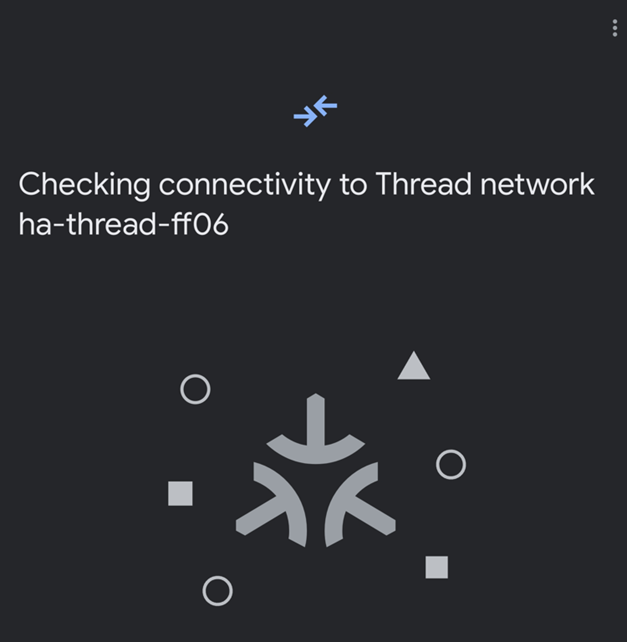
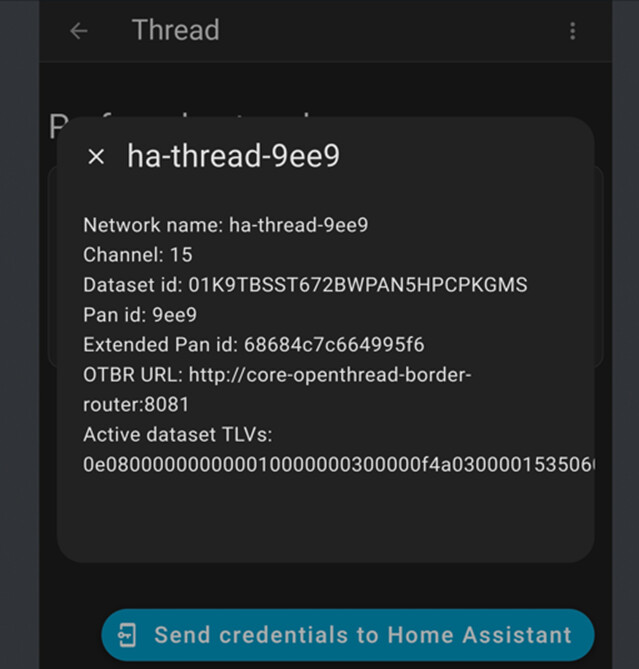
HA is listed is my preferred network under the thread integration in the companion app (Samsung Phone). The HA yellow tries to connect with other Thread Border Routers when adding a device. I unplugged every border router and now the HA yellow tries to connect to the Thread network at the Rental. (see screenshots below). The houses are 2K miles apart.
The deeper attempt to fix:
-IPv6 is switched on with my router
-I unplugged all Thread border routers except the HA Yellow
-I reset the border router and deleted the previous
-I Cleared Cache and Cleared Data in Play Store Services
-I rebooted HA
-Restarted the app
-I synced Thread Credentials in Companion App Troubleshooting. Did this twice (saw that somewhere). 2nd time said “Home Assistant and this device use the same network.
-In Add-Ons, I Restarted the Matter Server
-In Add-Ons, I Restarted the Open Thread Border Router
-Under the Thread Integration, I clicked “Used for Android + iOS credential"
-Under the Thread Integration, I clicked “Send credentials to Home Assistant”. Message says: “You don’t have any credentials to import.
The pairing is attempted to the network stored in the companion app.
You need to copy the correct credentials to the commissioning device’s companion app.
settings → companion app → troubleshooting
Try to copy it twice!
The second time it should respond with something along the lines of being on the same network.
If it does not and the device is an Android, then search the forum for “Google Play Cache”. I should have multiple posts there with a guide to reset the cache.
Yeah, Android’s Thread Framework, (which the HA Companion App uses) stores the first Thread credentials it gets (in this case, the rental unit) and doesn’t let go. It may be possible to overwrite these, but unless things have changed over the last several months, you’ll have to remove them from Google Play as Wally mentioned.
I thought I had dont all of this but…
After several days of repetitive attempts, I re-installed google home on my phone and it worked! Did not connect to Google Home Thread but connected to the Home Assistant Yellow. Keep in mind, I sitll did everything mentioned above including unplugging everything. I hope i don’t have to go through this when setting up another device at the rental house. Hopefully this may help someone else with the same problems
Yes this will be a problem as the phone now has the Thread credentials of the “residence” (8f1c) Thread network.
You could go to the “rental” HA and with the Android Companion App, attempt to “sync” the credentials to HA’s Thread integration (hopefully sending the Android’s Thread credentials to HA). I think when you do this, it will create a new entry in the Thread Integration for the 8f1c Thread network (still having the the ff06 Thread network), and you should be able to make the 8f1c entry the “preferred” network upon which HA should try and migrate these Thread credentials to the existing “rental” Thread network thus changing your rental Thread network to only be 81fc.