Hi everyone,
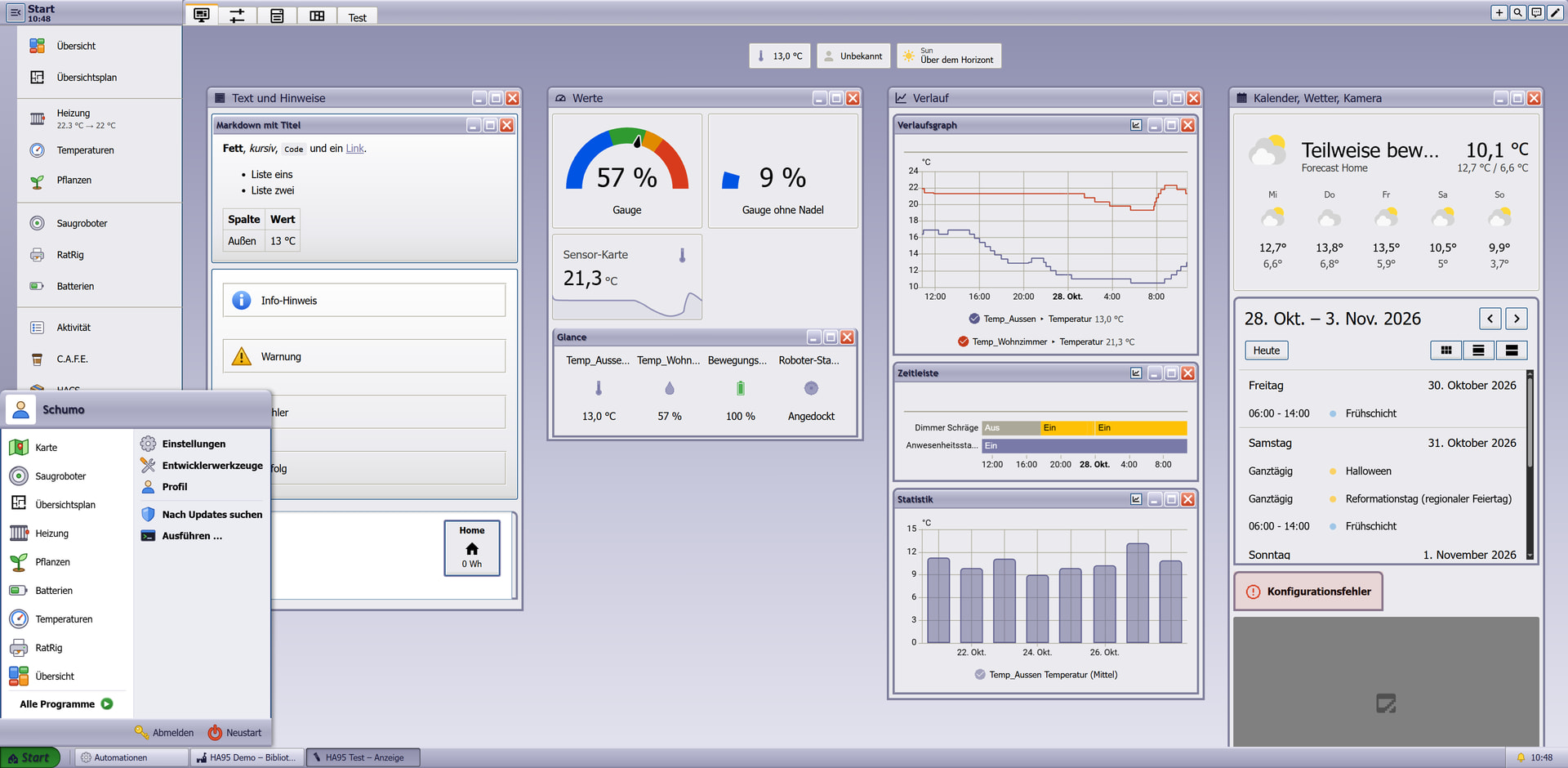
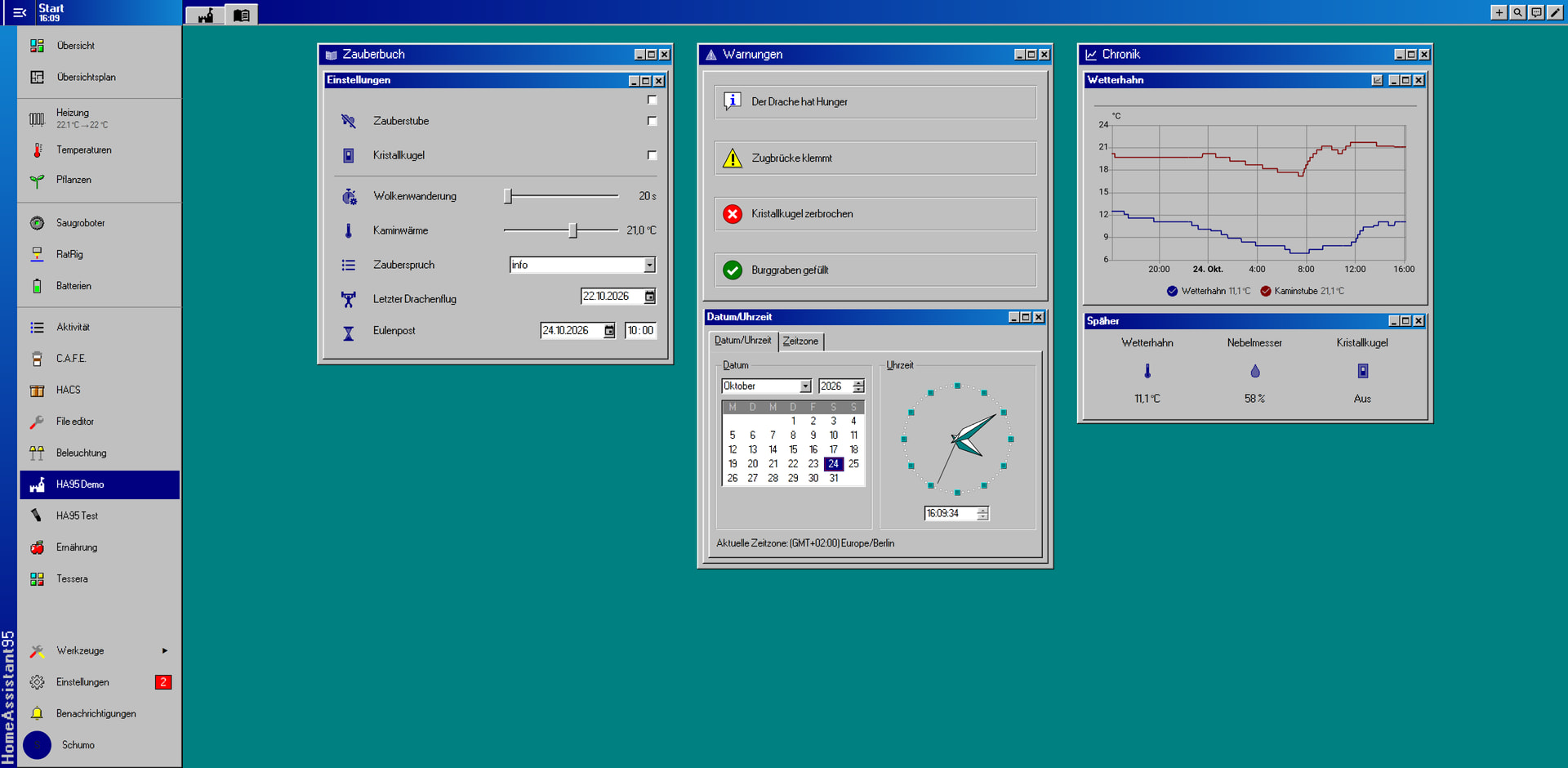
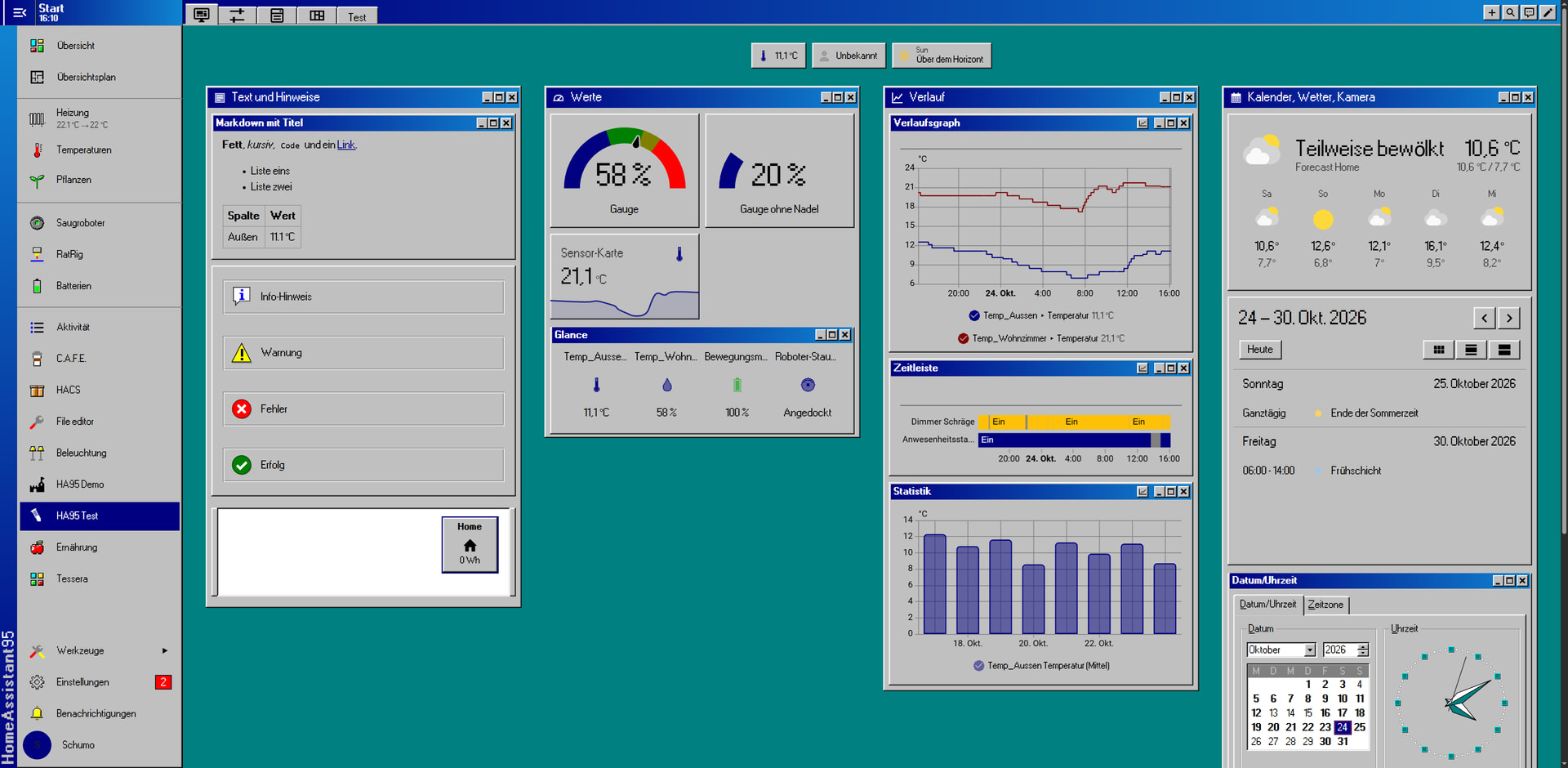
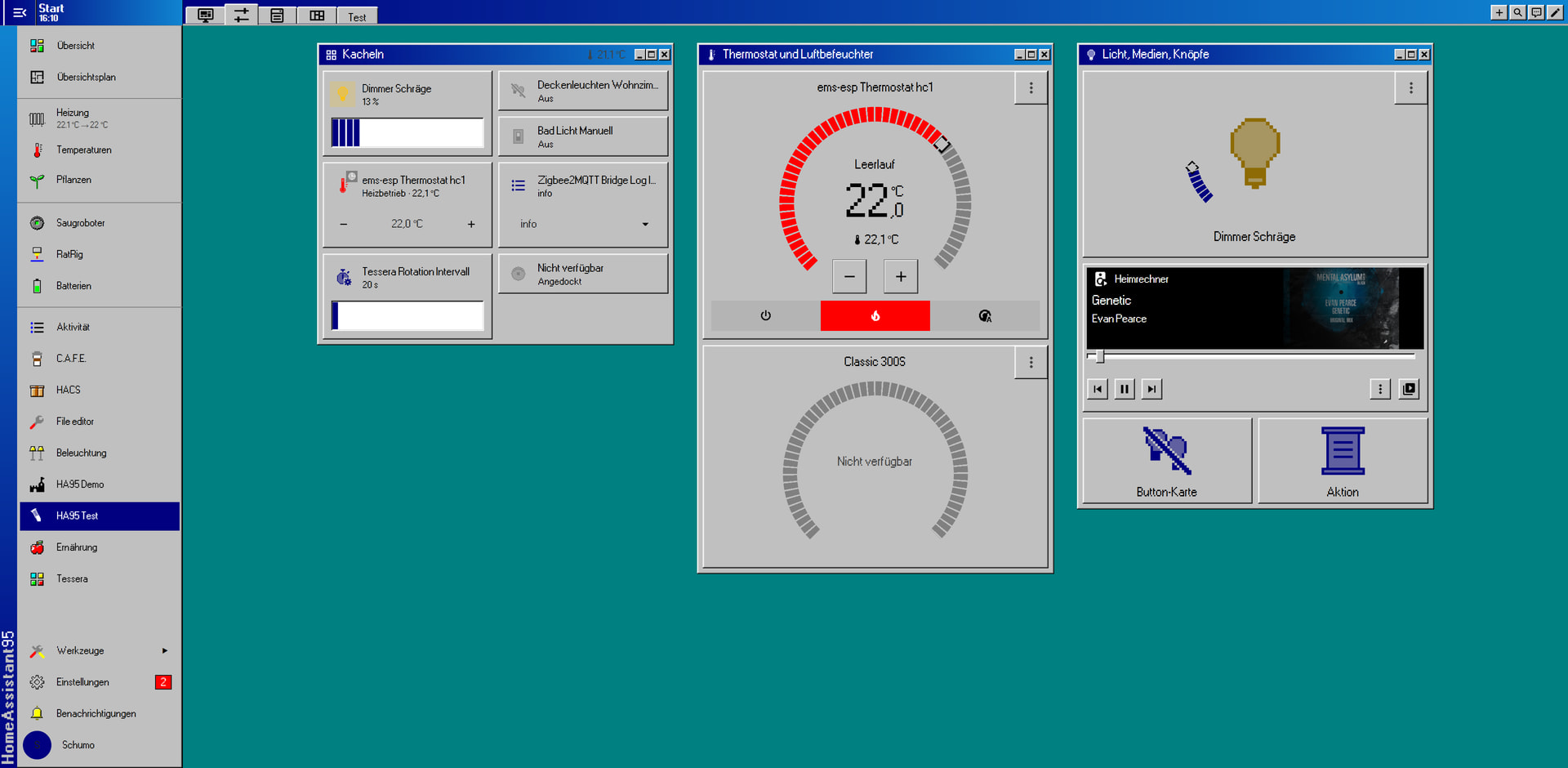
I built HA95, a Windows 95 makeover for Home Assistant: teal desktop, gray 3D windows, navy title bars, square corners and a pixel font.
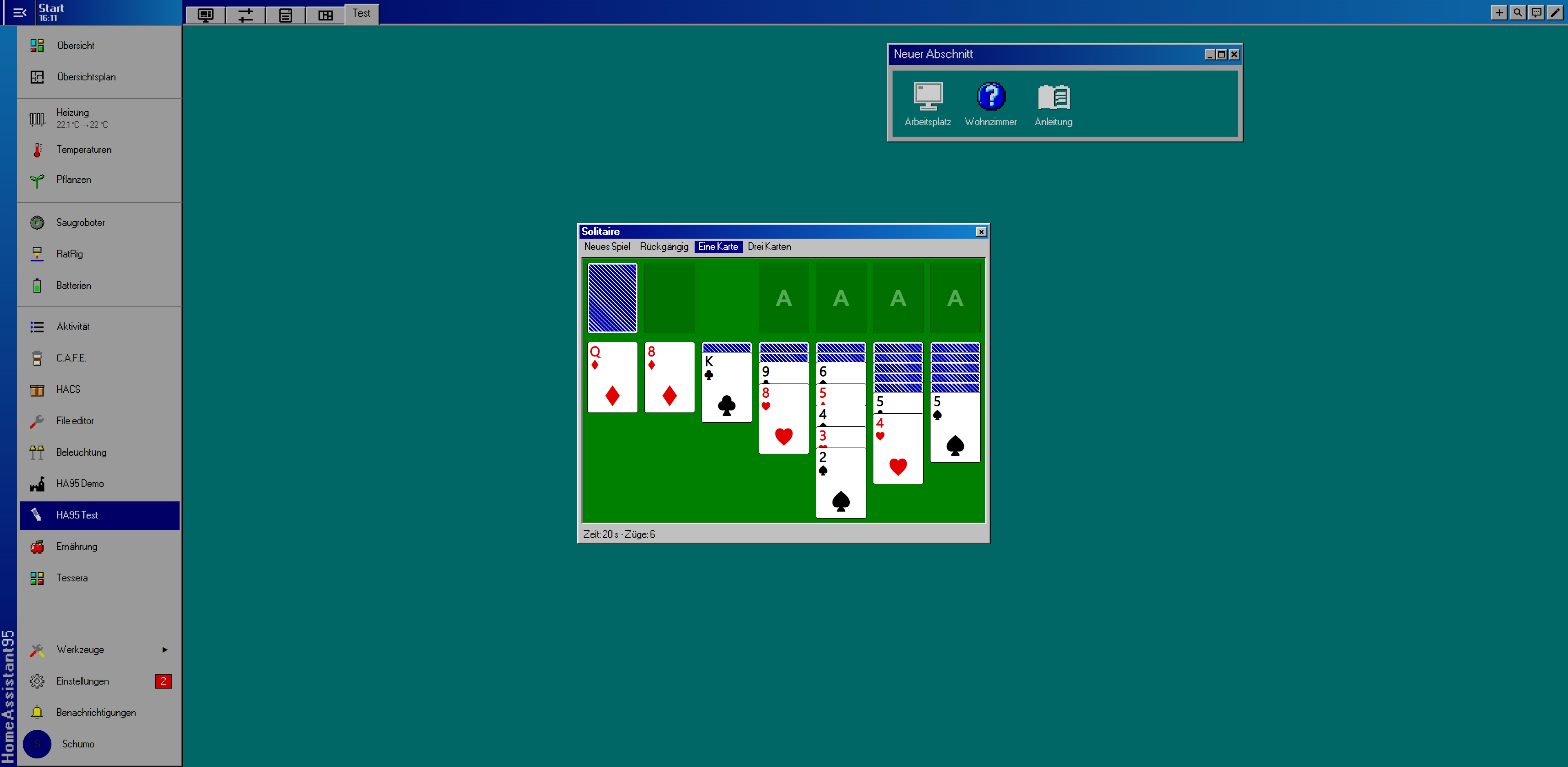
What you get
- 15 themes: HA 95, HA 98, Dark and Auto (follows light/dark mode), several color schemes, and a Windows 3.1 look including “Hot Dog Stand”.
- Window look: cards and dialogs as real Win95 windows, with title bars, OK/Cancel buttons and tabs. The search becomes the “Run” dialog. This needs UIX.
- Start menu: the sidebar becomes a Start menu with colorful icons and flyout menus. You can build your own menu.
- Desktop card: big labeled icons like “My Computer”.
- Extras: Date/Time window, screensaver, Minesweeper, Solitaire, and 537 pixel icons that can replace all MDI icons.
Every extra is optional and works on its own. The themes work without UIX.
Install
- HACS → Custom repositories →
https://github.com/Schumey/HomeAssistant95, type Integration - Install and restart. Make sure
configuration.yamlhas:frontend: themes: !include_dir_merge_named themes - Settings → Devices & services → Add integration → HA 95, then pick your themes and extras
- Press Ctrl+F5 and choose the theme under Profile → Theme
Feedback and bug reports are welcome. Which 1995 program should come next? 
Windows is a trademark of Microsoft Corporation. This project is not affiliated with Microsoft.