HOMEii CCTV Card (Custom Card for Home Assistant)
Heads-up / origin story
This card was built with the help of an AI assistant over many hours. I don’t have a programming background, but I’m publishing it because I think it already does a good job and could be useful to others. There are bugs and rough edges, and I’d love for someone to pick it up from here to stabilize, improve, and maintain it.
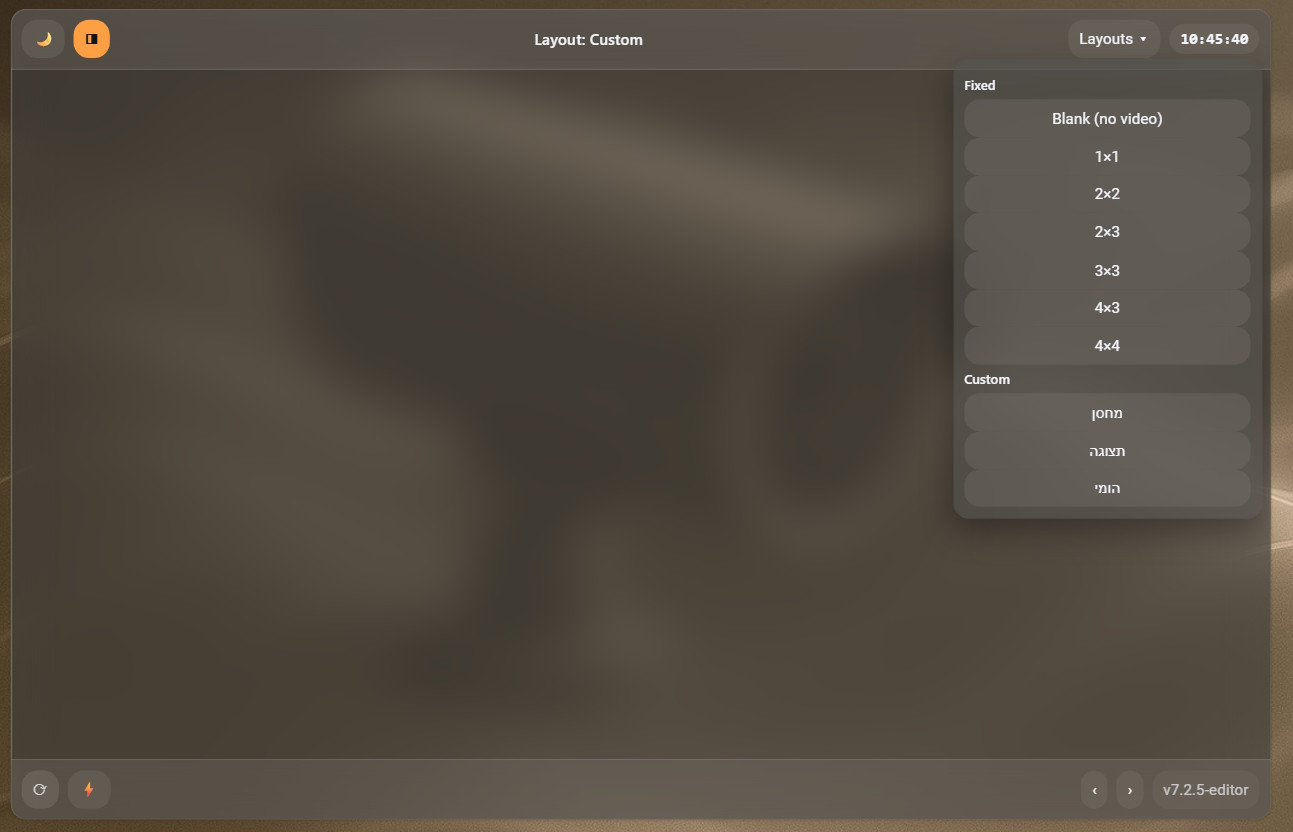
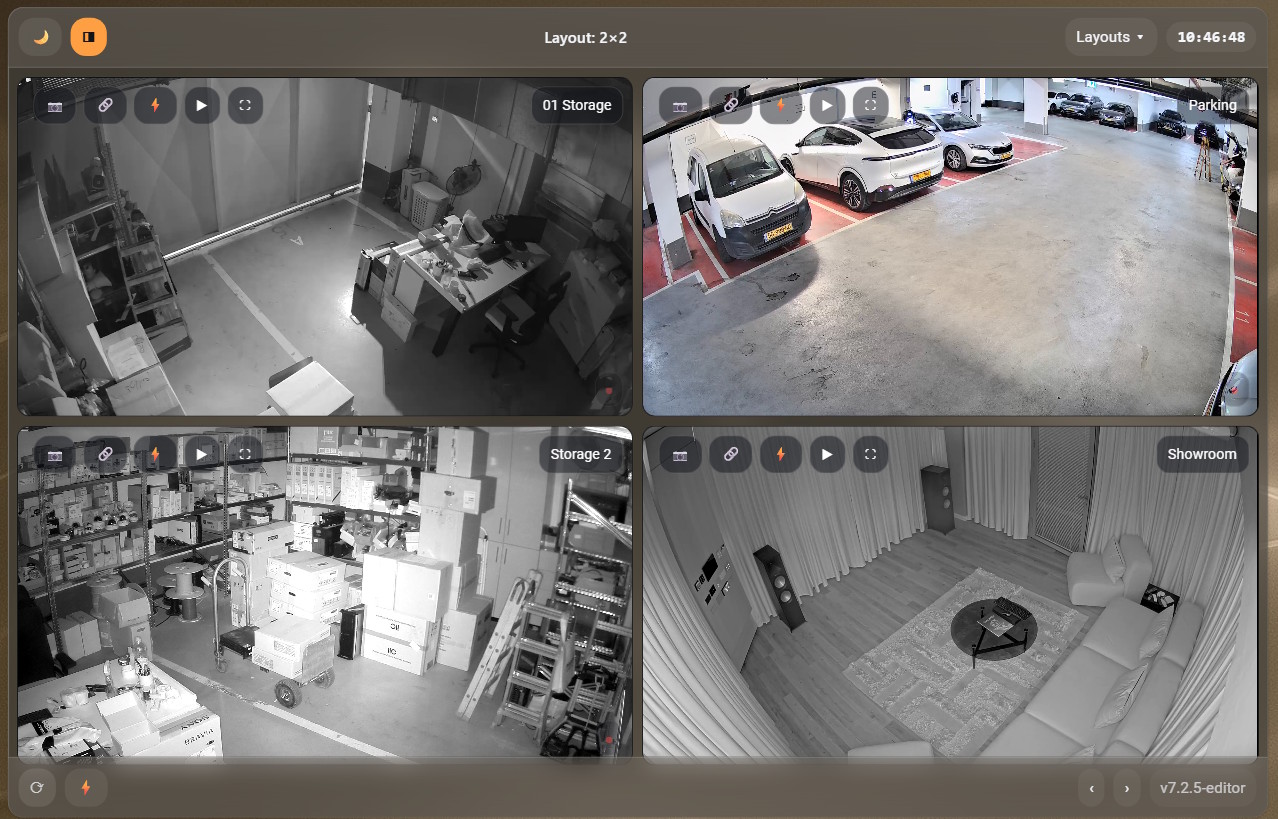
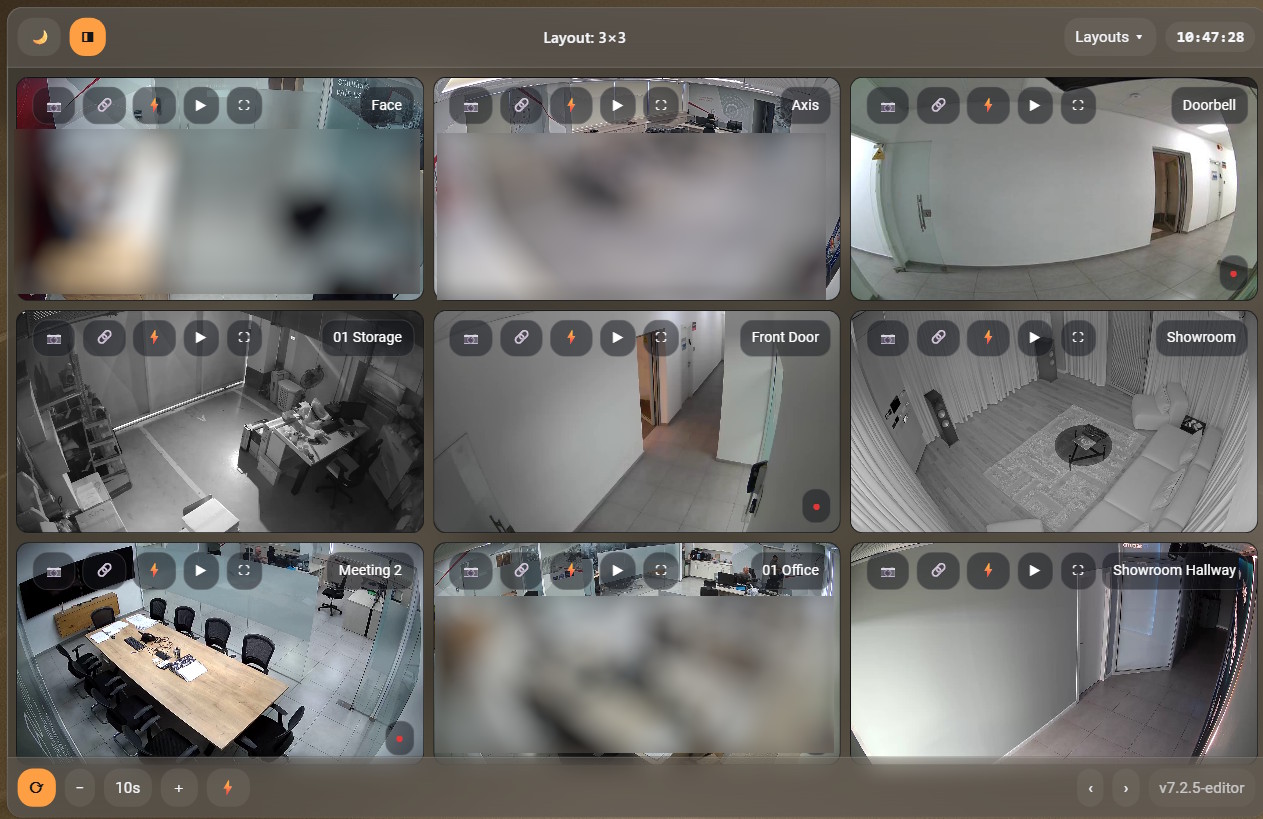
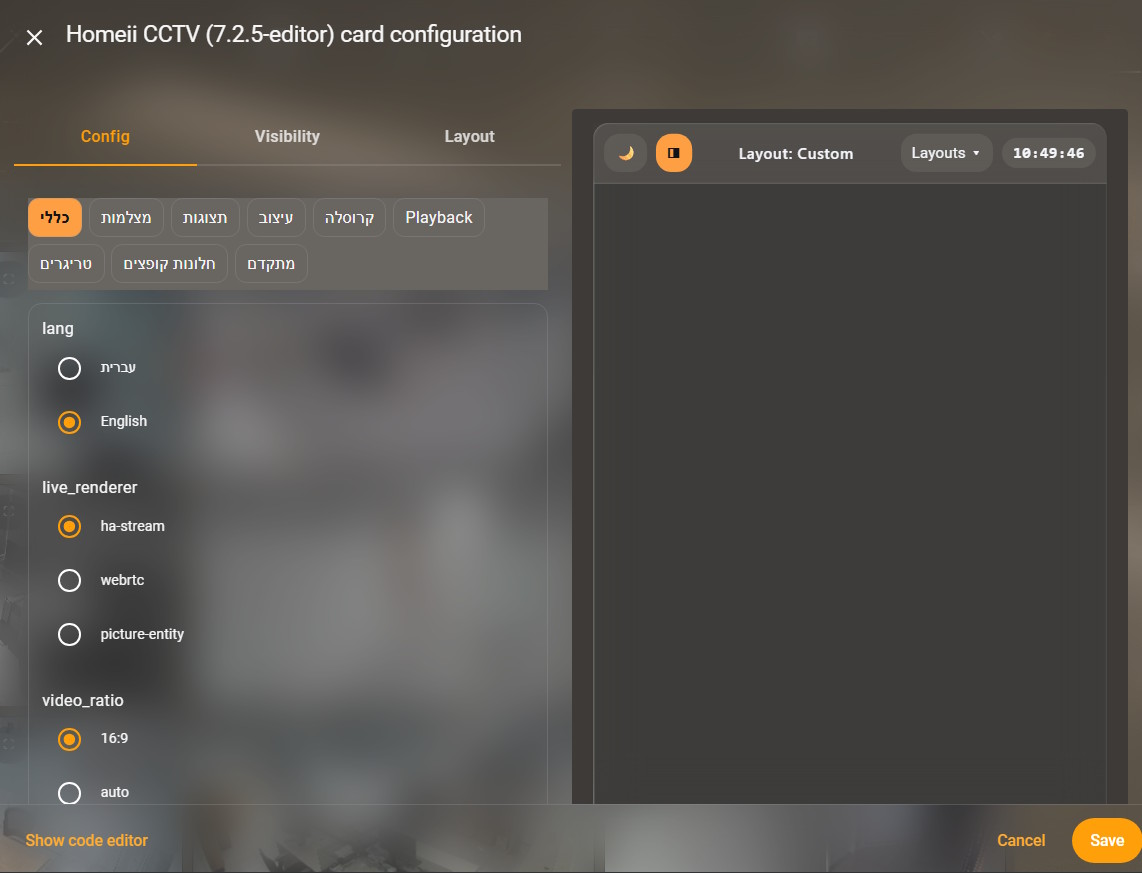
What it does
Homeii CCTV Card is a custom Lovelace card focused on multi-camera monitoring with Frigate. It gives you a clean grid of live streams, quick camera switching, overlays, and a powerful visual editor to tailor the UI without hand-editing YAML.
Highlights:
- Live grid with zoom & pan on each tile.
- Playback modal (clips/snapshots/recordings/timeline) per camera — powered by the community Advanced Camera Card.
- Fixed & custom layouts (Blank, 1×1, 2×2, 2×3, 3×3, 4×3, 4×4 + your own).
- Camera chooser with search (opens under the tile, configurable size/side).
- Overlays (camera name, quick buttons, alert indicator).
- Global & per-camera triggers with a proper Home Assistant Action editor (no JSON needed).
- Full “popups” control: chooser/menu/modal sizing, anchor side, offsets, backdrop blur, corner radius.
- Styling panel for card/bars/menus/overlay (color, opacity, blur) + RTL name auto-direction.
- Carousel (auto-page through multi-page layouts).
- Dual-language UI (English / Hebrew).
- Version badge, UI scale, and many small quality-of-life touches.
Frigate only: camera discovery targets
camera.*entities that reportclient_id: "frigate".
Feature list (condensed)
- Live renderer:
ha-stream, WebRTC, orpicture-entityfallback - Video ratio: 16:9 or auto
- Panel height: in
vh - Zoom/Pan: mouse wheel, drag, pinch (mobile)
- Overlay: show/hide, font size, Y offset
- Top/Bottom bars: gap, clock size, glass/blur styling
- Color model: card/bars/menus/overlay colors + opacity + blur
- Alert icon: optional indicator from related Frigate entities (e.g., motion/person)
- Layouts: fixed set + unlimited custom (r×c + explicit camera list)
- Chooser: side (left/right), width/height, resizable, search
- Menus/Modals: width, max height, modal vw/vh, backdrop opacity/blur, corner radius
- Playback: open Advanced Camera Card (or more-info fallback) with default media (clips/snapshots/recordings/timeline)
- Triggers:
- Global list of actions (label + icon + action with HA Action Editor)
- Per camera actions (label + icon + action; supports
@camerasubstitution for the selected tile) - Test buttons to fire actions from the editor
- Carousel: enable/interval
- Language: EN/HE; auto RTL names
- Version badge & UI scale controls
Installation (manual)
- Copy the JS file to your HA config, e.g.:
/config/www/homeii-cctv-card.js
- Add a Lovelace resource:
- Settings → Dashboards → Resources → Add Resource
- URL:
/local/homeii-cctv-card.js - Type: JavaScript Module
- Add the card to a dashboard:
type: custom:homeii-cctv-card
HACS: Not packaged (yet). If someone wants to wrap it for HACS, please do!
Quick start config
Minimal (Frigate auto-detect):
type: custom:homeii-cctv-card
lang: he
layout_id: 2x2
live_renderer: ha-stream
show_playback: true
With explicit cameras and aliases:
type: custom:homeii-cctv-card
lang: en
cameras:
  - camera.front
  - camera.driveway
  - camera.garden
aliases:
  camera.front: "Front"
  camera.driveway: "Driveway"
  camera.garden: "Garden"
layout_id: 3x3
overlay: true
Visual editor (what you can tweak)
- General: language, live renderer, video ratio, panel height, RTL names, version badge, UI scale
- Cameras: pick which Frigate cameras to include + per-camera alias
- Layouts: default layout (fixed or custom), allow which fixed layouts, add/edit custom layouts
- Overlay & Style: overlay Y & font size, alert icon color, all the color/opacity/blur knobs
- Bars & Chrome: gaps, clock font, glass/blur for bars and menus
- Carousel: enable + interval
- Playback: show/hide
 button, default media (uses Advanced Camera Card)
 - Triggers: global and per-camera lists, with proper HA action chooser (not free-form JSON)
- Popups: chooser/menu/modal sizing, anchor side, offsets, backdrop, radius
- Advanced: export/import full config JSON
Known issues / expectations
I’m sharing this early because it’s already useful for me, but I want the community’s help to get it to a stable, maintainable state.
- Visual editor focus & stability: there are cases where typing would lose focus or the editor would close unexpectedly. Recent builds add debouncing and safer click-outside handling, but it needs hardening.
- Chooser search: should never close while typing; shims added, but please help me make it rock-solid across HA versions/browsers.
- Action editor: uses
hui-action-editor(orha-formwithselector: {action:{}}fallback). On some setups it may not load or may require HA helpers to be present. - Mobile/iOS fullscreen: iOS Safari limits proper fullscreen APIs; the card falls back gracefully.
- Performance: large grids + multiple live streams can be heavy; tuning the renderer (ha-stream vs WebRTC) matters.
Roadmap / help wanted
If you’re comfortable with HA frontend/Lit and custom cards, I’d love help with:
- Editor re-architecture using Lit +
ha-formschemas for every section (General, Cameras, Layouts, Overlay & Style, Bars, Carousel, Playback, Triggers, Popups) to eliminate focus/close glitches entirely. - Robust focus management for all dropdowns, lists, and the camera chooser (composedPath, shadow DOM boundaries, click-outside guards).
- Action editor integration: guarantee
hui-action-editoravailability, improve fallback UX, tests. - Accessibility: keyboard navigation, ARIA, color contrast.
- Docs & i18n: complete English/Hebrew translations; better in-editor labels and help text.
- Testing & CI: basic unit tests (where possible) and linting; set up a simple CI.
- HACS packaging and release automation.
License & credits
- License: MIT (proposed; I’m happy to switch if the community prefers another OSS license).
- Credits:
- Playback UI is powered by the community Advanced Camera Card by Dermot Duffy — huge thanks!
- Big thanks to the HA community and the folks behind Frigate and the official HA UI components that this card integrates with. Card assembled with AI assistance.
If you find this useful and want to take it further—please do. I’m happy to test, review, and collaborate so
Card Yaml Example:
type: custom:homeii-cctv-card
language: he
panel_height_vh: 76
ratio: auto
live_renderer: ha-stream
show_version: true
rtl_names: true
default_layout: cl_1756289735480
allowed_fixed:
  - 1x1
  - 2x2
  - 2x3
  - 3x3
  - 4x3
  - 4x4
  - blank
bar:
  bg: "#1a1d24"
  alpha: 0.6
  blur: 14
  icon: 18
  font: 13
  gap: 8
  clock_font: 14
overlay:
  show: true
bottom_bar:
  show: true
  height: 44
cameras: []

aliases: []
custom_layouts:
  - id: cl_1756289735480
    name: מחסן
    r: 1
    c: 3
    cams:
      - camera.parking
      - camera.storage_2
      - camera.01_storage
  - id: cl_1756296467274
    name: תצוגה
    r: 3
    c: 2
    cams:
      - camera.doorbell
      - camera.showroom_hallway
      - camera.showroom
      - camera.01_storage
      - camera.axis
      - camera.meeting_2
  - id: cl_1757110140949
    name: הומי
    r: 2
    c: 2
    cams:
      - camera.showroom_hallway
      - camera.showroom
triggers: []
carousel: false
ui:
  blur_card: 12
  alpha_card: 0.9
  blur_pop: 10
  alpha_pop: 0.96
  pop_max_w: 300
  pop_max_h_vh: 60
  pop_radius: 12
ui_lang: ""
show_layout_button: true
ov_bg: "#ec8c32"
ov_fg: "#ffffff"
ov_alpha: 0.5
ov_blur: 20
ov_gap_px: 6
ov_icon_px: 16
ov_font_px: 13
ov_y_px: 8
det_size_px: 18
det_fg: "#f2f2f2"
det_bg: "#eca222"
det_alpha: 0.5
bar_bg: "#f5a861"
bar_alpha: 0.2
bar_blur: 12
bar_fg_light: "#121417"
bar_fg_dark: "#f5f7fb"
bar_icon_px: 18
bar_font_px: 13
bar_gap_px: 8
clock_font_px: 14
bot_bg: "#b6a896"
bot_alpha: 0.25
bot_blur: 0
bot_fg_light: "#121417"
bot_fg_dark: "#f5f7fb"
bot_font_px: 18
bot_gap_px: 8
show_carousel_controls: false
auto: false
auto_ms: 10000
playback_default: snapshots
visible_cams: []
hidden_cams: []
default_view: 2x2
lang: en
layout: 2x2
panel_vh: 75
tile_min: 130
grid_gap: 4
bar_icon: 16
bar_font: 16
bar_gap: 12
clock_font: 18
bot_font: 28
bot_gap: 10
ov_gap: 6
ov_icon: 16
ov_font: 11
ov_y: 5
det_size: 12
auto_rotate: false
grid_options:
  columns: 36
  rows: auto
ui_scale: 98
bars_color: "#7e7872"
bars_opacity: 0.3
menu_color: "#52504c"
menu_opacity: 0.6
menu_blur: 12
card_color: "#3e3d3c"
card_opacity: 0.6
overlay_opacity: 0.5
overlay_blur: 14
global_triggers:
  - icon: mdi:lightbulb-on
    label: Lights ON
    action:
      action: call-service
      service: light.turn_on
      data:
        entity_id: light.ikea_bulb
  - icon: mdi:lightbulb-off
    label: Lights OFF
    action:
      action: call-service
      service: light.turn_off
      data:
        entity_id: light.ikea_bulb
alert_icon_color: "#e63737"
show_playback: true
popup_chooser.anchor_side: left
popup_chooser.resizable: true
video_ratio: "16:9"
carousel_ms: 10000
popup_menus.width: 58
popup_menus.max_height: "55"
using_custom: []
layout_id: 2x2
per_camera_triggers:
  camera.01_office:
    - icon: mdi:lightbulb-auto
      label: Toggle Light
      action:
        action: toggle
        entity: light.ikea_bulb
JS FILE LINK: