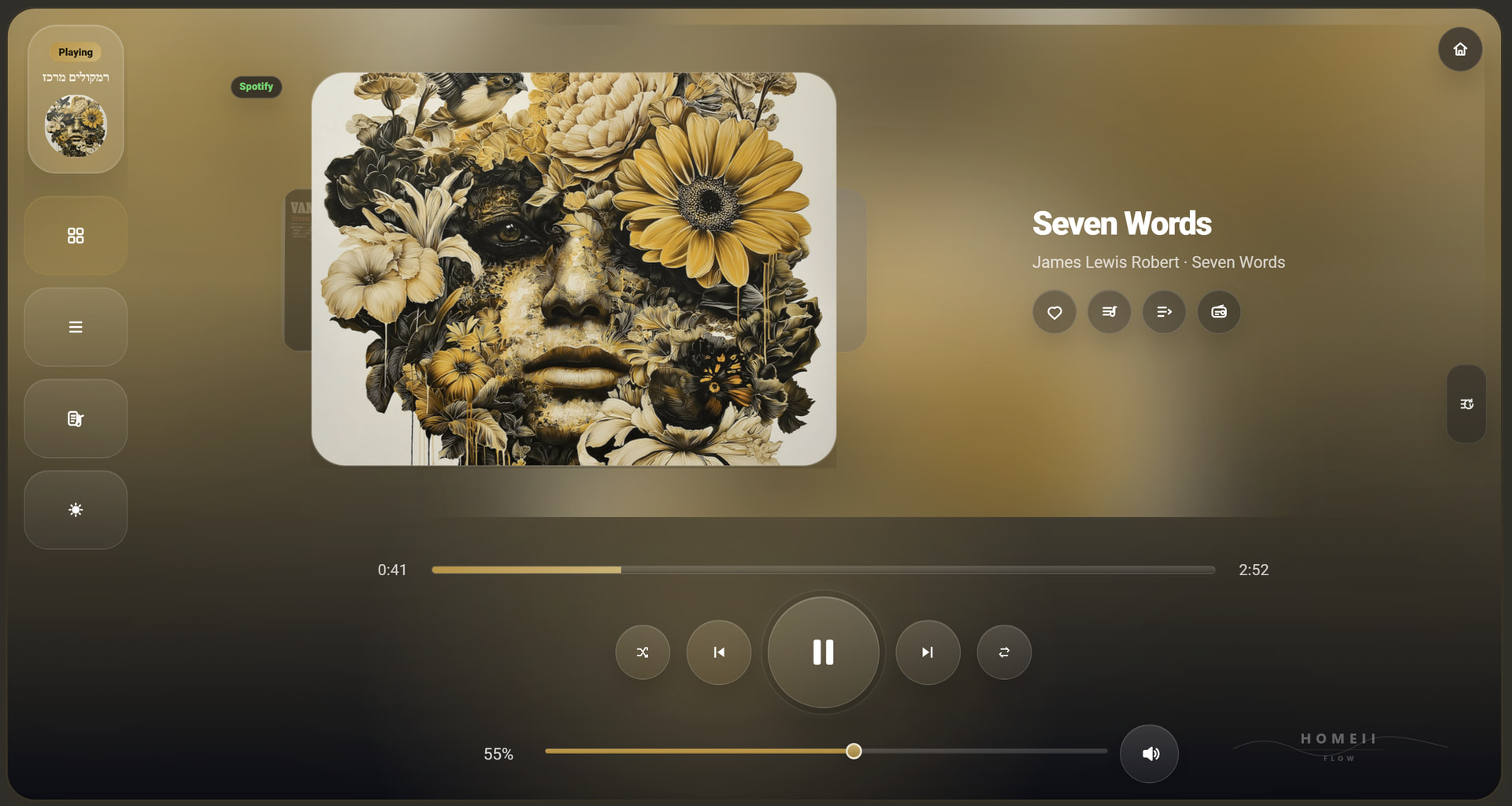
Since the title, duration and Home Assistant entity attributes update immediately, and another media card updates the artwork correctly, this points to an issue inside HOMEii Flow rather than a browser cache or Music Assistant/Sonos problem.
I think the card may be prioritizing the Music Assistant queue/current_item artwork over the live media_player artwork on the main player. With local MP3 files + Sonos, the queue artwork can apparently stay stale while the media_player entity already has the correct updated cover.
I’ll adjust the artwork resolution logic so the main player prefers the live media_player artwork when the track changes, or when the queue item does not clearly match the current media. That should make the cover update immediately like the title and duration.
Thanks for providing the video, it's very helpful!
I'm currently working on a fix for this in version 5.4.2, which will be released soon. I'm addressing the specific loading issue you've shown here.
This is also a great time to let me know if anyone else is running into any other issues. Please share them here so I can look into them for the upcoming update.
Queue Navigation: You can swipe on the album art to browse through your current queue (even in compact mode) and tap to select the track you want to play.
Active Player Toggle: On the mobile layout, quickly cycle through your different media players by swiping on the Active Player button.
Smart Microphone: Use the microphone for Smart Search—just say what you want to hear, and it will automatically find and play it for you.
Announcements & Voice: In the Announcements screen, you can press the microphone to record and send a voice message. You can also customize your own Predefined Messages via the card settings or visual editor.
Magic Wand (Random Mix): Anywhere you see the Wand icon in the interface, clicking it will instantly trigger a random playlist.
Quick Mix: Instantly generate a dynamic playlist based on the current song with the Quick Mix button.
When i'm in settings it says i can pick multiple favoroite speakers to pin, but when selecting one, i'm unable to select another one. I have 2 tv's that show up as media player and 2x a music player. I only want to have 2 players that can be used and hide all the others as they are not used as speakers.
Is there a yaml setting or possibility to only select speakers to use?
Actually, I just double-checked the logic and it is fully supported! The key is that you must select Music Assistant entities only. You can do this in two ways:
Visual Editor: Simply make sure you are picking media players that belong to the Music Assistant integration.
YAML: Use the pinned_player_entities key like this:
I'm still going to improve the visual editor in version 5.4.2 to make this even more intuitive and prevent confusion with non-MA entities. Thanks for helping me clarify this!
Given the fact that your (very promising) app explicitly targets Music Assistant, I have been wondering why you don't automatically restrict the players list to the Mass ones ?
The current version allows you to see all media players, but since FLOW is built to leverage the full power of Music Assistant, it makes perfect sense to filter them automatically.
I’m actually working on this right now for version 5.4.2. The upcoming update will:
Auto-filter the list to show only Music Assistant entities by default.
Improve the UI to make it much clearer which players are compatible.
Thanks for the feedback—it’s exactly this kind of input that helps make the card better for everyone
Good afternoon
I am on latest version 5.4.1
The artwork does not change when I move to the next song, seems stuck on the first song unless I refresh the browser
Thank you
Thank you for reporting this. I’ve actually received a similar report recently, and I’m already looking into what’s causing the artwork to get 'stuck' in certain browser environments.
I’m happy to let you know that I’m working on a fix for this sync issue, and it will be included in version 5.4.2 which is coming out very soon. This update should ensure the artwork refreshes instantly as the song changes.
Thanks for your patience and for helping me improve the card
Thanks for the update
Unfortunately the artwork is still not syncing or updating. I tried multiple browswers, cleared cache etc.
Thank you for your hardwork on this
Thanks for testing the update! I’m sorry to hear it’s still behaving this way in your setup.
Since the 'Cache Buster' logic in v5.4.2 should have forced a refresh, this might point to a deeper sync issue between the Music Assistant (MA) entity and the dashboard's state.
Could you check one thing for me?
When the song changes but the artwork doesn't, if you look at the 'official' Home Assistant media player entity for Music Assistant, does the artwork update there instantly?
I’m also investigating if certain Stream Modes in MA affect how the entity_picture attribute is broadcasted to the frontend. I’ll keep digging into this—thanks for your patience and for helping me squash this bug
yes when I change the song , the artwork is synced in the official music assistant player. Also in the compact mode in HOMEii card it is updated but not in the full screen mode in HOMEii. I tried to upload a screen video capture here but it didnt allow mp4 format upload.
Since the artwork updates correctly in the official Music Assistant player and also in HOMEii compact mode, this points to the HOMEii full screen artwork view specifically, not to MA/Sonos or browser cache.
I already found the likely area and prepared a fix for the full screen artwork refresh logic. I’ll test it locally and include it in the next update.
Grate news! I’m really glad to hear that version 5.4.2 fixed the issue for you.
thank you for the feedback—it helps a lot in making HOMEii Flow better.
First, a massive thank you to the 1,400+ unique visitors who explored the repo over the last two weeks! The engagement has been unreal.
I’ve been quietly cooking the next major milestone, focusing on turning HOMEii Flow into the ultimate, deeply integrated Ambient Smart Display.
Here are the 5 major pillars currently in local QA:
1. Full i18n Support: Flow is going global. The architecture has been rebuilt from scratch to support native translations (starting with English, Hebrew, with an easy guide for anyone to contribute their own language file).
2. Pixel-Perfect Adaptivity: No more stretched layouts. The card now uses advanced design principles to seamlessly adapt to any display—from your mobile phone up to dedicated, wall-mounted kiosk tablets—utilizing 100% of the screen efficiently.
3. Dynamic Smart Home Integration (Ambient Light): Your room now breathes with your music. The card can softly cast the vibrant, dominant colors of your active album art onto your pre-selected smart lights (with built-in safeguards to keep it elegant and smooth).
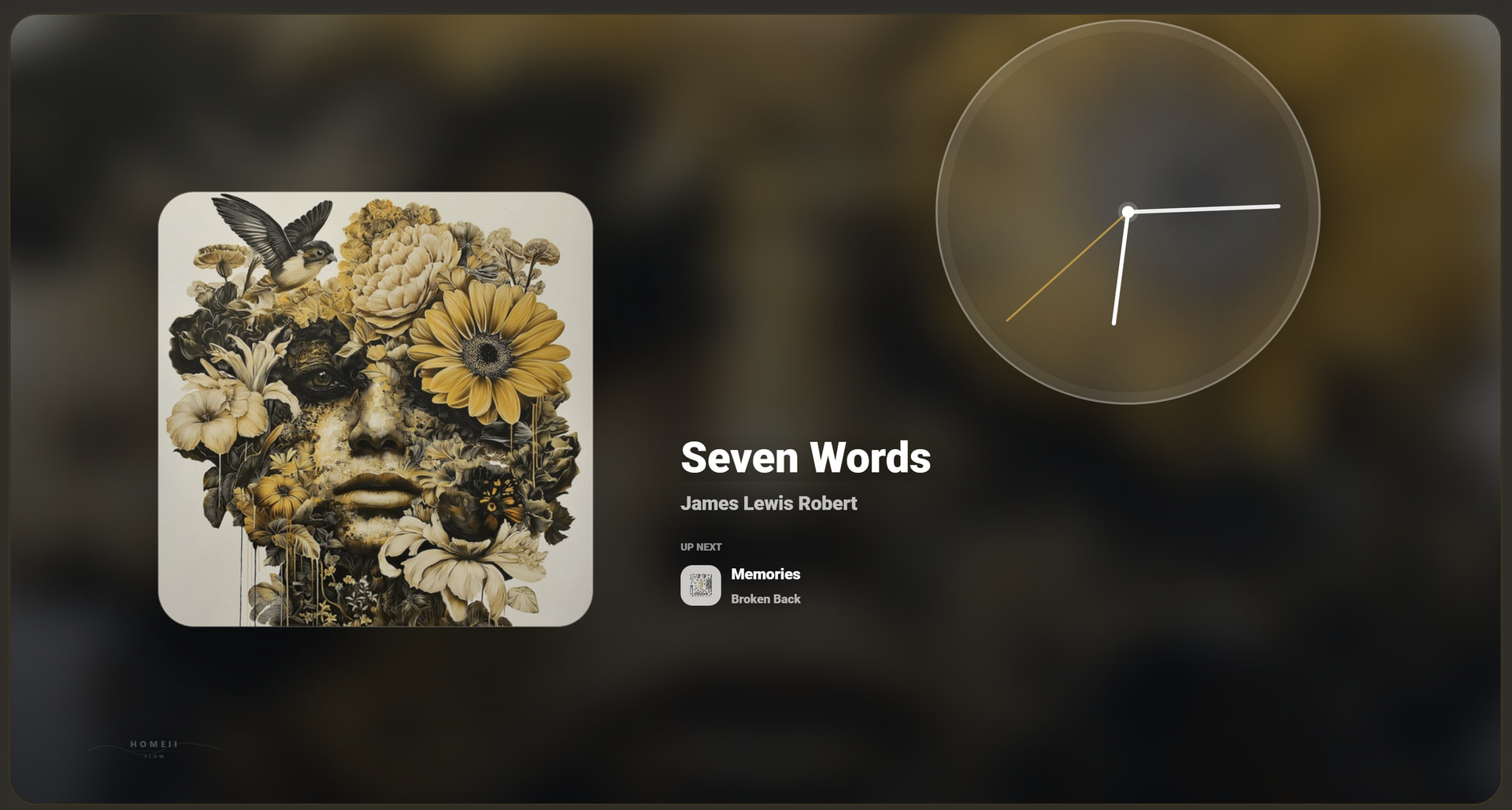
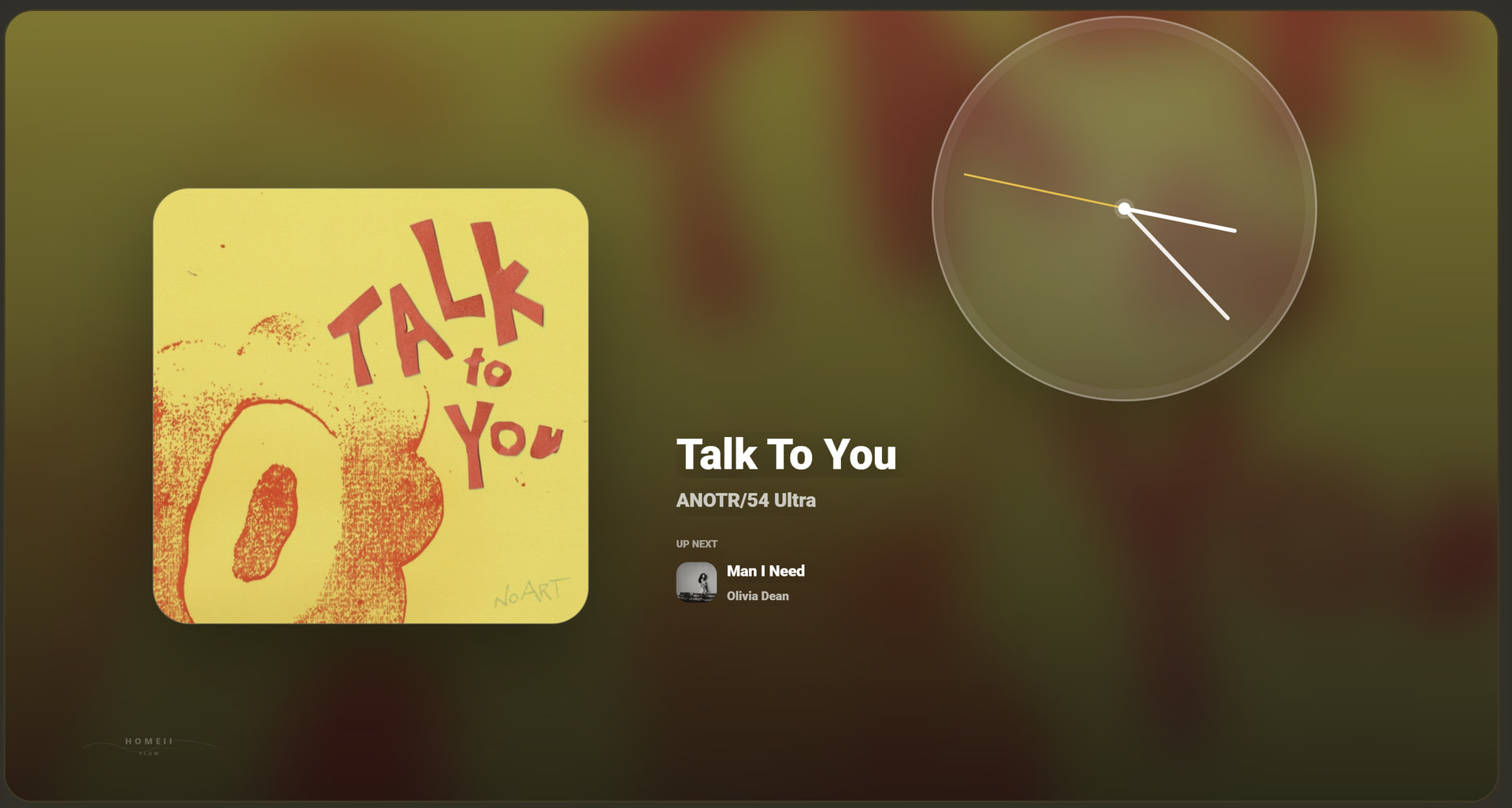
4. The Smart Screensaver: Ideal for wall tablets. After idle time, the card elegantly transitions into a minimalist ambient clock/display, keeping the vibe alive while protecting premium screens.
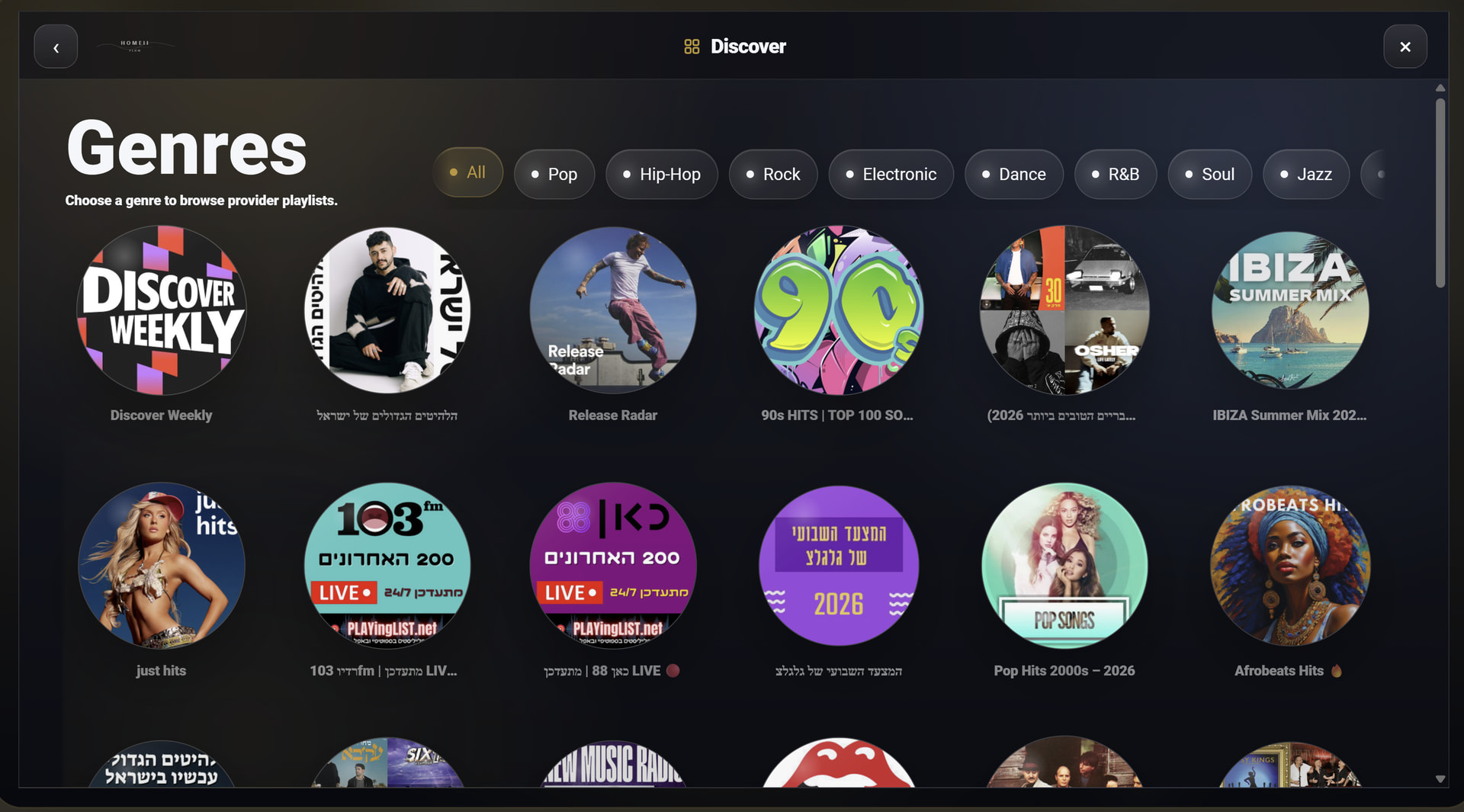
5. Discovery Mode: A brand-new full-screen interface dedicated to music exploration, giving you direct access to genres, moods, and smart recommendations.
This release is focused on one big goal: making the Music Assistant experience inside Home Assistant feel less like a fixed dashboard widget and much more like a polished music app, closer to the feel of Spotify / Apple Music, but built for Home Assistant and the smart home.
Key highlights:
A new responsive layout engine that adapts to the actual card/container size, not just the browser viewport.
Much better fit across phones, tablets, desktops, wall panels, kiosk views, and landscape mode.
Fewer overlaps, clipped elements, and unwanted scrolling.
The old fixed default height of 850 is no longer forced. The card now tries to use the space Home Assistant gives it.
Ambient Light Sync: sync selected Home Assistant lights to the current album artwork colors.
Per-player light mapping, so different Music Assistant players can control different light groups.
New artwork screensaver with cover art, digital/analog clock, date, track info, and a custom message.
Fixed screensaver idle timing: it starts counting only when the card page becomes visible.
Optional POWER button for stopping playback or calling Home Assistant actions like toggle, turn_on, turn_off, scene, or script.
New Discovery Mode for exploring playlists, moods, genres, albums, radio, recent music, and fresh/random recommendations.
English and Hebrew localization built in, with a structured foundation for adding more languages later.
Improved visual editor support for the new settings.
Release:
If you use HACS as a custom repository, update/redownload the card and then do a hard refresh in Home Assistant.
I would really appreciate feedback. I cannot test the card on every phone, tablet, wall panel, browser, kiosk setup, screen ratio, Home Assistant theme, or dashboard layout, so feedback from real setups helps a lot.
If you try it, I’d love to hear:
What device/screen you are using
If anything looks clipped or overlaps
What you like
What you do not like
Which features feel useful and which ones feel unnecessary
This version is especially useful if you use HOMEii Flow on a wall tablet, phone, kiosk dashboard, or dedicated music dashboard.
 Pro Tips for HOMEii Flow
 SNEAK PEEK: HOMEii Flow v5.5.0 is coming...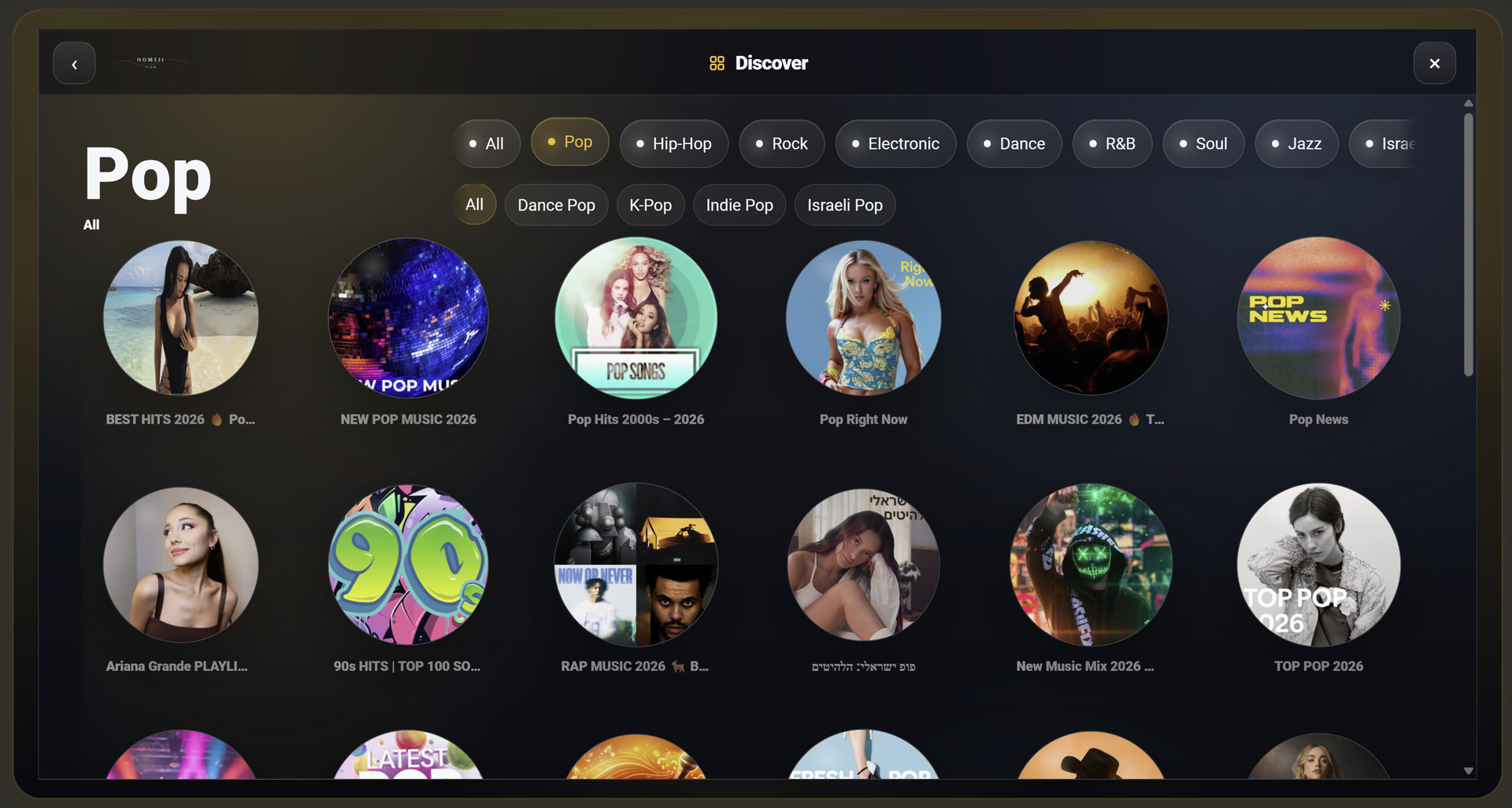
 1. Full i18n Support: Flow is going global. The architecture has been rebuilt from scratch to support native translations (starting with English, Hebrew, with an easy guide for anyone to contribute their own language file).
 2. Pixel-Perfect Adaptivity: No more stretched layouts. The card now uses advanced design principles to seamlessly adapt to any display—from your mobile phone up to dedicated, wall-mounted kiosk tablets—utilizing 100% of the screen efficiently.
 3. Dynamic Smart Home Integration (Ambient Light): Your room now breathes with your music. The card can softly cast the vibrant, dominant colors of your active album art onto your pre-selected smart lights (with built-in safeguards to keep it elegant and smooth).
 4. The Smart Screensaver: Ideal for wall tablets. After idle time, the card elegantly transitions into a minimalist ambient clock/display, keeping the vibe alive while protecting premium screens.
 5. Discovery Mode: A brand-new full-screen interface dedicated to music exploration, giving you direct access to genres, moods, and smart recommendations.