Finally got my hands on the Honeywell X2S Smart Thermostat (RTH2XWF). I was excited since its announcement at CES 2025. All the marketing reported the X2S as the first “matter-enabled” thermostat. Based on this claim, I expected that the thermostat could be configured using the Matter server in Home Assistant, since the Matter protocol is specifically designed to allow for local configuration – THIS COULDN’T BE FURTHER FROM THE TRUTH.
The X2S can be configured as a dumb thermostat without internet connection, but in order to configure its smart functionality, you have to use the Residio First Alert app. The app requires account creation and WILL NOT CONFIGURE the thermostat without geolocation. Once the thermostat is configured, it takes 20+ minutes for the thermostat to appear in the app. Furthermore the thermostat DOES NOT support WPA3 encryption, and would only connect to my Wifi network after changing network encryption to WPA2.
Bluetooth and Wifi are both disabled out of the box. There is a setting on the thermostat where the user can indicate configuration using the app; this will power-on the bluetooth radio. However, the thermostat IS NOT discoverable by either HA or other bluetooth devices.
If you were hoping for a locally configurable, Matter enabled thermostat made by a mainstream hardware manufacturer, the Honeywell X2S fails in every conceivable way.
Oh, that is so disappointing, like you I had high hopes for this!
One more question: I understand that the whole setup process is really messed up, but if one goes through all of that, can one end up with a thermostat that can be controlled via matter?
I spoke to Resideo Support this afternoon. They confirmed that users MUST create a Resideo account to configure smart features. So, either this is Honeywell/Resideo engaged in intentionally misleading false advertising or they plan on software updates in the future to fulfill their promise of supporting Matter. Time will tell.
On the bright side, I did discover the thermostat DOES support WPA3 if KRACK countermeasures are disabled during the setup process (OpenWRT router).
And once you created an account, can one configure matter then? I wouldn’t mind creating an account for the setup, if I can then use local control during normal day-to-day operations.
No you can’t. I got one of these a couple weeks ago through Ace Hardware, not sure how they were for sale at that point because according to Honeywell they weren’t available yet. I went through the pain of setting up an account for their annoying app and all that assuming that would lead me to Matter setup like their documentation suggests and no luck. There is even a listing on the Connectivity Standards Alliance database but there is definitely no support for Matter anywhere in this product. The cert is for firmware version 2.0.0.0 and I’m on firmware 1.00.01.00 so maybe its in the pipeline but its very misleading advertising. I’m probably keeping mine because it was fairly cheap and it works well enough as a dumb upgrade to my even dumber old thermostat. Hopefully the new firmware comes out soon and I can use it like I had intended.
New user so I can only put one picture into a post but here’s a screenshot from the Connectivity Standards Alliance page showing the certification with firmware version 2.0.0.0.
I keep checking every week or so for a firmware update but I’m not seeing anything published or any options in the app for updates. It’s still doing the bare minimum of what I need it to do but I’d love to get it running over Matter and remove this stupid app from my phone. Hopefully soon…
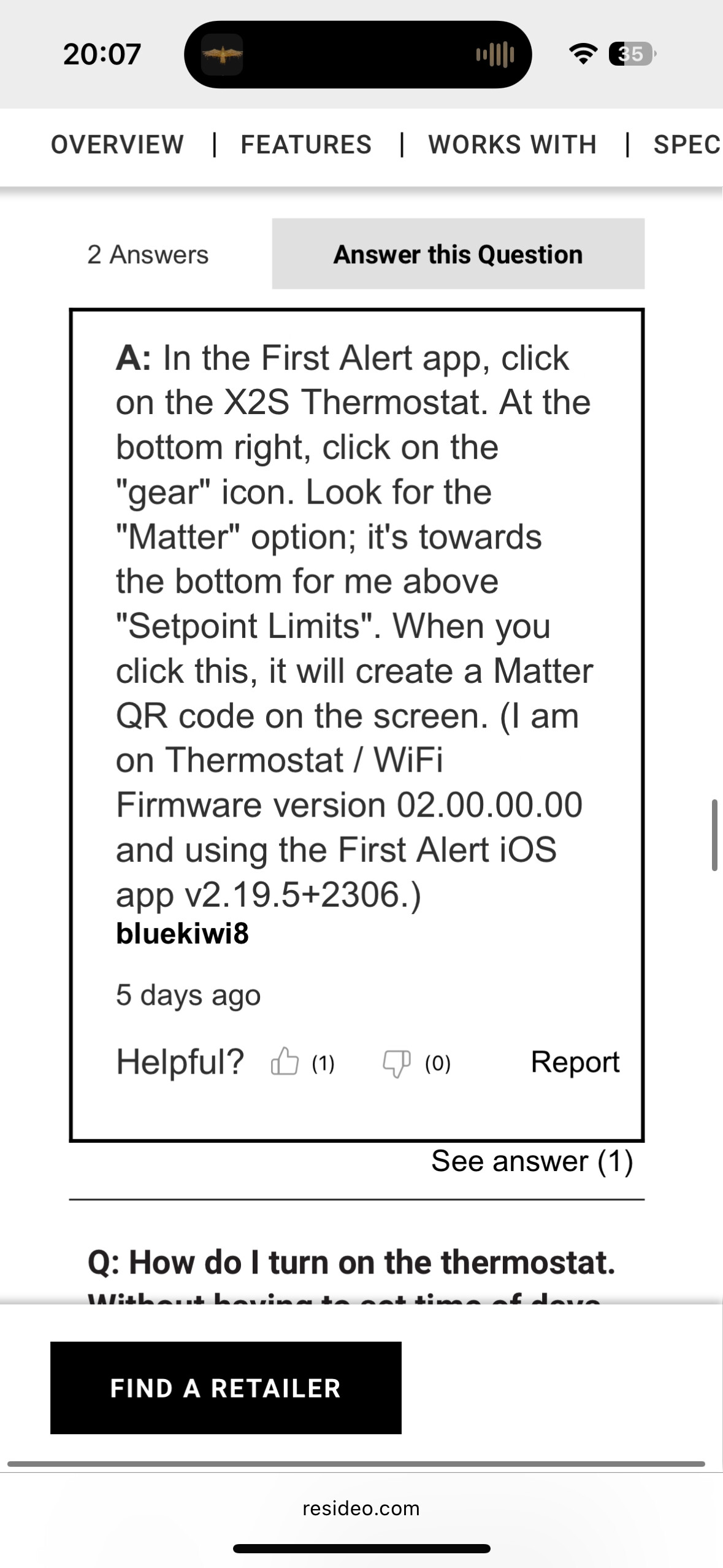
I have that Matter setting and can get a QR code, but it won’t connect to HA. I’m wondering if I need a FW update? Or if I’m on the latest FW and the Matter support doesn’t work with HA.
I called Resideo support and asked about firmware updates several days ago. Support has no method to force firmware updates and couldn’t even confirm the latest firmware version.
Support representative did confirm the following:
There is no tool or button in the First Alert app or on the thermostat where users can check for firmware updates.
Firmware updates are “magically” pushed to thermostats in a gradual process, so some users may see firmware updates appear much sooner than others.
Thermostats are supposed to “phone-home” every 24 hours to check for firmware updates.
Instructions given by support to “force” a firmware update:
Detach thermostat from wall.
Wait 5 minutes.
Reattach thermostat to wall
Wait one hour then check the First Alert app to see if the firmware version has changed.
So, for those of us still on version 01.00.01.00, we must be patient.
Interesting, I also called then about a week ago and I currently have a case number and allegedly it’s been escalated to a department that can manually push the update for me…whenever they get to it that is. The tech I talked with actually seemed to be above average, he was able to confirm my firmware version remotely but he did give me the same 5 minutes without power to force an update. I’m supposed to follow up after 2 weeks with my case number if it still hasn’t updated.
This is overall a huge pain…a hardware or software reset button would work wonders here but they didn’t bother to include one for whatever reason.
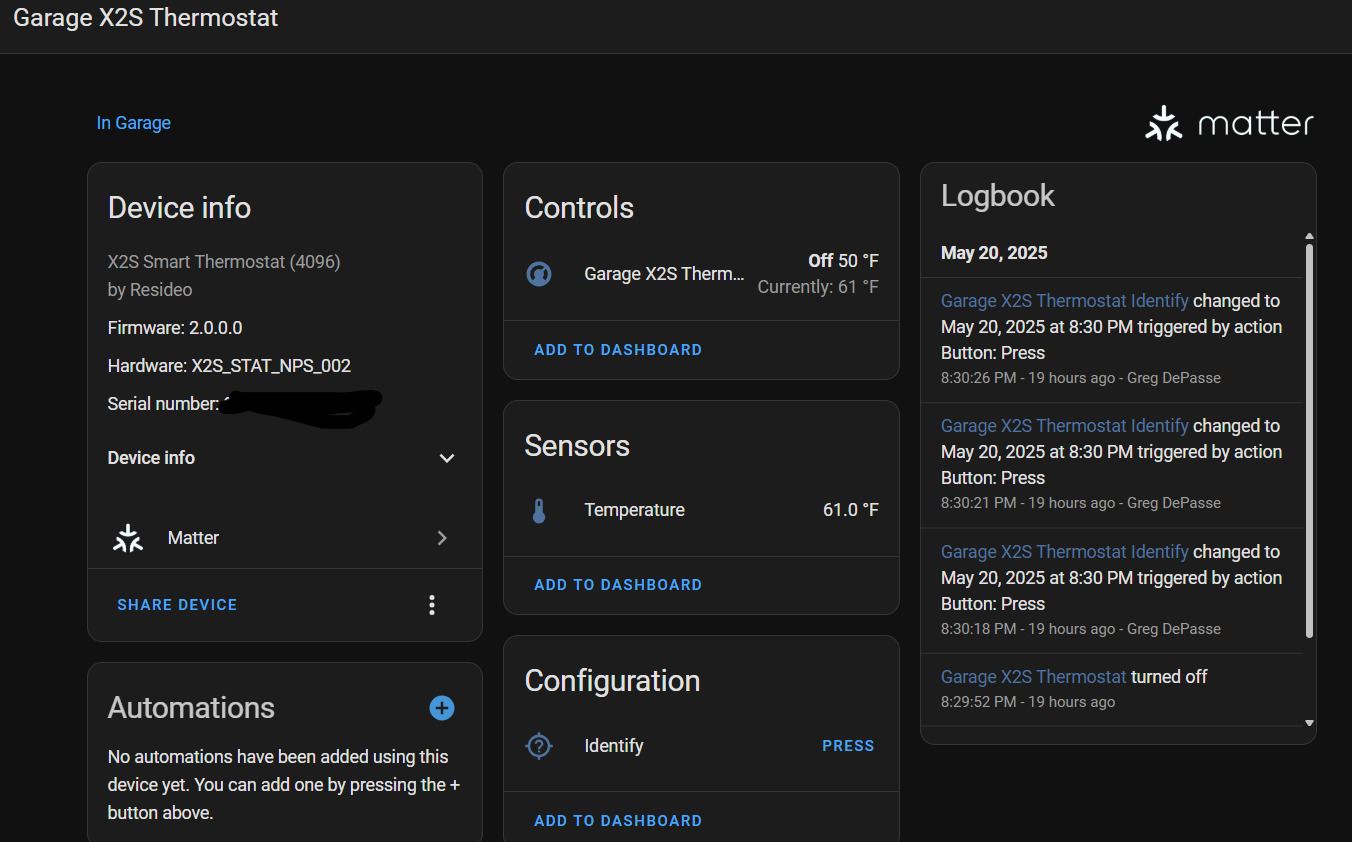
Just a tip once you get the v2 (matter) firmware. If the device isn’t recognized, forget it from the First Alert app and then re-add it. Once I did that, I could add it as a new Matter device via Home Assistant.
Does that mean it now actually works as we all hope it would? I.e. after setup you have a fully working, local control, Matter only setup up and running?
If so, that would be great! Still disappointing that the whole setup process is so convoluted, but as long as things work in the end, it still seems like a fine option.
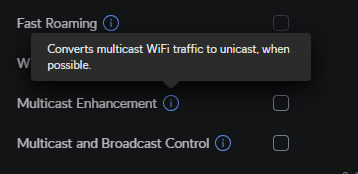
And in case anyone has a Unifi network, disable the “Multicast Enhancement” option for your IOT SSID. After a day, the X2S went offline, and was difficult to figure out what the issue was. I disabled that, and it came online within a minute and has been stable since.
I’ve had a case escalated with resideo support since may and they called me today to let me know that they will be unable to push the update, they sent me a shipping label to return my x2s thermostat and said they are sending me a new one