I’m almost a novice here so please be patient with me and apologies if I am in the wrong place to ask this question. I can create simple helpers so long as I can point and click, hence my need for help & guidance.
I am trying to calculate the amount of heating oil I have remaining. Things I know are:
The initial capacity of the tank.
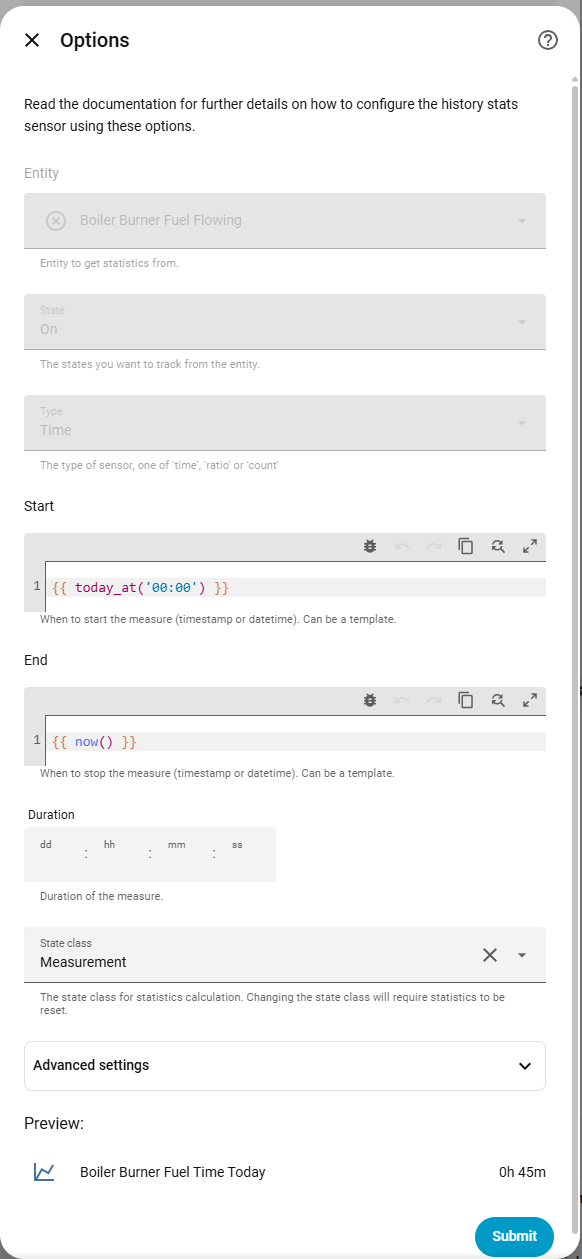
When the burner is running. This is not demand for heat, it is from an Arduino detecting current to the burner.
The quoted flow rate of the burner nozzle.
I have seen some people have put up instructions but they always involve yaml, a topic that is mostly a mystery to me.
A recipe book solution would be great, but I’ll be happy if I can get pointed in the right direction to learn before next winter.
your sensor entity that is “on” or “off” for the state of the burner when running
the quoted flow rate of the burner nozzle
Assuming that you are measuring in gallons of oil, we take the flow rate in gallons/hour for the burner. This could also be litres of oil and a flow rate of litres/hour [or per minute].
We need to add
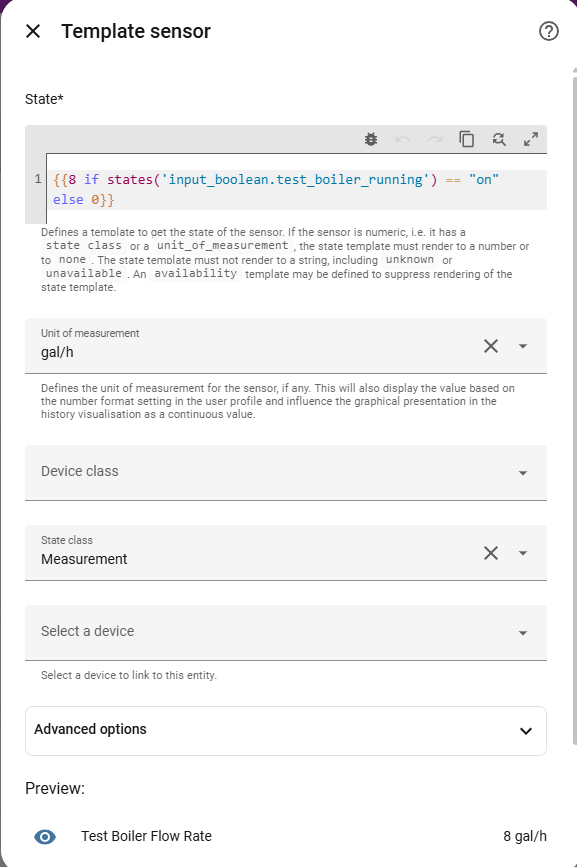
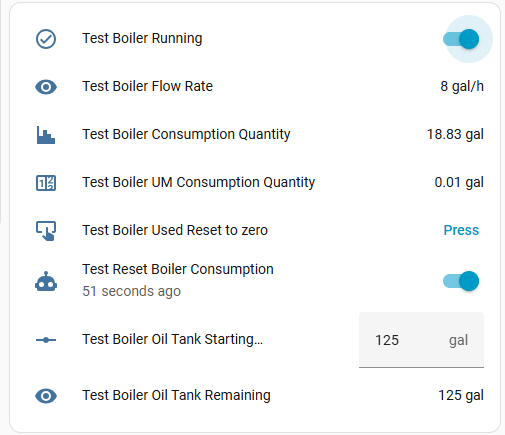
a template sensor for the flow rate
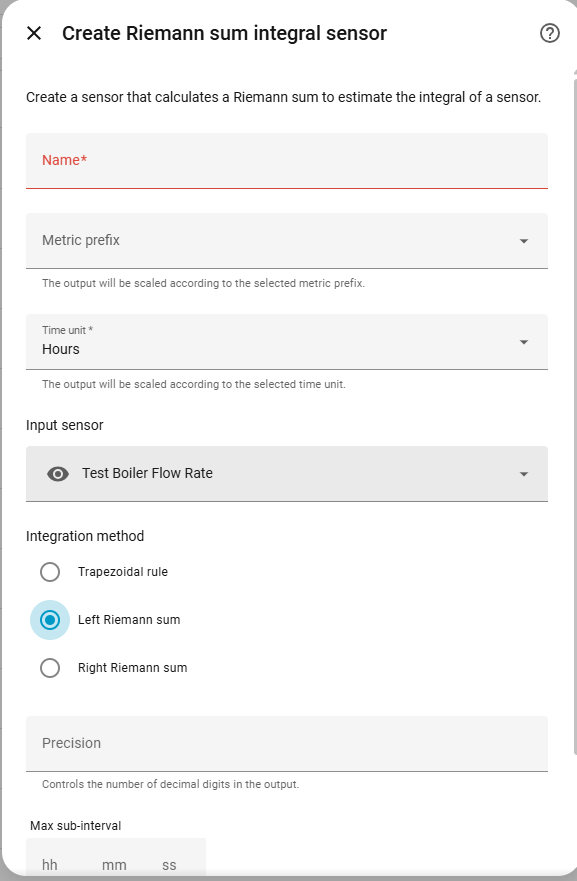
an Integral (Reimann Sum) sensor for the integrated quantity of oil used
an input number to hold the tank starting quantity
a template sensor for the remaining oil quantity
Each entity builds on and uses the previous one, starting with the burner on/off.
We are going to use the Settings > Devices & Services > Helpers to add each one (+Create helper)
Flow rate:
This turns the ‘on/off’ into a rate of use of oil.
Search for and select “{ } Template” helper
Select “sensor”. This will add a new Template Sensor where the state value is going to be a number.
Add the name, the template, the unit of measurement, and the state class
The template will be something like {{8 if states('input_boolean.test_boiler_running') == "on" else 0}}
where ‘8’ is the quoted flow rate as gal/hr, and ‘input_boolean.boiler_running’ is your boolean switch for when the boiler burner is running
The unit of measurement will be gal/hr or litres per hour [there is a choice of gallons per day or per hour or per minute…]
I have used |int in the templates as I don’t see the point in reporting decimal gallon, but you can use |float instead.
There remains a problem. The Reimann Sum sensor will continue to add the quantity of oil used forever. When you next come to fill up the tank
Original quantity 500 gal
Used quantity 347 cal
Remaining 153 gal
Fill tank with 310 gal
New quantity - change the input number to 463
The used sensor will still show 347, but we actually want to reset this to 0. AFAIK the Reimann Sum sensor cannot be reset, so there are a couple of ways around this.
modify the template
The used quantity will be 347 too big, so the remaining will show as
463 - 347 = 116
we have to modify the remaining sensor template to add back (463 - 116 = 347) or the current value of the total quantity used. This means changing the template as + 347 at the end.
pass the used quantity through a Utility Meter with manual reset option
Utility meters can be added using the Helpers, and these act as counters with an optional reset to the total field. If we create a “UM Total Oil Used from last fill”, with a source sensor as the total quantity of oil used, then use this UM as the input to the remaining quantity, it still works as before but you have the option to manually reset the “Total Oil used” every time you fill the tank.
This uses the Total Consumption sensor as input, and the created UM sensor replaces the Total Consumption in the Oil Remaining template.
To Reset the Total Consumption Utility Meter:
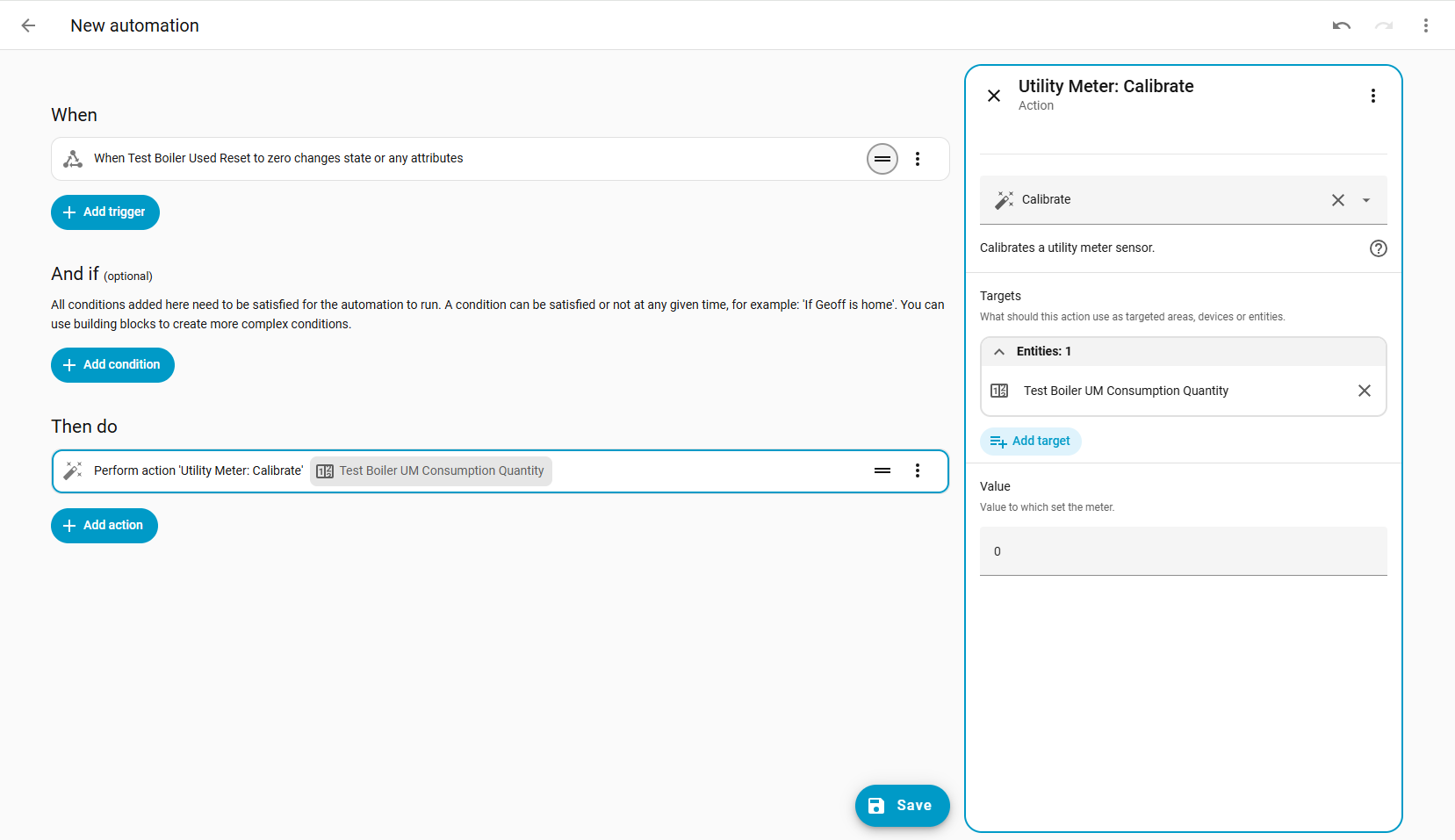
The utility_meter.calibrate is the action that works.
You will need to create a new Button using the Helpers [Button - top option in the list]
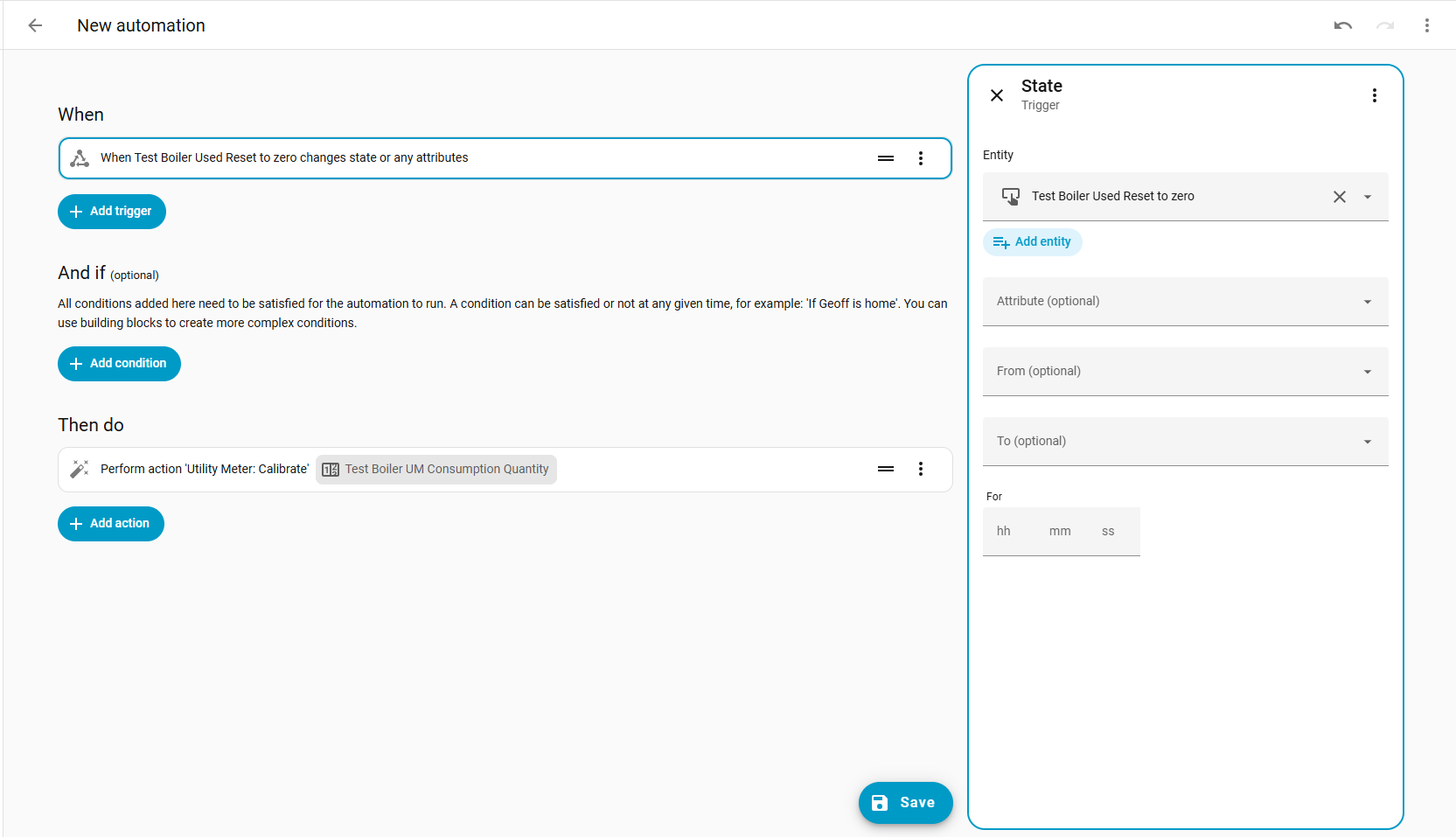
Then create a new Automation, where pressing the above button calls the action with the Utility Meter consumption sensor as target, and 0 as the calibration value.
Trigger > Entity > State, button as entity, no other options set [when a button entity is pressed, the state of the button is the timestamp of when pressed]
Then Do > Perform Action > utility_meter.calibrate, with UM sensor as target, and 0 as calibration value
I think that is all correct. I am sure someone will know of a simpler way to do this, and yes probably it is actually quicker and easier to do it all in YAML.
I’m just reading through and trying to understand all the concepts. Some things look simple others are making my brain hurt. I will let you know how I get on.
I wrote this up more as an exercise, since the concept ‘how much oil have I got left’ seems a simple one to understand and solve. Now that HA is moving to and encouraging the use of UI, I though how much effort does it actually take, when you know [at least I think that I know] what you are doing, to complete this?
I had to add a boolean switch, to mock your Arduino reporting the burner-is-on as on/off.
Otherwise, this takes 6 helpers and 1 automation. Each of which you need to know how to find the right helper, and how to correctly set the configuration.
The hardest part is probably the Reimann Sum Integral Integration, not least because of the long name (it is called differently between the helpers / documentation) but because of the concept of quantity versus rate.
Certainly I think a lot of knowledge and work required, even if it is all ‘not YAML’.
I now have everything running and have a basic grasp of what is happening.
When I get more oil delivered is there a way to use a script or automation along the lines of
Input the amount of oil delivered with an input number oil_delivered
reset the starting point oil_start = oil_remaining + oil_delivered
reset oil_delivered to zero
The utility meter oil_used is already taken care of
I’m getting on a bit and had forgotten how much fun learning can be, so thank you for that apsect too.
Home Assistant is a great learning opportunity to keep the mind active, as well as potentially being a rabbit hole to fall into and from which you cannot escape.
You can make this as complicated as you like. In general, there is a payback trade-off between having an automation with all the overhead of creating and maintaining it, and just doing it manually. If you only fill up with oil once a year, then manually adjusting the input-number for the amount of oil we started with is easy, plus it auto-calibrates the ‘starting’ value (since your “oil-remaining” is only an estimate…)
If you want to automate the fill-up process:
You need yet another input-number for the “oil-delivered” quantity. You will manually type this value in when the oil arrives.
You need another automation, that in the actions section:
using input_number.set_value, sets the “oil-start” input-number value to a template calculation based on “oil-remaining + oil-delivered”
using input_number.set_value, clears the “oil-delivered” value back to 0
you can also run the ‘reset the used amount back to zero’
There is no issue in running several actions in sequence like this.
The problems are - what to trigger this on, and how to enter a template for the ‘input_number.set_value’ action.
You can be clever and trigger the automation based on a change in the input_number.oil_delivered state value. This will change when you type something in, so yes the automation can trigger on this, but you have to be quick in typing it in… Personally I would go for yet another button, so there is a card with “oil delivered” input, and a separate button to trigger the automation “update the oil quantity and reset used” action.
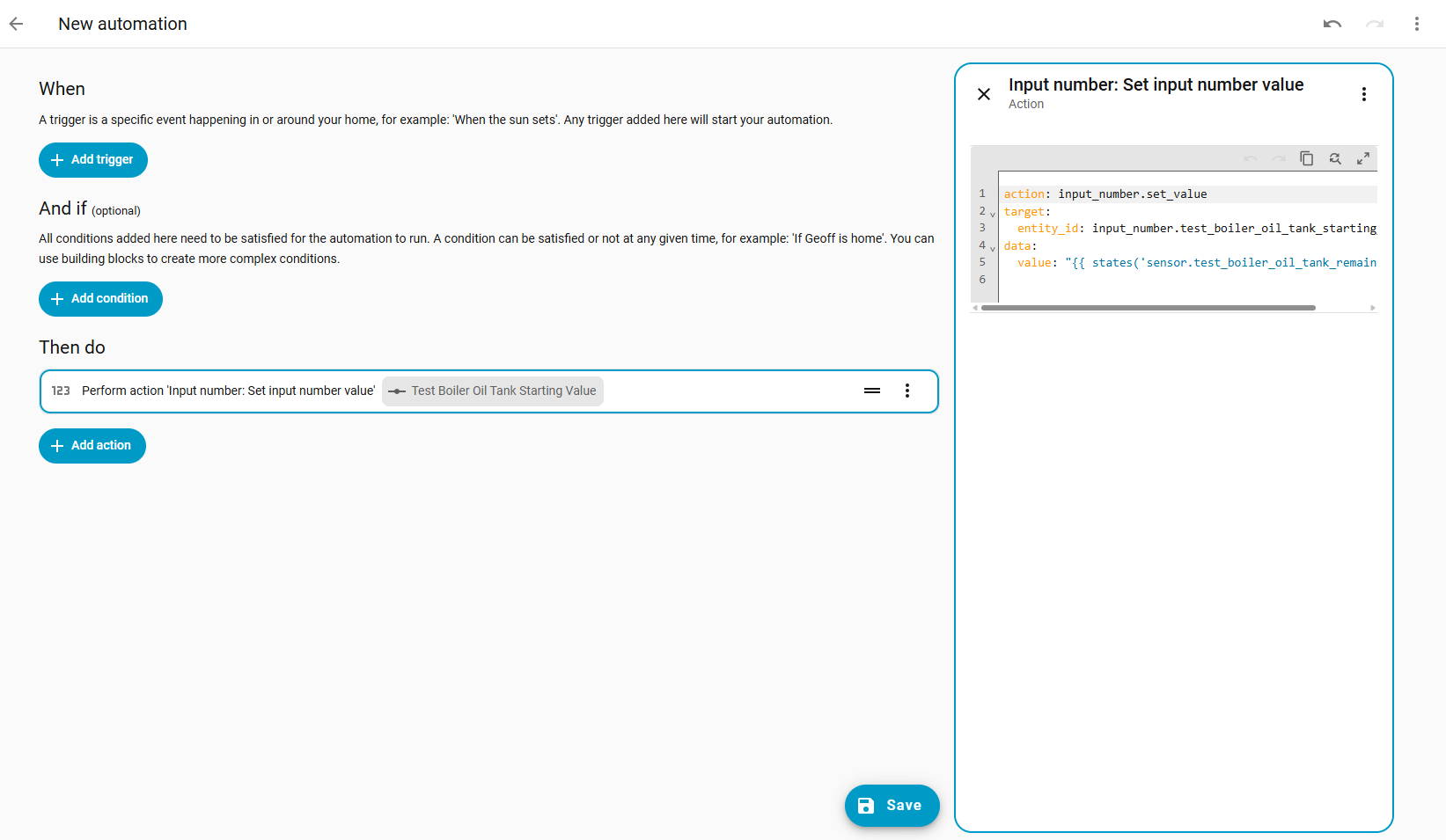
When entering a new automation, when adding a new action, when using ‘input_number.set_value’ you need the target (the “oil start” value) and you now want to use a template to calculate the value.
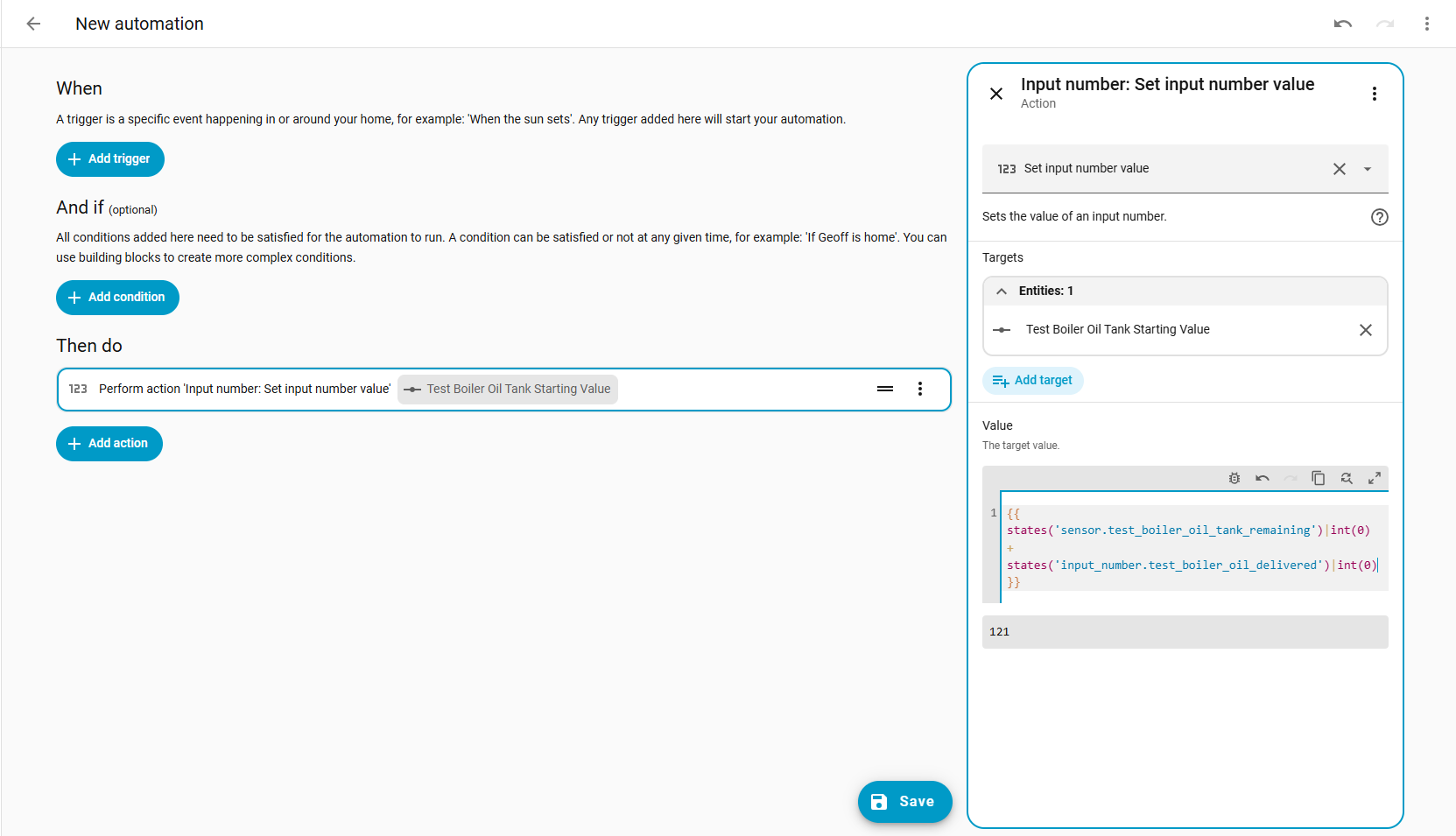
This will show the YAML behind the action, and all we have to do is replace the ‘0’ with a template, then switch back to editing in UI. The UI will then display a template editing window. Maybe someone knows how to get the template editing window up without having to go into YAML…
A valid template, in this case, must be contained inside quotes, so you can start with just "{{ states('sensor.oil_remaining')|int(0) }}"
Once you have convinced the UI editor that you are working with a real template, you can switch back to UI and finish editing in the nice template window provided. Note that there is a nice ‘bug’ icon that turns on the test feature, so you don’t even need to develop and test your template in the Developer tools > Template tool.
Amazingly comprehensive reply to your initial question :o
On a related note, I too have an oil tank. Mine has a Watchman oil level sensor installed by the previous owner, along with a basic display in the house.
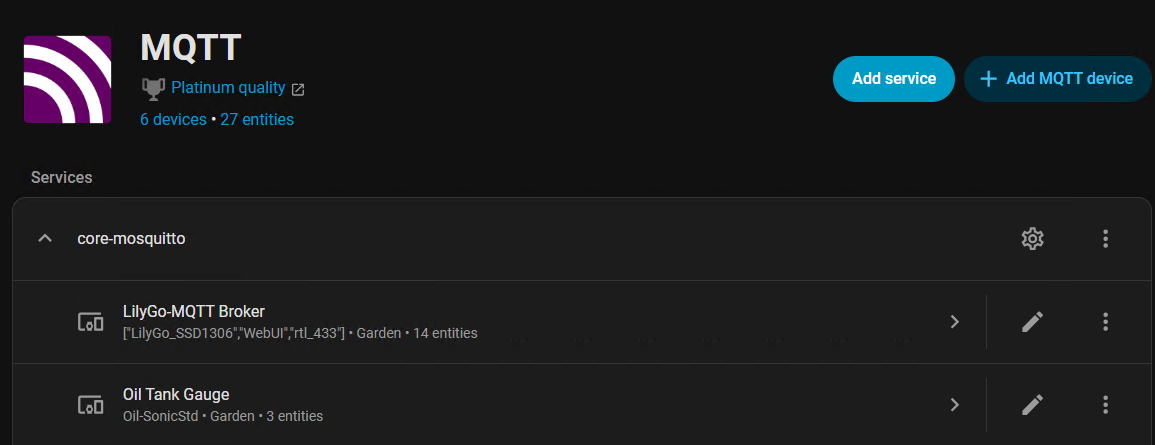
Following some online guides, I purchased a Lo-Ra ESP32 and configured it to receive the signal from the Watchman oil level monitor. It then sends this over MQTT to Home Assistant.
Simply amazing the amount of fun you can have with Home Assistant.
When I was just a kiddy and we had the old Wilson WallFlame, there was just a “plastic pipe” on the outside of the oil tank, and we had to “look” at it. Outside and in all weathers too.
Tell that to young people today and they won’t believe you.