Starting with
- your sensor entity that is “on” or “off” for the state of the burner when running
- the quoted flow rate of the burner nozzle
Assuming that you are measuring in gallons of oil, we take the flow rate in gallons/hour for the burner. This could also be litres of oil and a flow rate of litres/hour [or per minute].
We need to add
- a template sensor for the flow rate
- an Integral (Reimann Sum) sensor for the integrated quantity of oil used
- an input number to hold the tank starting quantity
- a template sensor for the remaining oil quantity
Each entity builds on and uses the previous one, starting with the burner on/off.
We are going to use the Settings > Devices & Services > Helpers to add each one (+Create helper)
Flow rate:
This turns the ‘on/off’ into a rate of use of oil.
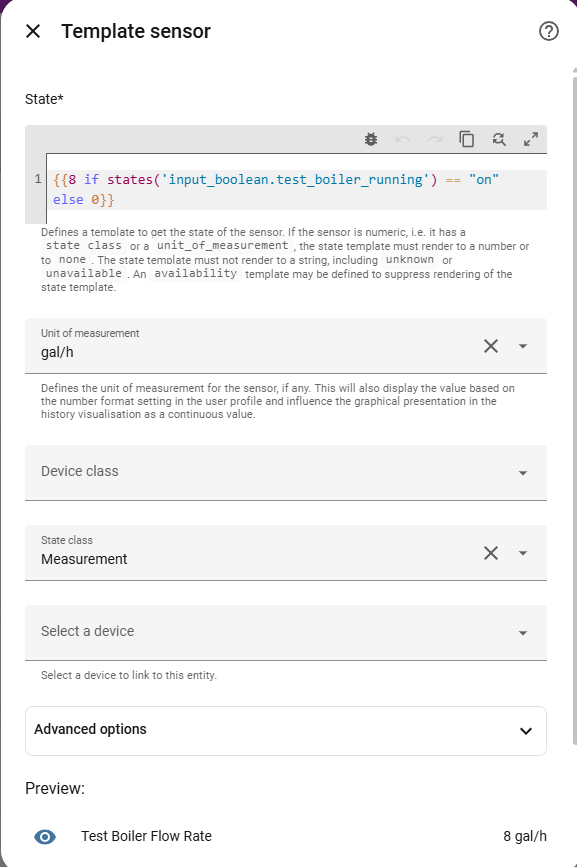
- Search for and select “{ } Template” helper
- Select “sensor”. This will add a new Template Sensor where the state value is going to be a number.
- Add the name, the template, the unit of measurement, and the state class
The template will be something like
{{8 if states('input_boolean.test_boiler_running') == "on" else 0}}
where ‘8’ is the quoted flow rate as gal/hr, and ‘input_boolean.boiler_running’ is your boolean switch for when the boiler burner is running
The unit of measurement will be gal/hr or litres per hour [there is a choice of gallons per day or per hour or per minute…]
State class is Measurement
Reimann Sum Integral:
This turns the above rate into a quantity.
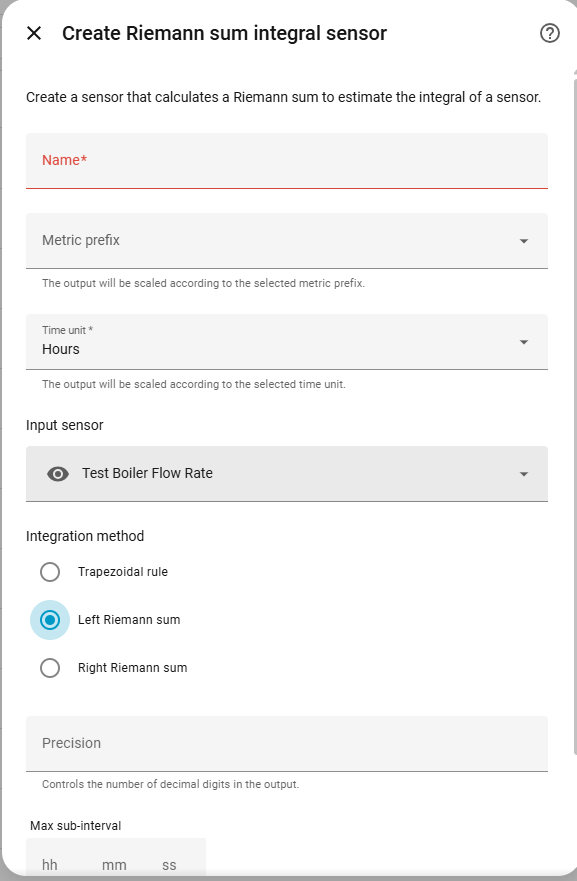
- Search for and select “Integral sensor”
- Name the sensor
- Enter the sensor we just created as the Input Sensor
- Select “Left Reimann Sum” as the method [very important]
NOTE - insert Utility Meter Total Consumption here if required (see note below) together with Action to reset UM, and Button to launch action
Tank Capacity:
This creates a place to hold the starting tank quantity.
- Search for and select “Number”
- Name the entity
- Set the Minimum value [leave as 0 for empty tank]
- Set the Maximum value, say 500 for 500 gallon tank
- Set the advanced options to Input field, and for the Step size [leave as 1 for integer value input], and the unit of measurement as gal

Remaining Oil Quantity:
This does the calculation for how much oil is left, being the tank starting quantity less the total quantity used.
- Search for a template sensor
- Select “sensor”, and add the name, template, unit of measurement and state class
The template here will be something like
{{states('input_number.test_boiler_oil_tank_starting_value')|int - states('sensor.test_boiler_consumption')|int + 0}}
Notes:
Yes it works.
I have used |int in the templates as I don’t see the point in reporting decimal gallon, but you can use |float instead.
There remains a problem. The Reimann Sum sensor will continue to add the quantity of oil used forever. When you next come to fill up the tank
Original quantity 500 gal
Used quantity 347 cal
Remaining 153 gal
Fill tank with 310 gal
New quantity - change the input number to 463
The used sensor will still show 347, but we actually want to reset this to 0. AFAIK the Reimann Sum sensor cannot be reset, so there are a couple of ways around this.
- modify the template
The used quantity will be 347 too big, so the remaining will show as
463 - 347 = 116
we have to modify the remaining sensor template to add back (463 - 116 = 347) or the current value of the total quantity used. This means changing the template as + 347 at the end.
- pass the used quantity through a Utility Meter with manual reset option
Utility meters can be added using the Helpers, and these act as counters with an optional reset to the total field. If we create a “UM Total Oil Used from last fill”, with a source sensor as the total quantity of oil used, then use this UM as the input to the remaining quantity, it still works as before but you have the option to manually reset the “Total Oil used” every time you fill the tank.
The UM can be created:

This uses the Total Consumption sensor as input, and the created UM sensor replaces the Total Consumption in the Oil Remaining template.
To Reset the Total Consumption Utility Meter:
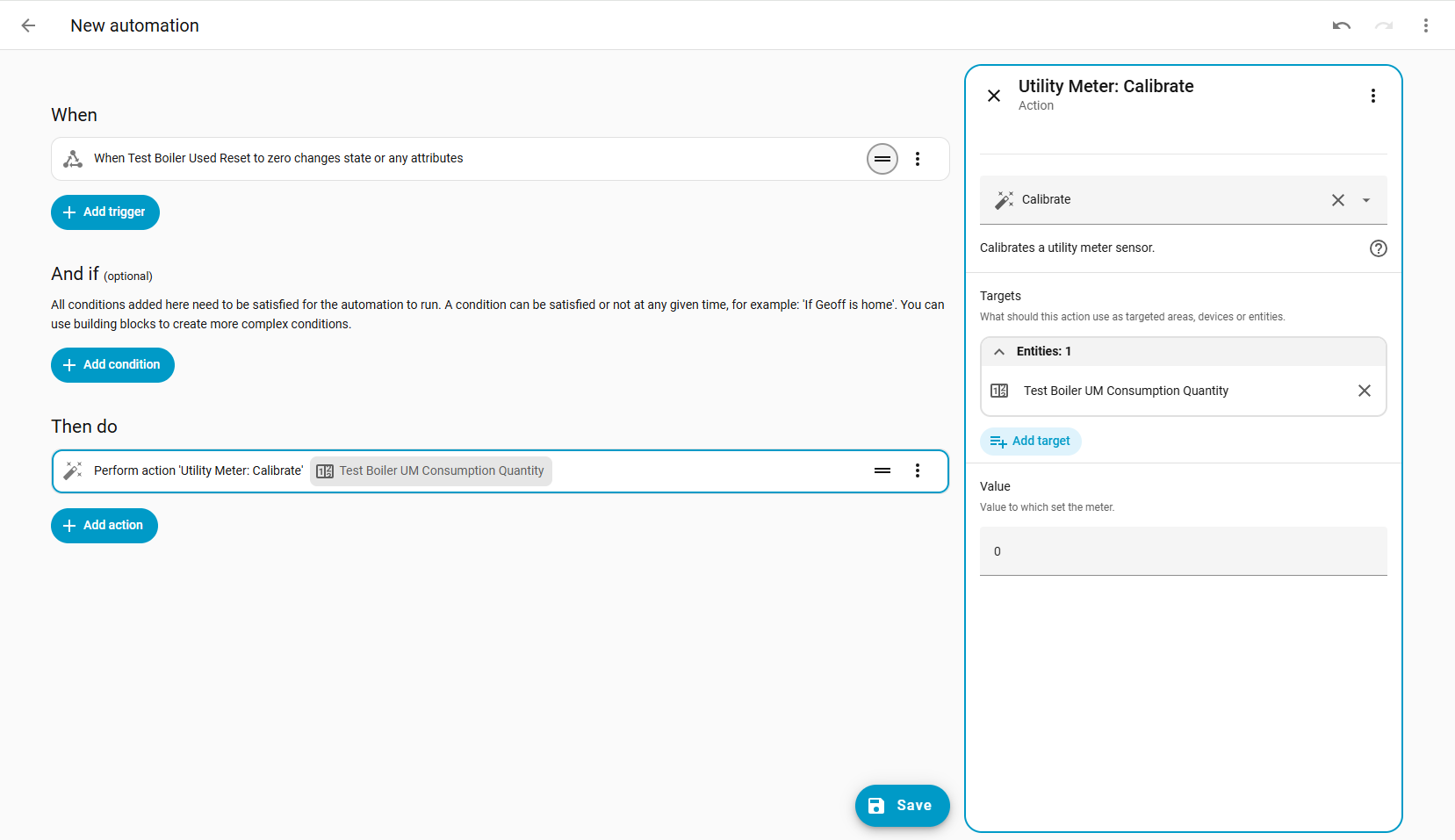
The utility_meter.calibrate is the action that works.
- You will need to create a new Button using the Helpers [Button - top option in the list]
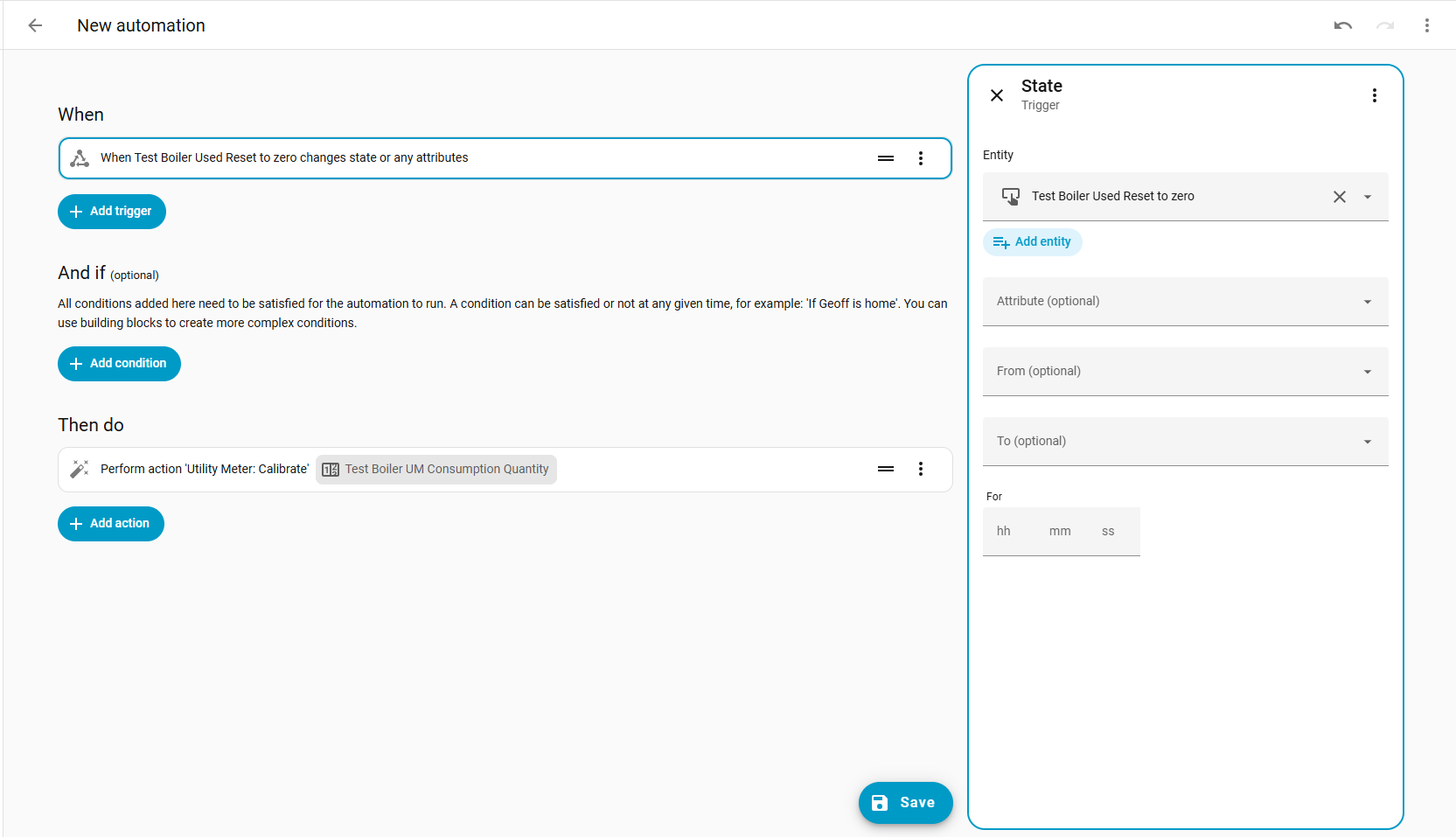
- Then create a new Automation, where pressing the above button calls the action with the Utility Meter consumption sensor as target, and
0as the calibration value.- Trigger > Entity > State, button as entity, no other options set [when a button entity is pressed, the state of the button is the timestamp of when pressed]
- Then Do > Perform Action > utility_meter.calibrate, with UM sensor as target, and 0 as calibration value
The trigger is:
The Action is:
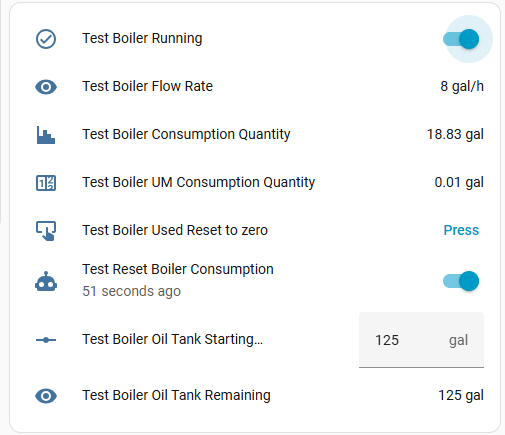
And the full list of helper-created entities:
Disclaimer:
I think that is all correct. I am sure someone will know of a simpler way to do this, and yes probably it is actually quicker and easier to do it all in YAML.
Hope this helps!