theking2
January 28, 2026, 12:19pm
1
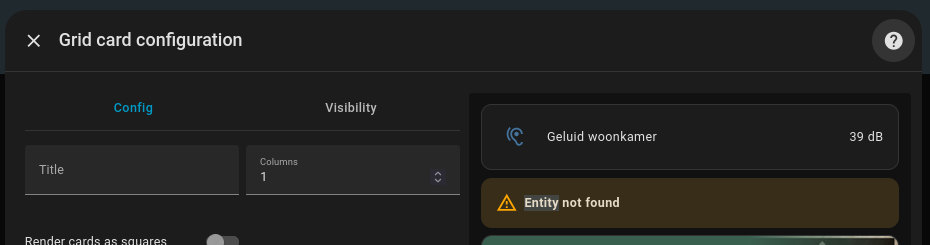
Left, middle, right click does nothing
code says
type: grid
square: false
columns: 1
cards:
  - type: entities
    entities:
      - sensor.living_noise
  - type: media-control
    entity: media_player.audio_np_hifiberry
  - type: media-control
    entity: media_player.audio_np_living
  - type: media-control
    entity: media_player.lg_webos_tv_oled55c8pla
  - type: media-control
    entity: media_player.media_avr
  - type: media-control
    entity: media_player.media_avr_2
tom_l
January 28, 2026, 12:20pm
2
Delete this:
Or replace it with an entity that does exist.
1 Like
theking2
January 28, 2026, 12:27pm
3
Thanks yeah that helped. but why are there all of a sudden a audio_np_hifiberry and a audio_np_hifiberry_2? I only have one! Where are these extranous names generated?
theking2
January 28, 2026, 2:52pm
4
Ok. Settings on HA are all over the place so a quick guide to update this (for my sanity):
On the HA desktop click settings (near the bottom left)
Select Devices & Services and click on Entities
Click the entity to relabel and select the gear icon on the top right
Change the Entity ID , in my case I had to remove the _2 which was added from some weird reason
Confirm by clicking Update .
Now you will have to change this where (card, desktop, the ID was used.
tom_l
January 28, 2026, 9:16pm
5
The main cause of the _2 thing is changing the unique_id. Which integration is supplying the media player?