Once the automation list gets long, it’s hard to find things. How do you keep yours organized?
You can use conditions in the Then Do section. It enables to combine different proposes in one action.
Tagging is an other option. E.g., assign a message tag to each automation sending notifications or light to everything related to lamps…
I have more problems with helpers. I have not found solutions to combine them to dummy devices or similar. Categories and tags are only half of the solution.
Organized?? LOL!
My method might not work for you since I don’t use the UI. All of my automations (211 of them) are manually created in YAML.
This is in my configuration.yaml:
automation: !include gui/automations.yaml # this is only for GUI-Automations, do not touch this file!
automation manual: !include_dir_merge_list manual_automations/
All of my automations are in a folder named manual_automations. In that folder I have my automations in separate files. For example
cameras.yaml
climate.yaml
garage.yaml
lights.yaml
office.yaml
etc...
I’ve never used the automations UI, so I don’t know how you could implement this. You could probably use dir_merge_list in the automations: line?
I’m with @stevepocock on this. I did the familiar route of using trigger IDs to combine automations and then the automations got more complex, more nested, and harder to manage. Plus, they got really hard to work with in the UI and I always was switching to YAML to see more code at one time.
Take a look at packages. The difference from what was mentioned above is you can organized not only your automations, but keep related automations, helpers, template sensors, and scripts all in one neat file.
It’s much more useful when tasks become more complex and involved, of course. I do have generic package files for small one-off kind of things or for “indoor lights”. But I have a directory of yaml files for more involved things.
Someone was discussing dealing with complexity the other day.
- Categories
- Avoid medium length automations
- Move repeated logic into scripts
I have a bunch of tiny automations - typically just a trigger and an action (or script call).
Then a few really long (not complex) automations.
If multiple small automations do the same thing, but the only change is the data (which bulb, switch, etc) you can typically merge them using a large variables section (100+ lines), to act like a lookup table. With this strategy you can have very few and in some cases no control structures (loops, choose, if, etc) at all - in a given automation.
Scripts can take arguments so you can use them almost like function calls, again this allows you to keep a lot of complexity out of your automations. Be careful here though if you just move the entire action section of your automation to scripts you are simply moving the goal posts, you want your scripts to be truly generic - ideally called from multiple automations.
I said avoid medium length automations because:
- You can quickly verify/discount tiny (one trigger + one action) automations **.
- Medium length ones still tend to get prolific, but aren’t easy to discount.
- Very long automations tend to be limited (you will probably have less than 10 of them).
** - Tiny automations also don’t get/need much maintenance most of the time its: write once, test, forget it (hence categorize them to de-clutter your view).
Move logic into template helpers with self explaining names. For instance I have an entity telling me if the dishwasher is waiting to be started on solar power, and an entity to tell me if I have been producing excess solar power on average for the past couple of minutes, or if the car is about to charge within the next hours (if so I do not start the dishwasher either). I use this to keep the automation super simple.
Since automations are more simple that way, I can often easily combine automations that share the same action. That way I have one place where I can see all the things things that can trigger the same action.
I do this too, however my template helpers are now getting a little out of control.
There are two cases where I think it “always” make sense to use template helpers:
- When you need the
delay_onordelay_offattribute **. - When you are creating a control (select, input, bool) to be placed onto a dashboard.
In short, I am not sure there is a better way of doing either of those things.
However I am reconsidering cases where all I am doing is boolean logic:
When sensor X is on AND Sensor Y if off OR Sensor Z is ON.
I am finding that I am typically only using these in one automation, it seems to makes sense when I need the value both in the trigger and in other places in the automation, but I am considering if it would be better to simply inline them (move them to the automation - possibly in a top level variable) in the other cases.
** - They are somewhat predicable over HA restarts/reloading of config files.
If you can combine them to allow for one trigger and no conditions then you can create automations with multiple triggers. So you get automations: when some complex thingy happens, or there’s a smoke alarm, or the button is pressed, then turn on the light.
You highlight a lacking in Home Assistant. The ability to put comments. I suppose one could fully document the code in the description. My understanding is that HA removes comments because they slow down the interpreted code. (see: interpreted vs compiled language)
Likewise, when designing HA-ese, it appears that little thought was put into accommodate organization by the end use.
Is there any advantage to using a separate template (helper) verse using a template trigger and simply extracting the body (conditions) from your helper and dumping them into the automation itself?
My gut feeling is that they will function identically either way (I don’t know that for sure).
By using the helper we get to use a logical name (vs a block of logic).
But the downside is I now have to look in two places (the automation + the helper).
To repeat what I said before, when you use the helper in more than one place, the value proposition changes you only have to maintain it in one place so it make sense to use the helper.
I think it’s that YAML doesn’t support comments so there’s no way to read them into the UI and write them back out.
It’s another reason I stick mostly to YAML.
I think its the UI that is stripping the comments.
I have also noticed that when you manually edit the YAML of an automation, then flip back to the UI editor the order of the items in the YAML gets re-arranged (that’s not preserved either).
But I have used the # symbol for comments in Yaml files that I directly edit on the file system.
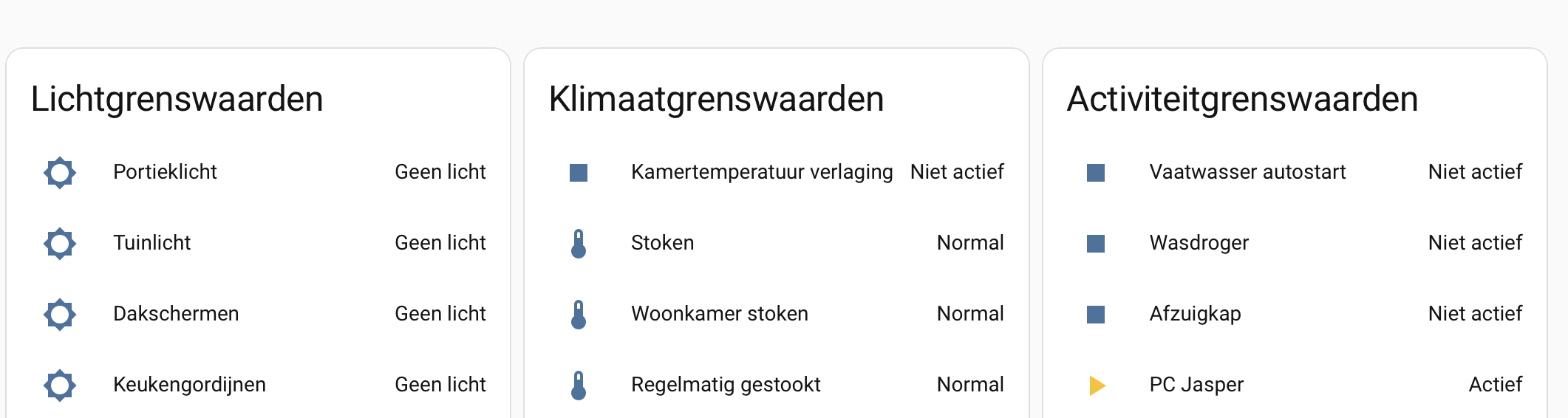
I also use templates to hide away complex logic for conditions. Then my automation is something triggered, simple conditional check, run the action.
Not to harp on Packages, but not having to look in multiple places for what helpers go with what automations, etc. is such a huge win for me.
Not to mention the comments and whitespace… 
HA added support for comments (notes) in the UI for every single automation step around 3-4 releases ago. Just click the 3 dots in each step>add note
Aye - if you harp a couple more times,
I might finally decide it worth the time to start playing with packages…
I also want to look into blueprints, I think that might be another option for code reuse, I don’t have a good feel for how much use I will get out of it though.
$ cat input.yaml
# here's a comment in a yaml file

- foo:
    # Don't forget the lists
    - one
    - two
    - three
  bar:
    baz:
      # Foo is set to one here.
      foo: 1

$ cat input.yaml | python3 -c "import sys, yaml; yaml.safe_dump(yaml.safe_load(sys.stdin), sys.stdout)"
- bar:
    baz:
      foo: 1
  foo:
  - one
  - two
  - three
Okay got it, your point is that the python libraries for YAML aren’t able to re-save YAML with comments in them.
As a result there is nothing that could be changed in the UI to preserve the comments.
I did see @ShadowFist’s response with respect to adding notes, thats a good work around to have.
Yeah, I assume because languages like python don’t have a “comment” data structure. Plus no way to preserve formatting as keys can get reordered.
Here’s some package files I have – not perfect by any means, but gives you an example. Always needs refactoring…
I wish there was a “substitutions” feature like ESPHome has.
I only have one Blueprint on my system, and I’m probably going to get rid of that.