Hi all! I have deleted a template sensor entity create from configure.yaml. Then from the UI (Settings->Devices & services->Entities->choose an entity->Settings->Delete) by accident. How can I add it back?
I have tried
Removing the entity on the yaml file
reload the template entity by Developer tools->YAML Template entities.
add back the entity on configure.yaml
reload the template entity by Developer tools->YAML Template entities again.
Removing the entity on the yaml file
restart home assistant
add back the entity on configure.yaml
restart home assistant again.
Both do not work
Many thanks!
[Edited for clarity]
[Edited again: adding the missing “Then” between “confiuration.yaml” and “from the UI” in the first sentence.
a perhaps related query:
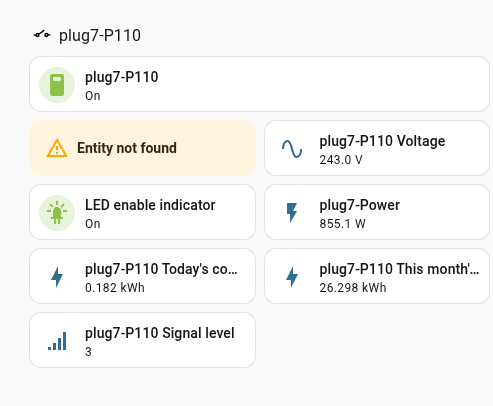
I deleted a thing on the Overview dashboard to see where doing that has effect.
The same thing on my user dashboard also turned into ! Entity not found.
Trying to edit my user dashboard and [ + ] a card in the right section, search entities, it would seem that I’ve lost that entity from the list, not just the Overview duplicate output display indicator of it.
That entity must be arriving because it is from a smart plug. I can work out what that missing entity should be named from the other entities from the same smart plug.
So you have the yaml configuration for the template sensor entity and you can add it back in to the the configuration.yaml file? If that’s the case then a restaert of Home Assistant should bring it back. Sometimes (often) you also have to refresh your browser cache for it to appear (ctrl + R or ctrl + F5).
Doesn’t tell anyone much about what you actually did, also not a related query. You should open a separate thread with a lot more detail as to what you actually did after reading How to help us help you - or How to ask a good question.
Do you have a backup to restore to? The alternative may be to edit the entity registry in .storage to remove the entry from the deleted entities list. Editing needs to be done with HA shutdown and make a backup first.
So you created the template entity in the configuration.yaml file and then deleted it in the UI? As long as it’s still in the configuration.yaml file restarting Home Assistant should bring it back, did you refresh the browser cache as I suggested above?
The only other thing I can think of is that the template entity might be incorrect in its syntax, are there any errors in your logs related to this?
Interesting. I posted here because I thought that this thread is likely to be about deleted entities. In my case I could type the sensor.name of it if I knew where to.
I’m highly reluctant to try to shutdown and poke files from outside of HA unless someone confirms that one has to. I could live without that particular sensor if sensor.name is unusable forever.
The entity which I deleted from the ui had appeared there on Overview immediately on doing a Companyname Integration and selecting their device. The item which also broke on my user dashboard was placed there from [+] and selecting entities from the listed ones.
Are you certain it was defined using YAML and not via the UI?
The reason why I ask is because the results of my tests show that YAML-based Template Sensors cannot be deleted via the UI.
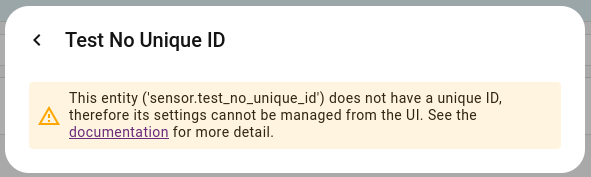
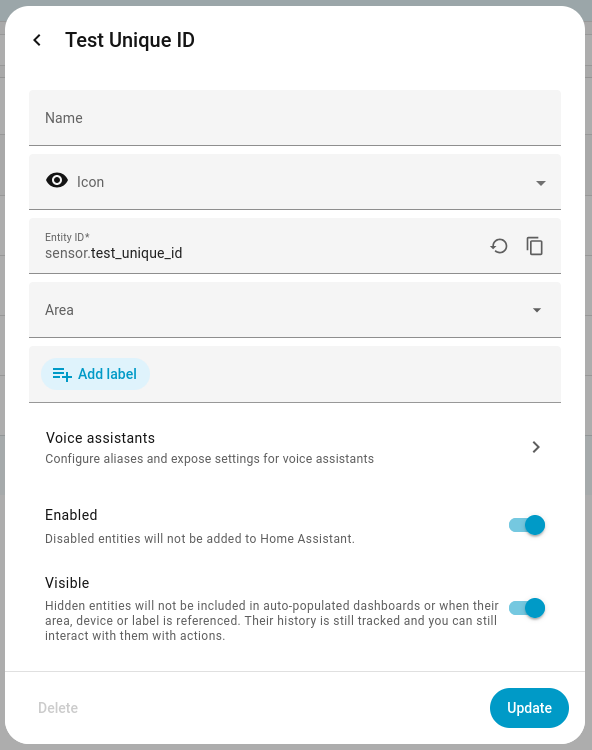
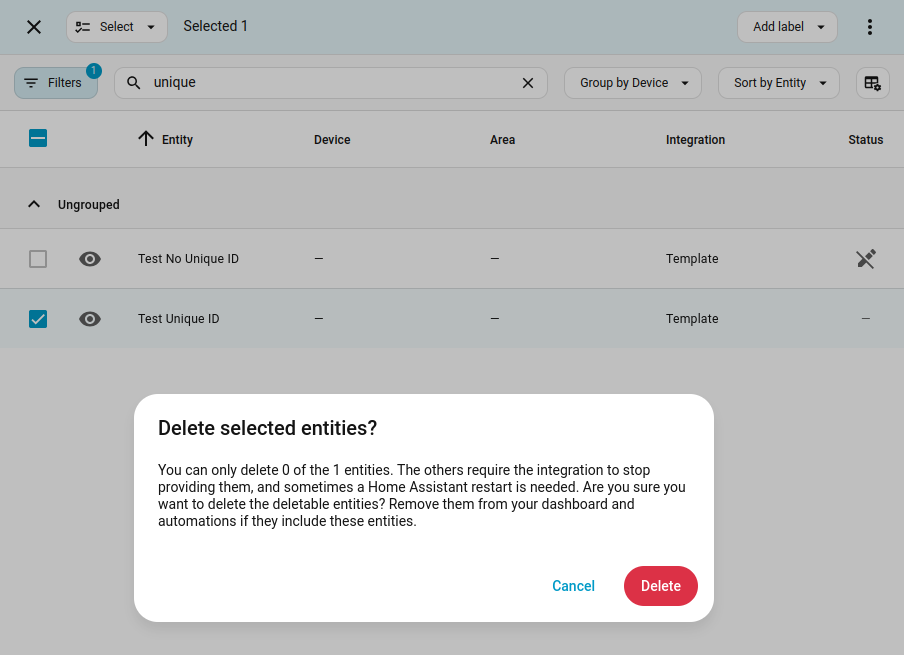
I defined two Template Sensors in configuration.yaml, one with a unique_id value and the other without, and then tried to delete them via the Entities page. Home Assistant did not allow me to delete them.
For the sensor without a unique_id value it prevented me from changing any part of it via the UI.
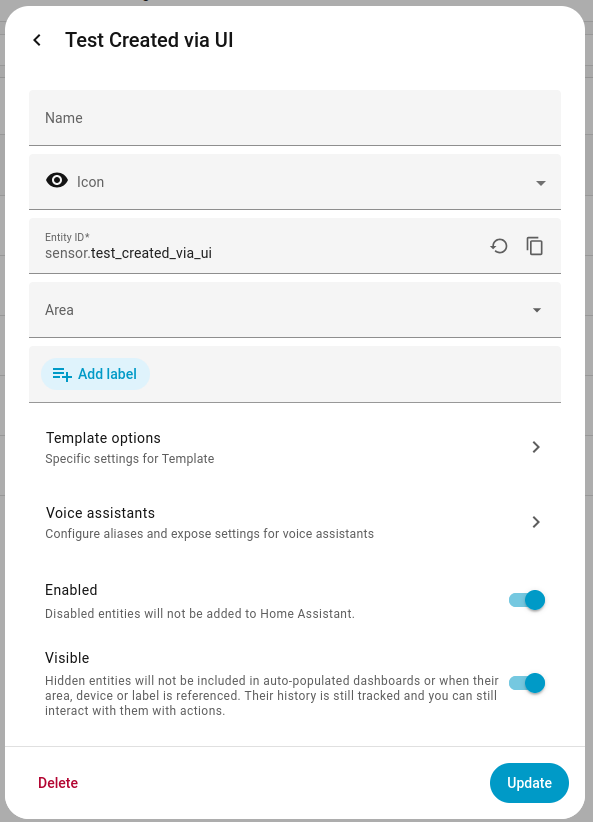
I then defined a third Template Sensor but this time using the UI and not via YAML. I was able to delete that one via the UI (delete button is enabled).
If you had deleted a Template Sensor that was created via the UI, there is no command to undo the deletion.
Some of the information about the Template Sensor remains in the core.entity_registry file. However, it is moved from the entities section to the deleted_entities section.
The deleted entity’s information must be restored to the entities section of the core.entity_registry file.
Plus another file, core.config_entries contains additional information about the Template Sensor entity. There’s no deleted_entities section in this file so without a backup it will be challenging to recreate the missing information manually.
Yes, I have created a template entity in the configuration.yaml. Then deleted it in the UI.
Actually, I was added a separated file with template: !include_dir_merge_list template/ directive. Hence nothing has been change in the content but the file was moved out of the directory and added back in my attempt restorations. The content should be ok as I have a copy of the file running in another neat identical instance of Home Assistant running on another machine.
Yes, I created the entity in configuratin.yaml. Actually it is a file in the template with the directive template: !include_dir_merge_list template/. I think it should not matter in this contest.
And sorry my bad. The entities was deleted in UI by a slightly different procedure: Settings → Devices & services → Entities → Enter select mode->[choose the entity]->hamburger menu → Delete selected.
The reason I am trying to clarify this is because, to my knowledge, Home Assistant has never allowed deleting YAML-based Template entities via the UI. As a general rule, it does not delete/modify YAML-based information. emphasized text
You say you’re able to delete YAML-based entities via the UI so that’s unusual.
As for restoring the deleted Template Sensors, you need to re-enter JSON information in two hidden files. Unless you have a backup, it will be challenging to recreate the data manually.
I understand it is much more complicated than I thought. I have a really old backup of the config. And I have made lots of modifications since then. It would be as good as start from fresh.
I have checked that the unique_id of the missing entity does not appear anywhere in the core.entity_registry file after home assistant started with the configured yaml in place.
As mentioned in my previous post, the core.config_entries file contains more details about the Template Sensor entity (but now that the entity is deleted, there’s no record of it within that file).
The tests I performed above were done on my test system (Template entities defined in configuration.yaml).
I repeated the tests on my production system (Template entities defined in several files located in a template sub-directory and referenced using template: !include_dir_merge_list template/). Same results; Template entities could not be deleted via the UI.
So my production system is configured the same way as you have it and Home Assistant doesn’t permit deleting YAML-based Template entities. Why it permits it on your system remains a mystery.