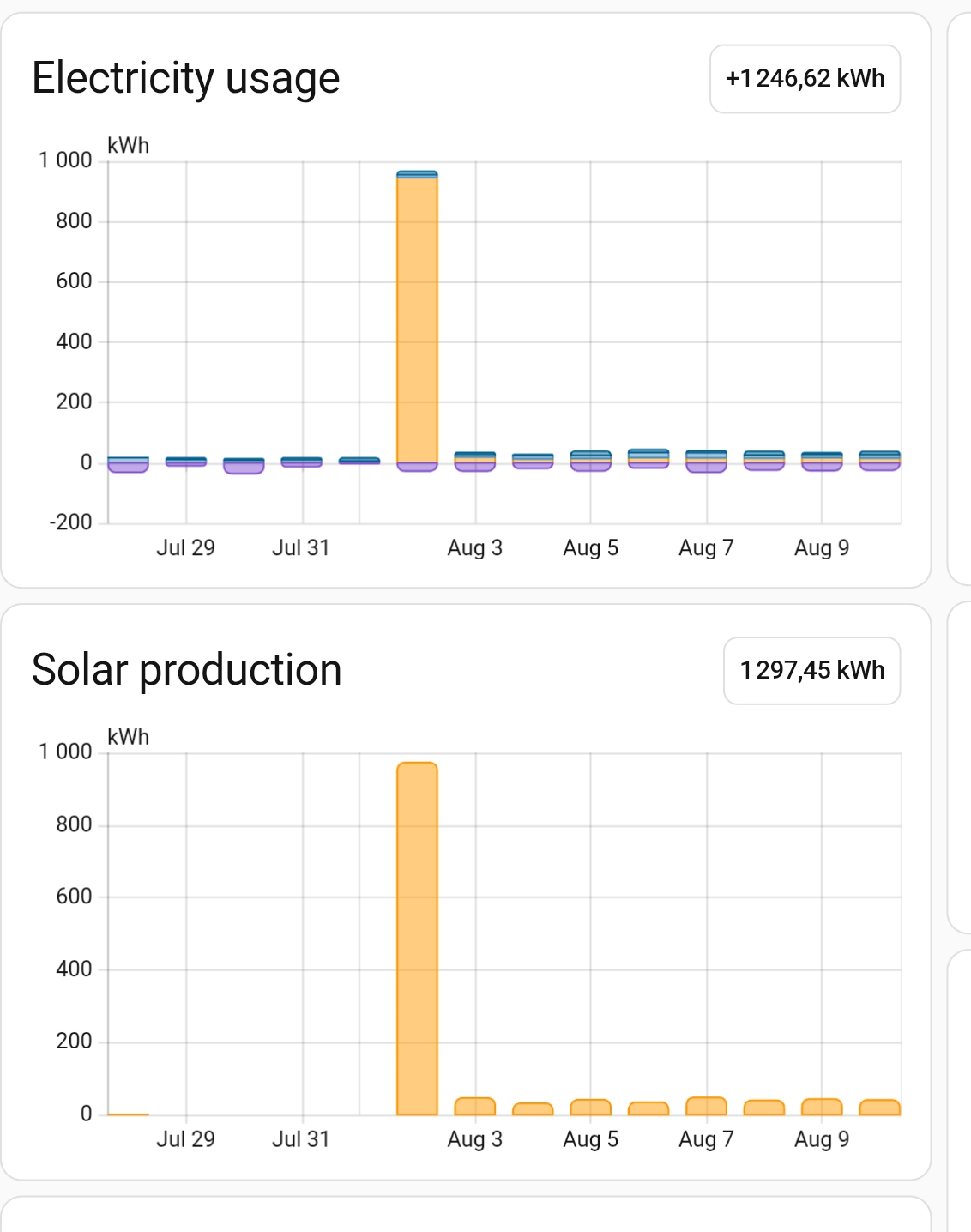
Once in a while my solar power inverter locks up and refuses to transmit data with the result that the date is offloaded once it is rebooted.
For wehatever reason this tends yo happen when we are away for vaccation with the result that there can be several days of accumulated production released at once.
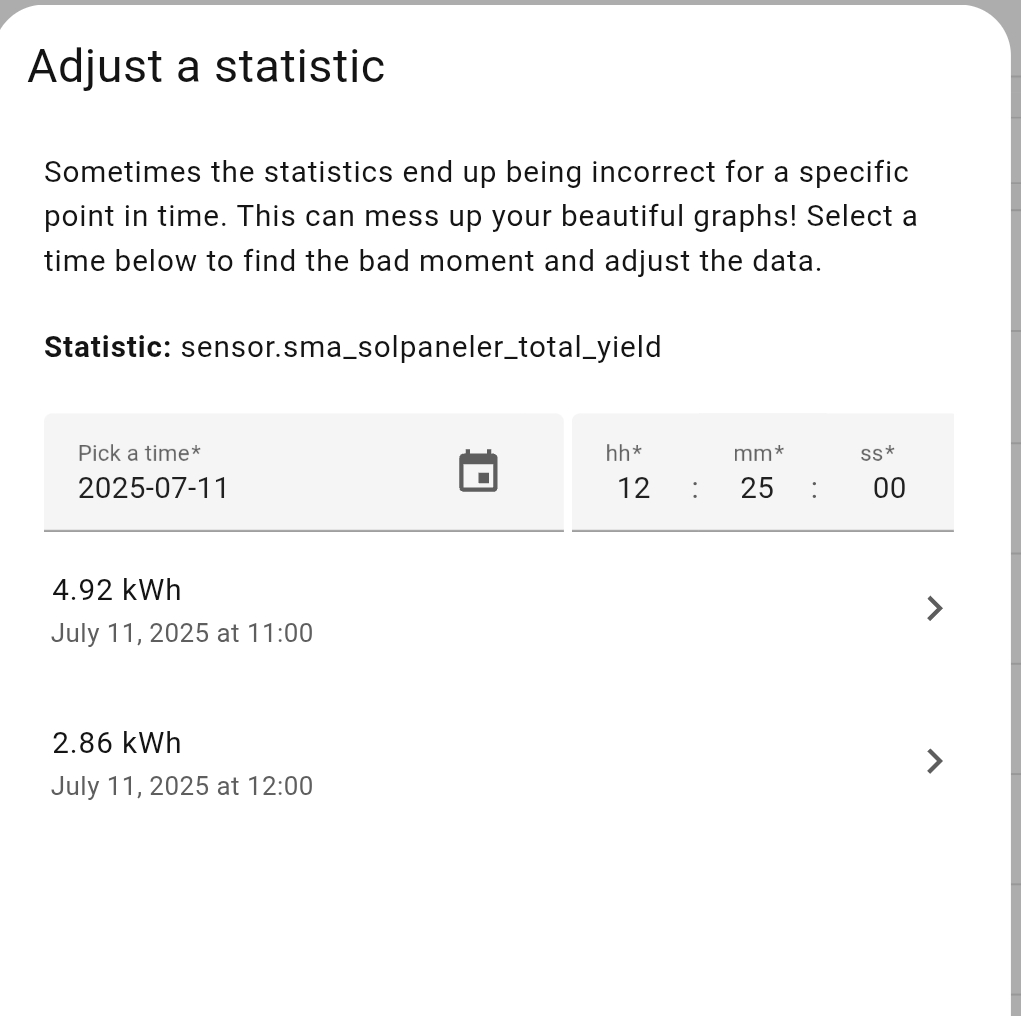
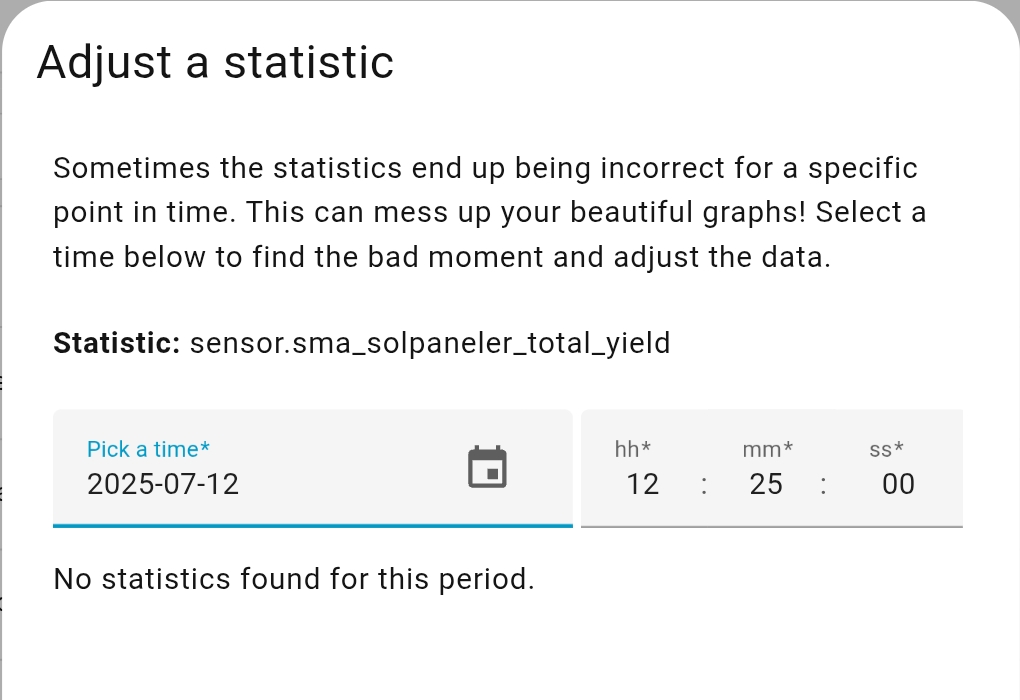
In Settings > Dev Tools > Statistics I can vorrectcrandom outliers, but how can I create missing data points?
So, what I would like to do is to take the total, some 900+ kWh in the example above, and spead it out across the missing days. It will not be perfect on hour or day level, but very much better than now on week, month and year level.
The only problem is that I have no refords to adjust for those missing days.
There’s no way to do it in the UI, it will take quite some ugly hacking in the database. Unless you are very skilled at SQL would recommend just leave it be.
If you install the sqlite addon you can see and edit this values.
But you have to handle with care, since you are working on the database.
I have used that to recover old statistics, by shifting from one old sensor to the new one.
I don’t know when these values are recovered, at least I had these values available after some time (restart?)
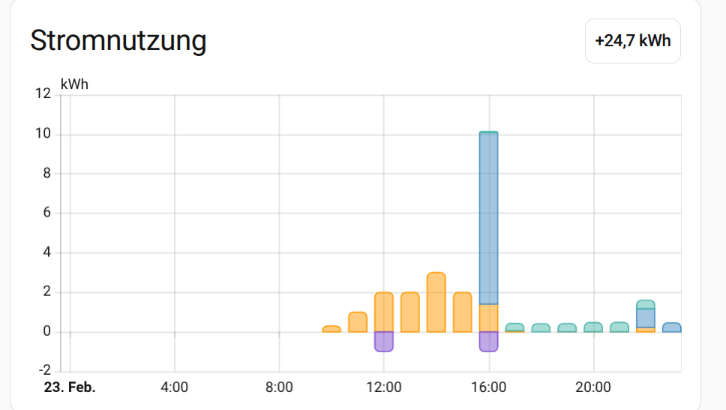
I have the same for the 23.2. and the jump was visible in the data.
SELECT
  *,
  datetime(start_ts, 'unixepoch', 'localtime') AS Statistikdatum
FROM statistics
WHERE metadata_id = (
  SELECT id FROM statistics_meta
  WHERE statistic_id = 'sensor.meter_1_active_energy_forward_active_energy'
)
AND date(start_ts, 'unixepoch', 'localtime') = '2026-02-23'
ORDER BY start_ts;
I have checked it for my missing values, and in my case the 1h statistics are really missing for these hours. That would cause a more complicated repair (insert lines)