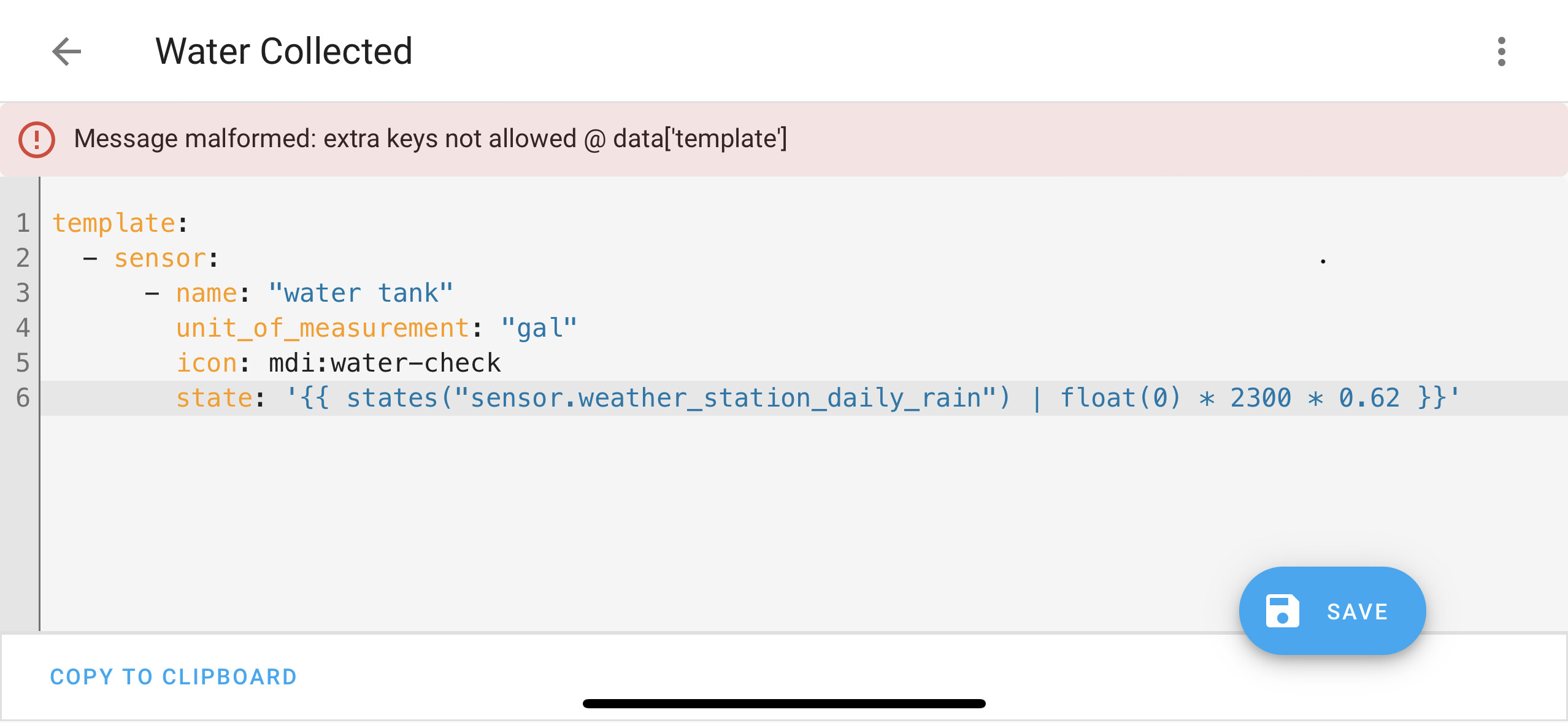
Hello. New HA user here and I would like to calculate and display the daily gallons of water collected on my roof that feeds my water catchment tank. I have an ambient weather station integrated into HA that has a daily rainfall value. I’m not sure how to setup the calculation in HA. I believe the math would be daily inches of rain * 2300 roof sq ft * .62
Any help in where to start or build this would be great. Thanks!
Assuming your maths is right, a template sensor would be something like:
template:
  - sensor:
      - name: "water tank"
        unit_of_measurement: "gal"
        icon: mdi:water-check
        state: '{{ states("sensor.daily_rain_rate") | float(0) * 2300 * 0.62 }}'
Thank for the response. I copied this into a new automation in yaml and when saving it returned this:
You put that code in your configuration.yaml file. It will create a new sensor. You don’t need nor want an automation to be involved.
https://www.home-assistant.io/integrations/template/#state-based-template-binary-sensors-buttons-images-numbers-selects-and-sensors
Exactly. You’ll end up with quite a collection. Group them all together, with the line
template:
appearing just once at the beginning. You can add notes to remind you of what they were for (believe me, in a year’s time you’ll need them). Mine start like this:
# Templates ====================================================================

template:

# ==============================================================================
# Sunrise/sunset ---------------------------------------------------------------
# ==============================================================================

  - sensor:
    - name: "Sunrise"
      state:  "{{ as_timestamp(states.sun.sun.attributes.next_rising) | timestamp_custom ('%H:%M') }}"

  - sensor:
    - name: "Sunset"
      state: "{{ as_timestamp(states.sun.sun.attributes.next_setting) | timestamp_custom ('%H:%M') }}"

  - sensor:
    - name: "Today"
      state: "{{ now().strftime('%A %B %d') }}"

# ==============================================================================
# Online -----------------------------------------------------------------------
# ==============================================================================

  - binary_sensor:
      - name: "online"
        state: >
          {% if is_state('sensor.myip', 'unknown') %}
            off
          {% elif is_state('sensor.myip', 'unavailable') %}
            off
          {% else %}
            on
          {% endif %}
        icon: mdi:server-network
        device_class: connectivity
The spacing at the start of each line is important.
When you have added a new template, go to Developer Tools | YAML, scroll down to TEMPLATE ENTITIES and click on that to activate it. You will then have a new sensor - in this case sensor.water_tank which you can use in dashboards and automations.
If you want to try out a new sensor without doing any damage, you can use Developer tools | TEMPLATE. Type your code on the left and the result (if any) will appear on the right.
Good luck! 
Just a quick note that your math is wrong, unless you have an entirely flat horizontal roof. You need to take slope into account, ie. calculate the projected area of the roof on the horizontal plane parallel to the ground. Increasing slope reduces the area exposed to the rain. In the extreme case of a 90° slope (like a wall), the collected amount will be zero, regardless of the area.
Edit: unless your 2300 sqft is the flat surface, like measured from a top down view. Then the math is correct.
I didn’t think of that. I will recalculate it. Thanks!
Thank you all for helping me. It is working