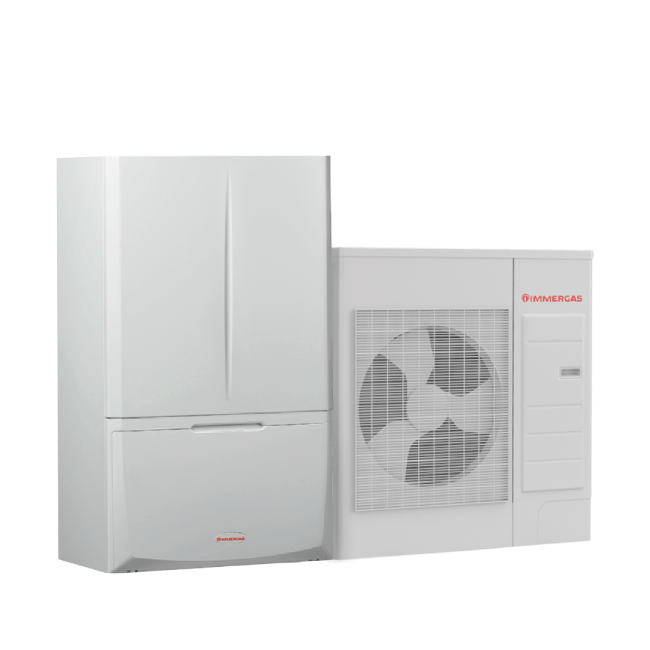
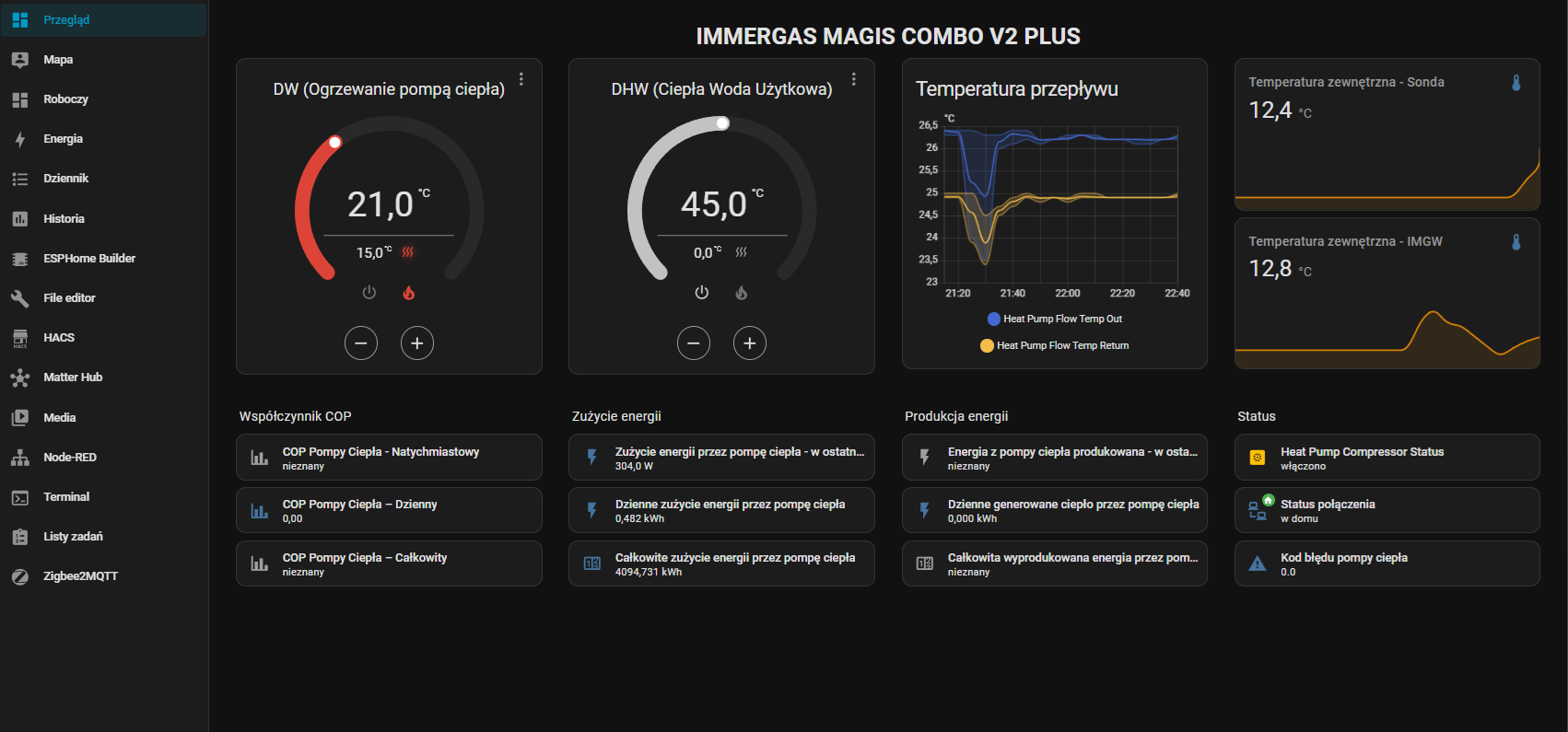
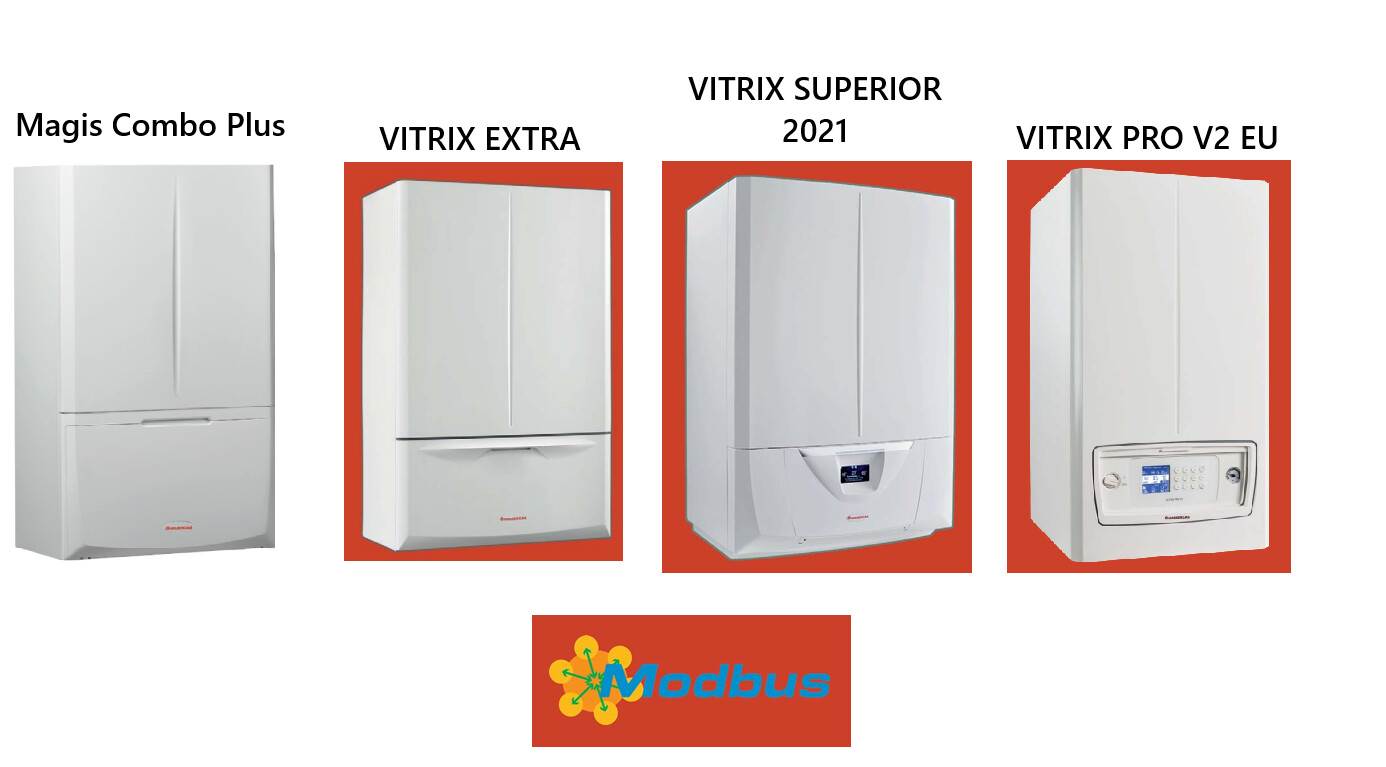
I would like to connect HA system to IMMERGAS MAGIS COMBO 9 PLUS V2 heat pump using the MODBUS protocol.
Unfortunately, I haven’t found a suitable solution yet. Therefore, I’d like to create a group in this thread for those struggling with a similar problem. I’ll try to include information I think is useful and can move the topic forward.
SPLIT heat pump. Includes a Magis Combo Plus indoor unit and an Audax Pro 9 V2 outdoor unit.
Protocol Selection: OpenTherm - According to the information collected, the heat pump does not support the OpenTherm / IMGBUS protocol (IMGBUS is implemented on pins 41-44; this model does not have pins 42, 43, or 44)
ON/OFF - You can connect a room thermostat to the heat pump by removing the bridge from contacts 40-1 (zone 1) and 41 (common)
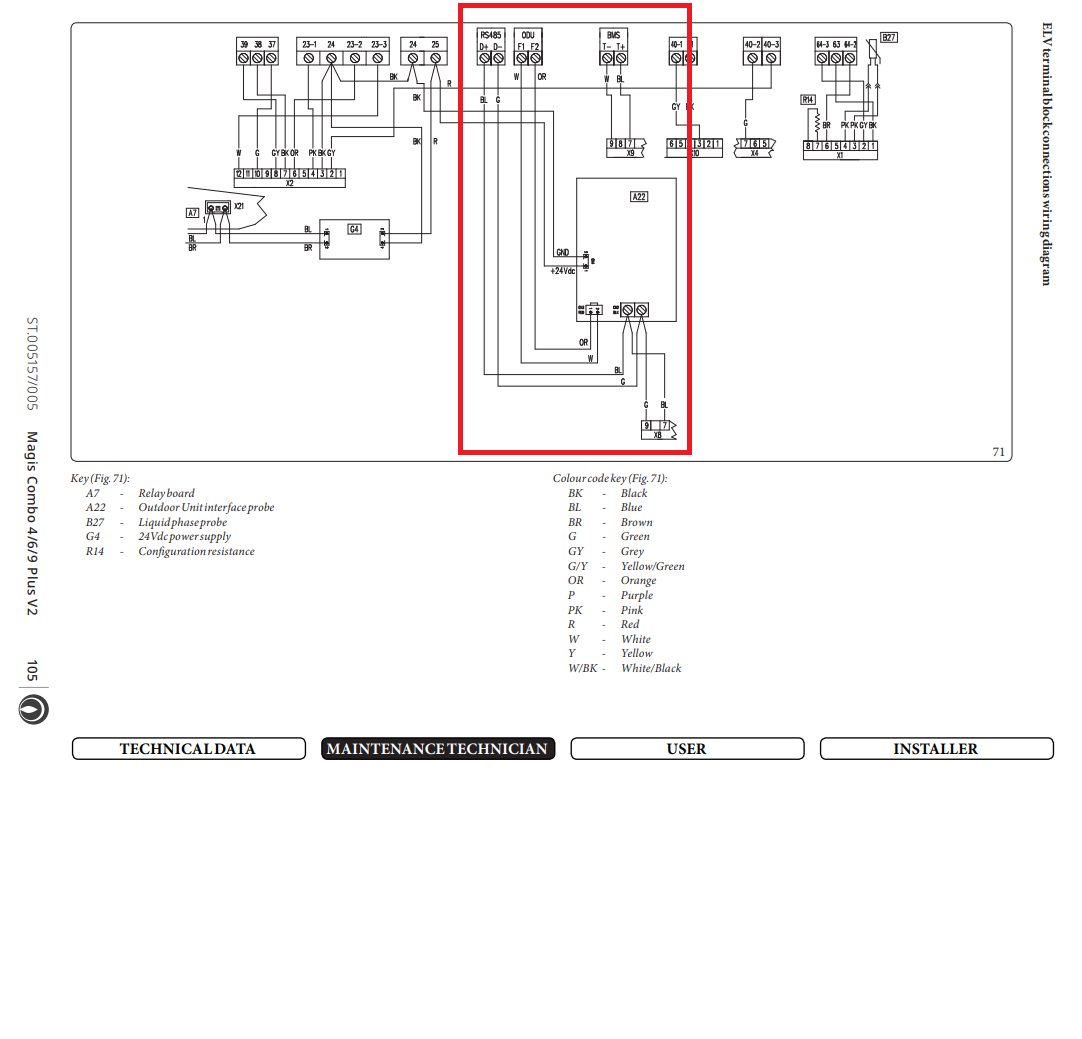
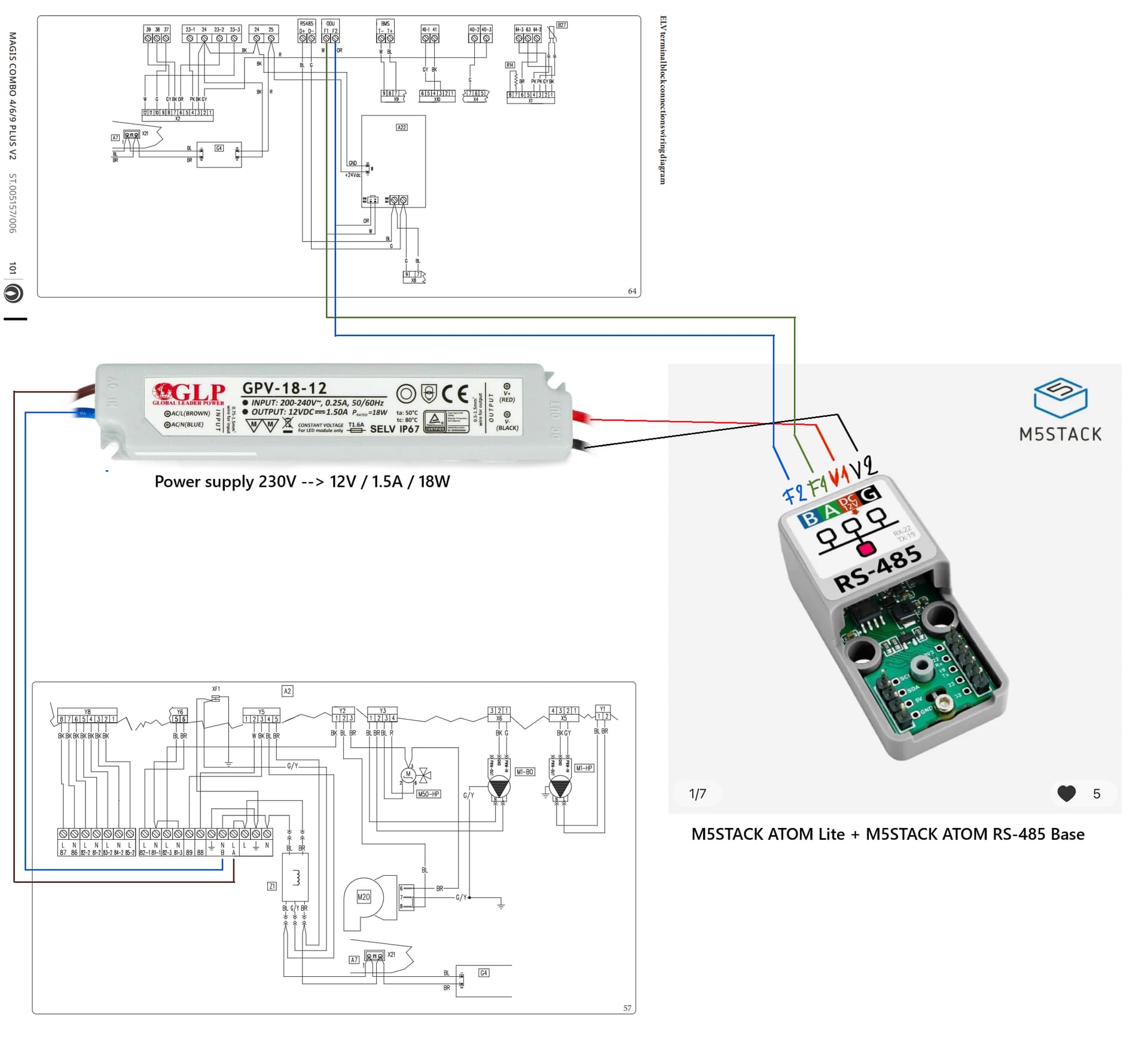
MODBUS - The heat pump supports the MODBUS protocol in the RS485 network. Connection via RS485 D+ and D- or BMS T- and T+ contacts. Power supply for additional module from -24 +25 contacts.
The Immergas Dominus Wi-Fi controller can be connected via the MODBUS protocol and controlled via the Immergas cloud. The Dominus driver cannot be integrated with anything. It can only be controlled via a smartphone app.
====================================
This brings us to the issue of heat pump integration via the MODBUS protocol. There’s no information online from Immergas describing the MODBUS protocol.
Based on my research, I am sharing what I have discovered. These findings or conclusions may contain errors.
For communication we need an RS485 to HA gateway, e.g. WaveShare RS485 TO ETH (B)
This blog link describes how to access the Immergas Magis Pro unit via RS485 and create a website with important temperature readings
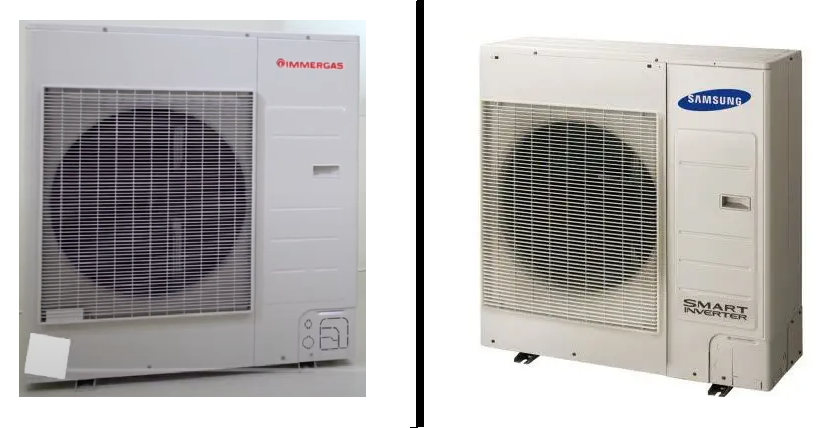
According to the blog, the manufacturer of the outdoor unit is Samsung.
From my research, I believe that in this case, the Audax Pro 9 V2 outdoor unit is actually a Samsung AEX100EDEHA. Both units look similar and have similar power 9 kW and 10 kW.
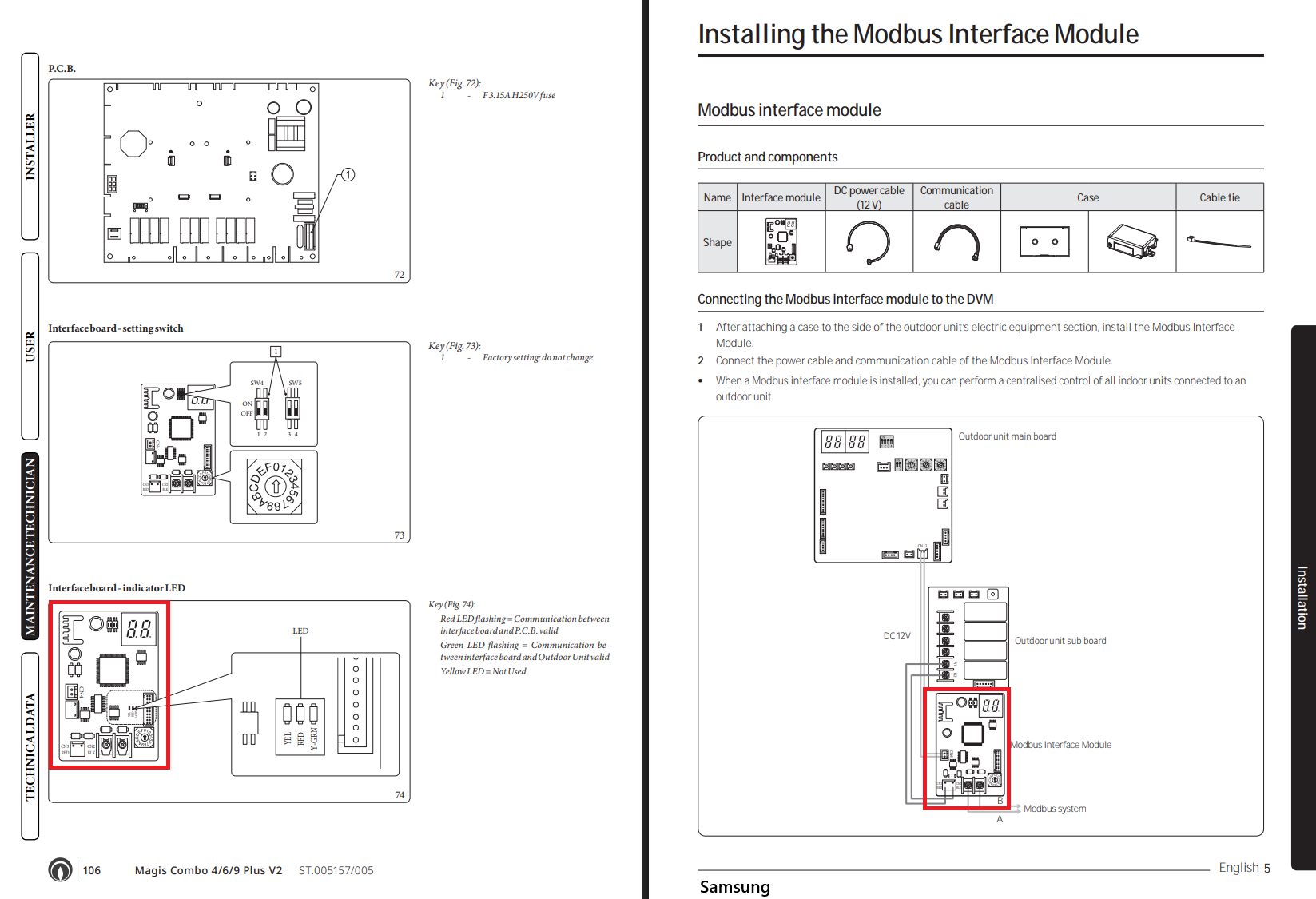
The user manual for the Samsung outdoor unit is very similar to the Immergas manual, with the difference that the Samsung manual is much richer in information regarding MODBUS.
I tried to connect like in the mentioned chapter, with a USB/RS485 Waveshare adapter, reading (with Modbus Poll) some addresses from 0 to 30 but I couldn’t get anything.
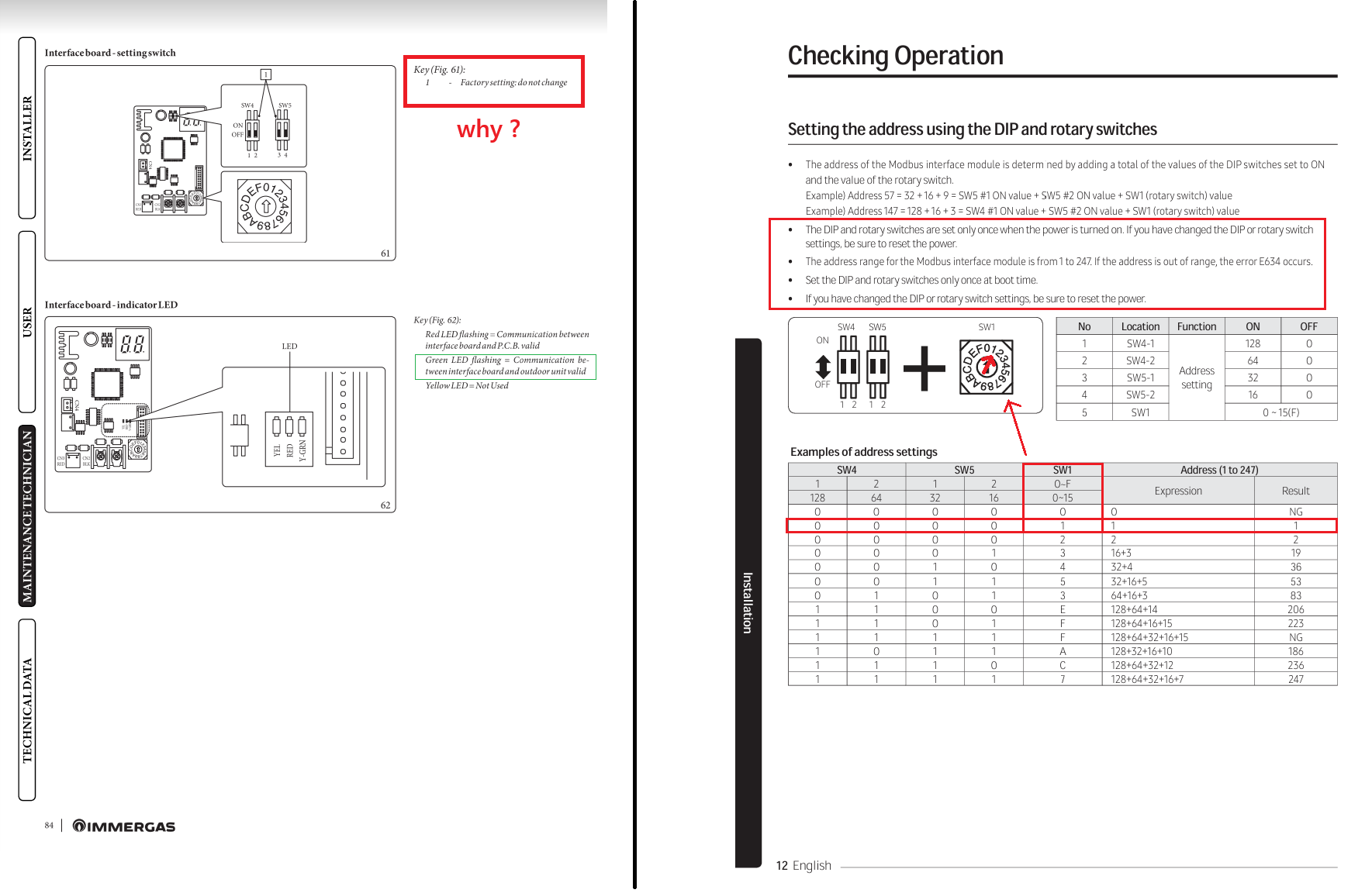
First, you need to unscrew the plastic cover and check the address set on the MIM-19N board. Mine was originally set to 0. This meant Modbus communication was disabled. I set rotary switch SW1 to 1 and completely powered down both the indoor and outdoor units for about two minutes.
Hi JoTu,
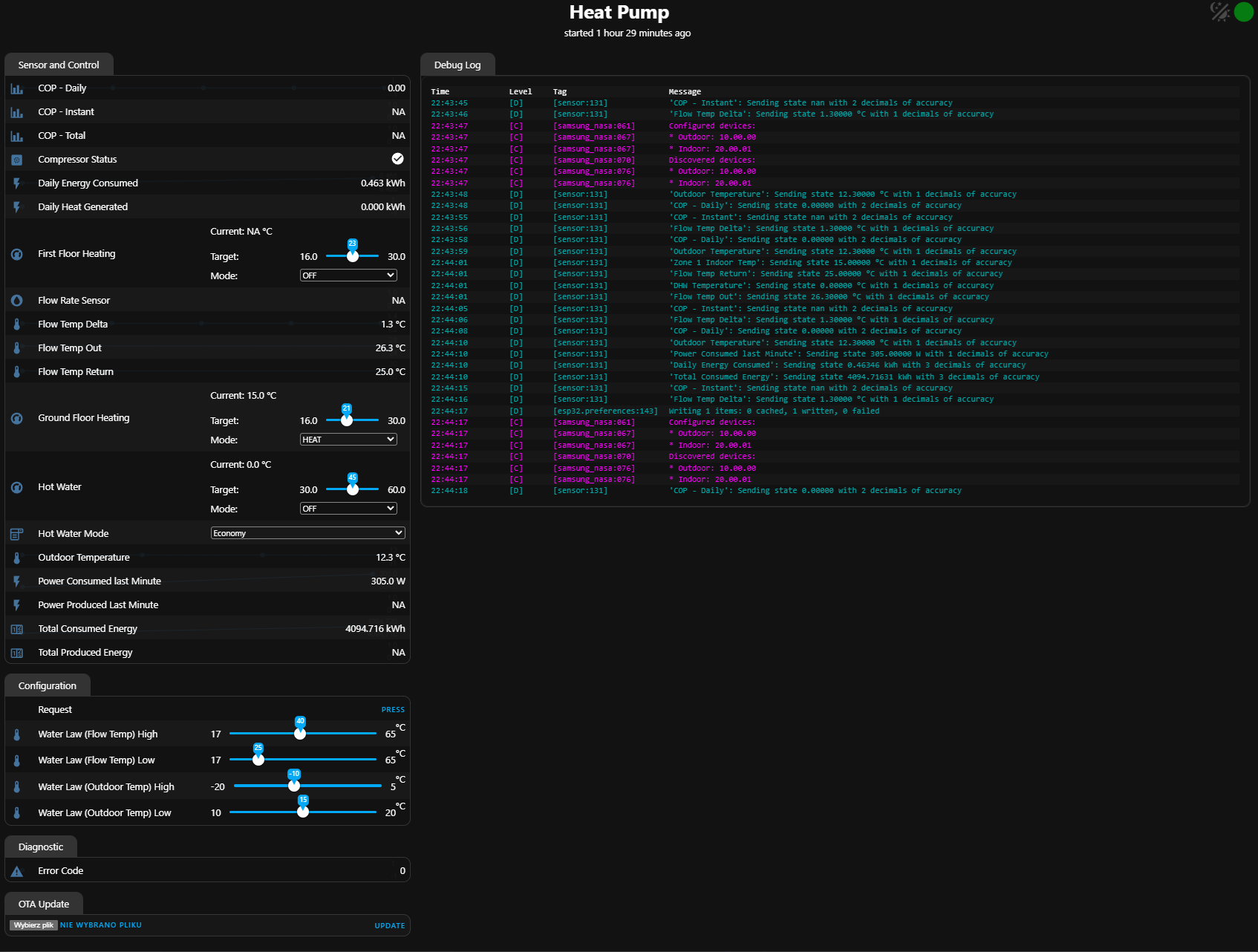
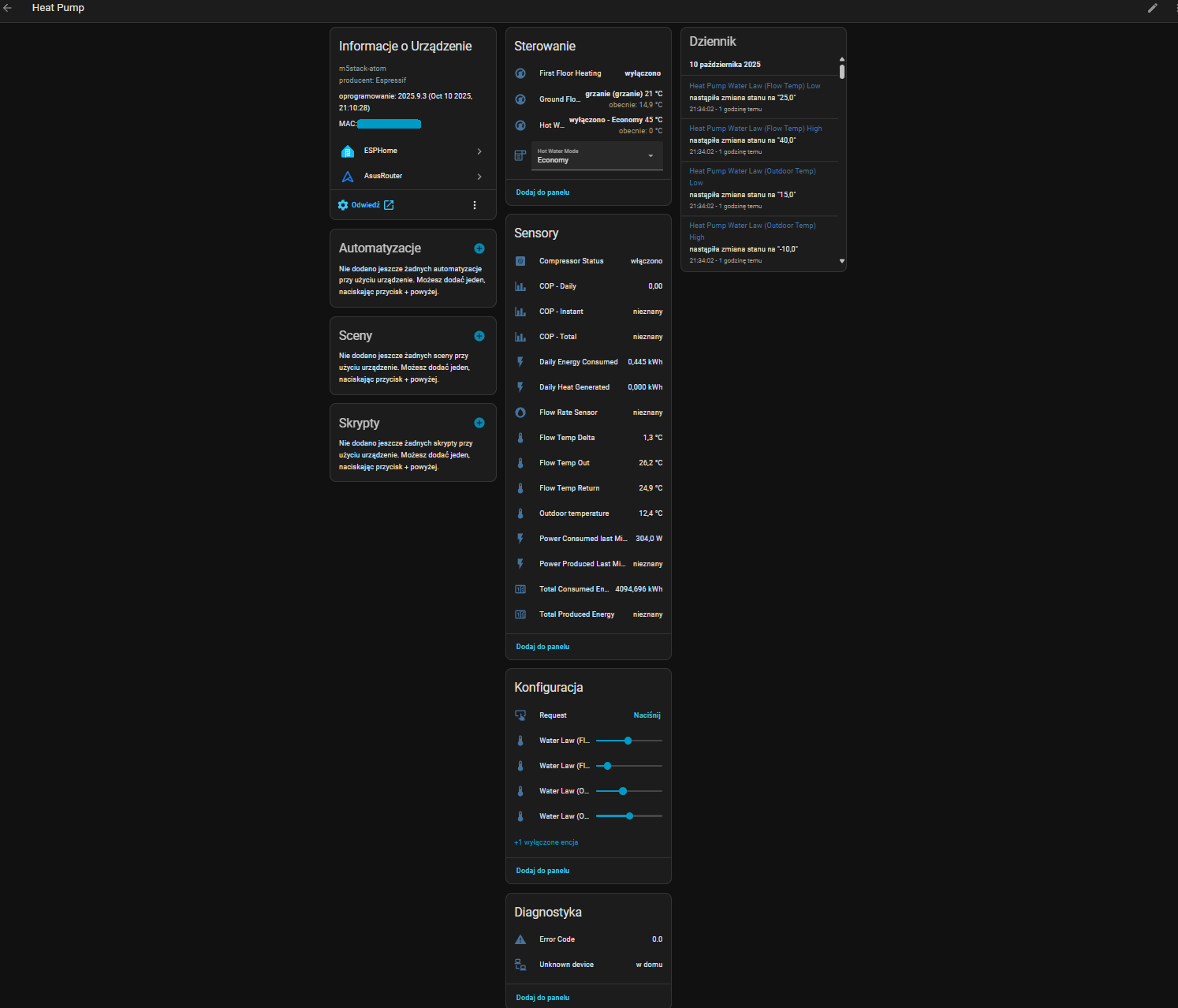
thanks for your clear instructions. I am now sucessfully connected to my Magis Combo 9 Plus V2. Unfortunately, some of the data, especially the set and current room temperature, display wrong numbers. Did you use only the registers in the example config from Beormund or some other ones?
Hi, I’m glad you managed to integrate the external unit with HA.
As you noticed, we have a stable connection, but it’s not perfect.
At this point, I have removed the second heating zone from the default configuration.
Unfortunately, I didn’t have time to delve further into it.
I don’t know about you, but my domestic hot water metering and setting aren’t working either. That’s probably because I have the indoor unit set to heat water year-round with gas, and then use the heat pump to heat the floor seasonally.
The energy production measurement also doesn’t work (the logs indicate an incorrect measurement unit for the HA), and the COP calculation doesn’t work either.
Furthermore, from what I’ve noticed, changes made in the HA, such as starting or stopping the compressor on the outdoor unit, do indeed work, but they aren’t visible on the indoor unit’s display.
From what I’ve noticed, the energy consumption measurement differs from the readings provided by the Shelly Pro EM-50A.
Unfortunately, the most important function, i.e., turning the unit off or on, and switching between winter and summer modes, is missing. This function currently only works with the Immergas Dominus.
My thoughts boil down to the fact that the outdoor unit is subordinate to the indoor unit. The Beormund integration only works on terminals F1 and F2 (i.e., “behind the indoor unit”), using a pure communication layer using the Samsung protocol. To properly integrate the Magis Combo Plus V2, I believe you need to look for a solution on the RS485 terminals (D+ D-) or BMS (T- T+).
Modbus communication instructions for Immergas gas boilers are available on the Czech website vipsgas.cz.
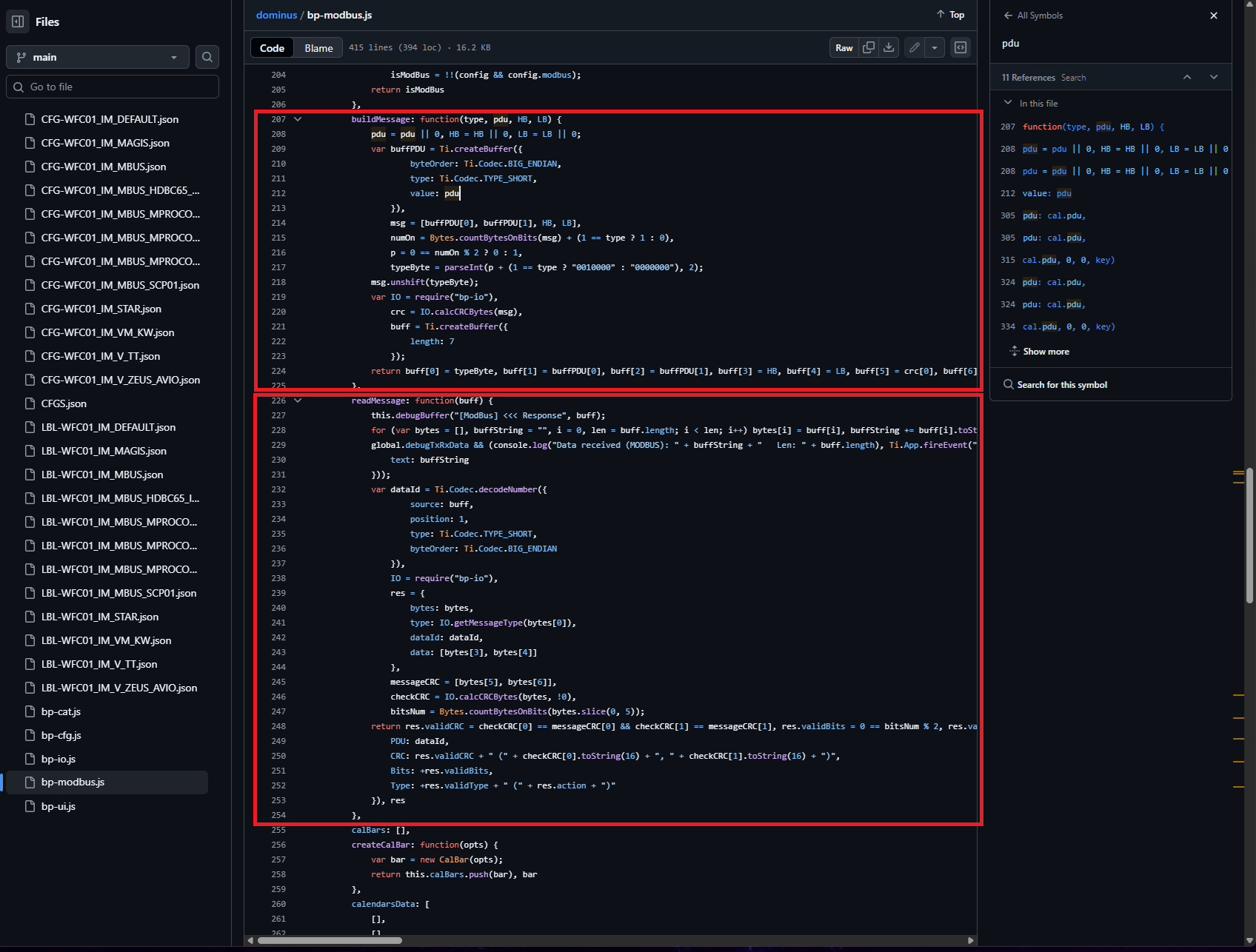
Interestingly, the domestic hot water setting is read and changed via the Dominus module connected to terminals D+ and D-. This suggests that the indoor unit, including the gas furnace module, operates on the Immergas Modbus protocol, while the outdoor unit operates on the Samsung Modbus protocol.
That’s basically all there is to it. Now we need someone to write the appropriate integration, similar to what Beormund did for the Samsung NASA Modbus protocol.