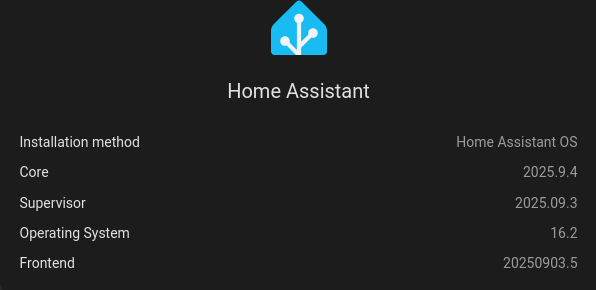
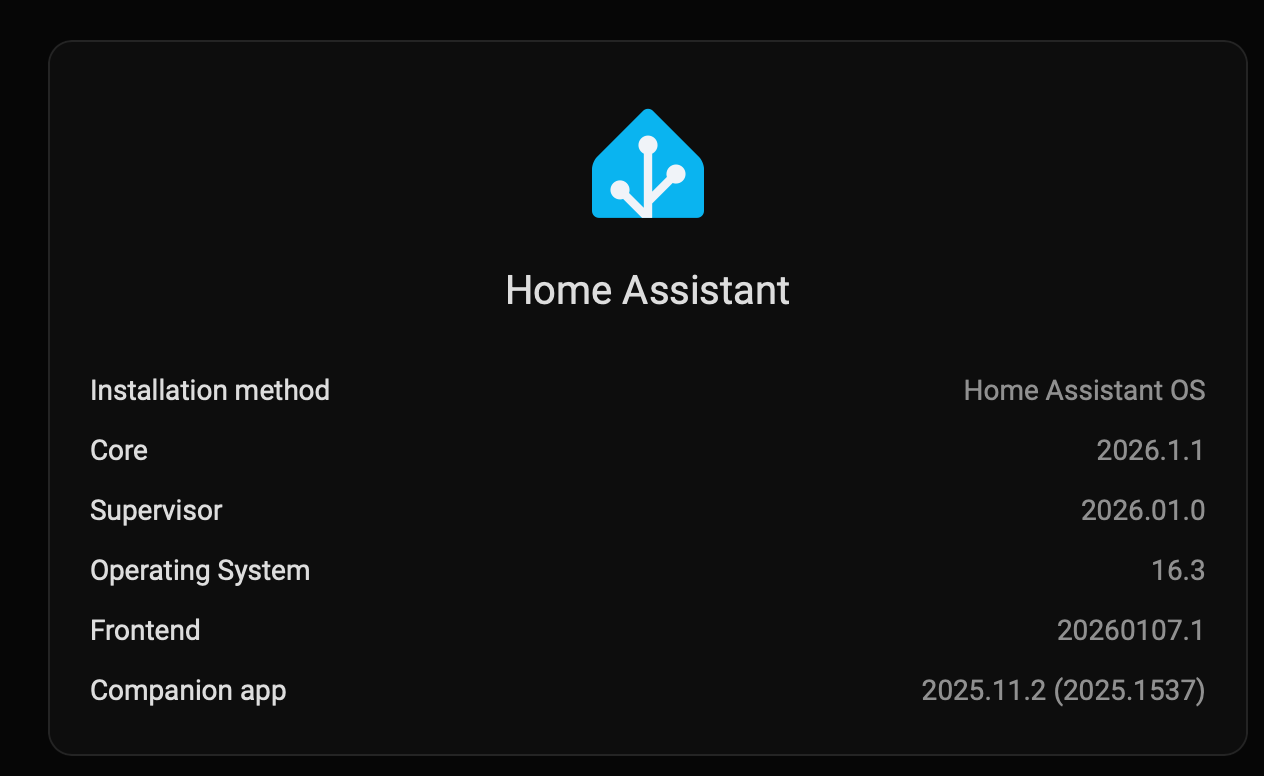
I’m trying to figure out how/if I need to download and install HACS: the first step is: figure out whether my HA installation type is OS/Supervised, Container, or Core, but I can’t figure out how to figure that out…
[update: I installed HA on a Mac, using homebrew, but the server is running on a dedicated raspberry pi box (green or yellow, can’t remember which!). I assume the HACS needs to be installed onto the server, not onto the Mac, but presumably it’s done VIA the HA app on the Mac?]
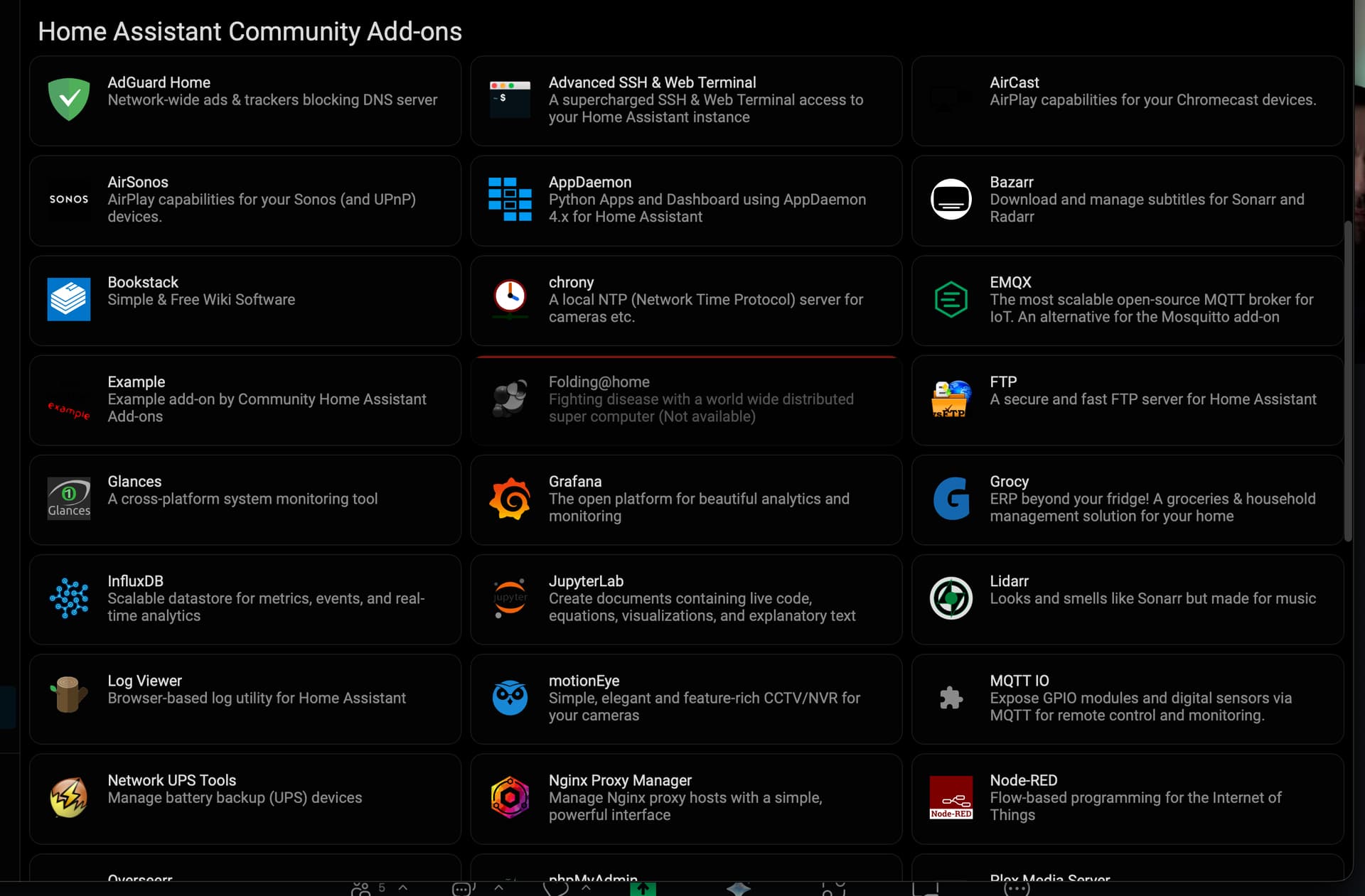
(broader question is: why/do I need to install HACS if I can already see some (but not all) “Home Assistant Community Add-ons” in the “Add-on store” under “Settings”, but I wanted to address this question first!)
“About” menu just gives me: “Home Assistant Companion - 2025.11.2 (2025.1537)”. No mention of core, supervisor, etc.
[update: or should I be interrogating the server itself? in which case, how: via the HA app on my Mac?]
[update: I think a lot of my confusion stems from the fact that my setup includes a home assistant server (on the raspberry pi) AND a separate home assistant app (on my Mac). I’m not clear on which is being referred to in any given instance.]
Neither Supervised nor Core are supported installation methods anymore… so if you are relying on something that is mentioning them, know that your reference is likely pretty out-of-date.
I guess then my broader question is: given that my out-of-the-box (raspberry pi) server + (homebrew installed) home assistant app comes with a “Home Assistant Community Add-Ons” section (in the “Add-on store” section), which includes many (but not all) of the HACS add-ons, do I still need to install HACS itself (esp. in order to get HACS add-ons that are NOT already available in the HACS Add-on store)? And if so, do I install it onto the raspberry pi (I assume so)? And so, how do I do that? (Given the docs are out of date)
HACS doesn’t have any add-ons, other than the one used to install it and then ever used again. HACS is a custom integration that helps you load and update other custom integrations, themes, custom template macros, and other things from github that authors have shared.
Generally the functions found using HACS to search them are not also add-ons.
So maybe I’m misunderstanding this? What IS the “Home Assistant Community Add-ons” section of the Add-on store? Is it distinct from the “Home Assistant Community Store” (HACS)? That would explain my confusion!
[update: for context: I want to add an ESP32 bluetooth proxy, and my minimal research tells me that I need an add-on which is only available from HACS.]
Home Assistant allows anyone to create add-on repositories to share their add-ons for Home Assistant easily. This repository is one of those repositories, providing extra Home Assistant add-ons for your installation.
The primary goal of this project is to provide you (as a Home Assistant user) with additional, high quality, add-ons that allow you to take your automated home to the next level.
It’s basically just a collection of Add-ons that can be run alongside Home Assistant in HA OS. There are a number of other collections that other community members have created that you can add to your “Add On Store”. Some contain just a single Add On, others like HA Add-ons by alexbelgium contain a bunch of them.
An ESP32 Bluetooth proxy, which will proxy my Aranet4 CO2 monitor so it’s accessible from my local network.
I’m not at all wedded to HACS: if there’s an add-on already available, that will allow me to connect to my Bluetooth proxy, then I will happily use that .
For a basic bluetooth proxy, you can use the Ready Made Projects page to install the correct firmware from your internet browser without anything else (make sure to use a Chrome-based browser).
The core Bluetooth Integration should take care of getting the data from the proxy once it’s setup.
So I gather that HACS is a different kind of beast from these add-on repositories (that happens to have a confusingly similar name to some of the Home Assistant repositories)? And it’s one that has to be installed directly onto the server?
One of the main differences between those Add On collections and HACS is how the software they each let you install runs in reference to Home Assistant.
Add Ons run in their own containers in Home Assistant OS, along-side the Home Assistant container.
HACS helps you install and update custom components that work inside Home Assistant.
To add to the confusion, many Add Ons require custom integrations that you will find in HACS to allow HA and the Add On to communicate.
Both Add Ons and Integrations are installed on the server.
You also mentioned Homebrew which may be confusing the situation even more.
There is a Homebrew formula to install the Home Assistant Core application as a stand-alone application. That would be a Core install, which is still possible, but not recommended or supported.
There is also a Homebrew formula to install the Home Assistant Companion App. The companion app allows you to control and access your HA server from your Mac. In addition, it will create sensors in HA that can track different data from your Mac like battery charge, CPU temp, etc.
Since you are using a Pi for your server, the one you would want on the Mac is the Companion App.
Yes, I have installed the companion app on my Mac (via homebrew) and it found (and has updated) my home assistant server (pi) with no trouble.
So now I just want to be able to select the bluetooth proxy: looks like I don’t need to install an add-on, just to use “ready made projects” to flash it, and then my home assistant server will find it?
If I remember correctly, once you do the setup to allow the proxy to connect to your wifi, the device should be discovered automatically… but it’s been a while since I’ve added one. If it isn’t discovered, you may need to go to the Integrations dashboard and add the Bluetooth integration.
Thanks! That’s great: nice not to have to install HACS and use its bluetooth add-on. Will embark on flashing/whatever my ESP32-WROOM now
[update: holy cow, that worked perfectly! setup was a breeze; discovered the Aranet4 device and its CO2 sensor is showing up in my dashboard! Thanks for all the help!!]