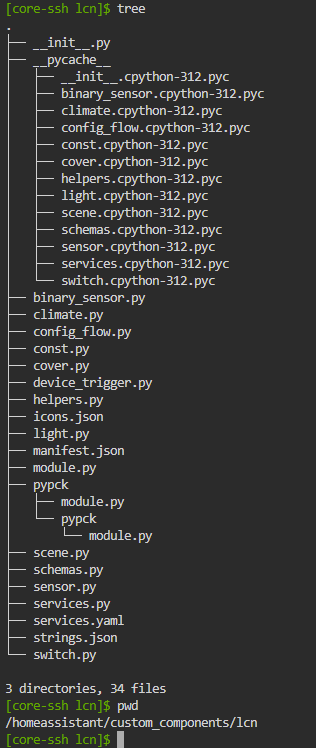
Whilst you can amend the code as you have and that will work, you will get a dependancy conflict on the pypck library if you try and change its version.
You can hack this by setting up shell access to your HA instance and change the manifest file of the core lcn component and its entry in requirements_all.txt
Much better to create yourself a dev environment and do it this way, especially if you plan to issue a PR for your changes.
What worked for me with a component with a single library it has a dependency on:
Overriding with a custom_component as described here - e.g. custom_components/snoo
Copying in the modified library (e.g. python_snoo) as a subfolder - e.g. custom_components/snoo/python_snoo
Removing the dependency from manifest.json, as well as adding a version (I used 99.0)
Editing all Python files in the custom_components/snoo folder to change the imports from the library name to use the subfolder in the same directory
e.g. change from python_snoo.baby import Baby to from .python_snoo.baby import Baby - notice the new . at the beginning. I used global find/replace with the VS Code addon to do this.
In my case, some directory structure modification within the library was required to get it working - moving all the files to the root directory of the library specifically (vs a src subfolder).
There were some other changes I had to make where the library was referencing itself by name vs a relative path
Definitely annoying, but let me test/use my changes in HAOS before they were merged!