Hi,
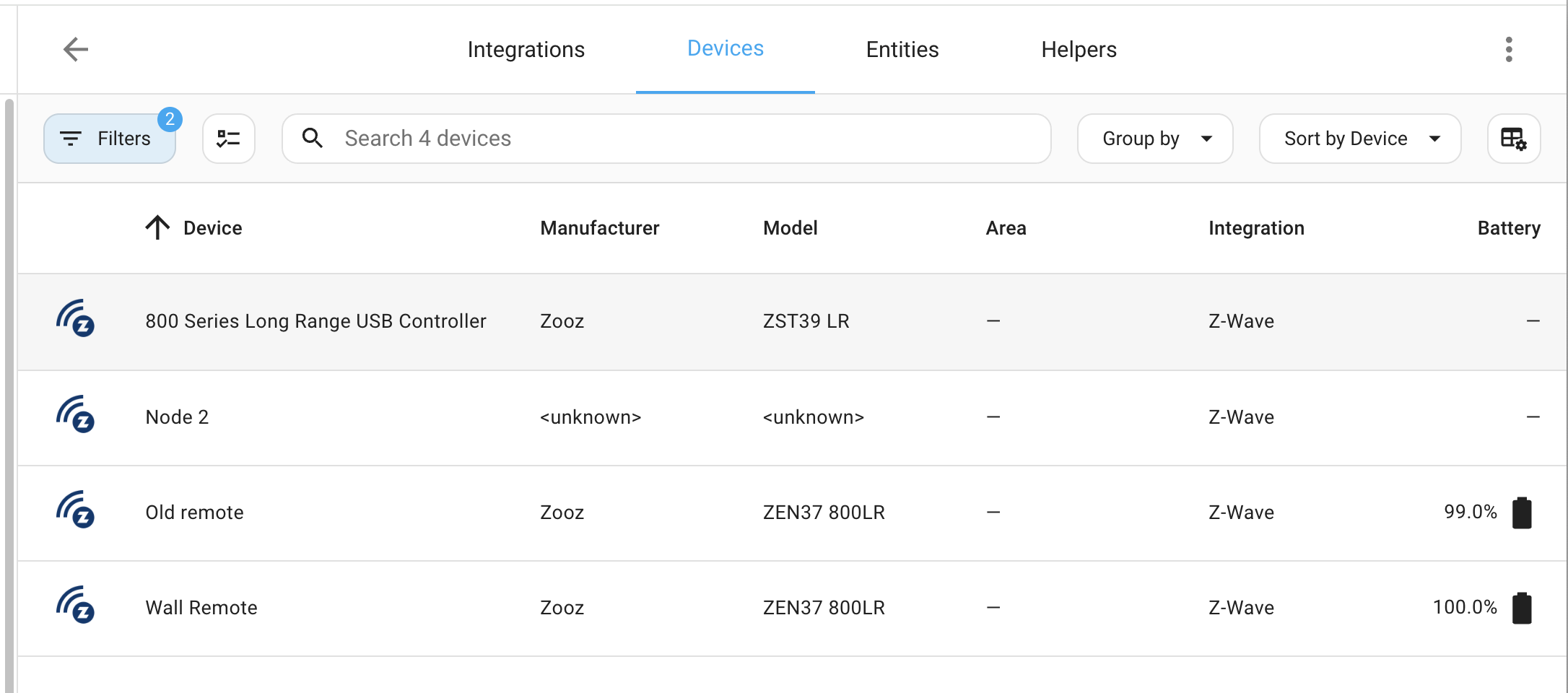
I have 2 spurious Zwave devices that I’d like to remove.
One is some kind of zombie left over from an aborted installation of the USB zwave hub that I’m using, showing up here as :“Node 2”.
The other is a wall remote which was faulty and has been returned to the manufacturer.
Looking everywhere I see no simple option to delete these devices?
Thanks,
Paul.
Thanks kindly!
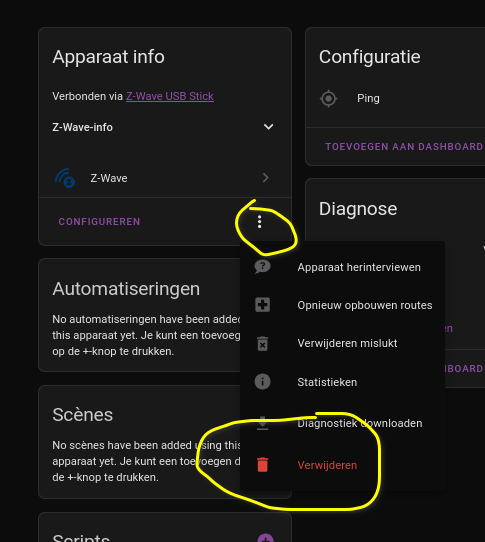
This worked for the zombie entry, but not for the other device. For that one, the UI said “Error deleting device. Failed to remove device entry, rejected by integration”.
So I tried “Remove failed” instead of “Delete” and that worked.
For devices which seem particularly difficult to remove, I’ve found that an Aeotec Minimote is a useful tool. Under the sliding cover are 4 additional buttons. The one labelled “Device” with a minus sign deletes a device from the network. You simply hold the Mini near the device, press the minus button, and the Mini LED will start flashing red. Then you do whatever the include/exclude action is for your device (turn it off/on, whatever). The Mini LEDs will change to flashing blue, which indicates that the device has responded and is now no longer on any ZWave network. Then it can be added to the same or another ZWave network by the normal means.
I’ve used this extensively to move devices from one controller to a new one. It’s especially helpful when for whatever reason you can’t get a device removed from its old network or it fails when adding to the new one. After doing this with the Mini, you can then “Remove Failed Device” in HA to get all memory of that device cleared out of HA so it can be added back in.
I think it works by sending some kind of “master reset” ZWave command that causes the device to do a factory reset. However it works, it’s been very useful.