I’m about to jump into this rabbit hole. Are the folks above saying that the solution in post #2 from about 6 months ago is no longer working? Firmware bug?
Still working. Did it today.
1st SLZB-06 as coordinator on first floow
2nd SLZB-06 as repeater (router) on second floor
2nd connected to first as a device.
takes one or two minutes, and all devices which where previously connected to coordinator but with very bad connection (0-5lqi) on the second floor now have 50-60lqi)
Did it work ok? I was able to pair it as a Router but z2m got very unstable, reconnecting every minute or so until it stops completly. Removed the router and everything worked as good as usual.
I am also trying to get the SLZB-06 to connect as a router to my Zigbee network which is using a Sonoff stick as the main coordinator. Just absolutely no luck. Put Zigbee2MQTT into pairing mode, pressed “Reconnect Router” on SLZB-06 web-interface. Nothing happens. Done this multiple times. Any other chance?
Hello everyone, Same here. I’m trying to connect 2 SLZB-06P7 in router mode.
Both are with the last router firmware (20240716)
1 - clic on “autoriser l’appairage” in Z2M in Home Assistant
2 - Web interface http://192.xxx.xxx.xxx/settings/general > clic on router reconnect
Nothing appears in Z2M side.
I have tried a lot of things : update a new time same firmware, the previous one, reboot device etc…
Hello,
Please try connect SLZB-06 on Wi-Fi connection. It help’s for me. In the case of ethernet connection zigbee router looks like it is not working.
Not sure if this helps anyone, but for me the issue was leaving the network connection still attached to the device after I changed it to wifi mode. After a couple reboots pages would partially load on the wifi connection, but incomplete and very slowly. I removed the ethernet connection (not PoE) and the wifi pages immediately started responding just as fast as on wired.
I have the same problem, I have two SLZB-06, I have one as coordinator and is working correctly with zigbee2mqtt, but when I add the Router never is listed. I have the second one on wifi mode, and as flashed as router.
I also click on Router Reconnect and on zigbee2mqtt permit join, and it seems to show something join as “Coordinator” but never is listed on the Devices.
Any one has any idea on how to resolve this issue?
I have the SLZB-06M and am using ZHA (HAOS on a laptop). Been trying to get it to work as a router via PoE by plugging it into a UDM AP but had no luck. I then tried USB but no luck that way either. I had reflashed it maybe 3 or 4 times at this point.
I was finally able to get it working as a router while being powered via PoE. I had plugged it directly into the UDM itself (not an AP). The last reflashing – when I clicked on the router reconnect button in the UI, I decided to leave the SLZB alone and give it 30-45min. Checked my zigbee mesh topology after dinner and saw that it was finally on there.
So the resolution for me was either or a combination of plugging it directly into the UDM (not an AP), and giving it 30-45min from there.
I currently have my SLZB-06M set up as a Zigbee router, connection mode is WiFi, and plugged into PoE (Unifi AP). It’s the only way I can get it to work.
In Wifi mode, it will randomly lose connection from zigbee mesh (shows up as red), or else it will change its own mode to USB when there’s clearly no USB plugged into it.
Ethernet mode & USB mode won’t work. I have been emailing back and forth with Support (for almost a month now) and there’s been no solution yet – just tons of questions.
I will post an update once it gets resolved… IF it does.
@francisp makes a great point The network connection is simply for access to the device settings when in router mode. You can use WIFI or Ethernet for that access.
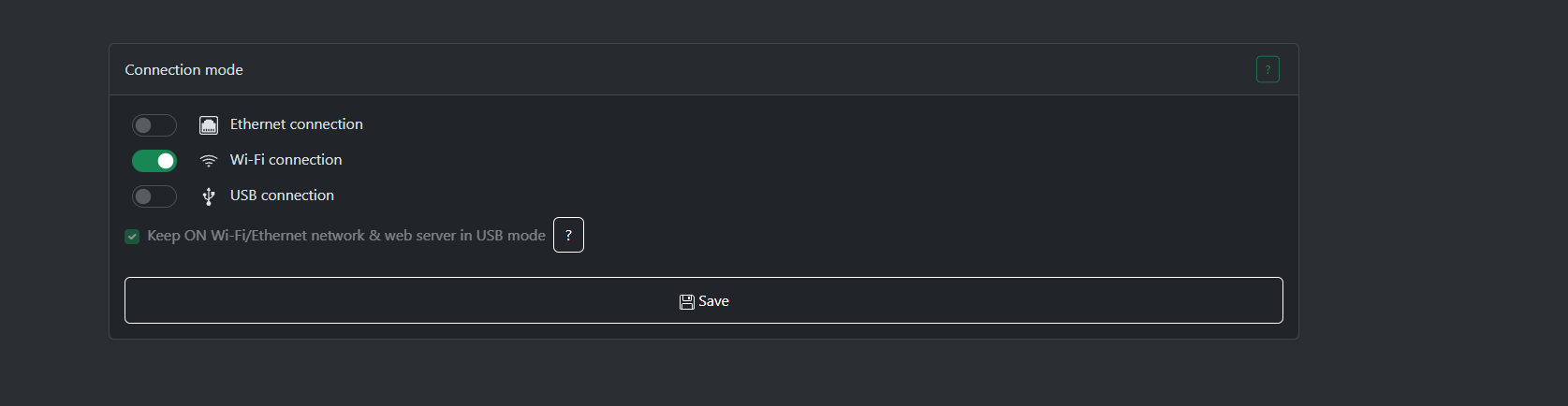
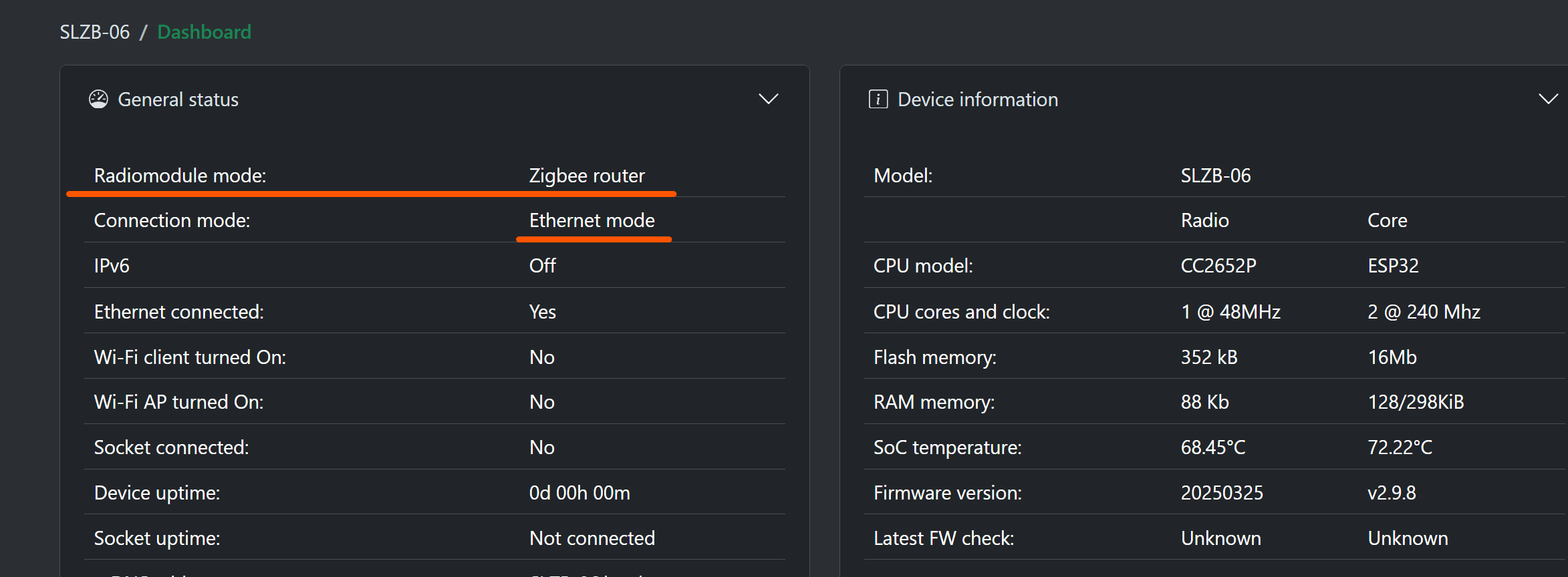
 The network connection is simply for access to the device settings when in router mode. You can use WIFI or Ethernet for that access.