It’s unnecessary if you don’t mind using the Tailscale app to establish the remote-access connection.
If you don’t want to use the app, and don’t mind exposing your Home Assistant system to the Internet, then Tailscale’s Funnel feature is an alternative way of providing remote-access (refer to parhelion’s instructions).
I have two machines set up and connected in tailscale admin page (my pc on lan & my android via mobile data) but neither can connect to HA via tailscale with provided addresses. Both connect fine with local login and wifi.
I suggest creating a new topic to discuss the problem in order to keep the discussion separate from this one (which is about using Tailscale’s Funnel feature).
I used DuckDNS in the past and wanted to switch to tailscale. I tought it would be a good idea to remove the DuckDNS app first and install tailscale then. But somehow it did not work this way. In the machines section of tailscale, the green funnel logo did not come up. And yes, I checked the funnel box and save the configuration of the app before I started the app. I added the code snippet to tailscales access control JSON file within the curly brackets.
I noted some existing code in the http section of my configuration.yaml when I added the nessesary snippet for tailscale. I think it was for DuckDNS but I am not sure what to do with it.
This is a fantastic guide, clear and detailed. Thank you! I can't wait to try it.
I have been using DuckDNS for about a year, and it has mostly worked fine, until recently, when it started acting strange. Even before, I have never been able to use my local address in the Companion App because the certificate was not recognized. Now, locally the DuckDNS address stopped being recognized.
Following guides on the web and chats with AI, I tried adding NGINX and forwarding ports (443 and 80) without success. I can still access Ha locally, and now I'm at a point where I can only use DuckDNS without SSL. So I'm looking for better options, and Tailscale Funnel seems to be it.
Just to clarify, after creating a backup (which I do every day, but still), I should:
1-remove NGINX from HA
2-remove DuckDNS from HA
3-follow the guide above
4-change the local address in the Companion app to http://homeassistant.local:8123 (right?)
5-change the remote address in the Companion App to the Taiscale address (right?)
In the past, I had problems with IPV6 so I had completely removed that from Home Assistant. I don't remember if it was linked to DuckDNS specifically. Is it a problem to use only IPV4?
#4 - This, to be clear, would be the "Internal connection URL" field. And I would just use http://<your-local-ipv4>:8123 instead, for when you are on you home wifi & not on Tailscale VPN.
#5 - This would be the "Home Assistant URL" field, using https://<device_name>.<your-tailnet-name>.ts.net for when you are not on your home wifi.
I use IPV4 only also.
Also, for me, in the end, I chose not using funnel - only because I don't even want to expose https://<my_ha_device_name>.<my-tailnet-name>.ts.net to the wild wild internet... just as what people have discussed earlier in this thread. But I digress.
Thanks for confirming my understanding makes sense. I appreciate it!
Also, I forgot to mention that I should remove port forwarding from my router.
I understand the issues discussed regardig security. Using funnel brings me back to the same level as HTTPS with DuckDNS, essentially, I'm ok with that, and using VPNs on every phone in the family is a great way to kill any approval factor I might currently have
Hi everyone, I set up the Tailscale app with funnels on my HA. The remote connection works using a URL like: https://homeassistant.tailxyz.ts.net, the problem is that it often doesn’t work, I can’t reach it, neither from my PC browser nor using the HA app on my Android smartphone. Why? Are you having these problems too? Is there a more reliable solution (still free?)
I configured the Tailscape funnel this morning. After several reboots, approving the subnet and Exit node in the Machines tab of the Tailscape admin page, more reboots, I finally saw the TLS certificate appear with a 3 months validity. Yet another reboot let me connect to HA using the tailspace domain name. But only locally! When using, say, data from my mobile phone, I cannot connect, even when explicitly writing https:// before the domain.
I have not opened any ports in my router, should I?
I have added 127.0.0.1 in the trusted proxies as requested. I had been told before to also have my local IP, I let that there, is it a good idea?
Anything else to do in order to make it work?
EDIT : it started working all by itself. I guess what it needed was time. I leave this here for anyone who'd wonder what's going on with their setup.
I think this is exactly what I need but I’m a little confused. I have 4 ‘machines’ in my Tailscale network. When I looked at your procedure, especially the part regarding the ACLs, I don’t know how it distinguishes to which node this applies.
For example, I want to expose my HA server only and not the entire Tailscale network. The whole reason I want to do this is for remote access via the companion app without loading a Tailscale app AND to enable Amazon Alexa to be able to control my devices in my home with voice commands.
Is this the correct solution for me? Appreciate your guidance here.
I just restarted everything and it’s working. I’m hoping that Alexa can now control my devices with the account linking.
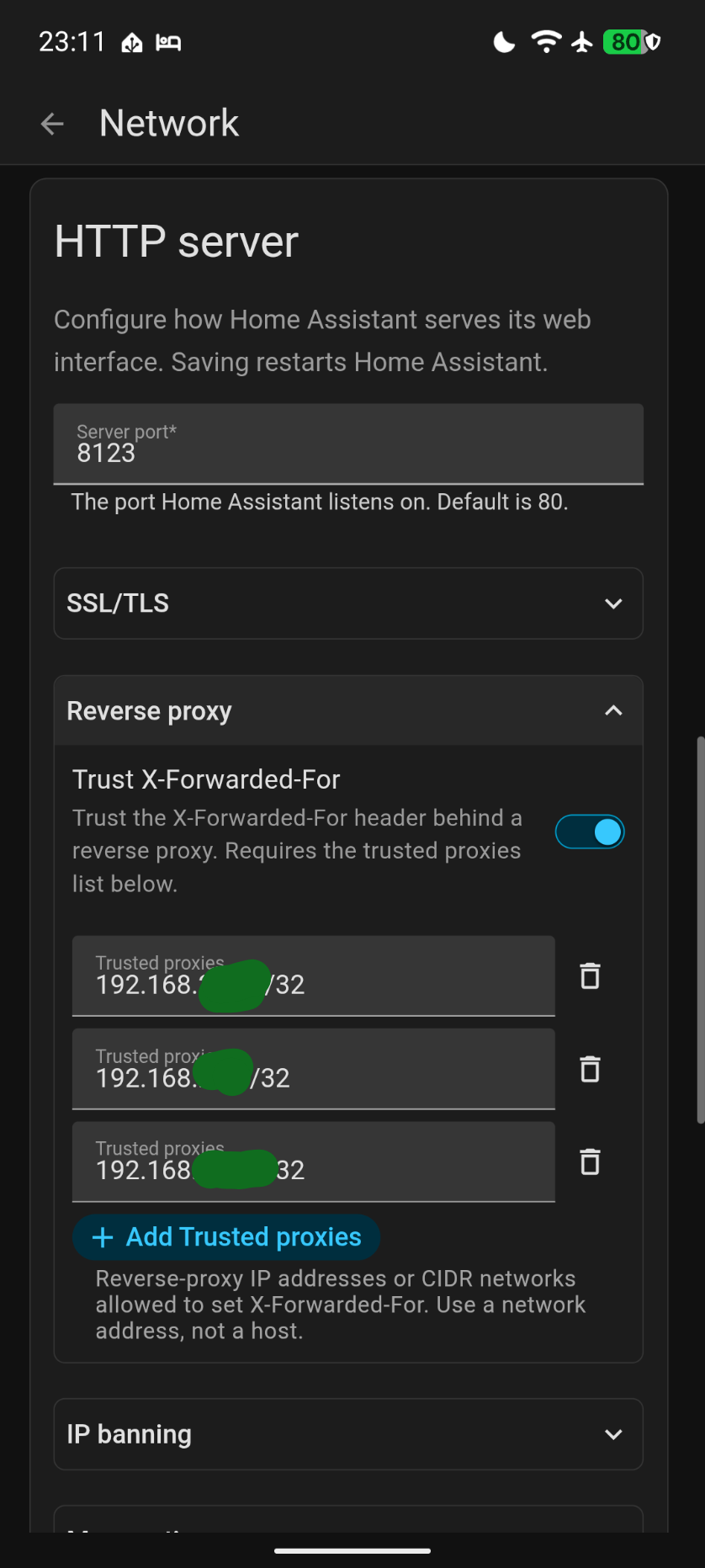
I’m pretty sure that the docs (OP) will need to be updated before that date, but the concept should still work. The YAML should’ve been migrated automatically to UI network settings panel, including the trusted_proxies and use_x_forwarded_for which is what is needed.
I can confirm the setup of the Tailscale Funnel works well, ensuring that:
stop / remove the DuckDNS and NGING Apps from HA
removed my port forwarding entries on my router
removed entries for http in configuration.yaml
maintained the http entries under settings / system / network under “HTTP Server” and “reverse proxy (no longer done in configuration.yaml but in the UI now; had to remove previous entries which had been migrated already)
I followed the guide in detail. Tailscale is succesfully showing the server as connected, but the hass app is giving me the following error. Not sure where to look anymore.
Hope anybody can give me some help.
LOG:
I have trouble accessing HS via Tailscale and Funnel when I’m away from home. It works if I activate the Tailscale VPN, but without the VPN connected, it sometimes connects and sometimes doesn’t. What could be causing this? The address looks like this: https://homeassistant.xyz.ts.net/.
Under trusted proxies, I’ve entered:
127.0.0.1/32
100.64.0.0/10
::1/128
Do you use Tailscale app on both th iPad (inside the LAN) and iPhone (cellular)? Does this mean “the Tailscale app on my iPad & iPhone saying Tailscale on”?
Or does this simply mean “my HA is on Tailscale using the HA Tailscale app”?
Or something else?
Also what’s the tailscale ip of your HA server?
That’s good. What is the url you are using, from the browser on iPad, and from the browser on iPhone? Are they the same browser same url, but one from LAN and the other from cell network?
Are you using the tailscale ip or the homeassistant.local in the url? Or something else?
If homeassistant.local, is it possible, from both iPad and iPhone, check which ip address the homeassistant.local would resolve?
Next,
Where did you do this exactly? Is it from yaml file? Which one? Or somewhere else?
Also are you on 2026.8 or .9 or .10?
Next,
Add your local HA IP to where exactly?
Which IP exactly? Is this Tailscale ip or some 192.168.aa.bb?
I have more questions, but the above are enough for now. Let us know, if you need some help.
I mean, without exact information the other users here could only guess, and I guess you have setup multiple things around Tailscale, in a way that some of them are conflicting to others.
iPhone cellular, works with browser Brave using IP https://homeassistant.XYZ.ts.net,
and Tailscale (VPN on),
iPhone cellular, HA App + Tailscale (VPN on),the HA App does not work. .
iPhone connected to my WiFi/LAN + Tailscale App (VPN off), the HA App does not work.
iPhone connected to my WiFi/LAN + Tailscale App (VPN on), the HA App does not work.
iPad connected to my WiFi/LAN + Tailscale App (VPN on), the HA App does not work.
Works using browser Brave with IP https://homeassistant.XYZ.ts.net
iPad connected to my WiFi/LAN + Tailscale App (VPN off), the HA App, does not work.
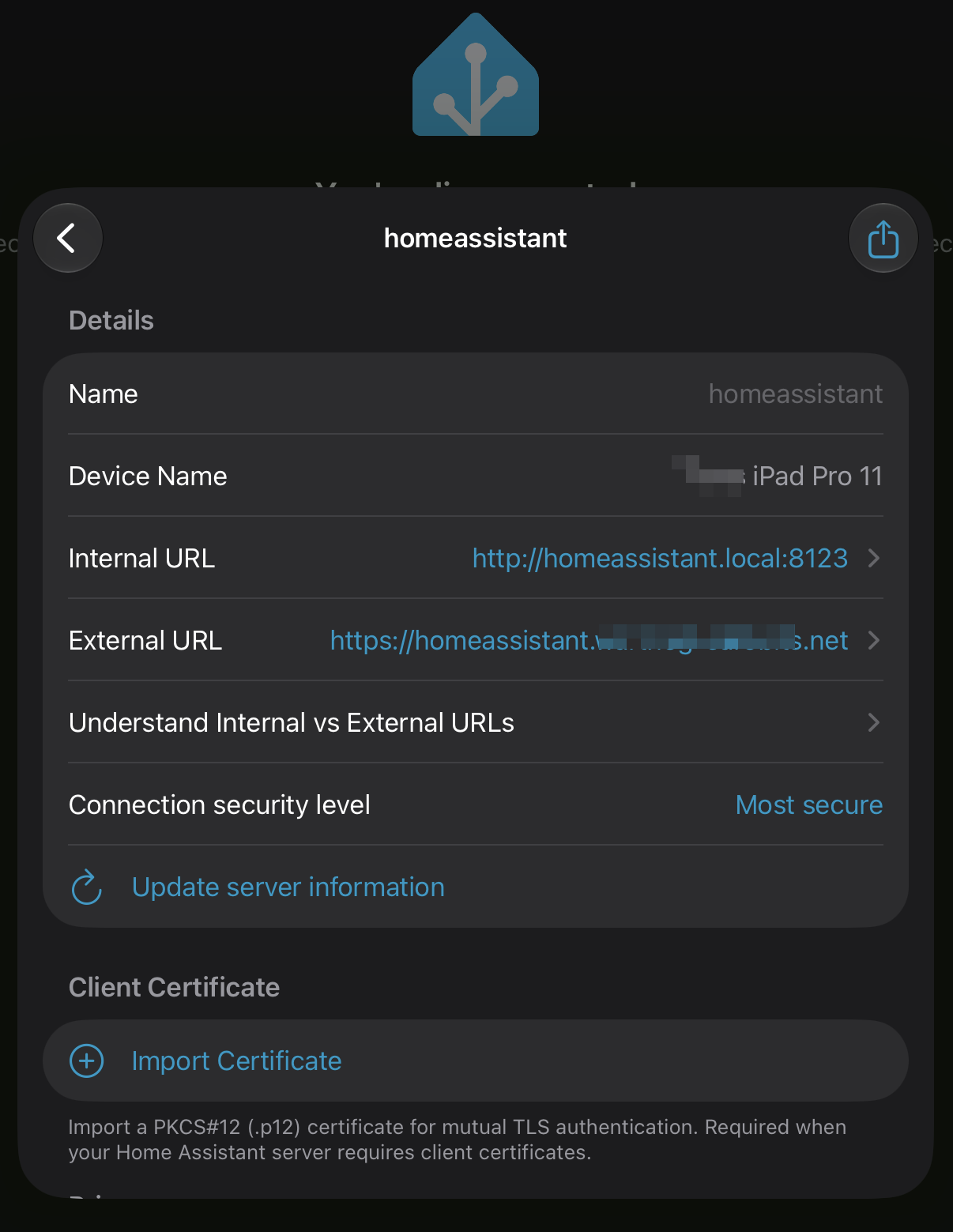
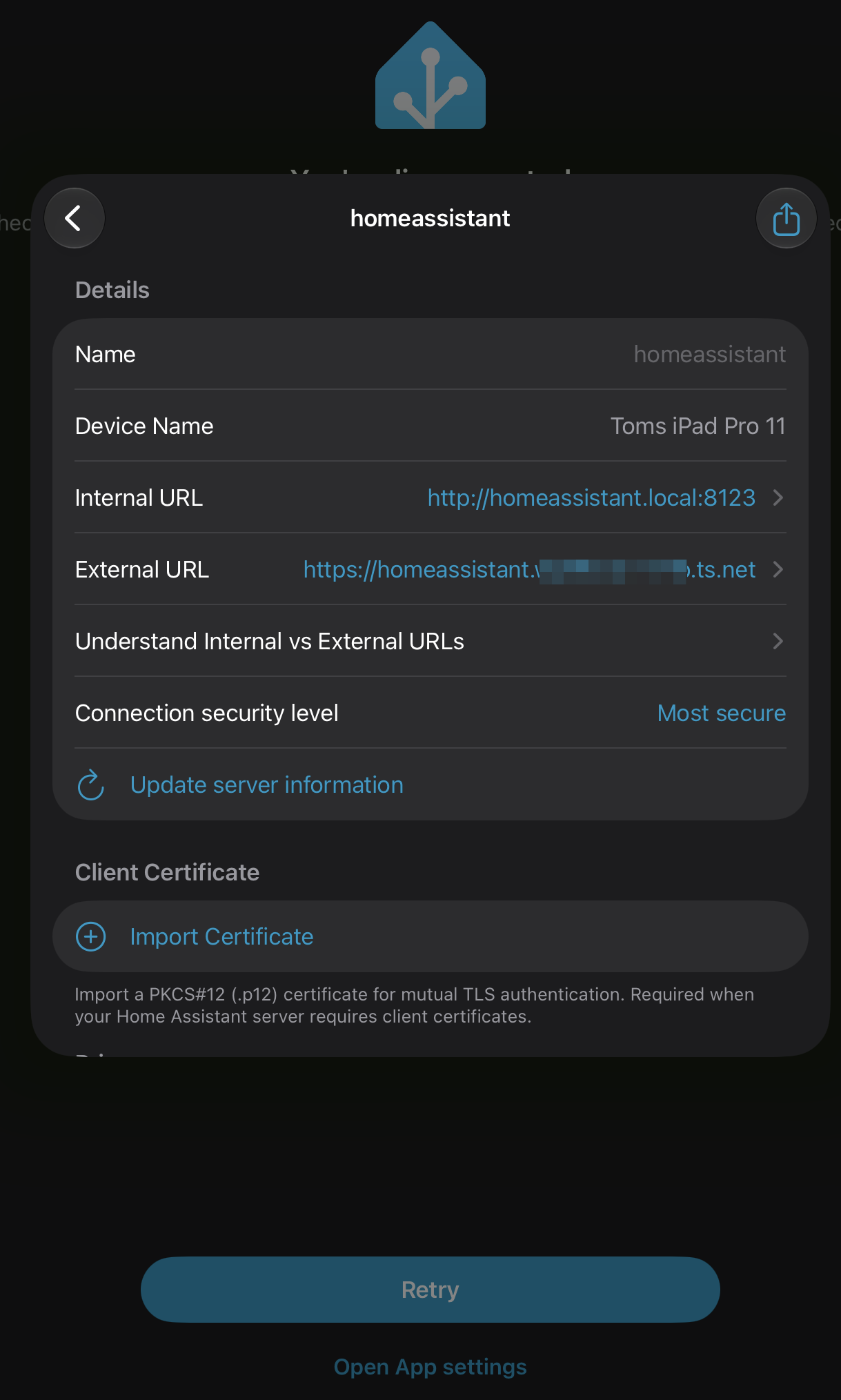
The HA App settings - > Servers -> homeassistant -> External URL:
https://homeassistant.XYZ.ts.net:8123
https://homeassistant.XYZ.ts.net
https://XYZ.ts.net:8123
https://XYZ.ts.net
-does not work
Looks like the HA App on my iPad/iPhone, cant connect at all.
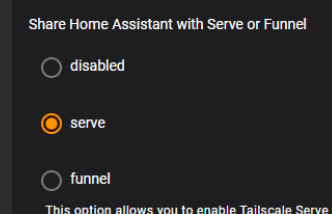
… which is fine. We can focus on at least get Serve working. Just note that whatever the Funnel setup guide you have followed previously likely have introduced conflicts somewhere. Also, if any forum MOD seeing this, maybe we could move a couple of posts since yesterday into a different thread… since we are going to do Serve.
= = B = =
Now, based on what we have so far, we want to run a series of tests, to confirm where we stand.
Go to your Tailscale management console, log yourself in, and take note of the Tailscale IP of the HA server… which should be in the format of 100.xxx.yyy.zzz. Or, you likely can find the same IP somewhere in the logs of your Tailscale addon/app.
From your PC, on 192.168.0.xxx LAN, not connecting to any Tailscale VLN client, using Brave:
http://homeassistant.local:8123 should work
http://homeassistant.local would not work
https://homeassistant.XYZ.ts.net would not work
http://192.168.0.251:8123 should work
http://100.xxx.yyy.zzz:8123 (using Tailscale IP of your HA server) would not work
(Set aside HA Companion App for the time being) From you iPhone, on wifi/LAN also 192.168.0.xxx segment, not connecting to Tailscale VLN client, using Brave:
Repeating the same 5 tests under PC above. I expect the test results to be the same as what you got from PC.
Now, on the same iPhone same LAN same browser, but turn on the Tailscale client
Check: From Tailscale management console you should now see both your HA and iPhone going green at this point
I expect that other than the 2nd one, the other 4 tests should work.
Now, on the same iPhone, same browser, but turn of wifi to go cell network, while keeping the Tailscale VPN client on…
Your iPhone should stay green on the Tailscale management console
And these 2 should work: https://homeassistant.XYZ.ts.net & http://100.xxx.yyy.zzz:8123
= = C = =
(I run out of juice and have to sign off, but let me know the test results above)
If everything going as expected, we will then have a game plan to setup your HA Companion App
If testing is not behaving as expected, then something else is going on, & and we need to first address those.
Let me know.