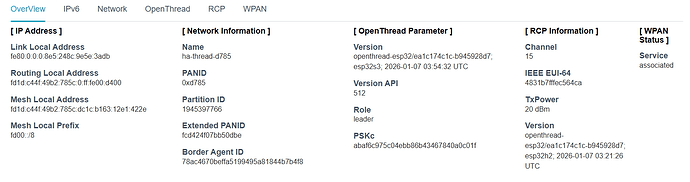
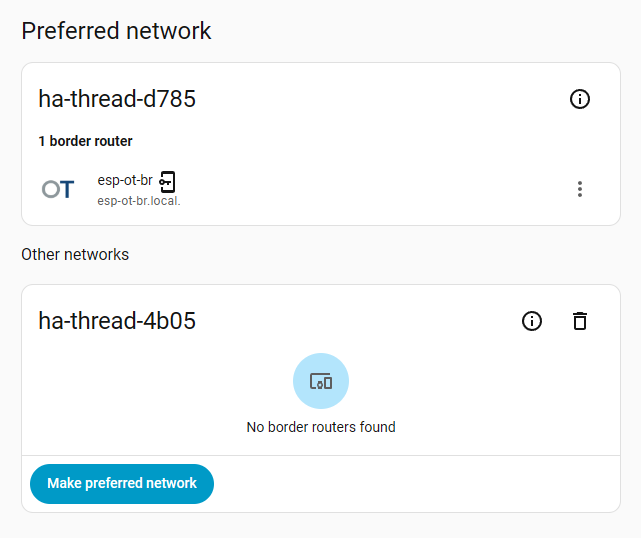
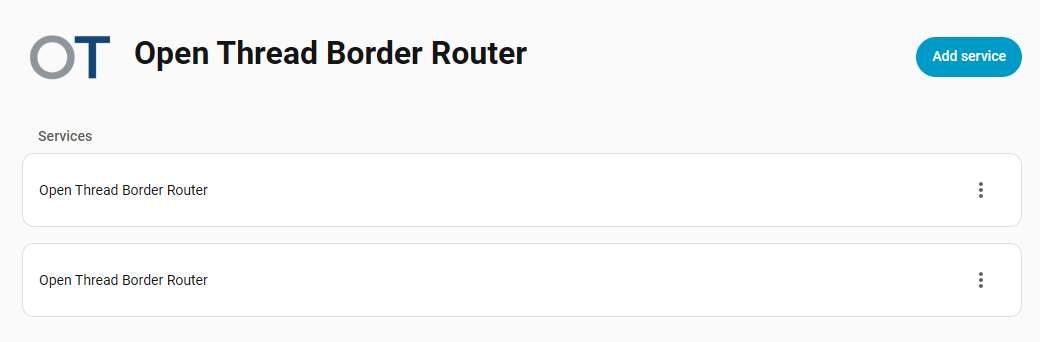
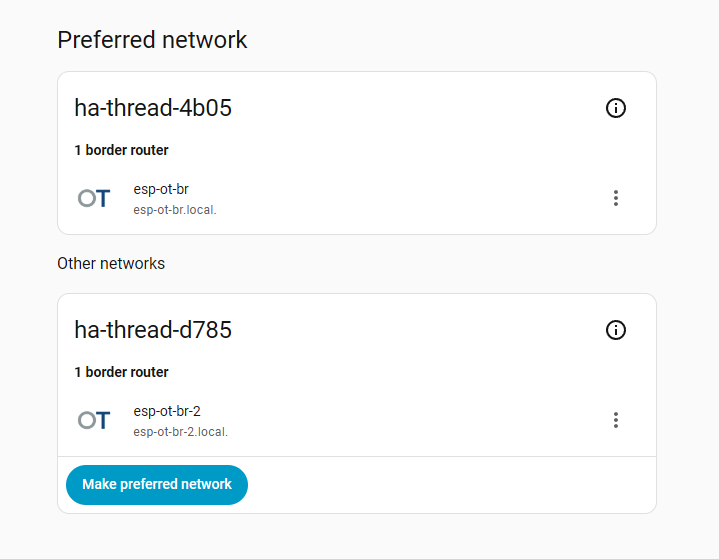
I have two ESP border routers running, I have configured them using the Open Thread border router integration and they appear in the Thread integration:
Currently they are both sitting on my desk next to the remote control.
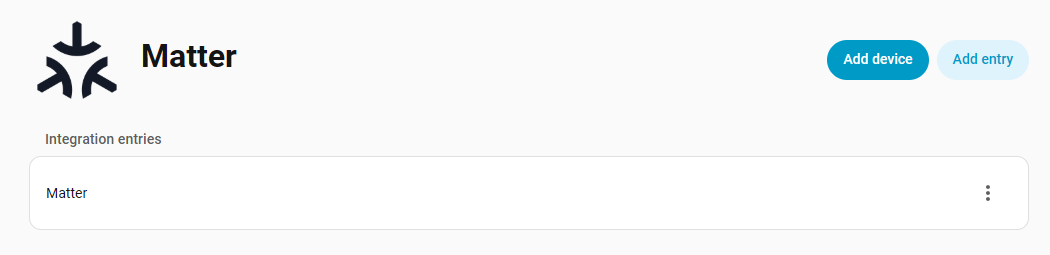
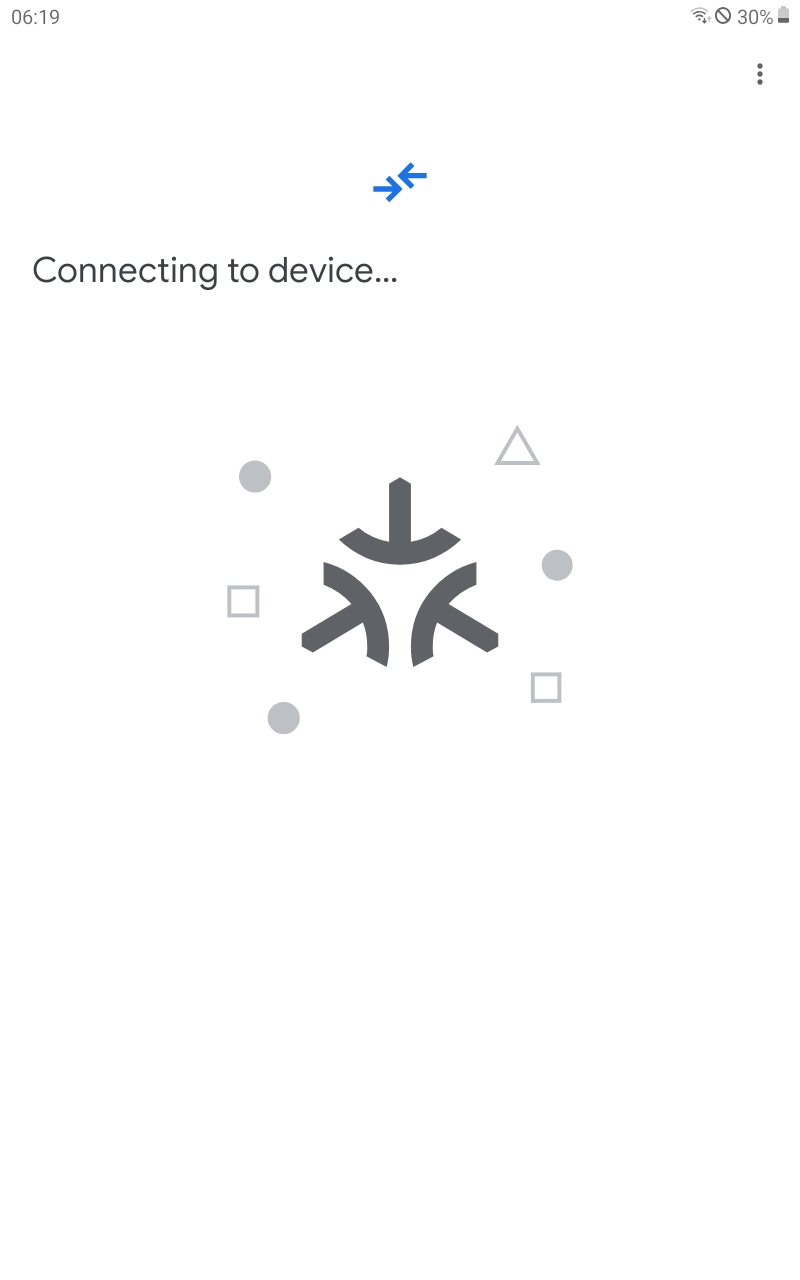
I pushed the button inside the remote and it is flashing yellow. I opened the device settings in the Android companion app and selected Add Matter device. Then I scanned the QR code on the remote and I get this:
What do I even check? Does the matter-server need to know about the border routers or vice versa? Can I check if they do? The border router needs to get a request to call the remote control, right? Can I check if it does? Or does the remote control announce itself? Can I check if the announcements arrive at the border routers or matter-server?
Edit:
There are actually different screens that I’m getting. Mostly it says “Searching for device…”, sometimes it says “Connecting to device…” and once it said “Your device requires a border router”. (You don’t say!)
Edit 2:
I found the suggestion somewhere to sync Thread credentials with the companion app. Doing so gave me “The Home Assistant server does not support Thread”.
Edit 3:
After a Home Assistant update I was now able to sync credentials successfully. Currently I’m only getting “Searching for device…” though.
As a first, having 2 Thread networks is probably not what you want.
You should “join” one to the other through the OTBR webui.
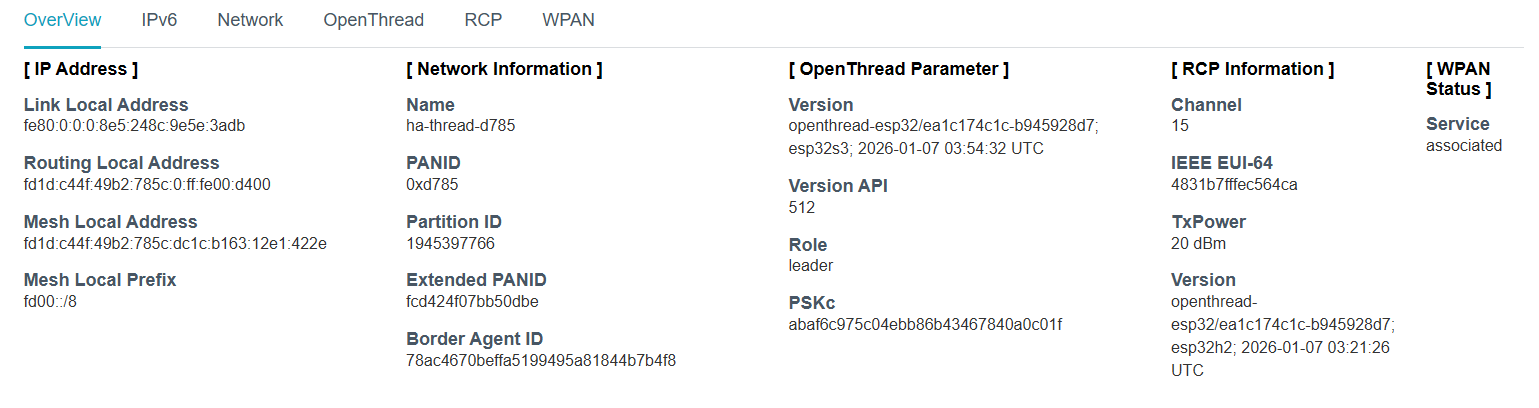
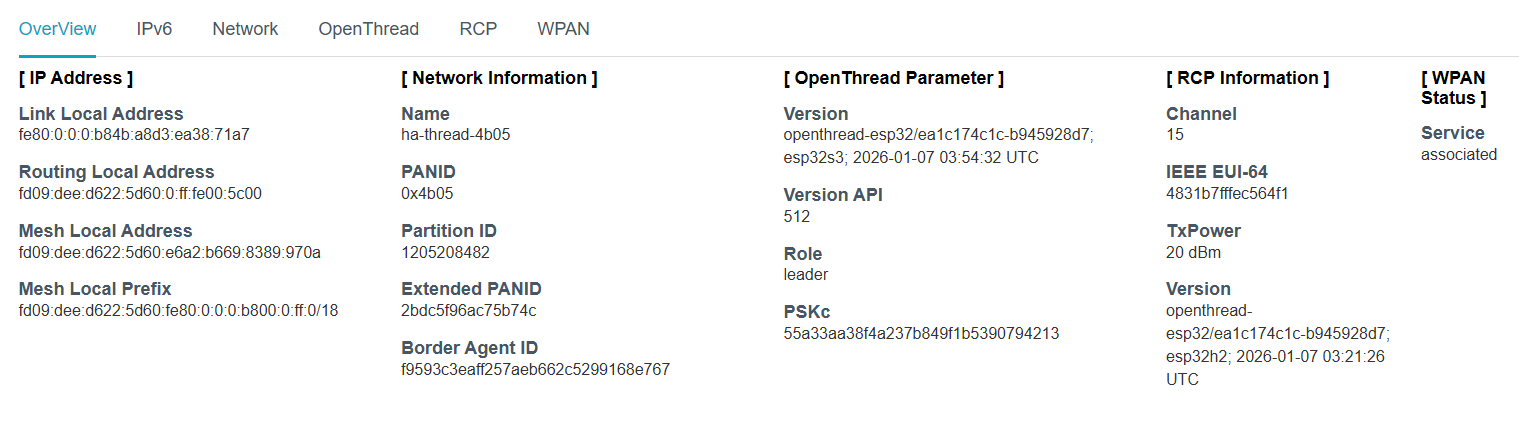
As a second, you should check whether your IPV6 environment is correct.
I had to apply some sysctl command before the Thread environment started to work (comes from the doc, but not sure which ):
I want to install the border routers in two places where they are not in range of each other. Should I still join them? I assumed joining means they will communicate though Thread, not through the LAN.
That’s kind of what I’m trying to do but I don’t know which addresses and routes should be there.
Do you mind posting an updated screenshot or your Thread Integration’s Preferred/Other Networks? I’m looking for an icon of a “key in a phone”.
One possible reason for your Android HA CA to be “searching for device”, is that it is probably looking for a mDNS advertisement to show up on the LAN (and WiFi) side of the OTBR. Is your Android on the same network as HA? If it is, then chances are that the device was either not given the correct set or no set of Thread credentials and thus was not successfully added to the Thread network.
Ah yes, that icon does appear sometimes, usually on one of the two border routers but also sometimes on both. I have turned one off for now, ran another credential sync and it currently looks like this:
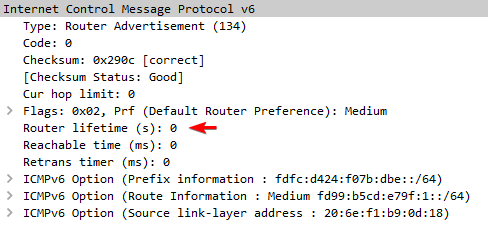
I have started to read up on what the network should look like. Apparently the border routers are supposed to send RAs for the prefix of their Thread network and the HA server is supposed to add that to its routing table? One thing I noticed is that they always send a lifetime of 0.
Is that normal? In normal IP networking it means the router wants to deprecate this prefix if it was previously set, so IMO my HA server acts correctly when it does not add this router to its routing table.
I sorta forgot that you have two separate Thread networks and thus two set of Thread Credentials that are in play. This may be a problem, but I don’t know. I don’t really know what happens in Android when syncing two sets of credentials like this. I should note too that when Android stores Thread credentials, it stores them against a Thread Border Router/Network (thus the key in a phone icon), so you would need to have both Thread networks with a key in phone icon (but not sure if HA will let you do that?). Most likely Android can store both set of Thread Credentials, but there are two problems I can think of:
When its time for commissioning, how will Android know which Thread network to commission on? It will go looking for TBR mDNS advertisements and will see two of them, so how does it pick?
However, the most common problem is that Android generally only uses the first set of credentials it ever gets, so to be honest, I have doubts that Android can handle two separate Thread networks.
For sure what will work is to put both OTBRs in the same “Preferred” network, and pick one of them for the key in a phone icon.
I think that specific router lifetime is an advertisement about the router itself to say “don’t use me as a gateway”. The prefix lifetime should be in the option “Prefix information”.
Having two OTBRs, each wanting to send out their own prefix to HA, one will “defer” if it sees the other’s prefix being advertised, so it maybe such that one of the prefix advertisements needs to be cancelled and has its prefix lifetime set to 0 as part of the “deferring”.
I don’t know how to do that. Someone suggested joining one border router to the other, even if they are not in Thread range of each other, is that what you mean as well?
For now I have turned off one router and after your comment I also deleted the other network.
Hm, ok, yes, there is a prefix lifetime there. So this route should be sufficient?
Destination                    Next Hop                   Flag Met Ref Use If
fdfc:d424:f07b:dbe::/64        [::]                       U    303 5     0 wlan0
So what’s the chain of events that I should look for on the network when I press either the button on the Thread device or the “I’m ready” button in the companion app/Google Matter thing?
In your original post there is as screenshot of the Thread Integration’s view of Thread networks. With the second OTBR powered up, press the button that says “Make preferred network”. HA should then put both OTBRs in the same Thread network.
However if you want you can just keep the second OTBR powered off and deleted from HA, and you can add it back later.
Make sure one of the OTBR’s has the key-in-a-phone icon, then with the Android mobile device, clear out the Google Play cache/storage (you may have to google around to see how to do this),
then with the HA CA, do a “sync” once and get a confirmation, then do it again just to make sure (reports that the first confirmation may not have actually taken place).
At this point you should be ready to “Add a device” for Matter using the HA CA.
since your esp ot br is providing ra prefix with route information option and you’re using android, maybe this issue is related to your problem of unable to connect to thread devices. Try to restart your phone then retry commisioning process while you’re connected to your wifi network
I will try that after I got the device connected. At some point I’ll need both border routers anyway because I want to carry it around.
That wasn’t what I meant, I meant what should I expect to see on the network, like any mDNS searches, neighbor discovery, this kind of thing, i.o.w. how does the commissioning flow work?
I tried it again with a different phone and this time I got to “Connecting the device to Home Assistant” and then “Something went wrong”.
This time there’s output in the border router log:
I (72344) OPENTHREAD: Host delete
I (72344) OPENTHREAD: delete host FAC7EDFEF0A7116B
I (73034) OPENTHREAD: Host update
I (73034) OPENTHREAD: update host FAC7EDFEF0A7116B
I (73034) OPENTHREAD: Add a new host, addr FD99:B5CD:E79F:1:BC2C:B6C5:E5F8:BFB9
I (73034) OPENTHREAD: Service D4A4557F31CA1306-F50C4470AD73AC58._matter._tcp
I (73034) OPENTHREAD: Add new service
I (73034) OPENTHREAD: Update subtype: _ID4A4557F31CA1306
I (78624) OPENTHREAD: Host update
I (78624) OPENTHREAD: update host FAC7EDFEF0A7116B
I (78624) OPENTHREAD: Set addr of host to FD99:B5CD:E79F:1:BC2C:B6C5:E5F8:BFB9
I (78624) OPENTHREAD: Service C3F9A804B97F11A9._matterc._udp
I (78624) OPENTHREAD: Add new service
I (78634) OPENTHREAD: Update subtype: _V4476
I (78634) OPENTHREAD: Update subtype: _S6
I (78634) OPENTHREAD: Update subtype: _L1634
I (78634) OPENTHREAD: Update subtype: _CM
And in the matter-server log as well:
2026-01-08 03:10:08.374 (MainThread) INFO [matter_server.server.device_controller] Starting Matter commissioning using Node ID 2 and IP fd99:b5cd:e79f:1:bc2c:b6c5:e5f8:bfb9.
2026-01-08 03:10:11.889 (Dummy-2) CHIP_ERROR [chip.native.EM] <<5 [E:2285i with Node: <0000000000000000, 0> S:0 M:157627635] (U) Msg Retransmission to 0:0000000000000000 failure (max retries:4)
2026-01-08 03:10:18.824 (Dummy-2) CHIP_ERROR [chip.native.SC] PASESession timed out while waiting for a response from the peer. Expected message type was 33
2026-01-08 03:10:18.825 (Dummy-2) CHIP_ERROR [chip.native.ZCL] Secure Pairing Failed
2026-01-08 03:10:18.826 (Dummy-2) WARNING [chip.ChipDeviceCtrl] Failed to establish secure session to device: src/controller/python/ChipDeviceController-ScriptDevicePairingDelegate.cpp:96: CHIP Error 0x00000003: Incorrect state
2026-01-08 03:10:18.828 (MainThread) ERROR [matter_server.server.client_handler] [548287371824] Error while handling: commission_on_network: Commissioning failed for node 2.
Somehow the device (the little Thread remote control) gets this IP address, fd99:b5cd:e79f:1:bc2c:b6c5:e5f8:bfb9. This is from the range that the border router is advertising (fd99:b5cd:e79f:1::/64). (I don’t understand yet where this space comes from and how and by whom an IP address gets chosen from this space for the device.)
Then the matter-server tries to contact the device on this address. This fails because my HA server did not register the route that was advertised.
That was because dhcpcd handled RAs, but it doesn’t handle RIOs. (By the way, I saw the term “RIO” in logs and conversations before, but I only just realized that it’s not a Matter term but simply means “Route Information Option”, from the Neighbor Discovery.) So I disabled IPv6 in dhcpcd and let the Kernel handle RAs.
It is now working (with the second phone, still not with the first one).
I think you made the same mistake as I did. The button “Make preferred network” simply swaps between “preferred” and “other” networks - I had tried that button before. But because of your comment I looked again and I found a menu option in the border router ⋮ menu that said “Add to preferred network” and that indeed reconfigured the second border router to be in the same network.
You only need
net.ipv6.conf.eth0.forwarding = 0 # to make sure it's off
net.ipv6.conf.eth0.accept_ra = 1 # to let the kernel accept RAs in general
net.ipv6.conf.eth0.accept_ra_rt_info_max_plen = 64 # to accept RIO
or, if you really need forwarding because your HA server is also your internet router, then accept_ra = 2.
 ):
):