Hi there,
I normally use Node-RED for all my automations in HA.
But lately I needed a lot of scripts, as I write tools for my LLM-based voice assist in HA (which can use exposed scripts as tools).
But as scripts are limited and you can’t handle every complicated task (access REST endpoints, query dynamically SQL statements from databases, …) I was looking in triggering Node-RED flows from a script and wait for the data returned by Node-RED.
After writing a few very similar scripts / flows I decided to refactor that into a generic script that can be reused and called by other scripts (in my case the different specific LLM tool scripts).
Maybe this is useful for others too. 
This is the generic script, just paste it to Settings → Automations & Scenes → Scripts:
alias: Node-RED Request
description: >-
  Generic script to call a Node-RED flow -> Wait for Result -> Return as
  response.


  Uses an unique ID for each event when passing data to Node-RED.

  Waits for a response with the exact same ID and returns the response data, or
  an error in case of timeout.


  That way multiple calls can be made in parallel and each instance will get the
  correct response regardless of request duration and order.
mode: parallel
max: 20
fields:
  channel:
    description: >-
      Flow identifier. Use In Node-Red (switch node) to decide if the event is
      for your current flow or should be ignored.
    example: my-node-red-flow-identifier
    required: true
    selector:
      text: {}
  payload:
    description: >-
      Object to provide parameters and data to the flow. Will be availabe
      through the event data in Node-RED.
    example: >
      { "entity_id": "sensor.name_of_sensor", "data": { "action":
      "do_something"} }
    selector:
      object: {}
  timeout:
    description: Timeout in seconds until an error will be returned
    required: true
    default: "10"
    selector:
      number:
        min: 0
        max: 600
sequence:
  - variables:
      _req: "{{ 'req_' ~ now().timestamp() | int ~ '_' ~ range(1000,9999)|random }}"
      _channel: "{{ channel }}"
      _payload: "{{ payload | default({}, true) }}"
  - event: nodered_request.trigger
    event_data:
      channel: "{{ _channel }}"
      request_id: "{{ _req }}"
      payload: "{{ _payload }}"
  - wait_for_trigger:
      - event_type: nodered_request.response
        event_data:
          channel: "{{ _channel }}"
          request_id: "{{ _req }}"
        trigger: event
    timeout:
      seconds: "{{ timeout }}"
  - choose:
      - conditions:
          - condition: template
            value_template: "{{ wait.completed }}"
        sequence:
          - variables:
              response:
                result: "{{ wait.trigger.event.data.result | default(None) }}"
                error: "{{ wait.trigger.event.data.error | default(None) }}"
    default:
      - variables:
          response:
            result: null
            error:
              code: timeout
              message: No answer within {{ timeout }} seconds.
  - stop: ""
    response_variable: response
And here is an example flow to catch the triggering event and send back a response:

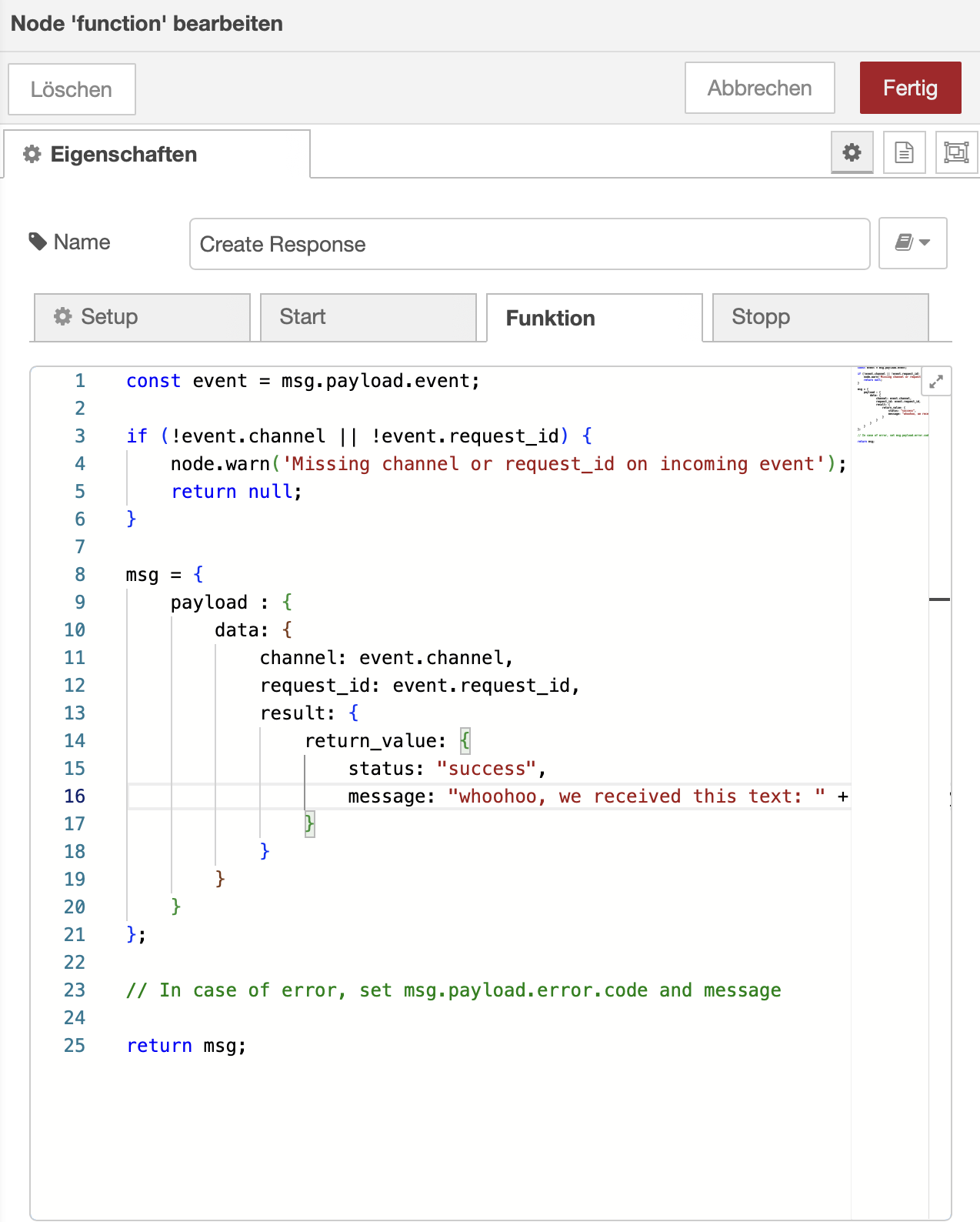
[{"id":"39e2fe3bbdb749b2","type":"group","z":"64f4dc3ef013c268","name":"Sample flow for \"Node-RED Request\" script","style":{"label":false,"stroke":"none","fill":"#d1d1d1","fill-opacity":"0.5"},"nodes":["941395bc8d0c662e","e672de2c700fcbe5","0435f612e7c930af","687bb6fa2765cc5e","0f763b21a2ea8fd9","db8d6d2a9142a672"],"x":14,"y":319,"w":1052,"h":142},{"id":"941395bc8d0c662e","type":"server-events","z":"64f4dc3ef013c268","g":"39e2fe3bbdb749b2","name":"","server":"ef6aa0b.3fe4a6","version":3,"exposeAsEntityConfig":"","eventType":"nodered_request.trigger","eventData":"","waitForRunning":true,"outputProperties":[{"property":"payload","propertyType":"msg","value":"","valueType":"eventData"},{"property":"topic","propertyType":"msg","value":"$outputData(\"eventData\").event_type","valueType":"jsonata"}],"x":170,"y":420,"wires":[["687bb6fa2765cc5e"]]},{"id":"e672de2c700fcbe5","type":"ha-fire-event","z":"64f4dc3ef013c268","g":"39e2fe3bbdb749b2","name":"","server":"ef6aa0b.3fe4a6","version":0,"event":"nodered_request.response","data":"","dataType":"jsonata","x":900,"y":420,"wires":[[]]},{"id":"0435f612e7c930af","type":"function","z":"64f4dc3ef013c268","g":"39e2fe3bbdb749b2","name":"Create Response","func":"const event = msg.payload.event;\n\nif (!event.channel || !event.request_id) {\n node.warn('Missing channel or request_id on incoming event');\n return null;\n}\n\nmsg = { \n payload : {\n data: {\n channel: event.channel,\n request_id: event.request_id,\n result: {\n return_value: {\n status: \"success\",\n message: \"whoohoo, we received this text: \" + event.payload\n }\n }\n } \n }\n};\n\n// In case of error, set msg.payload.error.code and message\n\nreturn msg;","outputs":1,"timeout":0,"noerr":0,"initialize":"","finalize":"","libs":[],"x":650,"y":420,"wires":[["e672de2c700fcbe5"]]},{"id":"687bb6fa2765cc5e","type":"switch","z":"64f4dc3ef013c268","g":"39e2fe3bbdb749b2","name":"Are we the receiver?","property":"payload.event.channel","propertyType":"msg","rules":[{"t":"eq","v":"test-flow","vt":"str"}],"checkall":"true","repair":false,"outputs":1,"x":420,"y":420,"wires":[["0435f612e7c930af","db8d6d2a9142a672"]]},{"id":"0f763b21a2ea8fd9","type":"comment","z":"64f4dc3ef013c268","g":"39e2fe3bbdb749b2","name":"Sample flow for \"Node-RED Request\" script","info":"","x":210,"y":360,"wires":[]},{"id":"db8d6d2a9142a672","type":"debug","z":"64f4dc3ef013c268","g":"39e2fe3bbdb749b2","name":"Event Data","active":false,"tosidebar":true,"console":false,"tostatus":false,"complete":"payload.event","targetType":"msg","statusVal":"","statusType":"auto","x":630,"y":360,"wires":[]},{"id":"ef6aa0b.3fe4a6","type":"server","name":"Home Assistant","addon":true}]
And as final piece, a matching sample script that calls the “Node-RED Request” script with the correct flow identifier for the provided sample flow.
alias: Node-RED Test
description: |
  Simple test script, to show how to call the 'Node-RED Request' script
mode: single
fields:
  text:
    name: Text
    description: Text to send to Node-Red flow
    required: true
    selector:
      text: {}
sequence:
  - action: script.node_red_request
    data:
      channel: test-flow
      payload: "{{ text }}"
      timeout: 5
    response_variable: response
  - variables:
      result: "{{ {'value': response | default(None)} }}"
  - stop: ""
    response_variable: result
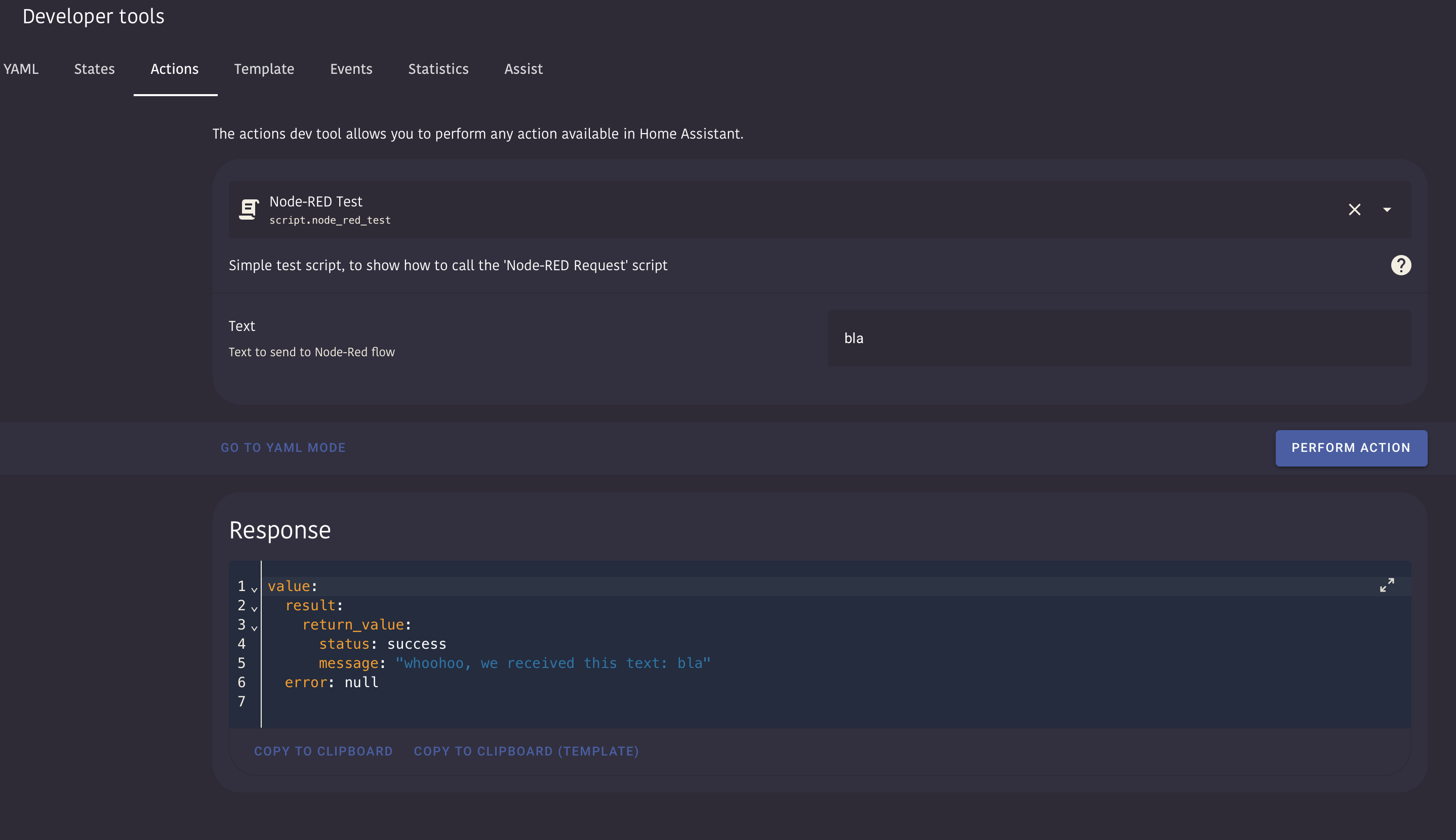
Which in the end looks simply like that when called from the developers tools: