Huawei Solar Sun2000 inverter (Fusion Solar) - Reading from inverter failed

Hi everyone,

After trying for several days to connect my Huawei PV to HA, I don’t know why it’s not working. I’ve read “hundreds” of similar posts, followed the instructions, but still can’t connect.

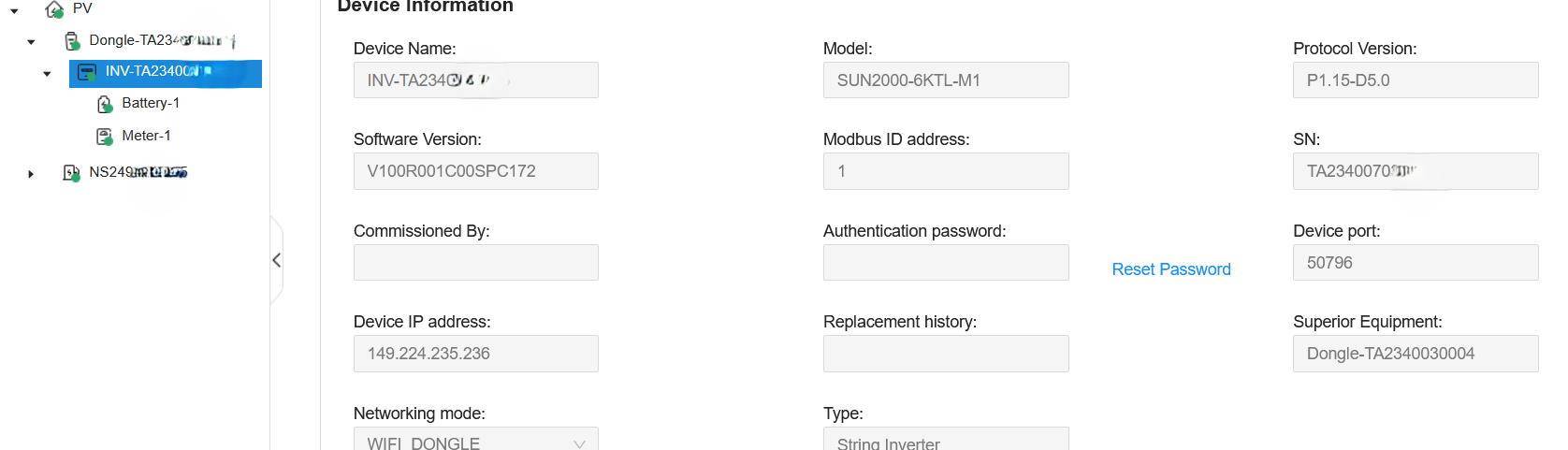
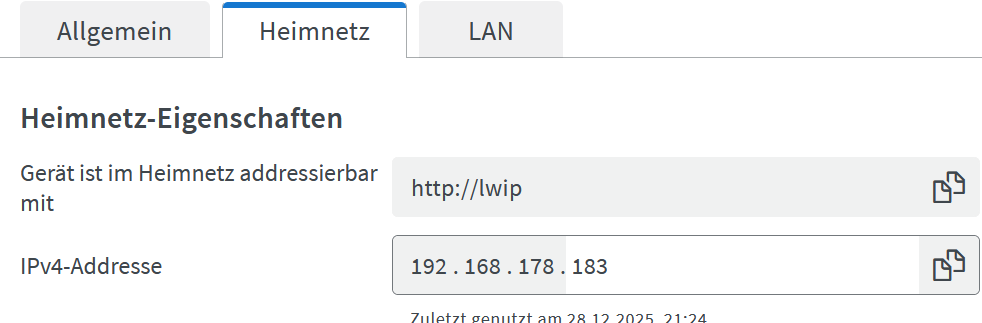
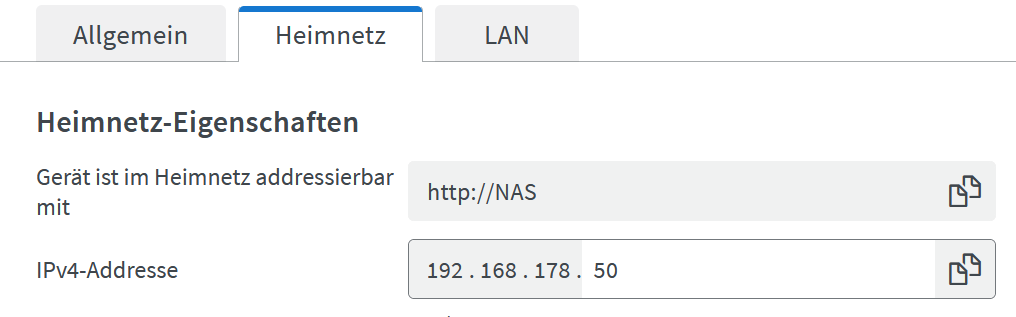
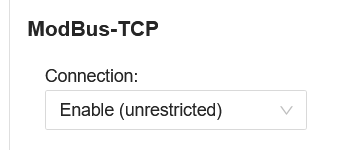
HA runs on a Synology NAS via VM. The inverter is connected to the same network via SDongleA-05 via FE. TCP is unrestricted. The IP address of the dongle is 192.168.178.183 (static). I have attached 6 screenshots of all settings. Have I overlooked anything?

In Fusion Solar the Modbus ID address is 100, but I have also tried AUTO, 0, and 1. For the port, I have tried 502, 6607, and 50796. I have tried with and without “Increase permissions.” (…and every combination of all these entries)

Everytime I get: “Reading from the inverter failed.”

The Log says: Modbus client is not connected to the inverter

Do you have any idea?

Traceback (most recent call last):
  File "/usr/local/lib/python3.13/site-packages/backoff/_async.py", line 151, in retry
    ret = await target(*args, **kwargs)
          ^^^^^^^^^^^^^^^^^^^^^^^^^^^^^
  File "/usr/local/lib/python3.13/site-packages/backoff/_async.py", line 151, in retry
    ret = await target(*args, **kwargs)
          ^^^^^^^^^^^^^^^^^^^^^^^^^^^^^
  File "/usr/local/lib/python3.13/site-packages/huawei_solar/huawei_solar.py", line 387, in _do_read
    raise ConnectionInterruptedException(message)
huawei_solar.exceptions.ConnectionInterruptedException: Modbus client is not connected to the inverter

During handling of the above exception, another exception occurred:

Traceback (most recent call last):
  File "/config/custom_components/huawei_solar/config_flow.py", line 537, in async_step_setup_network
    info = await validate_network_setup(
           ^^^^^^^^^^^^^^^^^^^^^^^^^^^^^
    ...<4 lines>...
    )
    ^
  File "/config/custom_components/huawei_solar/config_flow.py", line 205, in validate_network_setup
    bridge = await create_tcp_bridge(
             ^^^^^^^^^^^^^^^^^^^^^^^^
    ...<3 lines>...
    )
    ^
  File "/usr/local/lib/python3.13/site-packages/huawei_solar/bridge.py", line 693, in create_tcp_bridge
    return await _create(await AsyncHuaweiSolar.create(host, port, slave_id), slave_id)
           ^^^^^^^^^^^^^^^^^^^^^^^^^^^^^^^^^^^^^^^^^^^^^^^^^^^^^^^^^^^^^^^^^^^^^^^^^^^^
  File "/usr/local/lib/python3.13/site-packages/huawei_solar/bridge.py", line 726, in _create
    model_name_result = await client.get(rn.MODEL_NAME, slave_id)
                        ^^^^^^^^^^^^^^^^^^^^^^^^^^^^^^^^^^^^^^^^^
  File "/usr/local/lib/python3.13/site-packages/huawei_solar/huawei_solar.py", line 261, in get
    return (await self.get_multiple([name], slave_id))[0]
            ^^^^^^^^^^^^^^^^^^^^^^^^^^^^^^^^^^^^^^^^^
  File "/usr/local/lib/python3.13/site-packages/huawei_solar/huawei_solar.py", line 305, in get_multiple
    response = await self._read_registers(
               ^^^^^^^^^^^^^^^^^^^^^^^^^^^
    ...<3 lines>...
    )
    ^
  File "/usr/local/lib/python3.13/site-packages/huawei_solar/huawei_solar.py", line 442, in _read_registers
    return await _do_read()
           ^^^^^^^^^^^^^^^^
  File "/usr/local/lib/python3.13/site-packages/backoff/_async.py", line 159, in retry
    await _call_handlers(on_giveup, **details, exception=e)
  File "/usr/local/lib/python3.13/site-packages/backoff/_async.py", line 37, in _call_handlers
    await handler(details)
  File "/usr/local/lib/python3.13/site-packages/backoff/_async.py", line 16, in f
    return coro_or_func(*args, **kwargs)
  File "/usr/local/lib/python3.13/site-packages/huawei_solar/huawei_solar.py", line 365, in backoff_giveup
    raise ReadException(msg)
huawei_solar.exceptions.ReadException: Failed to read register 30000 after 6 tries

and

Logger: backoff
Source: custom_components/huawei_solar/config_flow.py:205
integration: huawei_solar (documentation, issues)
First occurred: 09:21:58 (27 occurrences)
Last logged: 20:49:23
Giving up _do_read(...) after 6 tries (huawei_solar.exceptions.ConnectionInterruptedException: Modbus client is not connected to the inverter)

I have the exact same problem, hope someone can help?

Same here and no clue yet, what might the cause. The setup simple fails nothing more.
Does anyone have an idea?

I have the dongle (no inverter cascade or battery) and want to use Modbus TCP.

Firmware:
Dongle V200R022C10SPC312
Inverter V100R001C00SPC173
HA OS 2026.1.0 but the same with the latest from 2025

HA runs on Proxmox

WR setting: Modbus TCP: unrestricted

Ports tried: 502, 6607 (but found 502 the only one open, so…)
Ids tried: 1,2,16,100, AUTO (suspect it is ID 2 in my case)

I have no installer rights in fusion solar but access the devices locally.
So where can I see the ID exactly?

2026-01-08 22:46:51.858 ERROR (MainThread) [custom_components.huawei_solar.config_flow] Unexpected exception while connecting via ModbusTCP
Traceback (most recent call last):
  File "/config/custom_components/huawei_solar/config_flow.py", line 537, in async_step_setup_network
    info = await validate_network_setup(
           ^^^^^^^^^^^^^^^^^^^^^^^^^^^^^
    ...<4 lines>...
    )
    ^
  File "/config/custom_components/huawei_solar/config_flow.py", line 205, in validate_network_setup
    bridge = await create_tcp_bridge(
             ^^^^^^^^^^^^^^^^^^^^^^^^
    ...<3 lines>...
    )
    ^
  File "/usr/local/lib/python3.13/site-packages/huawei_solar/bridge.py", line 693, in create_tcp_bridge
    return await _create(await AsyncHuaweiSolar.create(host, port, slave_id), slave_id)
           ^^^^^^^^^^^^^^^^^^^^^^^^^^^^^^^^^^^^^^^^^^^^^^^^^^^^^^^^^^^^^^^^^^^^^^^^^^^^
  File "/usr/local/lib/python3.13/site-packages/huawei_solar/bridge.py", line 726, in _create
    model_name_result = await client.get(rn.MODEL_NAME, slave_id)
                        ^^^^^^^^^^^^^^^^^^^^^^^^^^^^^^^^^^^^^^^^^
  File "/usr/local/lib/python3.13/site-packages/huawei_solar/huawei_solar.py", line 261, in get
    return (await self.get_multiple([name], slave_id))[0]
            ^^^^^^^^^^^^^^^^^^^^^^^^^^^^^^^^^^^^^^^^^
  File "/usr/local/lib/python3.13/site-packages/huawei_solar/huawei_solar.py", line 305, in get_multiple
    response = await self._read_registers(
               ^^^^^^^^^^^^^^^^^^^^^^^^^^^
    ...<3 lines>...
    )
    ^
  File "/usr/local/lib/python3.13/site-packages/huawei_solar/huawei_solar.py", line 442, in _read_registers
    return await _do_read()
           ^^^^^^^^^^^^^^^^
  File "/usr/local/lib/python3.13/site-packages/backoff/_async.py", line 151, in retry
    ret = await target(*args, **kwargs)
          ^^^^^^^^^^^^^^^^^^^^^^^^^^^^^
  File "/usr/local/lib/python3.13/site-packages/backoff/_async.py", line 151, in retry
    ret = await target(*args, **kwargs)
          ^^^^^^^^^^^^^^^^^^^^^^^^^^^^^
  File "/usr/local/lib/python3.13/site-packages/huawei_solar/huawei_solar.py", line 389, in _do_read
    response = await self._client.read_holding_registers(
               ^^^^^^^^^^^^^^^^^^^^^^^^^^^^^^^^^^^^^^^^^^
    ...<3 lines>...
    )
    ^
  File "/usr/local/lib/python3.13/site-packages/pymodbus/transaction/transaction.py", line 201, in execute
    raise ModbusIOException(txt)
pymodbus.exceptions.ModbusIOException: Modbus Error: [Input/Output] No response received after 3 retries, continue with next reques

As I am pretty much a novice to this, does anyone have an idea what’s going on?

Thanks,
HANT

Well, well. One piece of info I did not mention.
I was of course using the stable 1.6.0 release of Huawei Solar Integration (HACS).
Being desperate, I went with the latest beta variant.

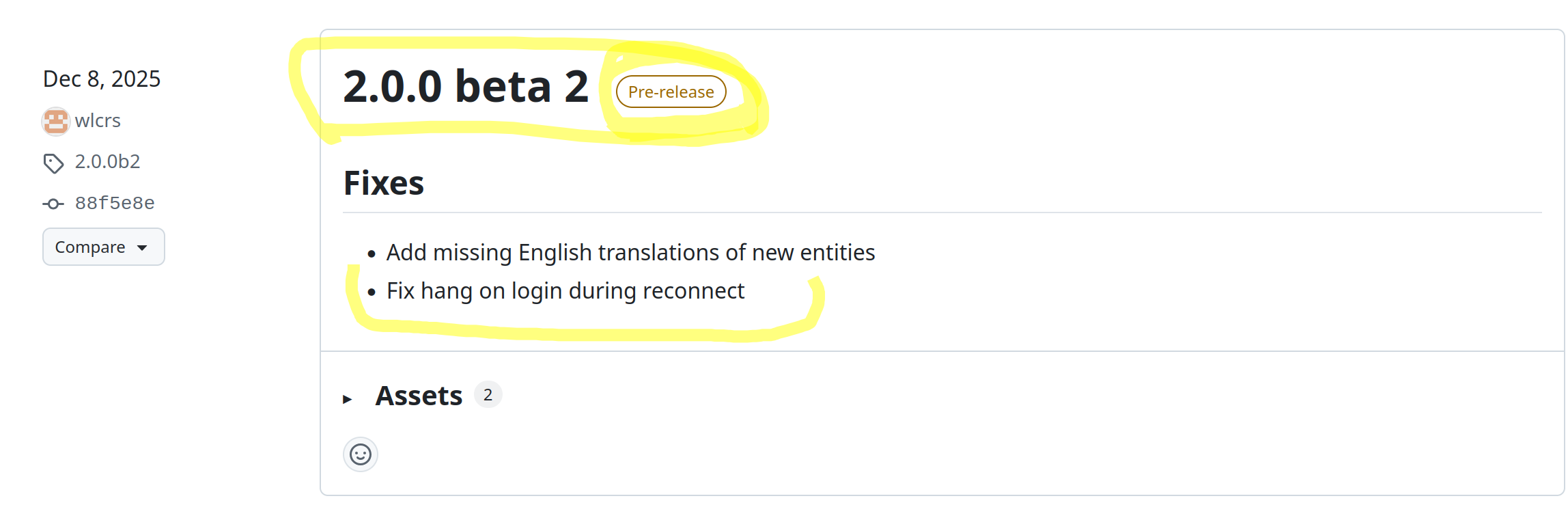
Version 2.0.0b2:

It is pre-release and beta. But I found the

Fix hang on login during reconnect

intriguing and tempting. Manly because I tested other ways and got under the impression that the initial handshake might be working, any follow-up request ended up in the doldrums.

I have no long-term experience with it, but at least it brought the connection to live, and I could see values for the first time.

So the combination of HA OS 2026.1.0 and Version 2.0.0b2 does it better for me than the standard release of this integration with it.

Maybe it helps someone else!
HANT

1 Like

I might want to add, that this connection is also not perfectly stable.
Every once in a while it drops out.
Reconfiguring reestablish the connection again on the spot so far.

Something with the timing?

Thanks

Okay, thank you for the Information. I have not tried yet but sounds promising.

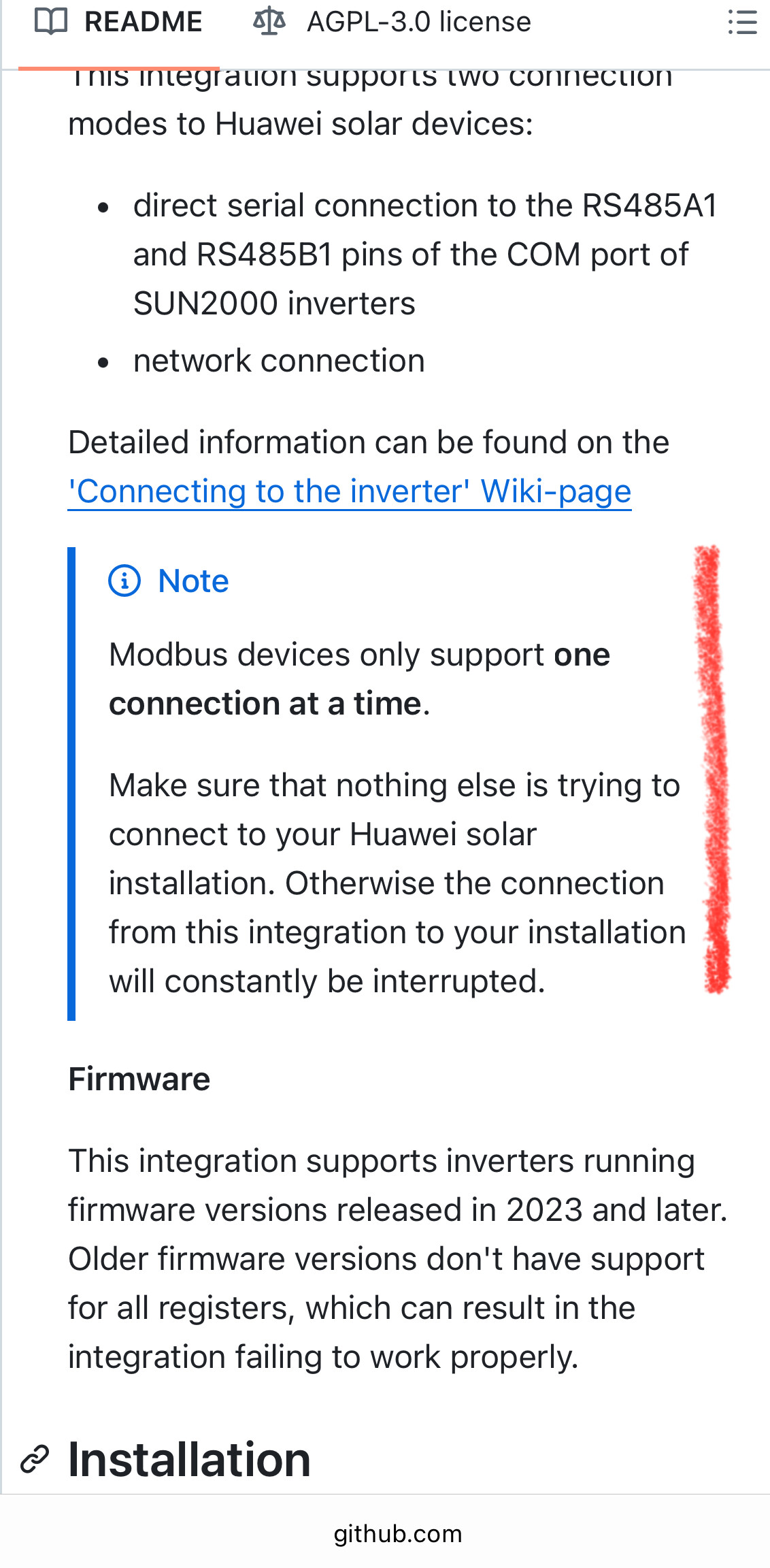
How do you interpret the information on GitHub that only one connection at a time can be established?
The dongle is also used to communicate with the cloud/app and with the batterie too? (Not quite shure on the latter). I have no cascade but the battery.
Could it be that if the cloud/app and/or battery communicates, the communication with HA is not possible?

It’s working :smile:! But - the wall box is not listed and I see no Wallbox related entities.
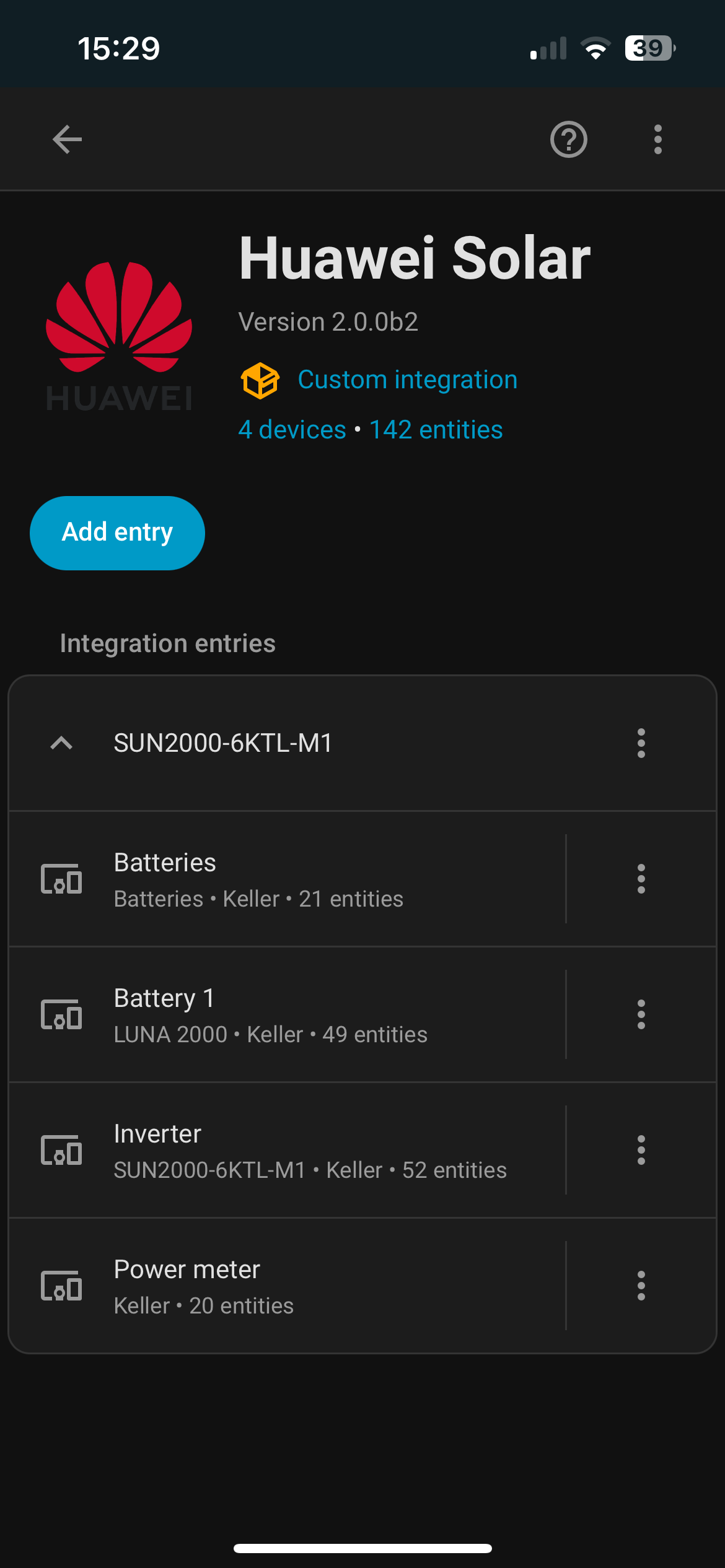
Does anyone know why the wall box is missing?

No, it should not affect the connection into the cloud. It just points out, that you better have only one client consuming the Modbus TCP service. Unlike Modbus RTU Modbus TCP does technically allow more than one client.

But here, having more than one client will cause serious trouble, so better leave it at one.

Nevertheless, if you are accessing the inverter per RS485 and consuming Modbus RTU, you are technically bound to have a 1:1 connection only.

So, are you using Modbus TCP or Modbus RTU?

That’s my understanding.
HANT

No, idea. But sometimes it needs just more time?
How is the wallbox talking to the inverter?

Any luck yet?
HANT

I’am using TSP since my Inverter is only connected via FE to the Router (no serial connection).

As you say this issue is limited to Modbus RTU (serial connection), then this should not be a problem for me.

Regarding the Wallbox: it is also connected via FE to the same network. In fusion solar app and web browser I can see the wall box and its consumption etc.

In general, one is advised to use only one connection with Modbus TCP w/ Huawei inverters, despite Modbus TCP supporting technically more than just one.

But again, it should not affect Fusion Web.

HANT

Maybe my last post, was miseading.
I was wondering if the communication between the Wallbox and Battery and smart meter is a Modbus TCP connection and the additional connection to HA Huawei Solar is „more than 1“ and might therefore cause trouble.

Anyhow, I additionally added the integration Fusion Solar plus yesterday, which easily started and I can see the Wallbox beside all the other devices.

Now I’m not sure which app to use from now on to back the right horse in terms of data connection reliability, access to all devices, timeliness of data and other possible dis- or advantages.

Fusion Solar plus runs over the cloud so I expect correct data even if there is a connection issue and I assume the data are probably delayed. Not good for automation but if interested in data watching only, probably ok.

Huawei Solar uses TCP which should be better in terms of timeliness, but i cant see the Wallbox and I’m not convinced that data reliability is good.

But what happens when data exchange interrupts (with cloud and with TCP)? Is this part completely missing in the total consumption or is the total consumption still correct but you see a step at the time when it is reconnected? Or do the cloud/inverter store the data so that the gap will be filled correctly (recovered)?

I could live with short interruptions, I could also live with small steps in data, but not with wrong total consumption data or big steps (like no connection over hours and no recovery as described before).
If there is no connection over hours and the data can be recovered from cloud/inverter to fill the gap that would be acceptable to me.

How do you look at it?