Hello,
I can’t download anything from raspberrypi.com. I needed the imager to reinstall HA on my RPi5 so I downloaded it with my mobile phone and copied it to my windows PC. But the Imager itself needs to download devices and OS’s from downloads.raspberrypi.com witch does not work.
I read it may be DNS related maybe but how to troubleshoot this matter?
There are no firewall restrictions that I can find, I dont use a VPN and I never experienced problems like this before.
Anyone ideas?
Thanks
PiHole, AdGuard, ot another DNS Redirecting proxy running?
unconfirmed:
Raspberry pi imager seems to prefer this year to download the image every time that it is used to flash a micro-sd, rather than to flash an image which you had downloaded previously and have lying around. I have suspicions that this goes with tightening of security to make triply-sure that the image which you flash is the one from raspberrypi.com and not some custom poked version of yours. That can result in repeated downloads of the same thing each time you flash it, but never mind.
Try again using raspberry pi imager from a working raspberry pi to a usb adapter containing your next micro-sd. Those adapters cost about £3 on ebay, and with micro-sd so cheap it is pretty much worth having the next one flashed and ready to boot as part of the recovery plan in case your present raspberry pi sd seems to go duff.
Seems RPi Imager indeed loads the list of devices AND the list of operating systems from https://downloads.raspberrypi.org/os_list_imagingutility_v4.json (i believe v4 is lastest as of Imager 2.0?) As you suggested within that json images (icons) of devices are downloaded every time you start Imager. What I need is the latest version of HA operating system, the icons I dont care about 
BTW i am not using SD cards to flash my RPi5, but USB cable from My Windows 10 PC to the HA Yellow.
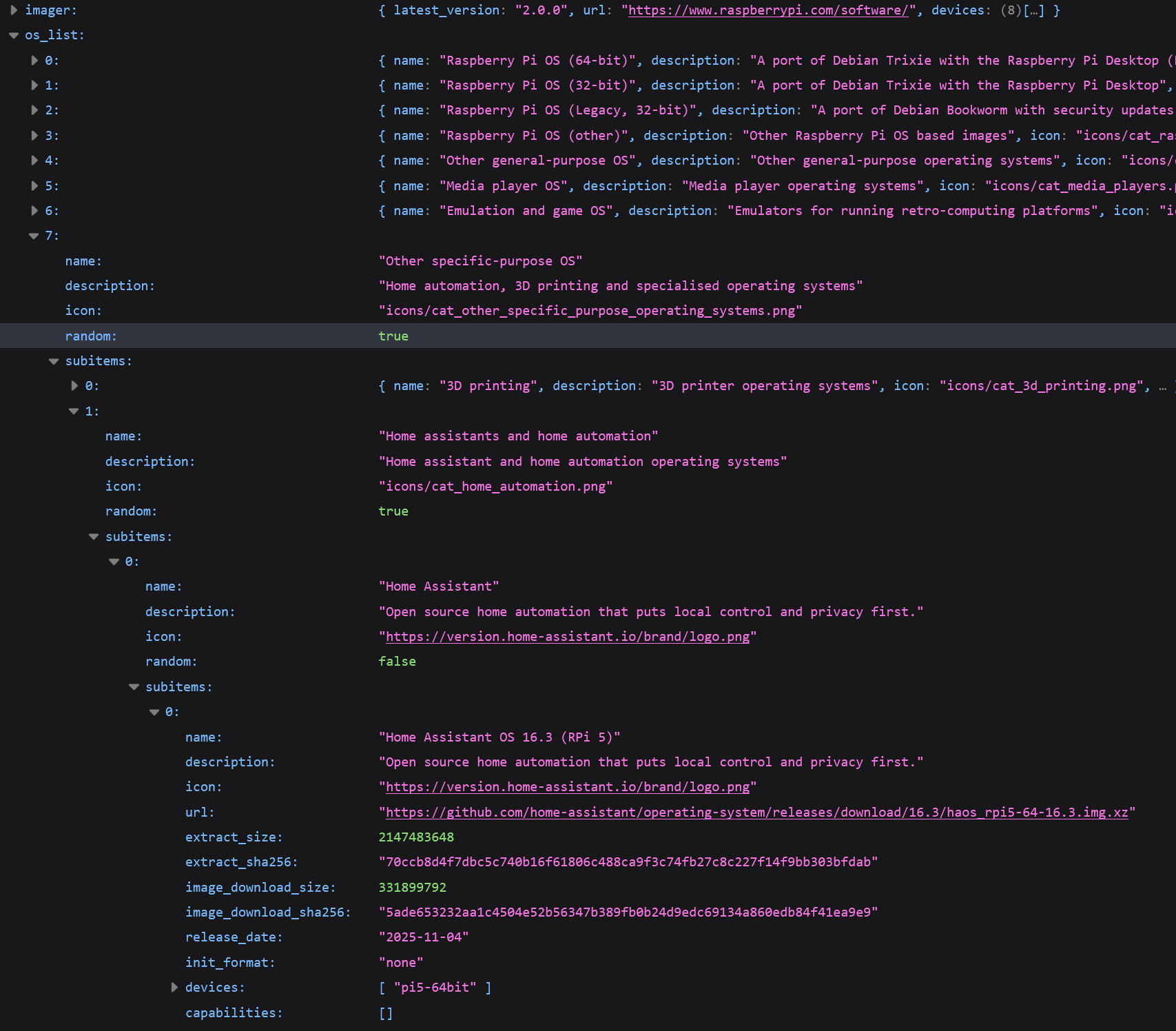
Hello Wally, I did snoop in it. Downloaded “haos_rpi5-64-13.2.img.xz” and flashed it “succesfully” to my Yellow. But it did not solve anything, Yellow not even connecting to my router witch it did after flashing only the Yellow-installer.
Let me try again with version 16.3
Normally I would tell you to look at the monitor output, but Yellow do not have such one, so I am a bit of loss with what then to do. :expressionless 
1 Like
There’s a dedicated Yello - Image, why not use that?
haos_yellow-16.3.img.xz
I did not know of the dedicated Yellow version. I will try that if I need to. But the generic 16.3 seems to get me somewhere…fingers crossed
Thanks Baxxy, that was the ticket.