I’m trying to setup frigate as per lazy tech geek’s video (14/08/25) It wont let me post the link to this.
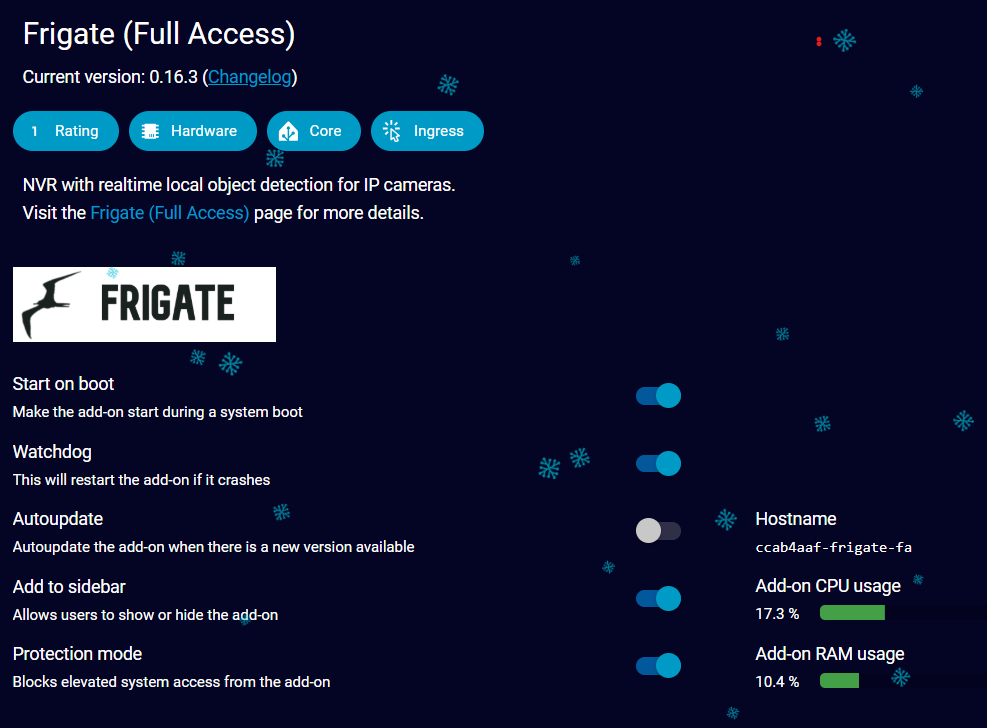
But it won’t start in HA.
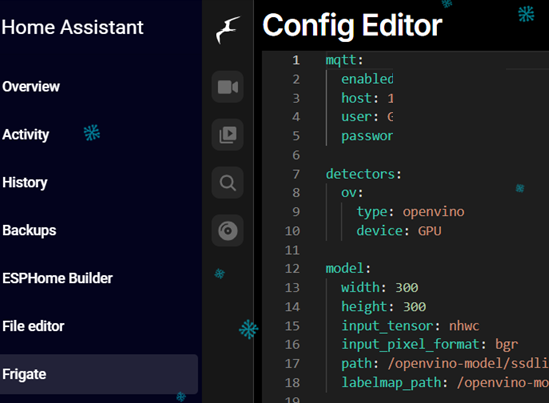
Because it won’t start it won’t create the config file described in the video at 11:36 so I’ve created a config file titled frigate.yaml in HA using the basic code from frigate’s documentation
mqtt:
enabled: False
cameras:
dummy_camera: # <— this will be changed to your actual camera later
enabled: False
ffmpeg:
inputs:
- path: rtsp://127.0.0.1:554/rtsp
roles:
- detect
I then get the following errors in the logs
2025-12-13 18:00:45.925562534 [INFO] Starting NGINX…
2025-12-13 18:00:47.352403298 [INFO] No TLS certificate found. Generating a self signed certificate…
2025-12-13 18:00:48.642911979 [INFO] Preparing Frigate…
2025-12-13 18:00:49.525692987 [INFO] Starting Frigate…
2025-12-13 18:00:49.527307059 [INFO] Preparing new go2rtc config…
2025-12-13 18:00:49.563812048 [INFO] Got IP address from supervisor: 192.168.0.79
2025-12-13 18:00:49.589279043 [INFO] Got WebRTC port from supervisor: 8555
2025-12-13 18:00:50.144640897 [INFO] Starting go2rtc…
2025-12-13 18:00:50.250316760 18:00:50.249 INF go2rtc platform=linux/amd64 revision=fa580c5 version=1.9.9
2025-12-13 18:00:50.250321560 18:00:50.249 INF config path=/dev/shm/go2rtc.yaml
2025-12-13 18:00:50.250323442 18:00:50.249 INF [rtsp] listen addr=:8554
2025-12-13 18:00:50.250325248 18:00:50.250 INF [webrtc] listen addr=:8555
2025-12-13 18:00:50.250965413 18:00:50.250 INF [api] listen addr=:1984
s6-rc: info: service nginx successfully started
s6-rc: info: service certsync: starting
s6-rc: info: service certsync successfully started
s6-rc: info: service legacy-services: starting
2025-12-13 18:00:51.366306240 [INFO] Starting certsync…
s6-rc: info: service legacy-services successfully started
2025-12-13 18:00:53.075404703 2025/12/13 18:00:53 [error] 187#187: *2 connect() failed (111: Connection refused) while connecting to upstream, client: 127.0.0.1, server: , request: “GET /api/version HTTP/1.1”, subrequest: “/auth”, upstream: “http://127.0.0.1:5001/auth”, host: “127.0.0.1:5000”
2025-12-13 18:00:53.076108108 2025/12/13 18:00:53 [error] 187#187: *2 auth request unexpected status: 502 while sending to client, client: 127.0.0.1, server: , request: “GET /api/version HTTP/1.1”, host: “127.0.0.1:5000”
2025-12-13 18:00:53.107450689 127.0.0.1 - - [13/Dec/2025:18:00:53 +0000] “” 400 0 “-” “-” “-”
2025-12-13 18:00:55.922433052 [INFO] Starting go2rtc healthcheck service…
2025-12-13 18:00:58.555930875 2025/12/13 18:00:58 [error] 188#188: *4 connect() failed (111: Connection refused) while connecting to upstream, client: 127.0.0.1, server: , request: “GET /api/version HTTP/1.1”, subrequest: “/auth”, upstream: “http://127.0.0.1:5001/auth”, host: “127.0.0.1:5000”
2025-12-13 18:00:58.557264007 2025/12/13 18:00:58 [error] 188#188: *4 auth request unexpected status: 502 while sending to client, client: 127.0.0.1, server: , request: “GET /api/version HTTP/1.1”, host: “127.0.0.1:5000”
2025-12-13 18:00:59.289438794 [2025-12-13 18:00:59] frigate.util.config INFO : Checking if frigate config needs migration…
2025-12-13 18:00:59.302815303 [2025-12-13 18:00:59] frigate.util.config INFO : frigate config does not need migration…
2025-12-13 18:00:59.349966418 [2025-12-13 18:00:59] frigate.util.services WARNING : Did not detect hwaccel, using a GPU for accelerated video decoding is highly recommended
2025-12-13 18:00:59.377726616 [2025-12-13 18:00:59] frigate.app INFO : Starting Frigate (0.16.3-9034454)
2025-12-13 18:00:59.379672080 [2025-12-13 18:00:59] frigate.app INFO : Creating directory: /tmp/cache
2025-12-13 18:00:59.388303060 [2025-12-13 18:00:59] peewee_migrate.logs INFO : Starting migrations
2025-12-13 18:00:59.389946408 [2025-12-13 18:00:59] peewee_migrate.logs INFO : There is nothing to migrate
2025-12-13 18:00:59.400742532 [2025-12-13 18:00:59] frigate.app INFO : Recording process started: 333
2025-12-13 18:00:59.407787360 [2025-12-13 18:00:59] frigate.app INFO : Review process started: 338
2025-12-13 18:00:59.411779981 [2025-12-13 18:00:59] frigate.app INFO : go2rtc process pid: 126
2025-12-13 18:00:59.435604870 [2025-12-13 18:00:59] detector.cpu INFO : Starting detection process: 358
2025-12-13 18:00:59.437018439 [2025-12-13 18:00:59] frigate.detectors WARNING : CPU detectors are not recommended and should only be used for testing or for trial purposes.
2025-12-13 18:00:59.445964556 [2025-12-13 18:00:59] frigate.app INFO : Output process started: 374
2025-12-13 18:00:59.469292587 INFO: Created TensorFlow Lite XNNPACK delegate for CPU.
2025-12-13 18:00:59.515100962 [2025-12-13 18:00:59] frigate.app INFO : Camera processor not started for disabled camera dummy_camera
2025-12-13 18:00:59.975330024 [INFO] Service Frigate exited with code 256 (by signal 9)
s6-rc: info: service legacy-services: stopping
s6-rc: info: service legacy-services successfully stopped
s6-rc: info: service go2rtc-healthcheck: stopping
s6-rc: info: service certsync: stopping
s6-rc: info: service go2rtc-healthcheck successfully stopped
s6-rc: info: service certsync successfully stopped
s6-rc: info: service nginx: stopping
s6-rc: info: service certsync-log: stopping
2025-12-13 18:01:00.288218184 [INFO] The go2rtc-healthcheck service exited with code 256 (by signal 15)
2025-12-13 18:01:00.325923372 [INFO] Service CERTSYNC exited with code 256 (by signal 15)
s6-rc: info: service certsync-log successfully stopped
2025-12-13 18:01:01.591945752 [INFO] Service NGINX exited with code 0 (by signal 0)
s6-rc: info: service nginx successfully stopped
s6-rc: info: service nginx-log: stopping
s6-rc: info: service frigate: stopping
s6-rc: info: service frigate successfully stopped
s6-rc: info: service go2rtc: stopping
s6-rc: info: service frigate-log: stopping
s6-rc: info: service nginx-log successfully stopped
2025-12-13 18:01:01.631228180 exit with signal: terminated
s6-rc: info: service frigate-log successfully stopped
2025-12-13 18:01:02.049327516 [INFO] The go2rtc service exited with code 0 (by signal 0)
s6-rc: info: service go2rtc successfully stopped
s6-rc: info: service prepare: stopping
s6-rc: info: service go2rtc-log: stopping
s6-rc: info: service go2rtc-log successfully stopped
s6-rc: info: service log-prepare: stopping
s6-rc: info: service s6rc-fdholder: stopping
s6-rc: info: service prepare successfully stopped
s6-rc: info: service log-prepare successfully stopped
s6-rc: info: service legacy-cont-init: stopping
s6-rc: info: service s6rc-fdholder successfully stopped
s6-rc: info: service legacy-cont-init successfully stopped
s6-rc: info: service fix-attrs: stopping
s6-rc: info: service fix-attrs successfully stopped
s6-rc: info: service s6rc-oneshot-runner: stopping
s6-rc: info: service s6rc-oneshot-runner successfully stopped
Any help would be greatly appreciated to help me get this up and running
The frigate documentation file said that should get it up and running but doing a bit of further digging I’ve now changed it to (password and ip taken out)
mqtt:
enabled: True
cameras:
reolink_doorbell: # <— this will be changed to your actual camera later
enabled: True
ffmpeg:
inputs:
- path: rtsp://admin:######@####:554/h264Preview_01_main
roles:
- detect
But im still getting the following errors in the log
s6-rc: info: service s6rc-fdholder: starting
s6-rc: info: service s6rc-oneshot-runner: starting
s6-rc: info: service s6rc-oneshot-runner successfully started
s6-rc: info: service fix-attrs: starting
s6-rc: info: service s6rc-fdholder successfully started
s6-rc: info: service fix-attrs successfully started
s6-rc: info: service legacy-cont-init: starting
s6-rc: info: service legacy-cont-init successfully started
s6-rc: info: service prepare: starting
s6-rc: info: service log-prepare: starting
s6-rc: info: service log-prepare successfully started
s6-rc: info: service nginx-log: starting
s6-rc: info: service go2rtc-log: starting
s6-rc: info: service frigate-log: starting
s6-rc: info: service certsync-log: starting
s6-rc: info: service go2rtc-log successfully started
s6-rc: info: service nginx-log successfully started
s6-rc: info: service frigate-log successfully started
s6-rc: info: service certsync-log successfully started
s6-rc: info: service prepare successfully started
s6-rc: info: service go2rtc: starting
s6-rc: info: service go2rtc successfully started
s6-rc: info: service go2rtc-healthcheck: starting
s6-rc: info: service frigate: starting
s6-rc: info: service go2rtc-healthcheck successfully started
s6-rc: info: service frigate successfully started
s6-rc: info: service nginx: starting
2025-12-13 19:05:46.746860648 [INFO] Starting NGINX…
2025-12-13 19:05:47.777537917 [INFO] No TLS certificate found. Generating a self signed certificate…
2025-12-13 19:05:49.155360037 [INFO] Preparing Frigate…
2025-12-13 19:05:49.798883309 [INFO] Starting Frigate…
2025-12-13 19:05:49.800238272 [INFO] Preparing new go2rtc config…
2025-12-13 19:05:49.829572102 [INFO] Got IP address from supervisor: 192.168.0.79
2025-12-13 19:05:49.858095386 [INFO] Got WebRTC port from supervisor: 8555
2025-12-13 19:05:50.377191939 [INFO] Starting go2rtc…
2025-12-13 19:05:50.482890713 19:05:50.482 INF go2rtc platform=linux/amd64 revision=fa580c5 version=1.9.9
2025-12-13 19:05:50.483150486 19:05:50.483 INF config path=/dev/shm/go2rtc.yaml
2025-12-13 19:05:50.485299354 19:05:50.484 INF [api] listen addr=:1984
2025-12-13 19:05:50.485454565 19:05:50.485 INF [rtsp] listen addr=:8554
2025-12-13 19:05:50.486541623 19:05:50.486 INF [webrtc] listen addr=:8555
s6-rc: info: service nginx successfully started
s6-rc: info: service certsync: starting
s6-rc: info: service certsync successfully started
s6-rc: info: service legacy-services: starting
2025-12-13 19:05:51.081386128 [INFO] Starting certsync…
s6-rc: info: service legacy-services successfully started
2025-12-13 19:05:52.967273581 127.0.0.1 - - [13/Dec/2025:19:05:52 +0000] “” 400 0 “-” “-” “-”
2025-12-13 19:05:53.571278755 2025/12/13 19:05:53 [error] 188#188: *2 connect() failed (111: Connection refused) while connecting to upstream, client: 127.0.0.1, server: , request: “GET /api/version HTTP/1.1”, subrequest: “/auth”, upstream: “http://127.0.0.1:5001/auth”, host: “127.0.0.1:5000”
2025-12-13 19:05:53.571829351 2025/12/13 19:05:53 [error] 188#188: *2 auth request unexpected status: 502 while sending to client, client: 127.0.0.1, server: , request: “GET /api/version HTTP/1.1”, host: “127.0.0.1:5000”
2025-12-13 19:05:56.778585135 [INFO] Starting go2rtc healthcheck service…
2025-12-13 19:05:59.379505717 2025/12/13 19:05:59 [error] 187#187: *4 connect() failed (111: Connection refused) while connecting to upstream, client: 127.0.0.1, server: , request: “GET /api/version HTTP/1.1”, subrequest: “/auth”, upstream: “http://127.0.0.1:5001/auth”, host: “127.0.0.1:5000”
2025-12-13 19:05:59.379511591 2025/12/13 19:05:59 [error] 187#187: *4 auth request unexpected status: 502 while sending to client, client: 127.0.0.1, server: , request: “GET /api/version HTTP/1.1”, host: “127.0.0.1:5000”
2025-12-13 19:06:00.059471418 [2025-12-13 19:06:00] frigate.util.config INFO : Checking if frigate config needs migration…
2025-12-13 19:06:00.065857190 [2025-12-13 19:06:00] frigate.util.config INFO : frigate config does not need migration…
2025-12-13 19:06:00.114212974 [2025-12-13 19:06:00] frigate.util.services WARNING : Did not detect hwaccel, using a GPU for accelerated video decoding is highly recommended
2025-12-13 19:06:00.139588737 [2025-12-13 19:06:00] frigate.app INFO : Starting Frigate (0.16.3-9034454)
2025-12-13 19:06:00.140173855 [2025-12-13 19:06:00] frigate.app INFO : Creating directory: /tmp/cache
2025-12-13 19:06:00.148846340 [2025-12-13 19:06:00] peewee_migrate.logs INFO : Starting migrations
2025-12-13 19:06:00.150091537 [2025-12-13 19:06:00] peewee_migrate.logs INFO : There is nothing to migrate
2025-12-13 19:06:00.166696854 [2025-12-13 19:06:00] frigate.app INFO : Recording process started: 332
2025-12-13 19:06:00.174784130 [2025-12-13 19:06:00] frigate.app INFO : Review process started: 335
2025-12-13 19:06:00.177610959 [2025-12-13 19:06:00] frigate.app INFO : go2rtc process pid: 127
2025-12-13 19:06:00.190225636 [2025-12-13 19:06:00] detector.cpu INFO : Starting detection process: 357
2025-12-13 19:06:00.191429076 [2025-12-13 19:06:00] frigate.detectors WARNING : CPU detectors are not recommended and should only be used for testing or for trial purposes.
2025-12-13 19:06:00.200372685 [2025-12-13 19:06:00] frigate.app INFO : Output process started: 373
2025-12-13 19:06:00.211445280 INFO: Created TensorFlow Lite XNNPACK delegate for CPU.
2025-12-13 19:06:00.232570434 [2025-12-13 19:06:00] frigate.app INFO : Camera processor not started for disabled camera dummy_camera
2025-12-13 19:06:00.232867852 [2025-12-13 19:06:00] frigate.app INFO : Capture process not started for disabled camera dummy_camera
s6-rc: info: service legacy-services: stopping
s6-rc: info: service legacy-services successfully stopped
s6-rc: info: service go2rtc-healthcheck: stopping
s6-rc: info: service certsync: stopping
2025-12-13 19:06:00.724373863 [INFO] Service Frigate exited with code 256 (by signal 9)
s6-rc: info: service go2rtc-healthcheck successfully stopped
s6-rc: info: service certsync successfully stopped
s6-rc: info: service nginx: stopping
2025-12-13 19:06:00.759823900 [INFO] Service CERTSYNC exited with code 256 (by signal 15)
2025-12-13 19:06:00.761609026 [INFO] The go2rtc-healthcheck service exited with code 256 (by signal 15)
s6-rc: info: service certsync-log: stopping
s6-rc: info: service certsync-log successfully stopped
2025-12-13 19:06:00.824601945 [INFO] Service NGINX exited with code 0 (by signal 0)
s6-rc: info: service nginx successfully stopped
s6-rc: info: service nginx-log: stopping
s6-rc: info: service frigate: stopping
s6-rc: info: service nginx-log successfully stopped
s6-rc: info: service frigate successfully stopped
s6-rc: info: service go2rtc: stopping
s6-rc: info: service frigate-log: stopping
s6-rc: info: service frigate-log successfully stopped
2025-12-13 19:06:02.247484198 exit with signal: terminated
s6-rc: info: service go2rtc successfully stopped
s6-rc: info: service prepare: stopping
s6-rc: info: service go2rtc-log: stopping
2025-12-13 19:06:02.287992592 [INFO] The go2rtc service exited with code 0 (by signal 0)
s6-rc: info: service prepare successfully stopped
s6-rc: info: service go2rtc-log successfully stopped
s6-rc: info: service log-prepare: stopping
s6-rc: info: service s6rc-fdholder: stopping
s6-rc: info: service log-prepare successfully stopped
s6-rc: info: service legacy-cont-init: stopping
s6-rc: info: service s6rc-fdholder successfully stopped
s6-rc: info: service legacy-cont-init successfully stopped
s6-rc: info: service fix-attrs: stopping
s6-rc: info: service fix-attrs successfully stopped
s6-rc: info: service s6rc-oneshot-runner: stopping
s6-rc: info: service s6rc-oneshot-runner successfully stopped
I just followed that youtube video yesterday and it setup ok. The frigate.yaml that it created isn’t in the same folder as configuration.yaml where I thought it would be. I just access it through the side bar. OOPs! I said folder, I meant directory.
You are right. They aren’t in that directory either. It must be that since that video came out they are all moved to another directory. Can you see frigate.yaml from the sidebar approach? I deleted the frigate.yaml file that I created myself in the config directory.There was nothing in it.