Hello everyone,
I’m having trouble getting Home Assistant running on a Dell Wyse 5070 thin client
and I’m a bit stuck.
Here’s the situation:
- Home Assistant was installed by a friend (I wasn’t directly involved in the setup)
- The device is connected via LAN to my router (Fritzbox)
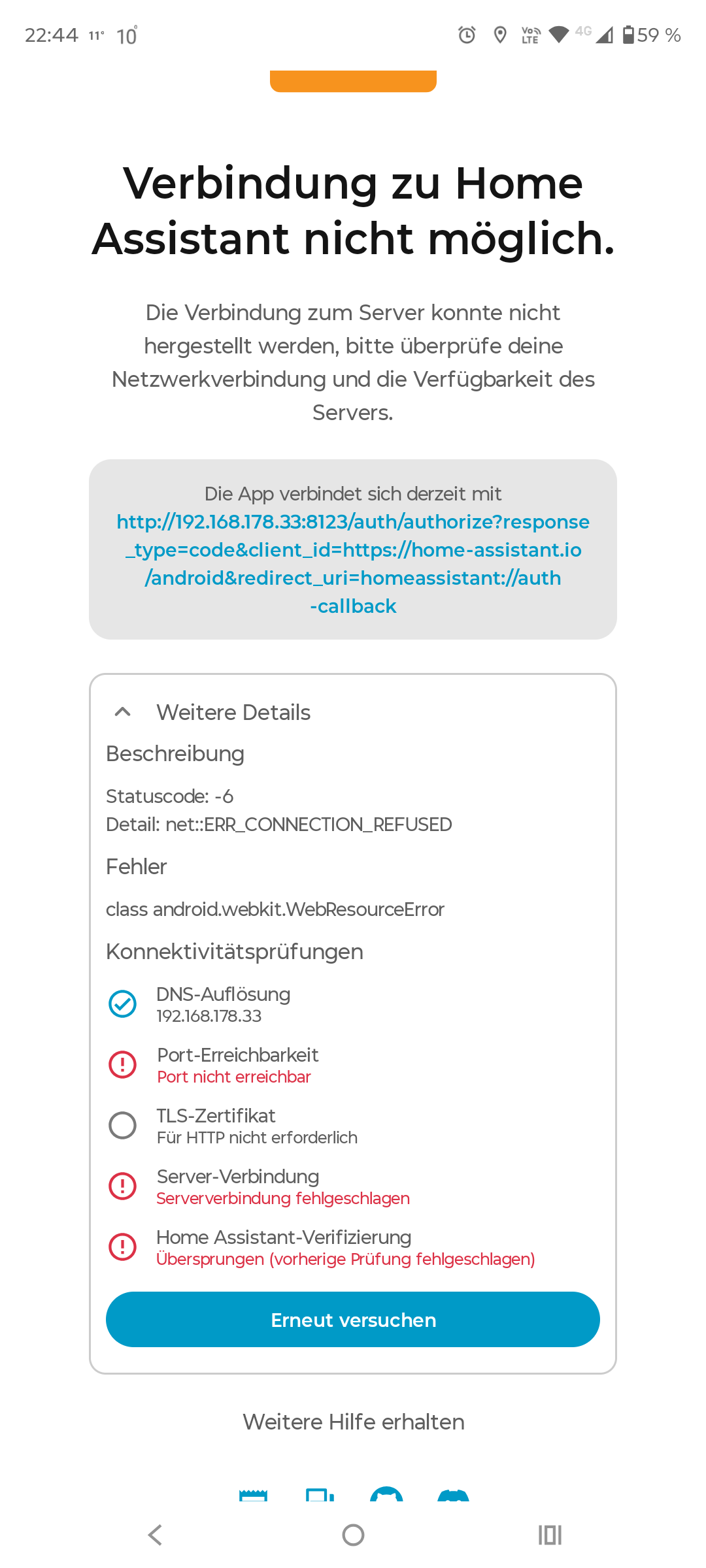
- In the router, the device shows up with IP 192.168.178.33, but it is not marked as “online/active”
- I cannot access Home Assistant via browser or app (port 8123 is not reachable, connection refused)
- The app specifically shows: “Port not reachable / server connection failed”
- At one point I was able to access a page on a different port (e.g. 4357), which looked like some kind of supervisor/service page (blue screen), but not the actual Home Assistant UI
What I already tried:
- Accessing http://192.168.178.33:8123 → not working
- Trying other ports → only partial/internal pages, no UI
- Network/WiFi is working fine, other devices have no issues
My assumptions:
- Home Assistant OS might not have been installed correctly or not fully written to the SSD
- Possibly the wrong image was used or installation wasn’t completed properly
- Maybe a boot/BIOS issue (wrong boot device, missing EFI entry, etc.)
Unfortunately I currently don’t have access to a PC, so I can’t easily reflash the system myself.
Questions:
- Does this behavior point more towards a broken/incomplete Home Assistant OS installation?
- Is it possible that only the Home Assistant Core/service is not running, while parts of the system (Supervisor?) are still accessible?
- Is there any realistic way to fix this without a full reinstall, or is reflashing the recommended approach here?
Thanks a lot in advance for any help!