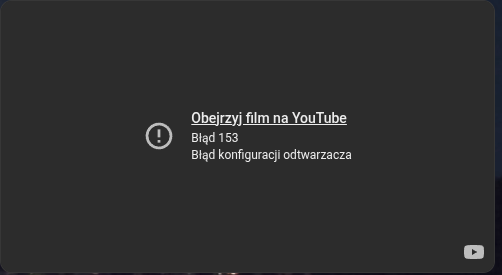
I’m using config-template-card with iframe for embeded youtube but recently it stopped working and shows my only error 153:
youtube is blocking that and it’s not only inside HA but when I copy that generated link and paste it on my laptop it shows the same error. I’ve tried even with other video id’s.
Any ideas how to fix that?
type: custom:config-template-card
entities:
  - sensor.business_control_monitoring
card:
  type: iframe

  url: >-
    ${`https://www.youtube.com/embed/${states['sensor.business_control_monitoring'].attributes.content_id}?autoplay=1&mute=1`}
  aspect_ratio: 55%
1 Like
tom_l
November 6, 2025, 11:55pm
2
Yeah embedding is broken in a lot of places since youtube’s last update. There’s a suggested fix for web developers here: https://www.reddit.com/r/feedly/comments/1n7bnm8/youtube_error_153_video_configuration_error/nm27ckx/
Not sure how you add that to your card.
Any update on this?
tom_l
November 24, 2025, 8:36pm
4
As per the information I shared in the post directly above yours, you need to add this to the URL:
`referrerpolicy="strict-origin-when-cross-origin"`
DeLorean
November 26, 2025, 9:12pm
5
I created a dedicated card to make it a bit easier to get around this issue and to surface a bunch of the options for the video: loryanstrant/ha-youtubevideocard: A dashboard card for Home Assistant that allows the embedding of YouTube videos and playlists
1 Like
That solved my issue but with some modifications.
type: custom:config-template-card
entities:
  - sensor.camera_online_id
variables:
  ytid: states['sensor.camera_online_id'].state
card:
  type: custom:youtube-video-card
  video_id: ${ytid}
  autoplay: true
  mute: true
The only problem was to get an dynamic youtube movie id (it changes frequently) and with config-template-card I was able to do it.
1 Like
Does the syntax for this need to change when used in a Minimalist dashboard? My YAML checks out but I get a configuration error when viewing the dashboard.
This was my old card (worked before YouTube changed things):
       - type: iframe
         url: https://www.youtube.com/embed/XXXXXXXX?autoplay=1&mute=1
New code displaying a configuration error
      - type: "custom:youtube-video-card"
        video_id: XXXXXXXX
        autoplay: true
        mute: true
Worth mentioning that if I add the youtube-video-card via the native HA dashboard UI, it works fine.
DeLorean
December 17, 2025, 10:36pm
8
I don’t know sorry, I don’t use Minimalist. It could very well be something in their CSS or styling is causing it to break.