Best solution would be if you make a simple if/then condition within your automation. If you double press and the cover is in “moving” state then just stop it.
Adding this complexity is not possible with a blueprint since it most likely requires additional helpers (like in @jhol-byte response)
Sadly it is not possible in have multiple entity.filter in Home Assistant blueprint logic. So having the blueprint working for Matter and Zigbee would not be easily possible and I want to keep the Matter integration filter.
Additionally the Zigbee trigger are completely different. So it would need to be its own blueprint anyway. So I would recommend using what @wmaker posted
Understood, and thanks for the reply. I thought there might be a way to identify a double-press-and-hold action that would keep the blinds moving until the button is released. I will have a play with this and see what works. Or else I may compromise and just close/open to 50%
Any chance you could add multiple: true to the event selectors? I have 2 remotes in each of 2 rooms, and if it allows me to select multiple events (both ups or both downs) I would only need a single automation for a given room instead of 2 automations.
For multiple remotes that operate in the same way I just duplicate the blueprint and name it accordingly “Ikea Living room 1” “Ikea Living room 2”. This ties 1 automation to 1 remote which IMO is cleanest way to deal with remotes.
That’s viable, but not as easy for long term maintenance. If/when I decide to add a double tap action, or a hold/release, I have to either add it to both, or delete/duplicate/edit each time. Since the actions and conditions are what make the automation unique it just makes sense to me to have a single automation but allow multiple remotes (which are mounted on each of the nightstands) to trigger it.
I see what you mean now, add multiple remotes with 1-to-1 pairing from within the setup. That is definitely on the list, it was in one of my first attempts but I was worried that it was over complicating the initial release.
Would you mind tossing it as a feature request on the github and I’ll work it back in?
Good news: I’ve just released version 2.0.0 which includes support for this!
Note on Upgrading: Unfortunately, Home Assistant does not currently support automatic migrations when a Blueprint field changes from multiple: false to multiple: true. This means your existing automations will show empty fields for the button selector until they are updated manually.
How to Fix Existing Automations
To get back up and running, you’ll need to wrap your existing entity IDs in brackets so Home Assistant recognizes them as a list:
Open your Automation and select Edit in YAML from the three-dot menu.
Locate the input section.
Add brackets [ and ] around your event entities as shown below:
Is there a way to set brightness with this blueprint for a group of lights that is made in home assistant (helper group)?
That would make this blueprint complete.
Else i need to make this blueprint a controller for another blueprint to do brightness for a group.
Thanks for the blueprint.
I can make a lamp get brighter with Long Press (on press), but cant get it to dim the light. Do you have any suggestions how to do this?
First of all: thanks for this Blueprint, works like a charm! However one question which might not be related especially to this blueprint but to the Bilresa in general?
I want to trigger a script which powers a Sonos Device (if not already on) and starts playing a radio station. I have different scripts for different stations which are working fine switching between them using a Somrig remote and different button schemes (single click, double click, …)
Putting these scripts to a Bilresa remote (tried also another Bilresa Blueprint which behaves the same) will start these scripts also but sometime they just do not do anything. From the traces of the script I saw them running but in fact they did nothing. Funnily it always works the first time (when the Sonos device needs to be powered on before), but not reliably afterwards - means that sometimes it works, sometimes not.
first of all - thanks for this blueprint, great work!!!
Nonetheless, I have an issues and I dont know if I do anything wrong or if thee is anything with the blueprint.
I´m not trying any rocket-science, actually just turning on/off lights with Single press options and trying to dim up/down while holding.
Turning the light on and off works perfectly fine. But when it comes to long press (or actually “holding” the button down), nothing happens. Also noticed, no event is fired while holding the button down.
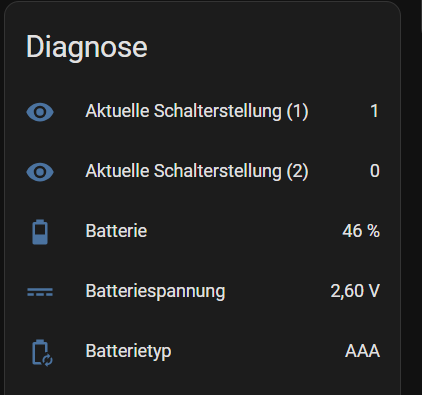
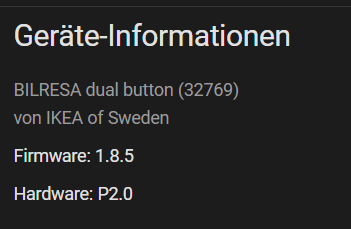
What I´ve realized is that there are two hidden sensors [current switch position (1) and current switch position (2)] - once I´ve activated them, they showd up under “Diagnose” and switch to “1” while holding the button down:
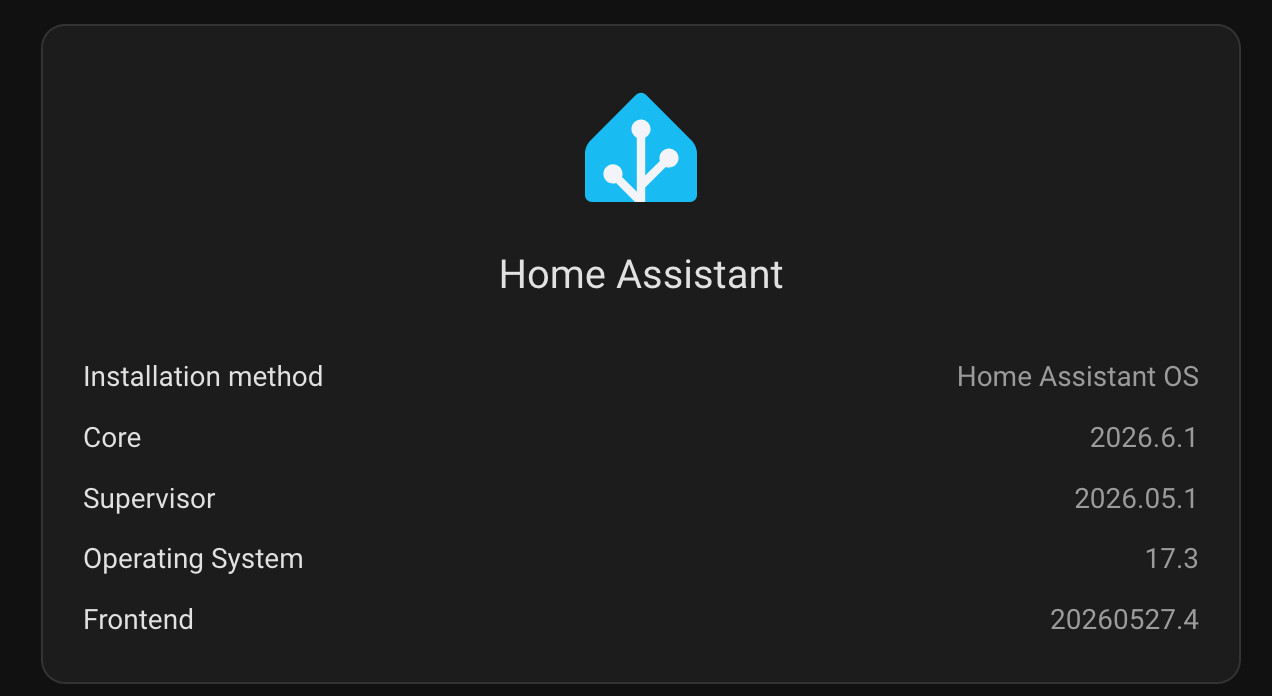
So I just did a home assistant core update. And now this blueprint has stopped working.
The ikea button presses are being seen in home assistant but when i go to the matter device. But the blueprint is not running. I haven't figured out why yet. I don't want to go back to the previous version just yet. I am trying to see if anyone knows what could cause this.