I just read about the ability to switch the new remotes from thread to zigbee.
the new zigbbe2mqtt update mentions support as well.
So i wonder if the blueprint would work with the “zigbee version” as well?
So far i did not succed to switch the romote to zigbee, so i cant try;)
1 Like
Can’t this be fixed in the blueprint to handle this?
I already did, just update the blueprint (but maybe you have to duplicate an existing automation afterwards to reflect the changes and delete the old one anyway)
(BTW: to have unique device names and corresponding entities might be a good idea on its own)
Thx, I renamed it, but as failsave it’s nice to have this option
Really nice Blueprint  Thank you!
1 Like
Thanks for your great work! I modified my version a bit to use the sensor. instead of the event. for the scroll wheel. This way it feels a little bit more responsive. ha-blueprints/kea BILRESA scroll wheel (sensors for scroll, events for press) at a688916fc161affcb2577e1ed90bb4f7ecf778fb · BoGu5/ha-blueprints · GitHub
2 Likes
@bogus good idea as well!
To make your approach work (as hint for other users):
- you have to go to Bilresa device settings and enable the 9 hidden sensor entities
- in German HA the sensors are named like:
sensor.*_aktuelle_schalterstellung_1, so your regex in the blueprint won’t find the scroll entities (see also the discussion about second device with same name above)
Background info:
Current Matter implementation seems to expose two different kind of entities for the scroll wheel: event (left/right), sensor (left/right).
- the
eventis fired after a scroll action with information of “how far” you scrolled (a number between 1 and 8), this is what I use in my blueprint - the
sensorchanges while scrolling between 0 and 1, this is what @bogus blueprint uses
It depends a little bit on the use case. If you have to control actions which have low latency the sensor approach will feel snappier, while for actions with larger latency the event approach (which accumulates sensor changes actually) might be more suitable. Best would be to make the behavior configurable, though I am not sure if this can be easily done.
1 Like
For scroll wheel responsiveness, there’s a pending change which should hopefully improve this - Pass information for ongoing press events in Matter by phoffmeister · Pull Request #159045 · home-assistant/core · GitHub
This should allow for HA to make use of the ‘multi_press_ongoing’ event and have the number of scrolls updated in realtime. Have lights dim/brighten while scrolling rather than waiting for the final count to be reported.
2 Likes
New update available with idea of @bogus to use the sensor entities for the scroll wheel as well for better responsiveness.
1 Like
thanks for the fab blueprint @jhol-byte. Just noticed that using ‘instant’ mode with media controls appears to ignore the volume step change setting, or at least has much less granular control over volume. I’d love to be able to map each click of the scroll wheel to a 1% or 0.5% volume step (strange request i know). is this possible?
Thanks for the feedback. For the media volume it is like you said, instant mode uses media_player.volume_up/down while for relaxed mode I calculate the target volume and use media_player.volume_set, as I noticed that (at least with my radio and/or integration) I cannot do arbitrary small changes. If somebody has a good idea here, I would be happy to implement it.
(see as well Ikea Bilresa scroll wheel blueprint - #40 by jhol-byte)
could you add the option to control radiators/climate devices with the scroll wheel?
For more individual use-cases I added now the possibility to add user defined scroll wheel actions, see the examples in the description as well. Here you have full flexibility to control for example covers, climate devices, or media volume in an individual way.
Spent forever trying to figure out how to get my scroll wheel to simply control brightness of my lamps smart bulb. This Blueprint helps.
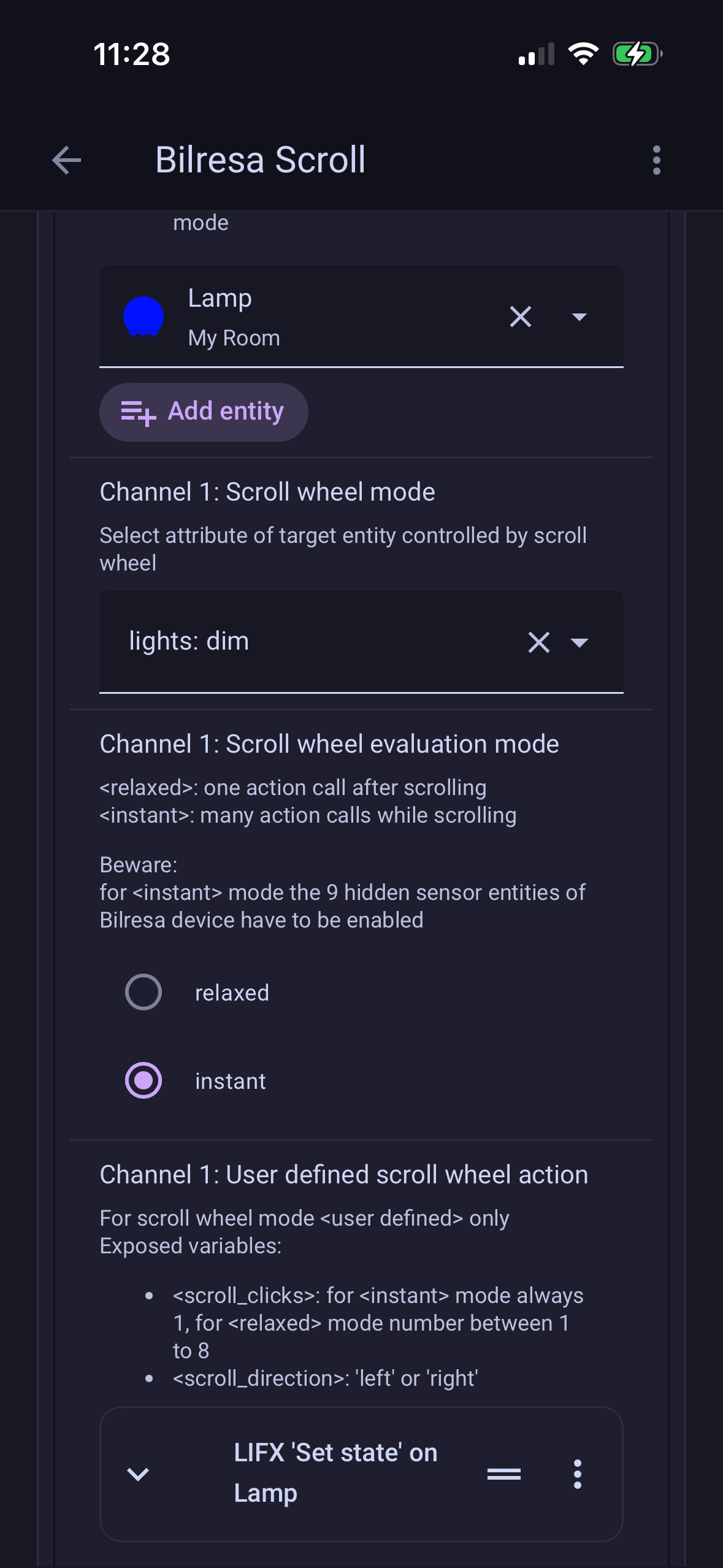
This is what I have so far.
But how do I make do a brightness up in the reverse? Do I need a separate automation for that?
Brought these scroll wheels hoping they would act like the volume on an old iPod nano wheel.
For simple dim up/dim down only these two settings are needed
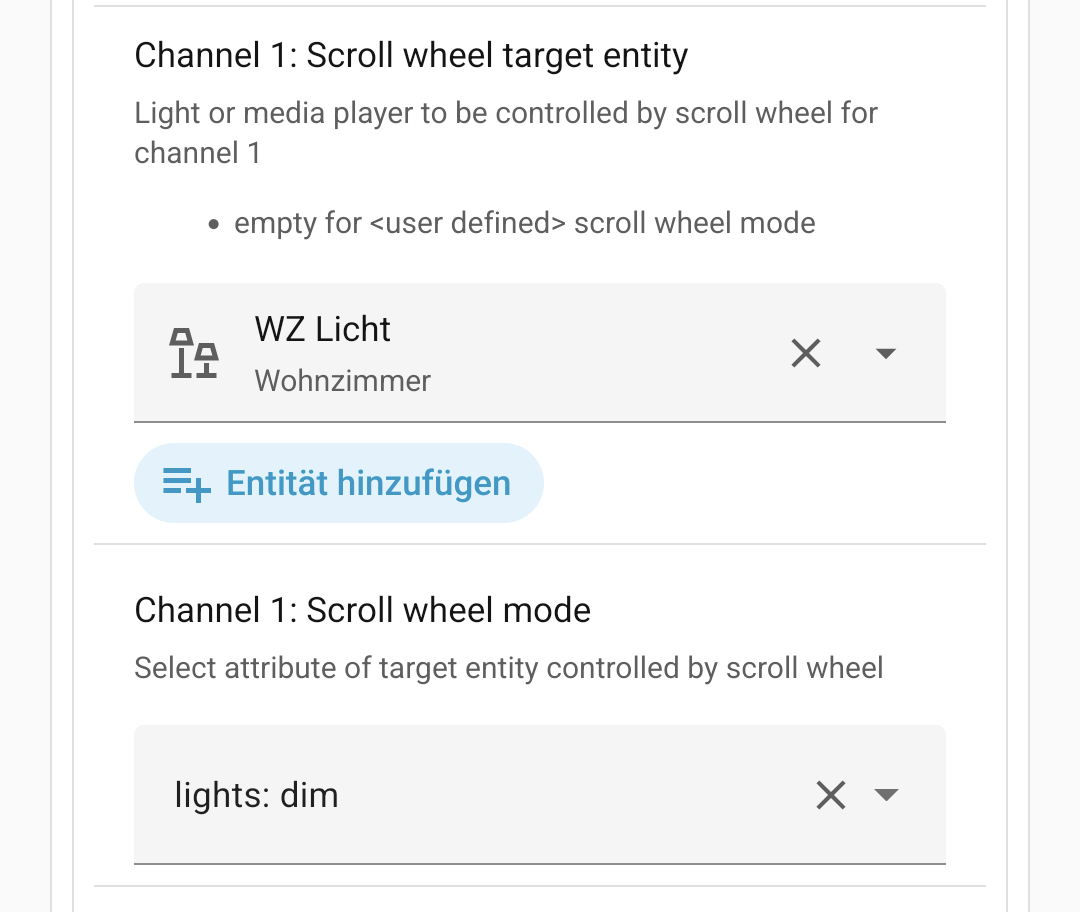
(and no user defined action)
Does the simple setting work for you?
What exactly do you want to achieve?
For me it “works”. But without the ongoing multipress, the usage experience is pretty horrible, regardless of the scroll wheel method. Hopefully that pr will get merged soon. Thanks for the blueprint anyway 
Thank you. But I am not even sure that we can achieve better user experience with an “ongoing” event than for the sensor clicks (“instant” in blueprint). I think you still need some kind of repeated action calls, same as for on-hold action calls in a loop for normal button.
Am I missing something?
Button events properly count the “presses”, clicks, even if you do it quickly, but currently does not process it realtime due to the ongoing multipress github issue thats been mentioned. Switch position only detects the “edge”, when it changes from 0 to 1 (i guess), but if you do scroll quickly enough, clicks will get lost somehow for me: if i do 10 scroll in 1 second, only ~2 clicks will register.
The ideal would be the first method with realtime updates aka ongoing multipress.
2 Likes
Hello. Thank you very much for the development. I have noticed that, when using media player, the volume step using the wheel (in instant mode only) is always 10% despite the value you enter.
It would be very useful to me to have it fixed.
Than you very much in advance.
see reason here Ikea Bilresa scroll wheel blueprint - #31 by jhol-byte
workaround:
use user defined action (see example in the description/first post) for volume and adjust the step size to smaller values as long as you can still change the volume up/down