I have created a (generic) blueprint for my Ikea Bilresa scroll wheel remote.
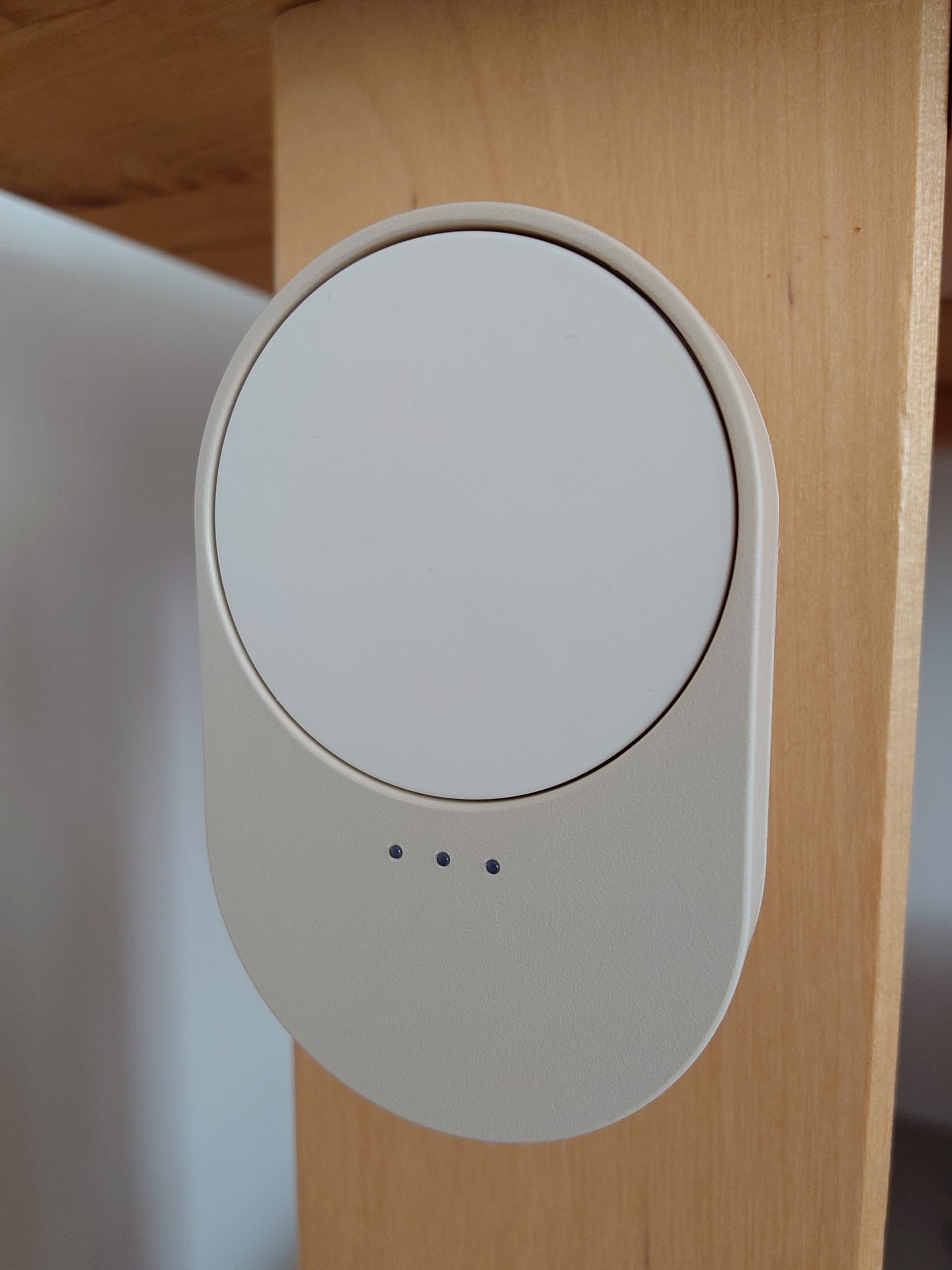
Button supports:
- click
- double-click
- triple-click
- long-click
- on-hold
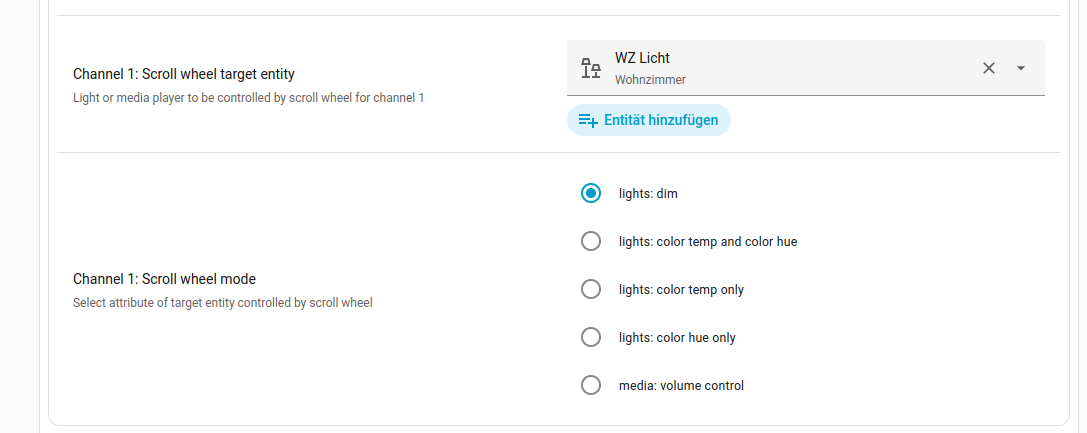
Scroll wheel supports the following modes:
- for lights:
– dimming
– color temperature change
– color hue change - for media player:
– volume control - user defined action (for examples see below)
- (switching between above modes dynamically using an
input_select-helper, see below)
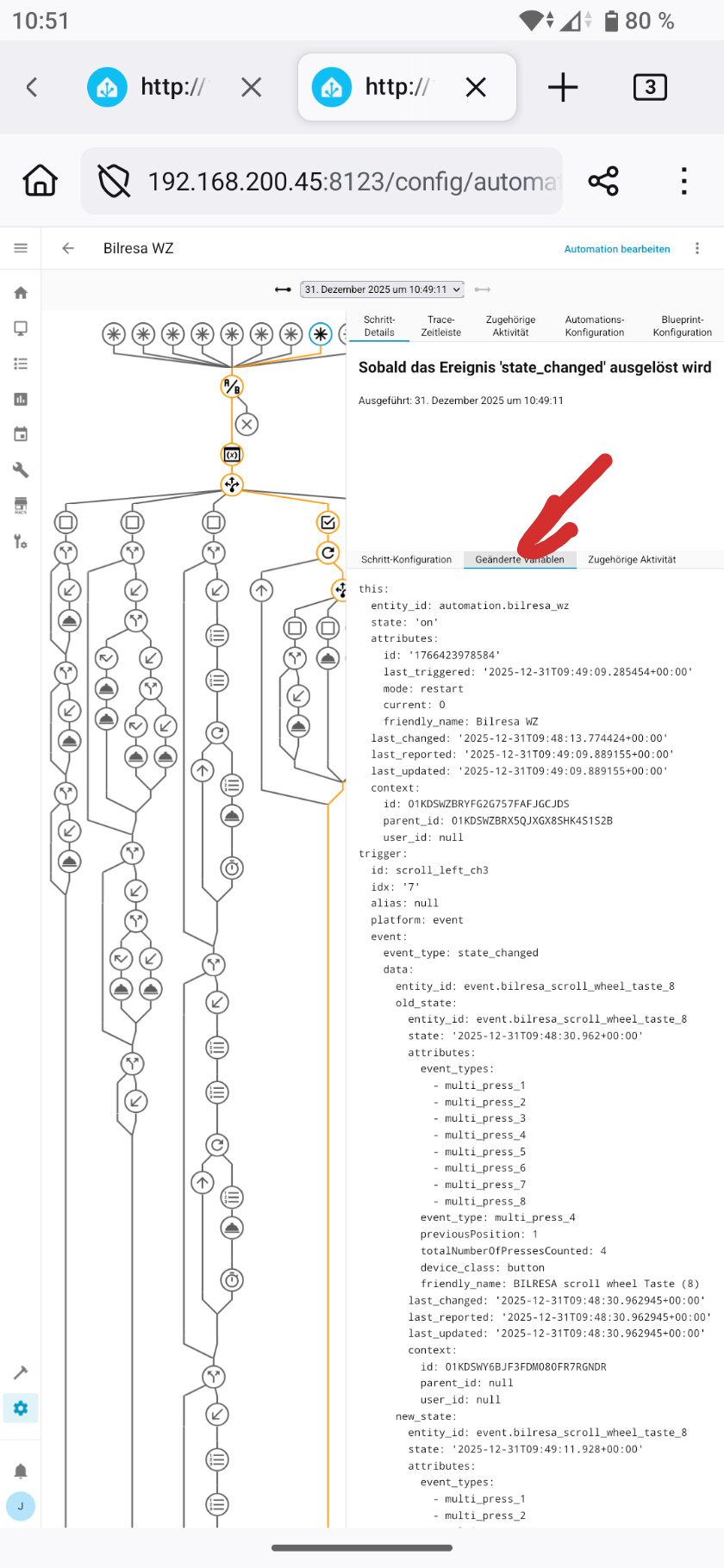
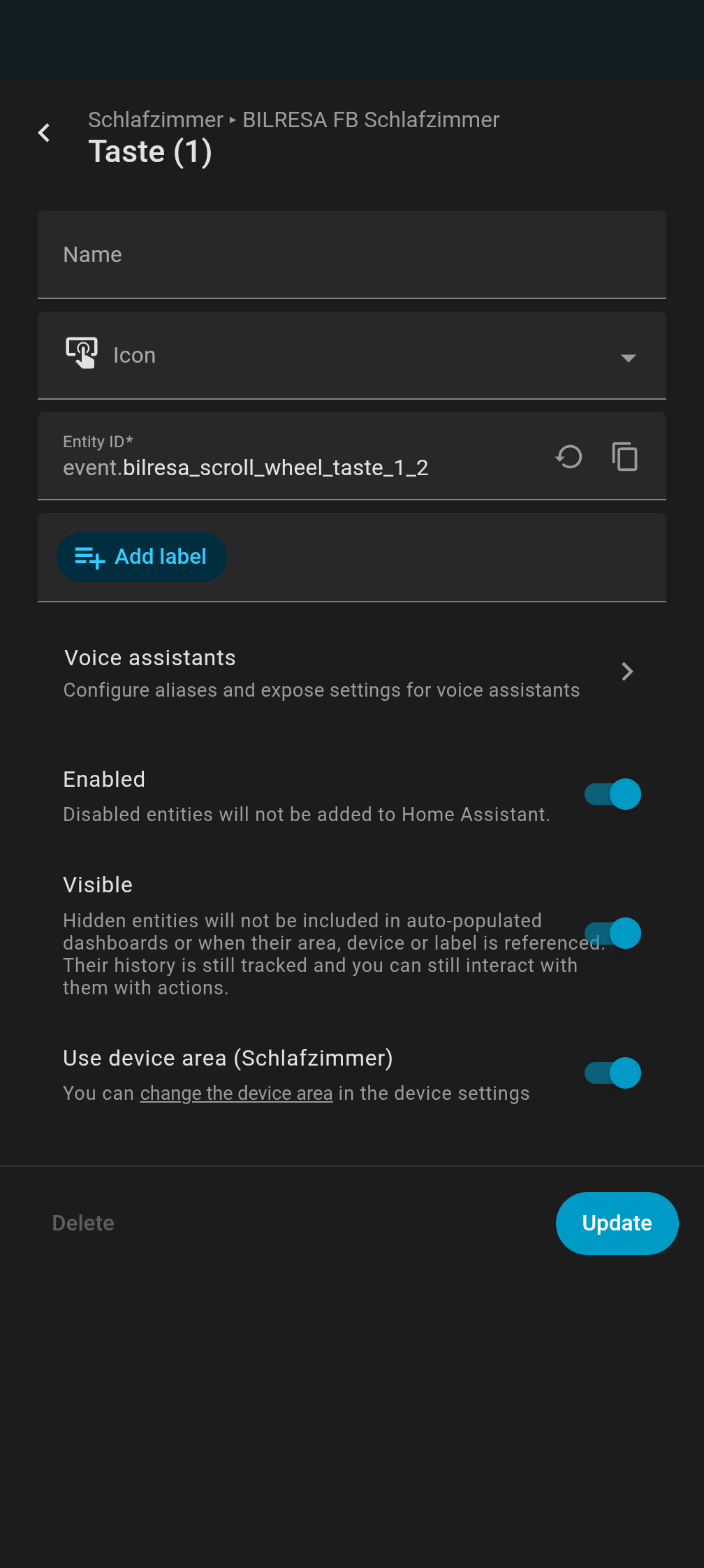
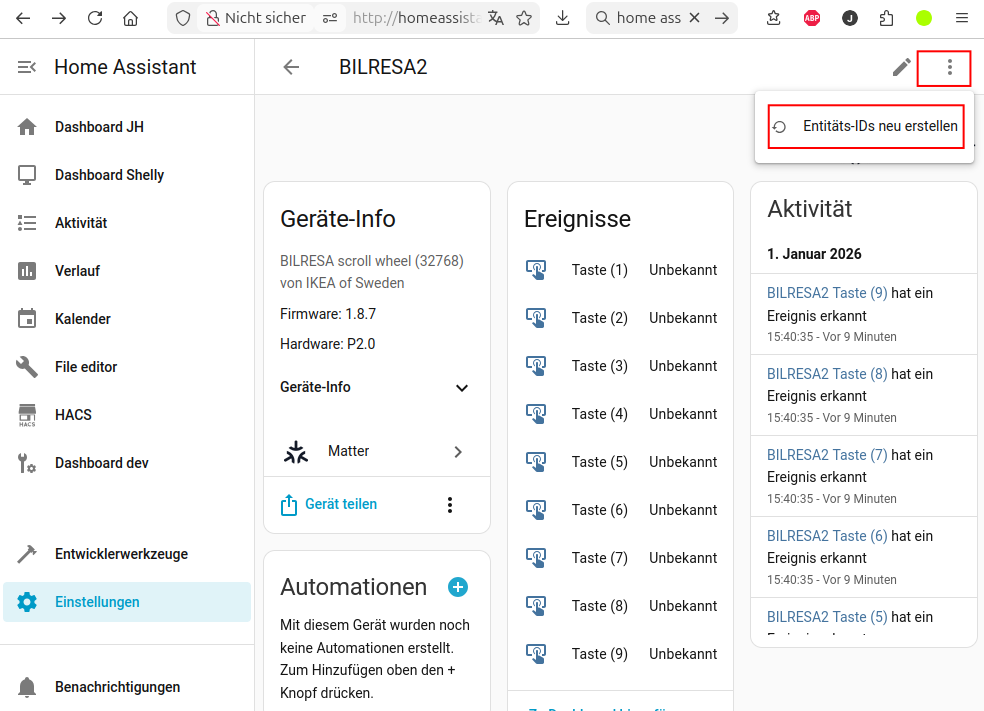
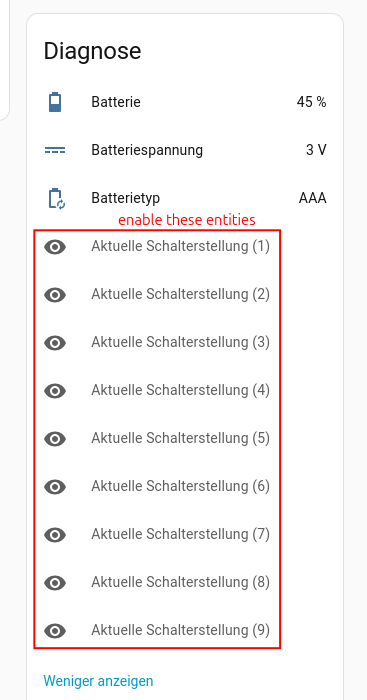
 be aware that the 9 hidden sensor entities have to be enabled first (see below)
You need two additional helper scripts for color control, these can also be used stand-alone (e.g. as action for double-click or on-hold), see below.
Update: 2026-04-06
- add option
Dim turns lights onto Global light settings: allow scroll wheel (mode: dim) to turn lights on (thanks to @antonio1475 for the idea)
 - add option
Auto reset time for input_select helpersto Miscellaneous settings: auto resetinput_select-helpers to first selection for dynamic scroll wheel mode after timeout (thanks to @Alberto11 for the idea)
previous changes
- support
transitionduration for lights (can be changed under Global light settings) which makes the dimming and color effects more satisfying ( update the two helper scripts as well) - add support for switching the scroll wheel mode dynamically, thanks to @rneurink for the idea, see below for the details
- add evaluation mode for scroll wheel:
relaxed: (default), one action call after scrolling
instant: many action calls while scrolling for better responsiveness
be aware that for instant mode the 9 hidden sensor entities have to be enabled first (see #27 as well)
- thanks to @bogus for the idea
Description
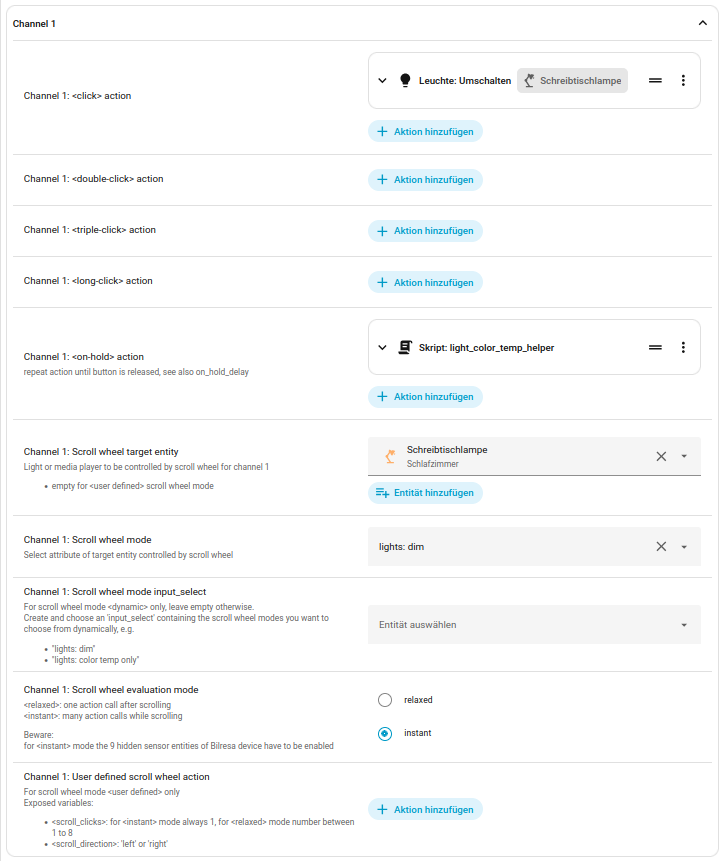
A typical example for a light may look like this:
- toggle light “Schreibtischlampe” on click
- use scroll-wheel to dim up/down light “Schreibtischlampe” (you can change dim step size and min brightness as well)
- on-hold calls repeatedly helper script “light_color_temp_helper” to change color temperature of light “Schreibtischlampe”
A typical example for a media player may look like this:
- start/pause player on click
- double-click jumps to next title
- triple-click jumps to previous title
- use scroll-wheel to volume up/down (you can change volume step size and max volume as well)

Get the blueprint Ikea_bilresa_scroll_wheel.yaml here:

(if you like it click the at the bottom of the post)

or copy from github: Home Assistent Blueprint "Ikea_bilresa_scroll_wheel" · GitHub
First helper script
In Settings/Scripts click “Create new script”, use the 3-dot menu to switch to YAML and paste code of first script and name it light_color_hs_helper (change color hue in steps):
Yaml code of script 'light_color_hs_helper'
sequence:
  - action: light.turn_on
    target:
      entity_id: "{{ target_light }}"
    data:
      transition: "{{ light_transition_duration }}"
      hs_color: >-
        {% set new_value = (state_attr(target_light, 'hs_color')[0] + iif(mode
        == "down", -1, +1) * color_hue_step)  %} {{ [iif(new_value > 360,
            new_value - 360,
            iif(new_value < 0,
                new_value + 360,
                new_value),
            new_value),
          color_saturation - 1 ] }}
alias: light_color_hs_helper
fields:
  target_light:
    name: Light
    description: Light entity
    selector:
      entity:
        filter:
          domain: light
    required: true
  color_hue_step:
    name: Change of color hue per step
    default: 5
    selector:
      number:
        mode: box
    required: true
  color_saturation:
    name: Color saturation
    default: 100
    selector:
      number:
        mode: box
    required: true
  light_transition_duration:
    name: Transition duration
    description: Controls the duration of transitions
    default: 0.5
    selector:
      number:
        mode: box
    required: true
  mode:
    selector:
      select:
        options:
          - up
          - down
    required: true
    default: up
    name: Mode
    description: Select switch mode
description: |-
  Switch color hue/saturation of light in steps
  Version: 2026-03-22
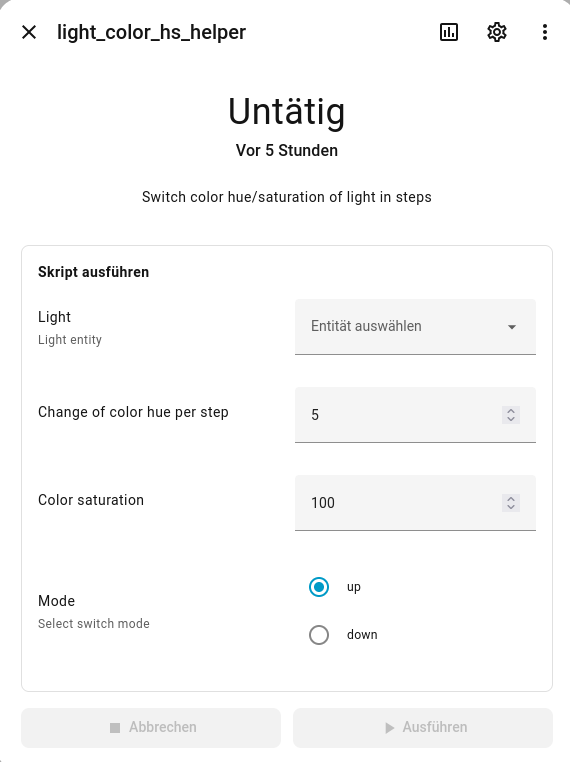
Second helper script
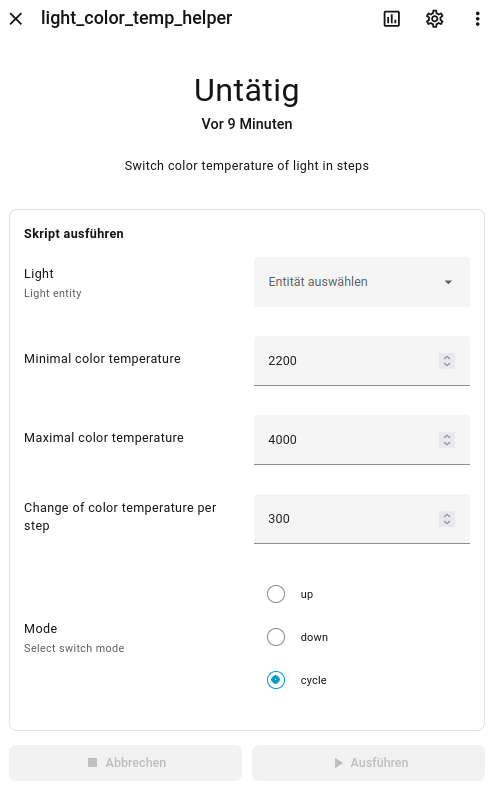
In Settings/Scripts click “Create new script”, use the 3-dot menu to switch to YAML and paste code of second script and name it light_color_temp_helper (change color temp in steps):
Yaml code of script 'light_color_temp_helper'
sequence:
  - action: light.turn_on
    target:
      entity_id: '{{ target_light }}'
    data:
      transition: '{{ light_transition_duration }}'
      color_temp_kelvin: |-
        {% if state_attr(target_light, 'color_temp_kelvin') is none %}
          {{ max_color_temp }}
        {% else %}
          {% if mode == "cycle" and state_attr(target_light, 'color_temp_kelvin')
          >= max_color_temp %}
            {{min_color_temp}}
          {% else %}
            {% set new_value = state_attr(target_light, 'color_temp_kelvin')+iif(mode == "down", -1, +1) * color_temp_step %}
            {{ [([new_value, max_color_temp] | min), min_color_temp] | max}}
          {% endif %}
        {% endif %}
alias: light_color_temp_helper
fields:
  target_light:
    name: Light
    description: Light entity
    selector:
      entity:
        filter:
          domain: light
    required: true
  min_color_temp:
    name: Minimal color temperature
    default: 2200
    selector:
      number:
        mode: box
    required: true
  max_color_temp:
    name: Maximal color temperature
    default: 4000
    selector:
      number:
        mode: box
    required: true
  color_temp_step:
    name: Change of color temperature per step
    default: 300
    selector:
      number:
        mode: box
    required: true
  light_transition_duration:
    name: Transition duration
    description: Controls the duration of transitions
    default: 0.5
    selector:
      number:
        mode: box
    required: true
  mode:
    selector:
      select:
        options:
          - up
          - down
          - cycle
    required: true
    default: cycle
    name: Mode
    description: Select switch mode
description: |-
  Switch color temperature of light in steps
  Version: 2026-09-03
Troubleshooting
- if automation doesn’t trigger at all or scroll wheel only works in one direction, try steps in #19 and #63, be sure that your device name does not end with a number.
- if every event is called twice, restart the Matter integration
Example for user defined scroll wheel mode
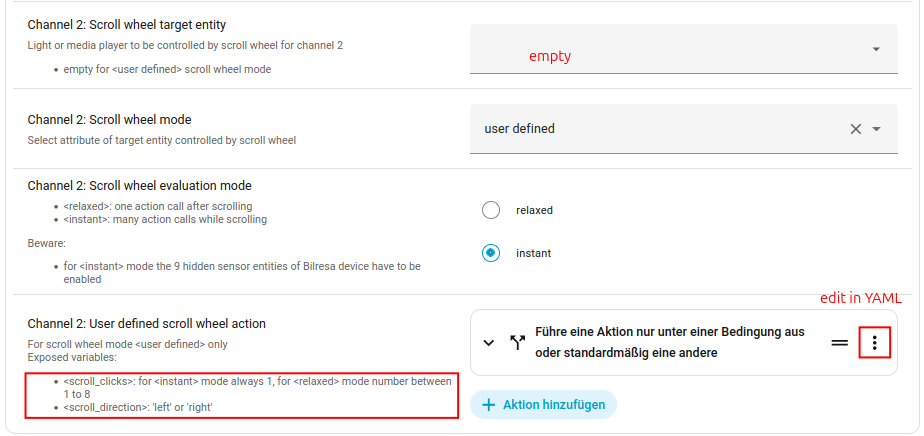
YAML code snippets for user defined actions
YAML code for changing the brightness in a user defined way:
if:
  - condition: template
    value_template: "{{ scroll_direction == 'left' }}"
then:
  - action: light.turn_on
    metadata: {}
    target:
      entity_id: light.globe_lampe
    data:
      brightness_step_pct: "{{ scroll_clicks * (-5) }}"
else:
  - action: light.turn_on
    metadata: {}
    target:
      entity_id: light.globe_lampe
    data:
      brightness_step_pct: "{{ scroll_clicks * 5 }}"
similar for volume control to change by 4% with max volume of 70%:
action: media_player.volume_set
data:
  volume_level: |-
    {{ [[state_attr('media_player.ruark_r1s', 'volume_level')*100 +
        iif(scroll_direction == 'right', 1, -1)* scroll_clicks * 4, 70] | min, 0] | max / 100
    }}
target:
  entity_id: media_player.ruark_r1s
in the same vein for covers (user experience maybe not great and depends on your covers, relaxed mode might be more suitable here, for another idea how to control covers with the scroll wheel see #122):
action: cover.set_cover_position
data:
  position: |-
    {{ [[state_attr('cover.rollladen_sz', 'current_position') +
        iif(scroll_direction == 'right', -1, +1)* scroll_clicks * 10, 100] | min, 0] | max
    }}
target:
  entity_id: cover.rollladen_sz
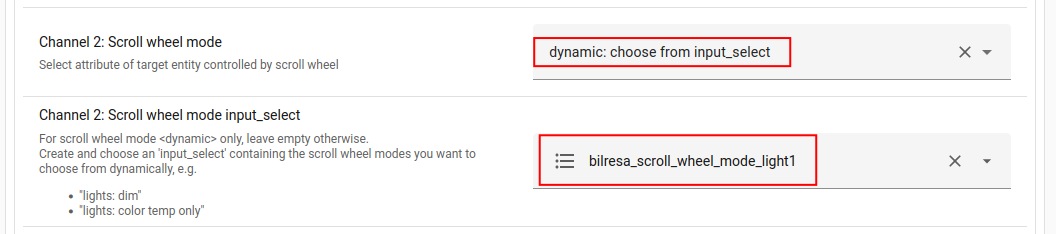
Example of input_selection-helper for dynamic scroll wheel mode
Choose dynamic: choose from input_select
Details
create some input_select-helper containing the scroll wheel modes you want to switch between

available modes:
lights: dimlights: color temp and color huelights: color temp onlylights: color hue onlymedia: volume controluser defined
then as toggle logic for the input_select use the following snippet, e.g. in double-click:
action: input_select.select_next
metadata: {}
target:
  entity_id: input_select.bilresa_scroll_wheel_mode_light1
data:
  cycle: true
see also Auto reset time for input_select helpers option in misc section to auto reset input_select-helpers to first selection for dynamic scroll wheel mode after timeout