Hey everyone! 
I’ve been using Immich for a while, and recently immich-home-assistant by @outadoc broke. Immich v3.x no longer works and this integration hasn’t had updates in the last 2 years. Since I became reliant on that plugin for my dashboard and NVR previews, I rewrote the integration from scratch with a few enhancements I was missing.
Immich Random Image is a custom HACS integration that pulls a random image from your Immich v3+ instance and serves it as a standard Home Assistant image entity - perfect for picture cards, dashboard backgrounds, or photo displays on wall tablets. It let’s you select from albums (1 or more) and if none are specified should just select any image at random. Think of it like Google’s Nest Display, but open source and private on your LAN.
Features
- Fully random image from your entire Immich library via the Immich API’s endpoints
- Random image from specific albums - pick one or multiple albums
- Configurable refresh interval - new image every 5 minutes by default (adjustable from 1 second to 24 hours)
- On-demand refresh button - fetch a new image instantly from your dashboard, can also be used in an automation if needed
- Dynamic album selection - switch albums from automations via a
selectentity - SSL toggle - works with self-signed certificates for those self-hosters out there that don’t use a custom domain or Let’s Encrypt
- No external dependencies - uses only
aiohttpbundled with Home Assistant
Screenshots
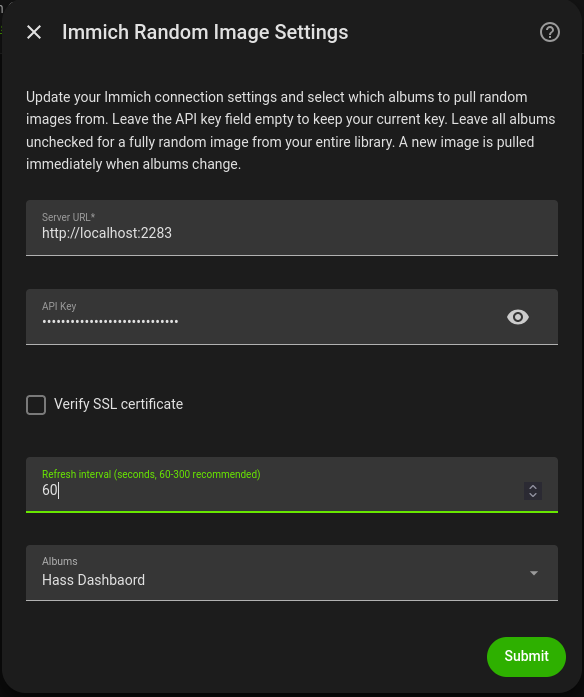
Configuration options - server URL, API key, SSL, refresh interval, album selection
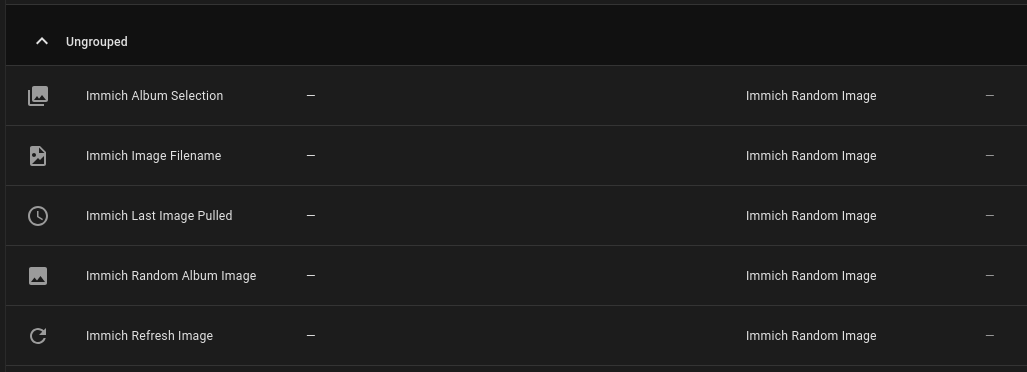
Entities created by the integration

Dynamic album picker - change albums from automations
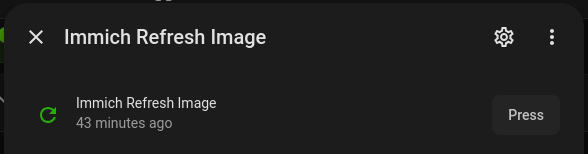
Press the button to fetch a new random image on demand
Installation
I’ve requested this be added to HACS, but their PR queue is about a month long per their bot. In the meantime, you can add the custom repository as follows:
- Add
https://github.com/strickdd/ImmichRandomImageas a custom repository (Integration category) - Install “Immich Random Image” from HACS
- Restart Home Assistant
If you trust internet links and are OK clicking this one, it saves a few steps and installs directly:

Setup
- Generate a long-lived API key in Immich (Settings > API Keys) with
asset.readandsearch.readpermissions - In Home Assistant: Settings > Devices & Services > Add Integration > search “Immich Random Image”
- Enter your server URL and API key
- Optionally select which albums to pull from
Dashboard Example
# AI generated example.
type: picture-entity
entity: image.immich_random_image
show_state: false
show_name: false
aspect_ratio: "16:9"
fit_mode: contain
Automation Example - Rotate album by time of day
# AI generated example.
alias: "Rotate album by time of day"
trigger:
  - platform: time
    at: "07:00:00"
    id: morning
  - platform: time
    at: "19:00:00"
    id: evening
action:
  - choose:
      - conditions:
          - condition: trigger
            id: morning
        sequence:
          - action: select.select_option
            target:
              entity_id: select.immich_album_selection
            data:
              option: "Vacation 2026"
      - conditions:
          - condition: trigger
            id: evening
        sequence:
          - action: select.select_option
            target:
              entity_id: select.immich_album_selection
            data:
              option: "all"
Links
- GitHub: GitHub - strickdd/ImmichRandomImage: Home Assistant custom integration that displays random images from your Immich v3+ instance on your dashboards · GitHub
- Releases: Releases · strickdd/ImmichRandomImage · GitHub
- Issues: Issues · strickdd/ImmichRandomImage · GitHub
Tested on Home Assistant 2026.8.0 with Immich v3. Let me know if you run into any issues or have feature requests!