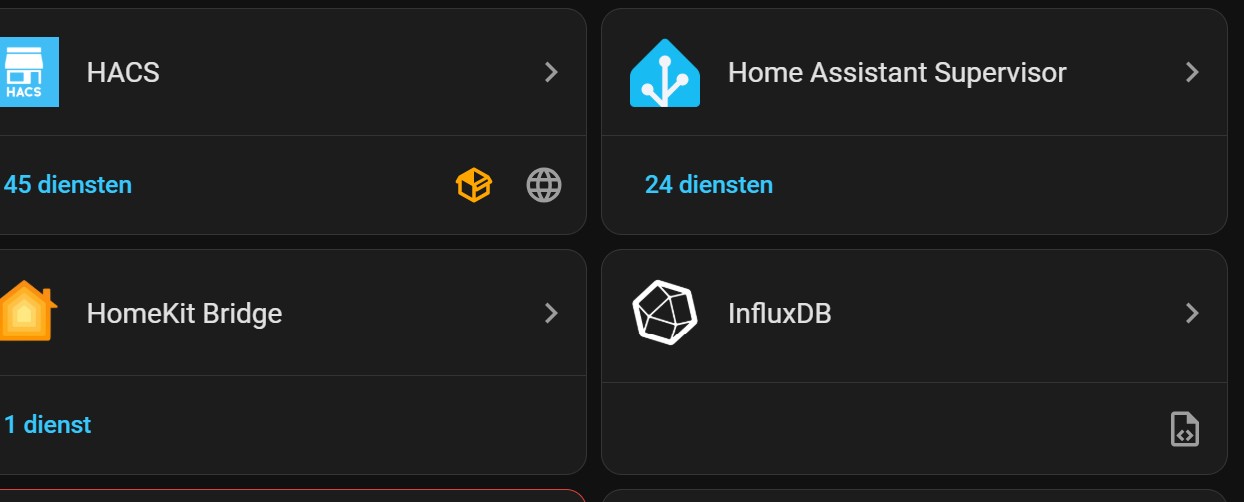
Assuming you are using the InfluDB add-on, go to Settings → Add-ons → InfluxDB and make sure the add-on is started. If it is, look in the add-on logs tab.
(Dutch translation: This integration is not configured via the UI; you have set it up in YAML, or it was set up by another integration. If you want to configure it, you need to do so in the configuration.yaml file.)
The configuration is done in it’s own yaml file like this:
That is the integration that connects to an InfluxDB database. There have been no changes to this.
I asked you to check if the database was running so there is something for the integration to actually connect to.
This looks like you are hosting the database in an add-on:
So as I said earlier, first check that there are no problems with the database so the integration can connect to it:
If that is all good then you could try changing to this in your config
host: a0d7b954-influxdb
In case localhost can not be resolved for some reason.
If you are not using the add-on and are using a Docker container or VM to host the database then that will not work.
You will have to tell us where and how are you actually running an InfluxDB database. I don’t care about the InfluxDB integration that connects to this database yet. Let’s make sure the database is actually up and running first.
Sorry that I didn’t provide all the necessary information, but I’m doing my best. So, thank for your patience.
Indeed Influx is configured as a addon. Below a part of the logfile, I hope it is enough. I see a lot ‘too many open files’, is that my problem and if so could it be fixed?
I als changed from host: localhost to host: a0d7b954-influxdb but the Influx addon does not start!
Thanks again
-----------------------------------------------------------
 Add-on: InfluxDB2
 Scalable datastore for metrics, events, and real-time analytics. Running InfluxDB v2.x.
-----------------------------------------------------------
 Add-on version: 1.0.2
 You are running the latest version of this add-on.
 System: Home Assistant OS 17.0  (aarch64 / raspberrypi4-64)
 Home Assistant Core: 2026.1.2
 Home Assistant Supervisor: 2026.01.1
-----------------------------------------------------------
 Please, share the above information when looking for help
 or support in, e.g., GitHub, forums or the Discord chat.
-----------------------------------------------------------
.
.
ts=2026-01-22T20:06:15.526963Z lvl=error msg="Failed to open shard" log_id=10apsfwG000 service=storage-engine service=store op_name=tsdb_open db_shard_id=3646 error="[shard 3646] open /data/influxdb2/engine/data/c1d05669a83c47c5/autogen/3646/index/0/MANIFEST: too many open files"
ts=2026-01-22T20:06:15.531300Z lvl=error msg="Failed to open shard" log_id=10apsfwG000 service=storage-engine service=store op_name=tsdb_open db_shard_id=3673 error="[shard 3673] open /data/influxdb2/engine/data/c1d05669a83c47c5/autogen/3673/index/0/MANIFEST: too many open files"
ts=2026-01-22T20:06:15.533119Z lvl=info msg="index opened with 8 partitions" log_id=10apsfwG000 service=storage-engine index=tsi
ts=2026-01-22T20:06:15.533190Z lvl=info msg="index opened with 8 partitions" log_id=10apsfwG000 service=storage-engine index=tsi
ts=2026-01-22T20:06:15.533865Z lvl=error msg="Failed to open shard" log_id=10apsfwG000 service=storage-engine service=store op_name=tsdb_open db_shard_id=3565 error="[shard 3565] open /data/influxdb2/engine/data/c1d05669a83c47c5/autogen/3565: too many open files"
ts=2026-01-22T20:06:15.534519Z lvl=error msg="Failed to open shard" log_id=10apsfwG000 service=storage-engine service=store op_name=tsdb_open db_shard_id=3538 error="[shard 3538] open /data/influxdb2/engine/data/c1d05669a83c47c5/autogen/3538: too many open files"
ts=2026-01-22T20:06:15.535171Z lvl=error msg="Failed to open shard" log_id=10apsfwG000 service=storage-engine service=store op_name=tsdb_open db_shard_id=3700 error="[shard 3700] open /data/influxdb2/engine/data/c1d05669a83c47c5/autogen/3700/index/0/MANIFEST: too many open files"
ts=2026-01-22T20:06:15.536360Z lvl=error msg="Failed to open shard" log_id=10apsfwG000 service=storage-engine service=store op_name=tsdb_open db_shard_id=3754 error="[shard 3754] open /data/influxdb2/engine/data/c1d05669a83c47c5/autogen/3754/index/0/MANIFEST: too many open files"
.
.
.
.
ts=2026-01-22T20:06:17.526358Z lvl=info msg="Reading file" log_id=10apsfwG000 service=storage-engine engine=tsm1 service=cacheloader path=/data/influxdb2/engine/wal/c25684b146df593b/autogen/4378/_00002.wal size=2076503
ts=2026-01-22T20:06:18.043737Z lvl=info msg="Opened shard" log_id=10apsfwG000 service=storage-engine service=store op_name=tsdb_open index_version=tsi1 path=/data/influxdb2/engine/data/c25684b146df593b/autogen/4378 duration=4948.946ms
ts=2026-01-22T20:06:18.054587Z lvl=info msg="Open store (end)" log_id=10apsfwG000 service=storage-engine service=store op_name=tsdb_open op_event=end op_elapsed=5058.159ms
ts=2026-01-22T20:06:18.054689Z lvl=info msg="Starting retention policy enforcement service" log_id=10apsfwG000 service=retention check_interval=30m
ts=2026-01-22T20:06:18.054727Z lvl=info msg="Starting precreation service" log_id=10apsfwG000 service=shard-precreation check_interval=10m advance_period=30m
ts=2026-01-22T20:06:18.054852Z lvl=info msg="Starting query controller" log_id=10apsfwG000 service=storage-reads concurrency_quota=1024 initial_memory_bytes_quota_per_query=9223372036854775807 memory_bytes_quota_per_query=9223372036854775807 max_memory_bytes=0 queue_size=1024
ts=2026-01-22T20:06:18.062940Z lvl=info msg="Configuring InfluxQL statement executor (zeros indicate unlimited)." log_id=10apsfwG000 max_select_point=0 max_select_series=0 max_select_buckets=0
ts=2026-01-22T20:06:18.092773Z lvl=error msg="Temporary Client Accept Error (accept tcp 127.0.0.1:39229: accept4: too many open files), sleeping 10ms" log_id=10apsfwG000 service=nats nats_level=error
ts=2026-01-22T20:06:18.103727Z lvl=error msg="Temporary Client Accept Error (accept tcp 127.0.0.1:39229: accept4: too many open files), sleeping 20ms" log_id=10apsfwG000 service=nats nats_level=error
ts=2026-01-22T20:06:18.124530Z lvl=error msg="Temporary Client Accept Error (accept tcp 127.0.0.1:39229: accept4: too many open files), sleeping 40ms" log_id=10apsfwG000 service=nats nats_level=error
ts=2026-01-22T20:06:18.165181Z lvl=error msg="Temporary Client Accept Error (accept tcp 127.0.0.1:39229: accept4: too many open files), sleeping 80ms" log_id=10apsfwG000 service=nats nats_level=error
ts=2026-01-22T20:06:18.246380Z lvl=error msg="Temporary Client Accept Error (accept tcp 127.0.0.1:39229: accept4: too many open files), sleeping 160ms" log_id=10apsfwG000 service=nats nats_level=error
ts=2026-01-22T20:06:18.406666Z lvl=error msg="Temporary Client Accept Error (accept tcp 127.0.0.1:39229: accept4: too many open files), sleeping 320ms" log_id=10apsfwG000 service=nats nats_level=error
ts=2026-01-22T20:06:18.727442Z lvl=error msg="Temporary Client Accept Error (accept tcp 127.0.0.1:39229: accept4: too many open files), sleeping 640ms" log_id=10apsfwG000 service=nats nats_level=error
ts=2026-01-22T20:06:19.367881Z lvl=error msg="Temporary Client Accept Error (accept tcp 127.0.0.1:39229: accept4: too many open files), sleeping 1000ms" log_id=10apsfwG000 service=nats nats_level=error
ts=2026-01-22T20:06:20.368515Z lvl=fatal msg="STREAM: Failed to start: read tcp 127.0.0.1:52350->127.0.0.1:39229: i/o timeout" log_id=10apsfwG000 service=nats nats_level=fatal
[cont-finish.d] executing container finish scripts...
[cont-finish.d] 99-message.sh: executing...
[cont-finish.d] 99-message.sh: exited 0.
[cont-finish.d] done.
[s6-finish] waiting for services.
[s6-finish] sending all processes the TERM signal.
[s6-finish] sending all processes the KILL signal and exiting.
Did you also update OS to 17.0 as part of the update to 2026.1.2? I am experiencing a similar problem with influxDB and it appears to be a 17.0 problem. I’m running 16.3 with 2025.12.4. I updated both the OS and core and then started noticing reboots. They didn’t happen immediately which is why it went unnoticed. I reverted and after things were stable again, I tried to update just the OS and it failed again. So I’m back on 16.3 with 2025.12.4, I’m not going to try to only update the core at this time.
Hi !
I have exactly the same problems… The only solution was to switch off InfluxDB.
I had various random reboots, sometimes several during hours… sometimes stoped to work for hours too !
At some point, the system crashed and had to restore a backup.
So the solution is not using InfluxDB at all.
I’m runing on a Pi 4