No, I have not stored it.
But I can copy the configuration.yaml
No, I have not stored it.
But I can copy the configuration.yaml
Alright. You should absolutely do that. If you don’t, the configuration is stored where the container runs and when you want to upgrade it will be gone.
I would start by creating a folder on your NAS where you store your container configuration. Then when you set up containers you point the container to that folder, for example
    volumes:
      - /share/container/zigbee2mqtt:/config
This means that all files that you store in your nas-folder /share/container/zigbee2mqtt (this is just an example) will be mapped to the containers config-folder.
After you get this working, you can recreate containers without losing the config.
But still no success.
I changed it to host. The container is running. I changed the port to 8099 in both (config und container).
What a mess…
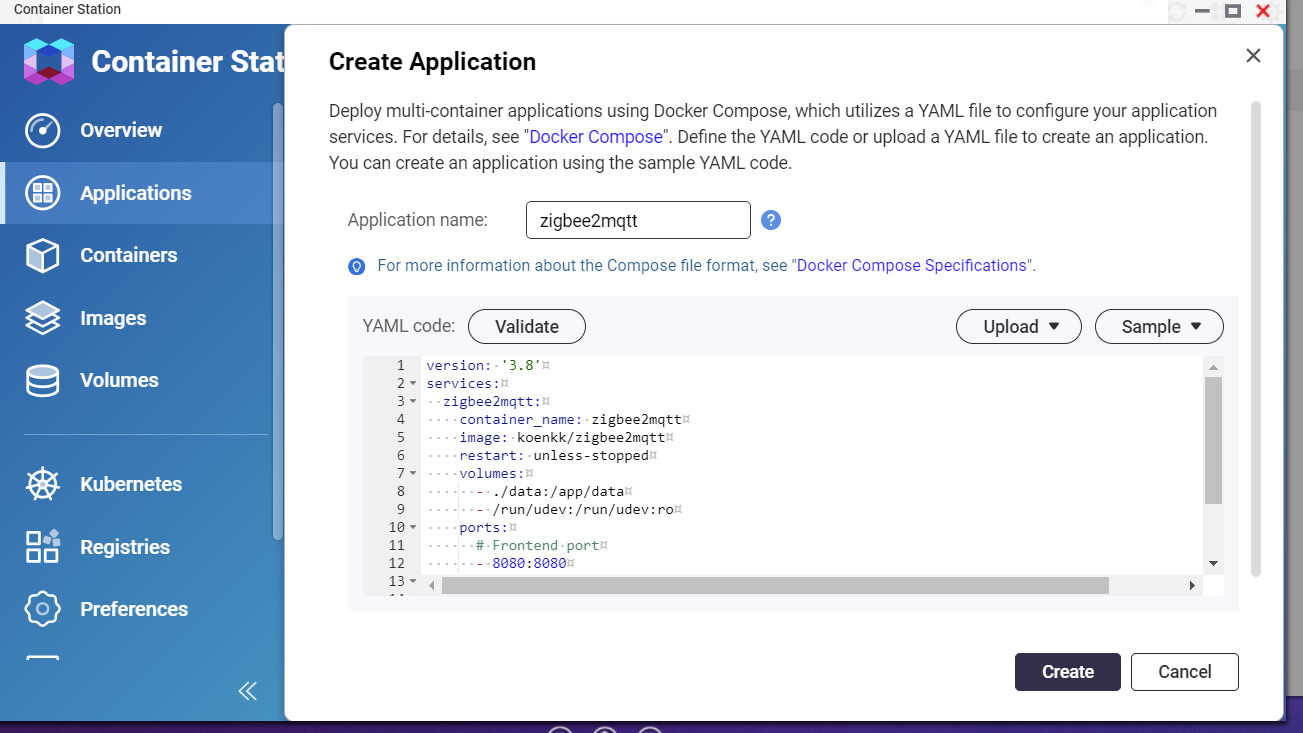
To confuse you even a bit more  You could try setting it up with docker-compose. I’m not sure how to do it in Synology, in QNAP I use the “application” folder, then click create, I’m sure Synology has something similar.
Then you just paste this code and click create (after you have modified it to suit you):
version: '3.8'
services:
  zigbee2mqtt:
    container_name: zigbee2mqtt
    image: koenkk/zigbee2mqtt
    restart: unless-stopped
    volumes:
      - ./data:/app/data #MAKE THIS MATCH THE FOLDER WE TALKED ABOUT LAST POST
      - /run/udev:/run/udev:ro
    ports:
      # Frontend port
      - 8080:8080
    environment:
      - TZ=Europe/Berlin #SET YOUR TIMEZONE HERE
    devices:
      # Make sure this matched your adapter location
      - /dev/serial/by-id/usb-Texas_Instruments_TI_CC2531_USB_CDC___0X00124B0018ED3DDF-if00:/dev/ttyACM0
Yes, on Synology there is something simular called “Project”.
I installed everything using ssh, so i know the settings. But I will try tomorrow.
Thanks a lot for the help.
I tried it again with that kind of installation, but no success at all.
the container runs, but i can not reach the webinterface.
It’s really annoying:
The solution is so simple.
This entry in configuration.yaml does not work (source: Frontend | Zigbee2MQTT)
frontend: true
  port: 8090
This entry works (source: [Experimental feature] Webbased frontend · Issue #4266 · Koenkk/zigbee2mqtt · GitHub):
frontend:
  port: 8090
Home Assistant is no fun like this. 3 hours wasted until I found this mistake.
I had showed an example
It’s not HomeAssistant that is at fault. That’s basic YAML syntax. It can be confusing, but once you learn YAML, things get easier.
Yes, you are right. At that time I hadn’t yet understood that I also had to set the port in the system.