I’m looking for guidance on how to integrate my inverter into Home Assistant. The inverter is equipped with a Wi-Fi Pro datalogger and uses the Smart ESS app for monitoring. Additionally, there’s a web portal called DESS Monitor that displays all the metrics.
I’d like to bring all the metrics into Home Assistant. Here’s what I’ve tried or researched so far:
I couldn’t find any official API documentation, but I’m not sure if it exists.
I reached out to the DESS Monitor help… but they did not respond.
DESS Monitor has an XLSX export which has all the metrics for a 1 month period in 5min intervals: example
Timestamp: 2024-12-19 14:26:11
Serial number: 55357737774747474
Grid voltage(V): 0.00
Grid frequency(Hz): 0.00
AC output voltage(V): 240.00
AC output frequency(Hz): 49.90
AC output active power(W): 242
Output load percent(%): 3.00
BUS voltage(V): 431.00
Battery voltage(V): 54.20
Battery charging current(A): 1.00
Battery capacity(%): 100.00
PV Input current for battery(A): 1.00
PV Input voltage(V): 252.50
Battery discharge current(A): 0.00
PV Charging power(W): 272.00
Model: Battery Mode
Wi-Fi Pro Datalogger:
Has a WiFi SSID. But I can’t see any obvious way to surface any data.
What I Need Help With:
Does anyone know if the Smart ESS/DESS Monitor platform has an accessible API?
Has anyone successfully integrated a similar inverter or Wi-Fi Pro datalogger into Home Assistant?
Are there tools or methods I can use to intercept the data from the Wi-Fi Pro datalogger and send it to Home Assistant? (e.g., Modbus, MQTT, scraping, or custom scripts)
Any existing custom integrations or add-ons for this setup?
What I’m Considering:
Using REST or scrape integration if I can get access to the data via the DESS Monitor website.
Analyzing local network traffic from the Wi-Fi Pro datalogger to see if it uses an accessible protocol like Modbus.
Writing a custom script to fetch and send data to Home Assistant, but I’m unsure where to start.
Other Details:
The inverter is a Sumry.
I can access the Smart ESS app and DESS Monitor dashboard without issues.
Any advice, tips, or leads would be greatly appreciated! If you’ve dealt with a similar setup, I’d love to hear about your experience.
You can use the integration that was posted on GitHub API data from dessmonitor / SmartESS can be sent to Home Assistant and they will be correctly displayed in the card. All necessary sensors and entities will be created in the .yaml file.
I have PowMr inverter and Wi-Fi data logger, and now I can see all I need data on: dessmonitor.com, SmartSEE and Home Assistant OS.
This gateway automatically updates authorization tokens and signatures for various requests (not only statistics, but also receiving and setting settings, such as the operating mode SBU/SOL as defined in inverter doc)
Tested on Anern and EaSun inverter generations using 2 different models of WiFi Plug Pro (protocols 2428, 2341)
UPD
I created my own custom integration that works out of the box with account authorization
I started making my own… using Telegraf to just import the data in to InfluxDB. You also need a companyID which can only be obtained by emailing eybond.com.
Thanks for the replies.
I have an inquiry about the DESS monitor. I am in the phase of understanding the parameters. What is the difference between the Bus voltage and the PV input voltage?
Issues (I wouldn’t look in to them until it gets more users):
Not 100% if this was just local to me and my DNS filtering acting up, but login failed with invalid user or password, so I changed the CompanyID to mine and still failed, but then I tried to login to dessmonitor.com which was slow, I then tried again using the integration and it worked.
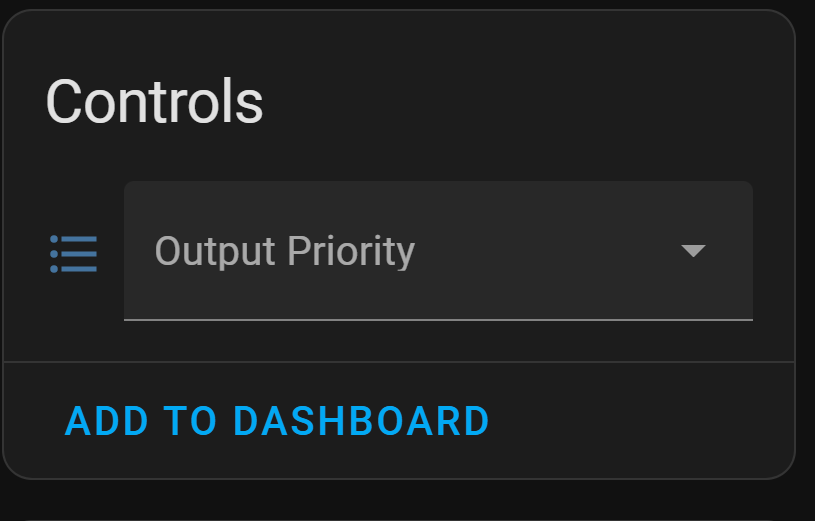
Controls: Output Priority doesn’t do anything apart from letting you pick Utility/Solar/SBU but nothing gets saved.
Configuration:
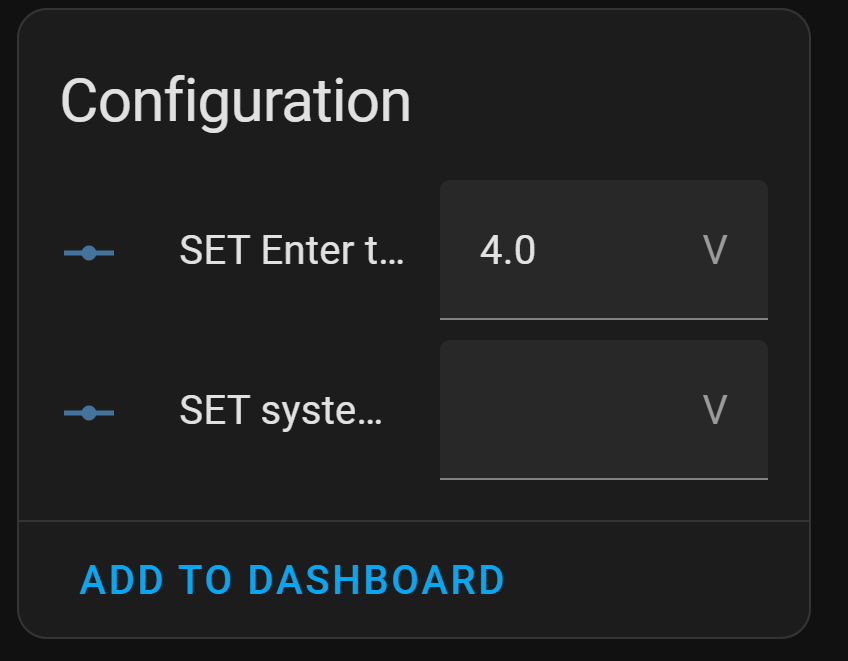
SET Enter the dual output functional vltage point: renders a up/down voltage control, but does nothing.
SET system time: also renders as a up/down voltage control and returns: Failed to perform the action number/set_value. Error 1 while creating auth api request: ERR_FAIL
I have never had such problems (login password error), but “slow” work occurs on some Internet providers (depends on the IP address). It can also work slowly if the integration is running on the same IP address from which you will try to use the web version. Probably due to API limitations. (This also applies to the frequency of settings requests)
Output Priority in the control panel works only for those dev codes on which I could check, for all the others I did not enable this function, since it is unknown what this parameter can be called (on different data loggers, depending on the revisions, the names of the parameters differ)
There are some settings that the data logger api gives in the response of the api list, but the installation of which may not work (even in the web version, some settings are simply impossible to change). I was unable to set the time in any version of the data logger.
You can create your own fork with fixes and submit a pull request to make changes for your datalogger.
Installed it for Easun SMH3 4.2kw inverter. Works okish for some reason Inverter Load shows unknown. But have another question. Looks like after HA have logged in to dessmonitor i can no longer login in dessmonitor website nor smart ess app is there a way to work around it? should i create some sub account for HA to log in?
if you work within one IP address - this is normal, since the cloud API limits the number of requests from one IP address. If you try to go to the Desmonitor from another IP, everything should be fine.
Hi I have the PowMr POW-HVM3.2H-24V and was wondering if there is a way to connect with HA locally? I have connected using @Antoxa1081 custom integration, which works get, but i’d like to have this set up locally and with an increased refresh rate.
Available direct data request (via cloud) with increased refresh rate interval 10 seconds.
You can try this mode by enabling the direct data request mode during setup and leave feedback in issues on GitHub.
I got it installed, logged, it detected my module PN, added it, but then when initializing, it says configuration error and keeps initializing. So no devices or entities created

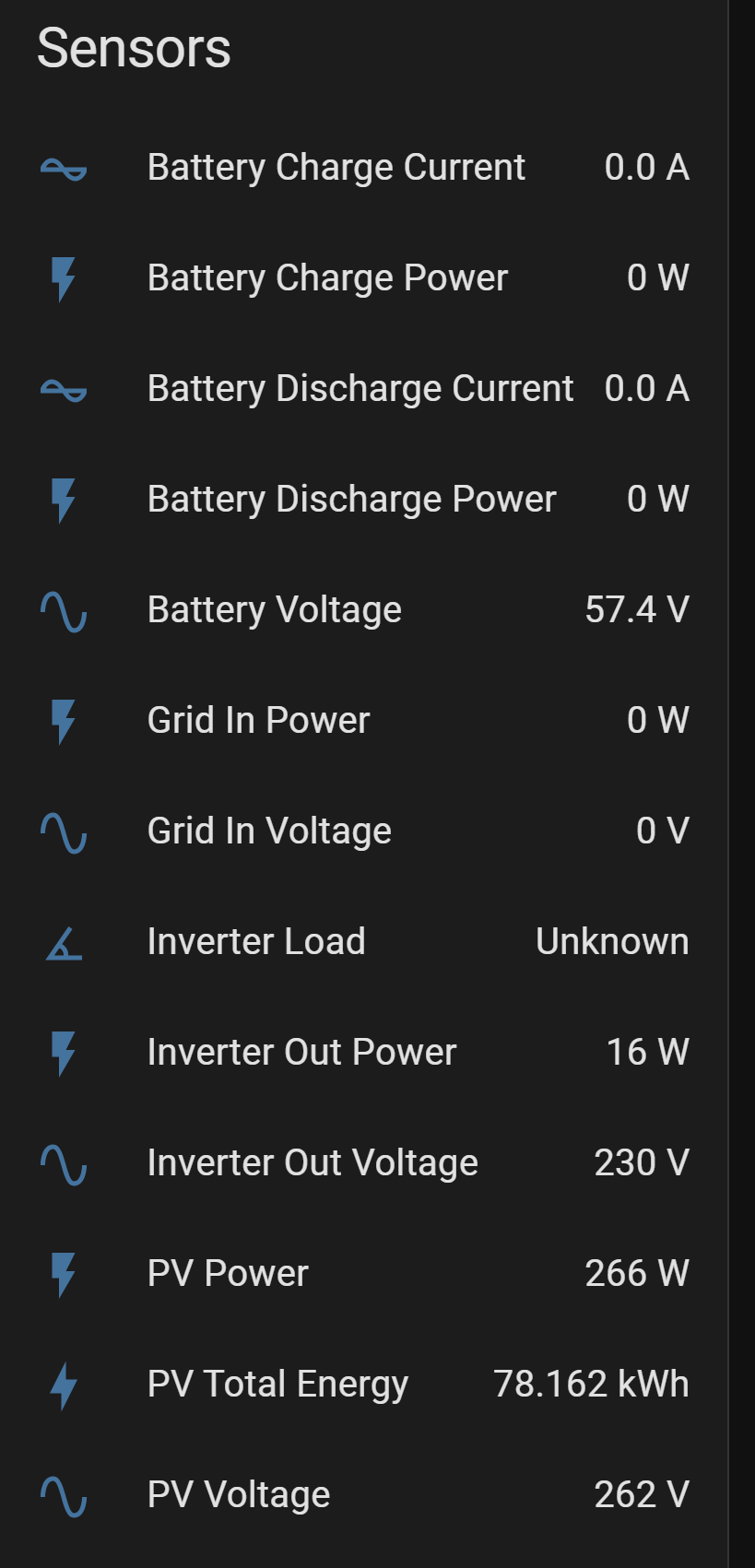
 for some reason Inverter Load shows unknown. But have another question. Looks like after HA have logged in to dessmonitor i can no longer login in dessmonitor website nor smart ess app