Hello,
I’m sharing here my integration that makes it easy to use LSC cameras with Home Assistant.
Context
One day, while shopping at Action for something completely unrelated, I came across an LSC 360° camera. Given the price, I decided to give it a try. Back home, I saw that the setup was only possible through the manufacturer’s app (which makes sense…) or via Tuya (which I don’t use). After some research, I found the project guino / LSCOutdoor1080P, which allows rooting these cameras. Once rooted, I was able to retrieve the RTSP stream in Home Assistant.
Next, I wanted to control the movements (PTZ), so I tinkered with a few scripts. It worked, but there was one issue that annoyed me: the time and date were incorrect. I spent quite a bit of time trying to solve it directly through the camera’s shell, and while I did manage to fix it, the problem came back after every reboot.
So I developed a Python script that automatically updates the date and time from Home Assistant by connecting via Telnet (port 24) and sending the command.
At that point, I thought: why not turn this into a proper Home Assistant integration so everything is centralized, and the community can benefit from it (and maybe help improve it)?
 You can find my project here: GitHub - vomfive/lsc_camera_ha
Features
- Live video streaming via RTSP with FFmpeg
- PTZ control (up, down, left, right) for 360° cameras
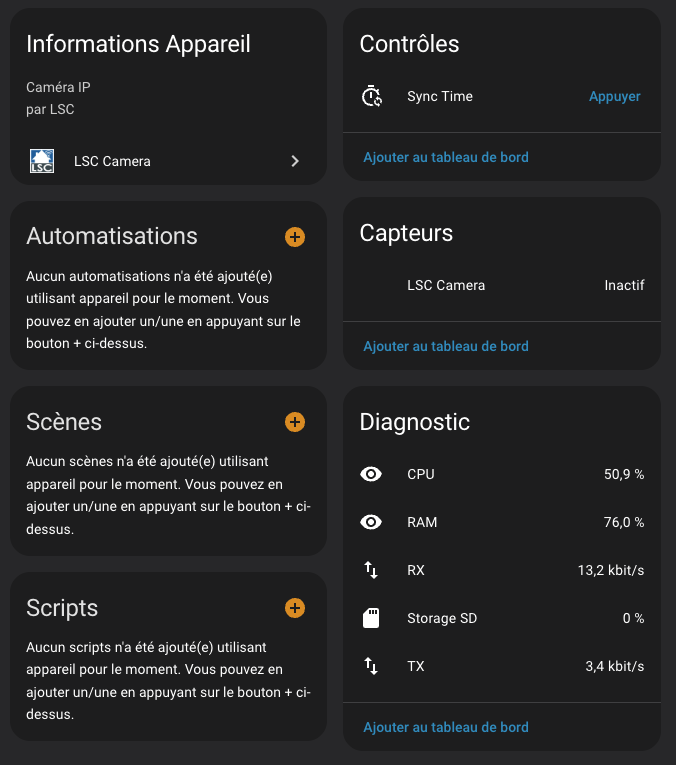
- Time synchronization via Telnet
Configuration
- IP: your camera’s IP address
- login: username (default:
user) - password: password (default:
password) - Name: device name
- 360° camera: checkbox to enable PTZ control if it’s a 360° model
Example usage in Home Assistant
- RTSP stream: personally, I don’t use it through the integration (I go through Firegate), but I left the option available for those who might find it useful.
- Movement control: I occasionally use it to adjust the camera’s orientation.
- Date/time update: I created an automation that runs the script every time the camera restarts.
Additional information
- All internet connections from the camera are blocked at the firewall level.
- The integration works 100% locally.
I hope this project can be useful to some of you 