I wanted all the data from my Intergas Xtend hybrid heat pump in Home Assistant, locally and without the cloud. The Xtend has no ethernet, only its own WiFi access point with a local API. A single ESP32 can’t sit on that network and on your home network at the same time, so I built a small bridge with two stacked ESP32 boards running ESPHome.
GitHub repo: GitHub - sanderlv/esphome-xtend-wifi-wifi · GitHub
How it works
- ESP-1 (Xtend side) connects to the Xtend’s own WiFi access point, polls its local API every 10 seconds and forwards the JSON to ESP-2 over UART.
- ESP-2 (home side) connects to your home WiFi, parses the data and publishes everything to Home Assistant through the native ESPHome API.
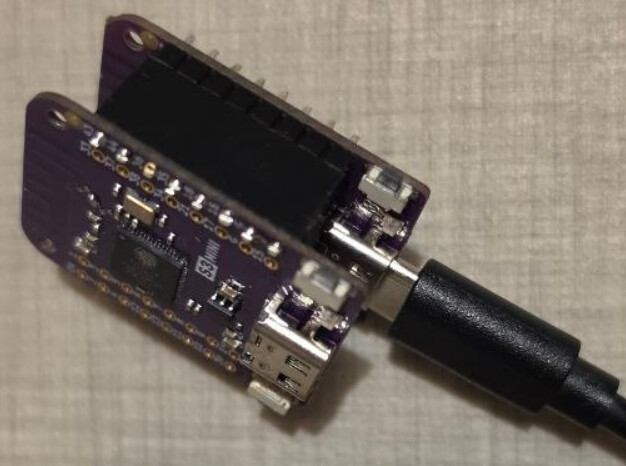
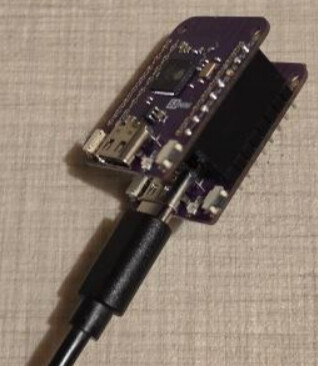
The boards are stacked on pin headers (one female row, one male row). Only one board needs power, the other is fed through the 5V pin. I use two Lolin S3 Mini boards.
Wiring
| ESP-1 | ESP-2 | Purpose |
|---|---|---|
| GPIO16 (TX) | GPIO16 (RX) | Xtend data, ESP-1 → ESP-2 |
| GPIO18 (RX) | GPIO18 (TX) | Commands, ESP-2 → ESP-1 (maintenance / restart) |
| GND | GND | |
| 5V | 5V | Power one board, the other is fed through this pin |
Best is to make a female soldered connector on the bottom of ESP-2 and a male on the top of ESP-1 and slide them into each other.
What you get in Home Assistant
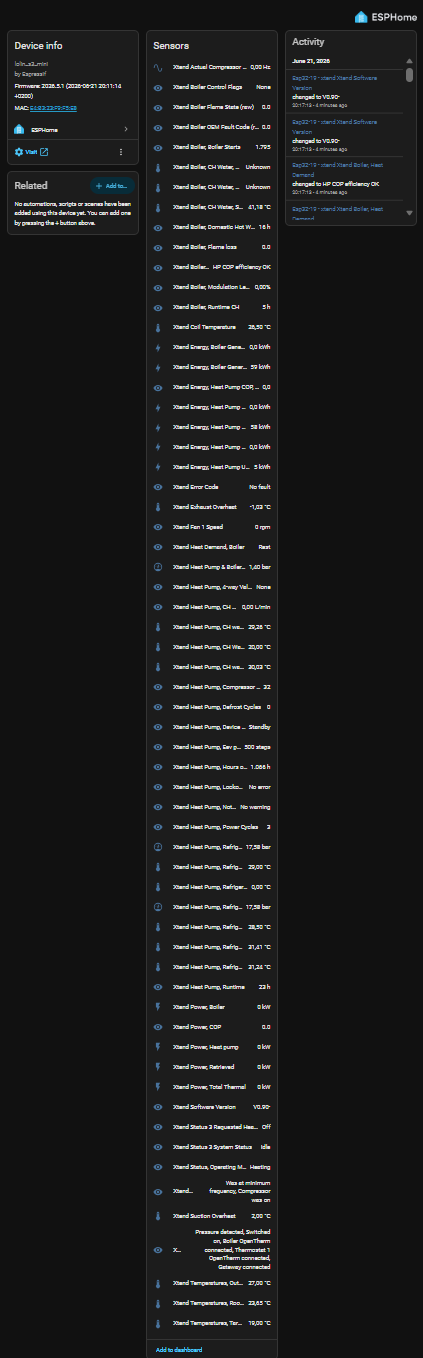
66+ entities, including:
- Power & energy: heat pump power, COP, total thermal power, boiler power, energy used/generated (daily and total), daily COP
- Temperatures: CH flow, return and supply (heat pump and boiler), outside, room, setpoints
- Refrigeration circuit: suction/discharge pressure, suction and exhaust gas temperature, condenser temperatures, subcooling, superheat, EEV position, compressor frequency, fan speed, coil temperature
- Status & counters: operating mode, silent mode, 4-way valve, defrost cycles, compressor starts, runtime, error/lockout/notification codes
- Boiler: modulation level, flame state, starts, flame loss, CH and DHW runtime, CH water pressure
The energy sensors work with the Home Assistant Energy dashboard.
Nice extras
- OTA for ESP-1: ESP-1 lives on the Xtend’s network, so normal OTA can’t reach it. Press Xtend Poller Maintenance Mode in Home Assistant and ESP-1 joins your home WiFi for 10 minutes so you can flash it from the ESPHome dashboard. Any reboot sends it back to the Xtend WiFi. (The very first flash has to be done over USB.)
- Diagnostics: Xtend Data OK goes off when no data arrived for 60 s, and the numeric sensors then go to unknown instead of freezing at their last value. There are also sensors for API reachability, the UART link and ESP-1’s WiFi signal, uptime and IP, plus a remote restart button for ESP-1.
Setup
- Flash
esp-1.yamlover USB. Setxtend_ssid/xtend_password(your Xtend’s WiFi) andhome_ssid/home_password(home WiFi, only used for OTA). - Flash
esp-2.yaml. Set your home WiFi and addFallback_Hotspottosecrets.yaml. - Give ESP-1 a DHCP reservation and set it as
use_addressso the ESPHome dashboard can find it in maintenance mode. - Adopt ESP-2 in Home Assistant.
Note: ESP-1 deliberately has no api:. It can never reach Home Assistant, and with api: but no client ESPHome reboots it every 15 minutes.
Credits
See on Github
Feedback, issues and pull requests are welcome on GitHub!
(NL: Intergas Xtend hybride warmtepomp lokaal uitlezen in Home Assistant met ESPHome.)