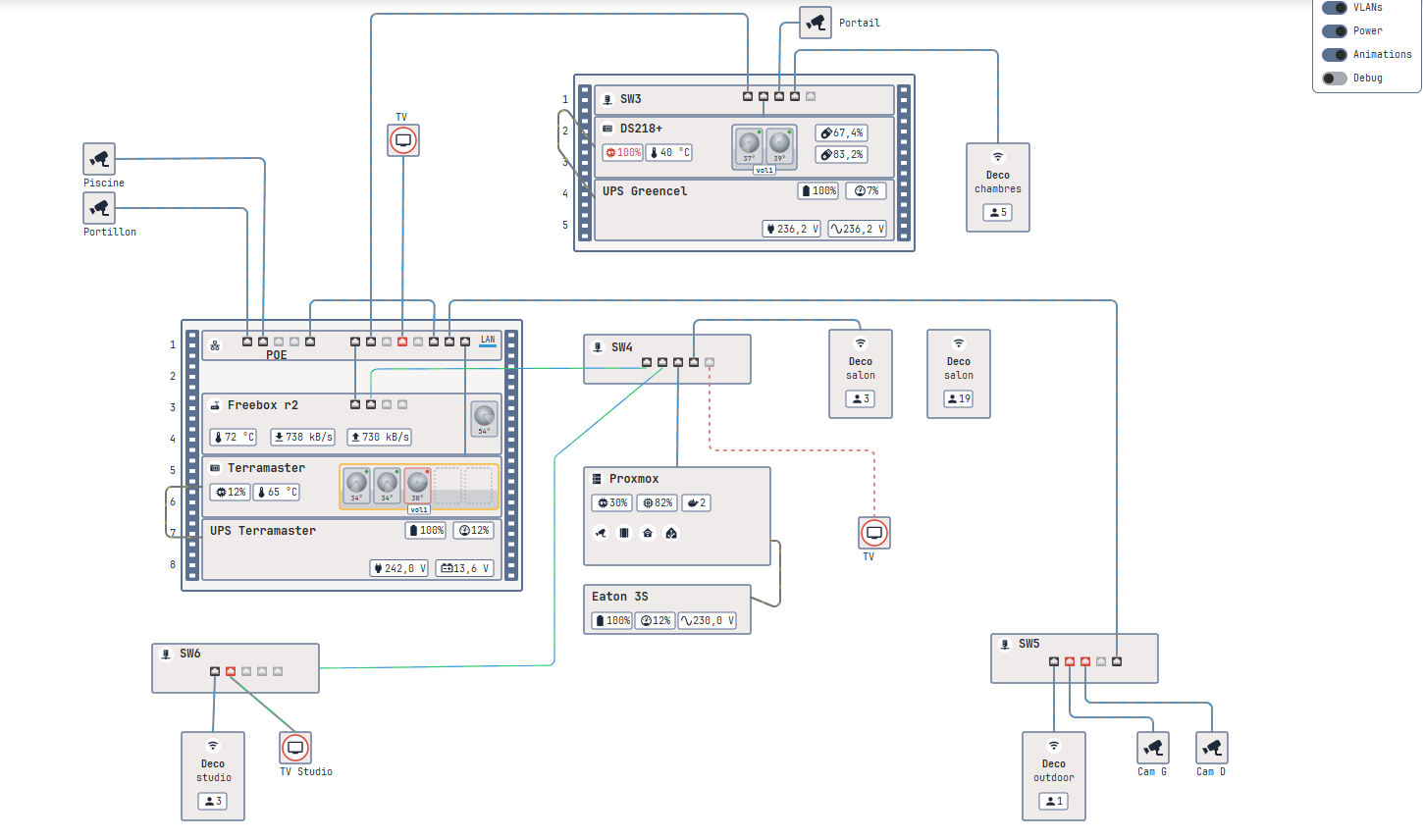
Hi all! I’d like to share a custom card I’ve been building for my own homelab: Homelab Map.
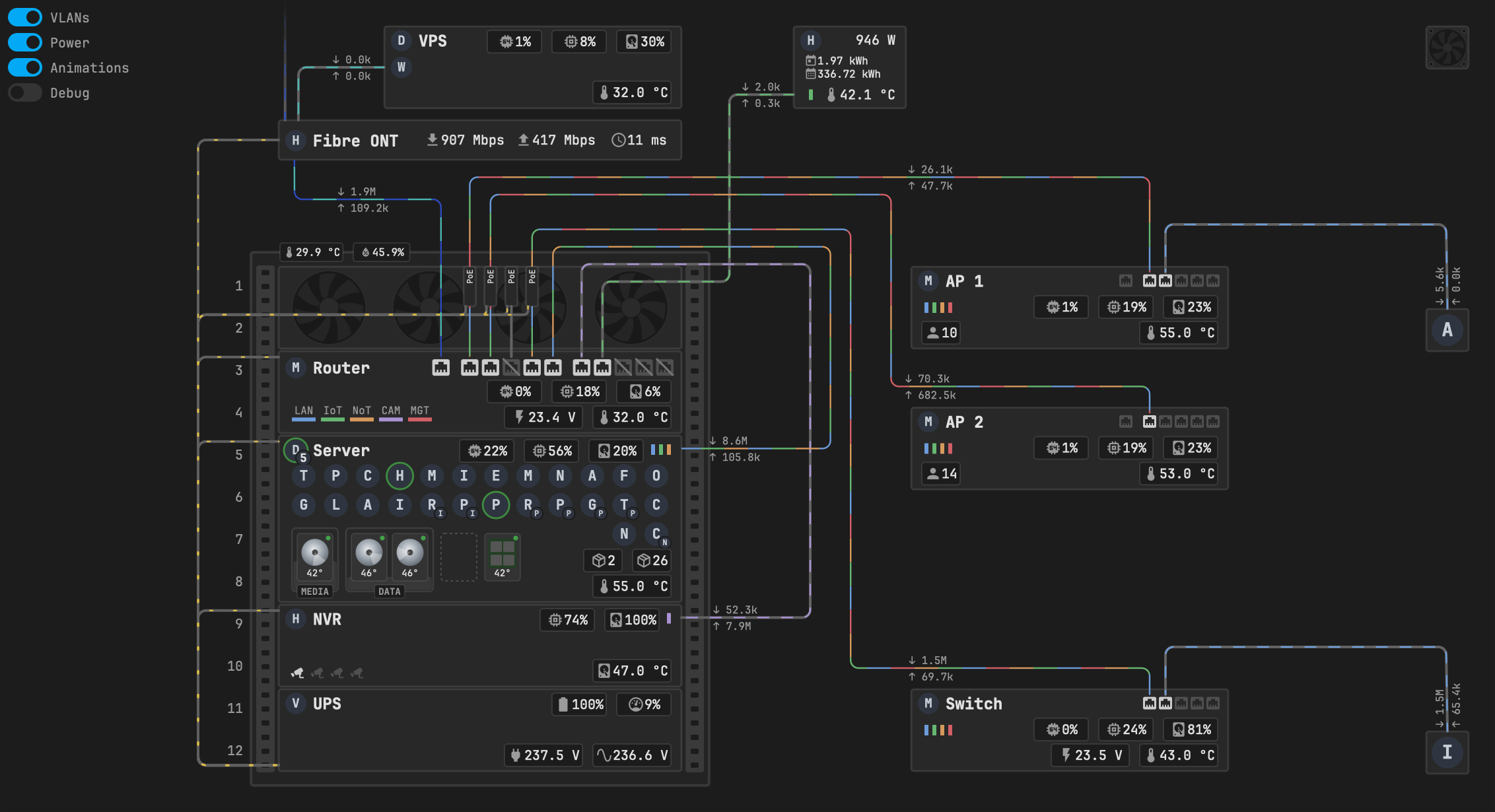
It draws your racks, servers, switches and cables and brings them to life with data you already have in Home Assistant. You place everything yourself with pixel coordinates, so the map looks exactly like your setup – no auto-layout to fight with.
What it shows
- Racks and devices – 19" racks with devices placed by U, free-standing boxes and small endpoints. A device frame turns orange or red from any status entity; click it for more-info.
- Live values – badges with fixed widths (rows never jump) and colour thresholds, e.g. CPU above 80 % orange, above 90 % red.
- Network cables – animated in your VLAN colours, faster with more traffic, direction from rx/tx, red and dashed when the link is down, optional rate labels. An open-ended cable fades out “to the internet”.
- Ports – active, slower than expected, no cable, fault (no link where a cable is expected) and disabled. Works great with the MikroTik Router integration’s connection sensors.
- Containers – round logo chips with status/update rings, parent app logos and pending-update counts; hide or show the whole group with one click.
- Storage – ZFS/RAID pools with a usage fill, spinning HDDs, SSDs, empty bays, temperatures and health LEDs.
- Fans – rack fan panels and single fans spinning with a temperature or RPM sensor.
- Power – animated power cables from your UPS.
Plus VLAN LEDs, labels, a bundled JetBrains Mono font, and switches for VLANs / Power / Animations / Debug. The Debug switch shows a grid, the coordinates under the cursor and the id of the item you hover – placing things is quick.
It’s light: the SVG is built once, a state update only touches the items whose entities changed, and the animation pauses when the card is off screen or the Animations switch is off.
Install
HACS → ⋮ → Custom repositories → https://github.com/kjanas/ha-homelab-map, type Dashboard (the default-store request is pending). Manual install is described in the README.
Using an AI assistant? The repo has an AGENTS.md – point ChatGPT, Claude & co. at it and they’ll know the rules, the geometry and the recipes before writing your config.
No logos are shipped with the card – bring your own (for example from dashboard-icons or Simple Icons).
It’s an initial release. I use it every day, but options may still change. Feedback, ideas and screenshots of your maps are very welcome – here or in GitHub issues.