Is it possible to show only part of a website in a card?

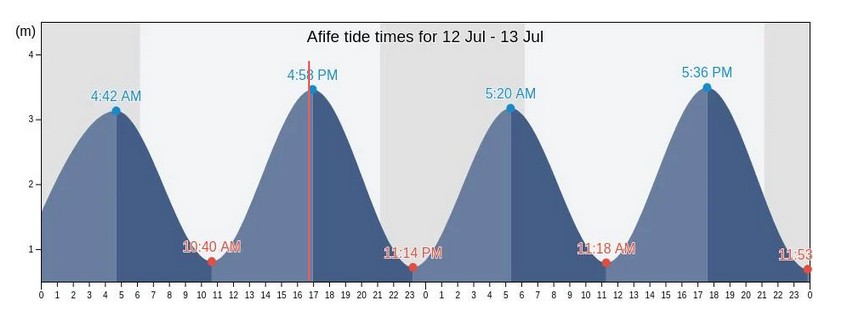
From this website: Original website I’d like to show only this section of the webpage in my card:


Is this possible? Right now I’m using an iframe card but haven’t found a way to adjust the display to show only part of the webpage so I need to scroll the webpage to see the desired section.

it is possible but tricky you need a little of html code
but why dont you try with this widget generator

or inpect the page and search for the url of the graph


https://www.tideschart.com//tide-charts/en/Afife-Viana-do-Castelo-Viana-do-Castelo-Portugal-tide-chart-12033000-m.png?date=20250712
you just need to dinamic change the date

date=20250712 # 2025 07 12 year month day

thinking a little bit more i get this solution for you

create a templete sensor

template:
  - sensor:
      - name: "Afife Tide Chart URL"
        state: >
          {% set date = now().strftime('%Y%m%d') %}
          https://www.tideschart.com//tide-charts/en/Afife-Viana-do-Castelo-Viana-do-Castelo-Portugal-tide-chart-12033000-m.png?date={{ date }}

then use a picture o picture entity

type: picture
image: '{{ states("sensor.afife_tide_chart_url") }}'

or

type: picture-entity
entity: sensor.afife_tide_chart_url
image: '{{ states("sensor.afife_tide_chart_url") }}'

this way you dont need to use a iframe

It appears to be working without the date parameter as well:

https://www.tideschart.com/tide-charts/en/Afife-Viana-do-Castelo-Viana-do-Castelo-Portugal-tide-chart-12033000-m.png

Like this it looks like the current date is automatically added.

you are right, its gonna be more tricky, will take a look

Why more tricky?
I would think it is more easy without the date parameter?

because the address is not dynamic, will never change date will show the same image always

cant know for sure had to wait one week to be sure lol

intead of the template try this one

type: picture-entity
image: 'https://www.tideschart.com/tide-charts/en/Afife-Viana-do-Castelo-Viana-do-Castelo-Portugal-tide-chart-12033000-m.png'

and check if the image change the next monday

Ah! You think that the:

-12033000-m

part of the URL is changing each day? That could be…

No, it looks like this part is just the location code.
If you use the same URL, but with for instance the date of yesterday you get the graph from yesterday.

i unable to get other graph date did you test it?

another option is the iframe

    <div style="border: 1px solid rgb(201, 0, 1); overflow: hidden; margin: 10px auto; max-width: 800px;"> 
    <iframe scrolling="no" src="https://www.tideschart.com/Portugal/Viana-do-Castelo/Viana-do-Castelo/" style="border: 0px none; margin-left: -20px; height: 780px; margin-top: -450px; width:800px;"> 
    </iframe> 
    </div> 

Hmm… Strange. It did work once for me, with these links:

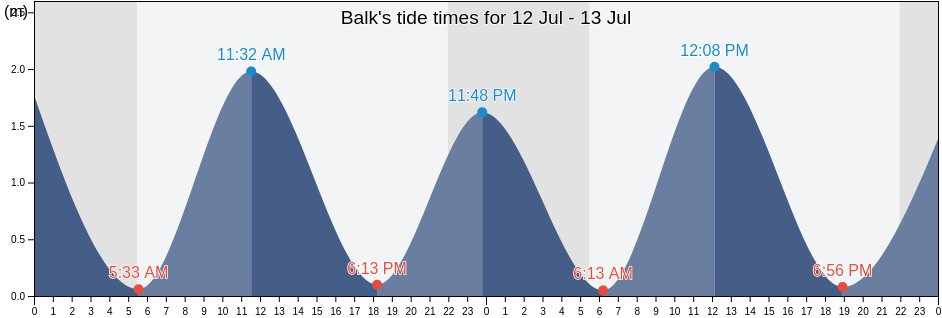
https://www.tideschart.com/tide-charts/en/Balk-De-Fryske-Marren-Friesland-Netherlands-tide-chart-4152145-m.png?date=20250712

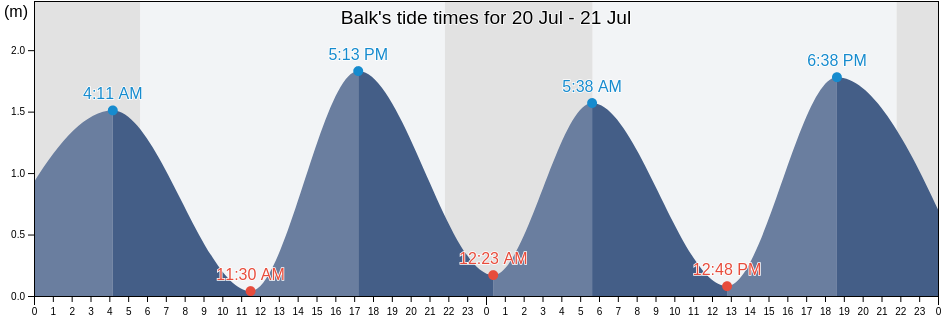
https://www.tideschart.com/tide-charts/en/Balk-De-Fryske-Marren-Friesland-Netherlands-tide-chart-4152145-m.png?date=20250710

But indeed it does not work for all other trials that I did.

So not reliable.

By the way, this is a nice website: it shows the tide-charts world-wide.

But one funny thing: I am living in the Netherlands, near the IJsselmeer. This used to be a tidal sea (called the Zuiderzee), but since the Afsluitdijk was finished in 1932 it became a non-tidal lake.

But according to this website we still have a tidal difference of roughly 2 meters… (see the links above).

i think this is the best approach so far use this

type: picture-elements
elements: []
image: >-
  https://www.tideschart.com/tide-charts/en/Afife-Viana-do-Castelo-Viana-do-Castelo-Portugal-tide-chart-12033000-m.png

and wait to see if the image change everyday

1 Like

lol after click on your link i can see both images from today and from the 10 this is very strange

Wow, it would be fantastic if it would be this easy. I put this on my page for now. Will let you know if it changes tomorrow.

1 Like

After putting this on my page, I realized there was one big difference with the .png and the live webpage - the current time/red line is no longer there - Original website. So there must be some other code that overlays the tide .png with the current time marker.

The date did change but I’d like to find a solution if I can that includes the current time marker.

Go with the version that adds a dynamic date to the URL.
This will prevent cache issues, where the picture is not updated, because the browser app think it already got the newest one in its cache.

That version doesn’t add the red time bar either. I think I will keep my old iframe and continue to scroll down to the part I want to see until I figure out how to display only the graph section.
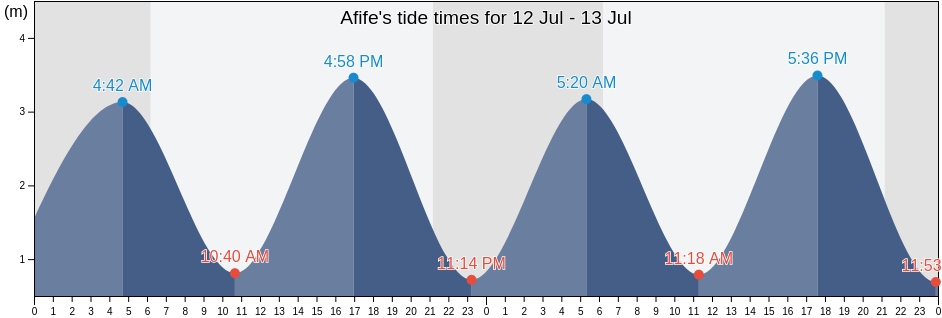
try with this option

to see if the image change as i test it and in fact the date change, but only ones

this one will not show the hour line as you a re not using java to that
i will takje a look if i can extract the java information to a custom page