I know, there are some topics with a similar question. But this topics are from years ago. So I ask again.
My son studies in another city. But he visit every weekend. He also use the companion app on android. On my main dashboard I have a mushroom template card for the title.
I also have a sensor which tracks the region (locality → university → “on”, elso “off”). I would be nice, when I have in the template card a possiblity to take the weather on his place correct. What I mean? I have two openweathermap instances: University and Home. When he is at the university, I want to have the weather and please from there, elso from home.
I hope I have made myself clear. Here is my current code of title:
type: custom:mushroom-template-card
primary: |
  {% set h = now().hour %} {% if h < 9 %}
    Guten Morgen, {{ user }}!
  {% elif h < 19 %}
    Hallo, {{ user }}!
  {% else %}
    Guten Abend, {{ user }}!
  {% endif %}
secondary: >
  {% set t = states('sensor.openweathermap_temperature') %} {% set f =
  states('sensor.openweathermap_feels_like_temperature') %} {% set w =
  states('sensor.openweathermap_condition') %} {% set map = {
    'sunny': 'sonnig',
    'cloudy': 'bewölkt',
    'rainy': 'regnerisch',
    'snowy': 'Schneefall',
    'fog': 'neblig',
    'windy': 'windig'
  } %}

  Die Temperatur in PLACE beträgt🌡 {{ t }} °C (gefühlt {{ f }} °C) und die
  Vorhersage ist {{ map.get(w, 'wechselhaft') }}.
icon: >
  {% set w = states('sensor.openweathermap_condition') %} {% if w == 'sunny' %}
  mdi:weather-sunny {% elif w == 'cloudy' %} mdi:weather-cloudy {% elif w ==
  'rainy' %} mdi:weather-rainy {% elif w == 'snowy' %} mdi:weather-snowy {% elif
  w == 'fog' %} mdi:weather-fog {% elif w == 'windy' %} mdi:weather-windy {%
  else %} mdi:weather-partly-cloudy {% endif %}
color: >
  {% set w = states('sensor.openweathermap_condition') %} {% if w == 'sunny' %}
  amber {% elif w == 'cloudy' %} blue-grey {% elif w == 'rainy' %} blue {% elif
  w == 'snowy' %} light-blue {% elif w == 'fog' %} grey {% elif w == 'windy' %}
  cyan {% else %} green {% endif %}
features_position: bottom
grid_options:
  rows: 1
  columns: 21
multiline_secondary: true
tap_action:
  action: navigate
  navigation_path: /dashboard/wetter
card_mod:
  style: |
    ha-card {
      background: #171717;
      border-color: #171717;
      border-radius: 18px;
      color: #ffffff;
    }
Is there an idea or a possiblity to set “PLACE” in secondary with a template code or something else?
I would probably create a boolean that returns on if his location is between (example) 10 and 15 km from home.
Then use a conditional card to change cards based on user and this boolean.
So you probably need three cards, one for you, one for your son at home and one at university.
Obviously this has the downside that he could be in a different direction the same distance.
I don’t know if you could create a large zone for university-area and how that stacks with other zones. I have never used that
I have a helper like this. The problem for that solution is, that I have to copy the title in 3 cards. I think, it isn’t possible isn’t it? Or can I copy the code 3 times and set via yaml variables of visbility?
I am not using Mushrooms but may try to help.
Please clarify if I understood you properly:
You have 2 or more “openweathermap” config entries for each zone - for YOUR home, your son’s home & the university.
There are at least 2 clients - at your home & a Companion App on a mobile device of your son.
There is a card containing:
a greeting for the current user;
a weather - which you want relate to the current place.
If this is correct, then you need this:
Make sure that your “openweathermap” sensors’ names contain a zone’s name - like “sensor.openweathermap_university_temperature”.
Make sure that you have “zone” entries named like “University” (for less complexity).
Make sure that you have “person” entries named same as users (for less complexity).
Make sure that the Companion App of your son provides location tracking - and thus provides a corresp. “device_tracker” entity - and thus updates a corresp. “person” entity.
On a card, you need to compose an entity_id of a required sensor dynamically. Since the Mushroom card does support jinja, it is possible. Then do smth like this:
{% set ZONE = states('person.' + user) -%}
{%- set SENSOR_TEMPERATURE = 'sensor.openweathermap_' + ZONE + 'temperature' -%}
# check if there is an existing sensor since the person could be "Away" or in some other place
{%- if not has_value(SENSOR_TEMPERATURE) -%}
  ... fallback to some default place, could be different dependently on a user,
  ... you may try coding it by yourself
  {%- set SENSOR_TEMPERATURE = 'sensor.openweathermap_home_temperature' -%}
{%- endif -%}
{%- set t = states(SENSOR_TEMPERATURE) -%}
...
You can not really make a card for your son specifically. Any change to a card he cause will be seen by other users too.
What has been made possible is to hide or show cards conditionally, so if you make a home card and an university card, then you should be able to hide or show the cards for different users.
Note that visibility is OK when you want to show a card conditionally.
But not the best way when you need to show SAME card with different content - i.e. like “one card for weather for home, another card for weather in university”.
If only using standard cards (which do not supports templates) - then yes, using a conditional visibility (show card 1 if … , otherwise show card 2) is the only way.
But with custom cards supporting jinja (or JS) you may use ONE card with a conditional content.
(this is mainly all about maintaining repeated code)
Correct.
That is why you need two cards and conditionally show only one of them at any one point.
If you try to do it with Jinja or JS, then HA will apply it for all users, so when the son is at university, then the father will see the university weather too.
It can not be done on a card level, but has to be done on the specific view.
Note that in case of a stock visibility feature when a condition is defined based on some entity - then all users will see same card because this condition is resolved on a server side, i.e. same entity has same state for all clients.
I cann’t describe it in English better, then yet .
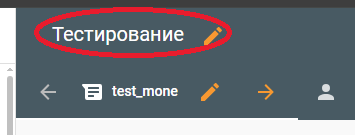
Dashboard → Section of the Dashboard (see the icon sun) and then on the screen, there is title again. Maybe that is only in German “Titel”. Unfortunately I don’t know how in English this is labeled.
Over all cards on screen, you have title and badges. → here I mean “title”.
Also, the “{{user}}” templating variable only works in jinja & resolved on a client side in dashboards only, and thus you can use this variable in any card supporting templates. Every user will see OWN look.
 Here is my current code of title:



 .
.