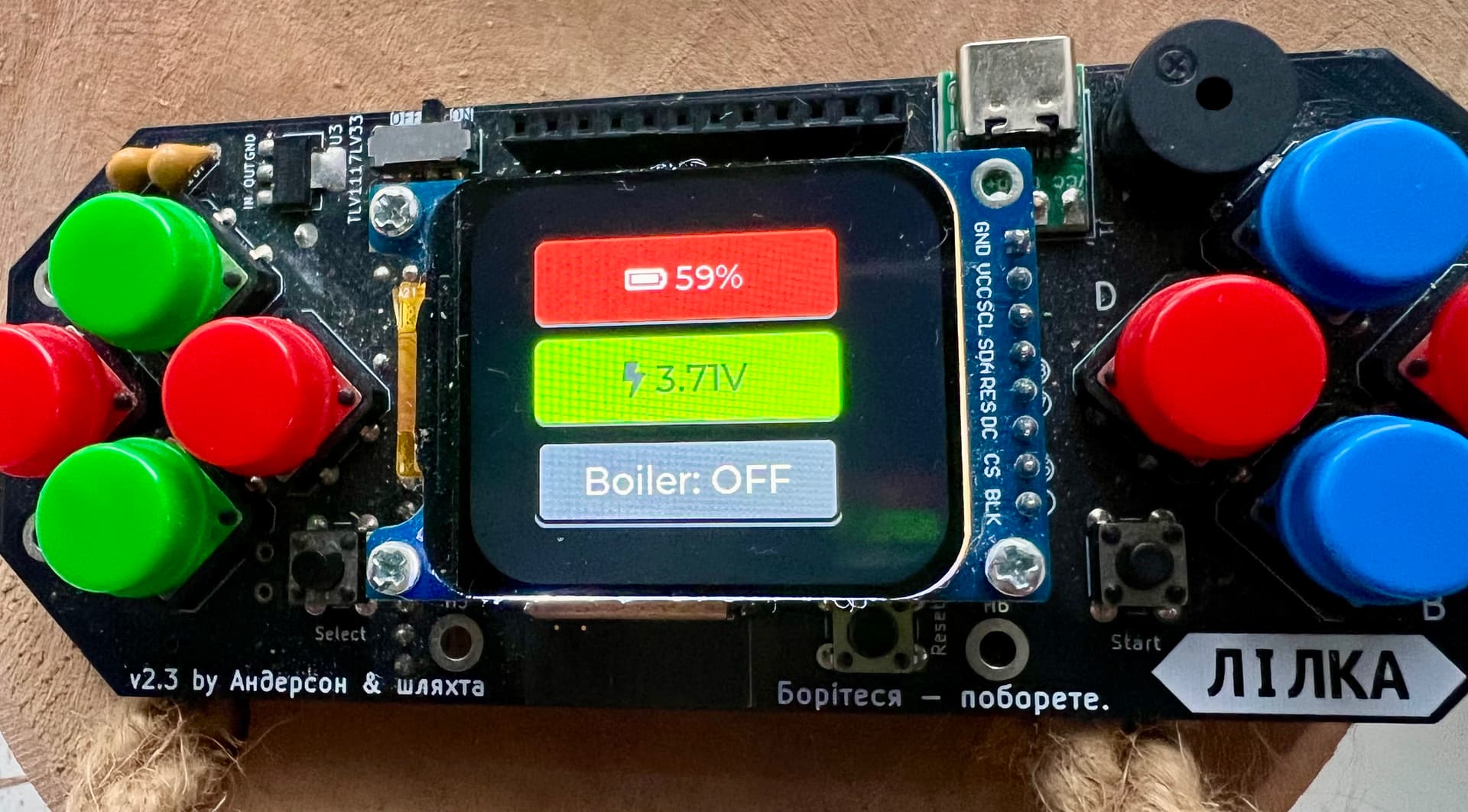
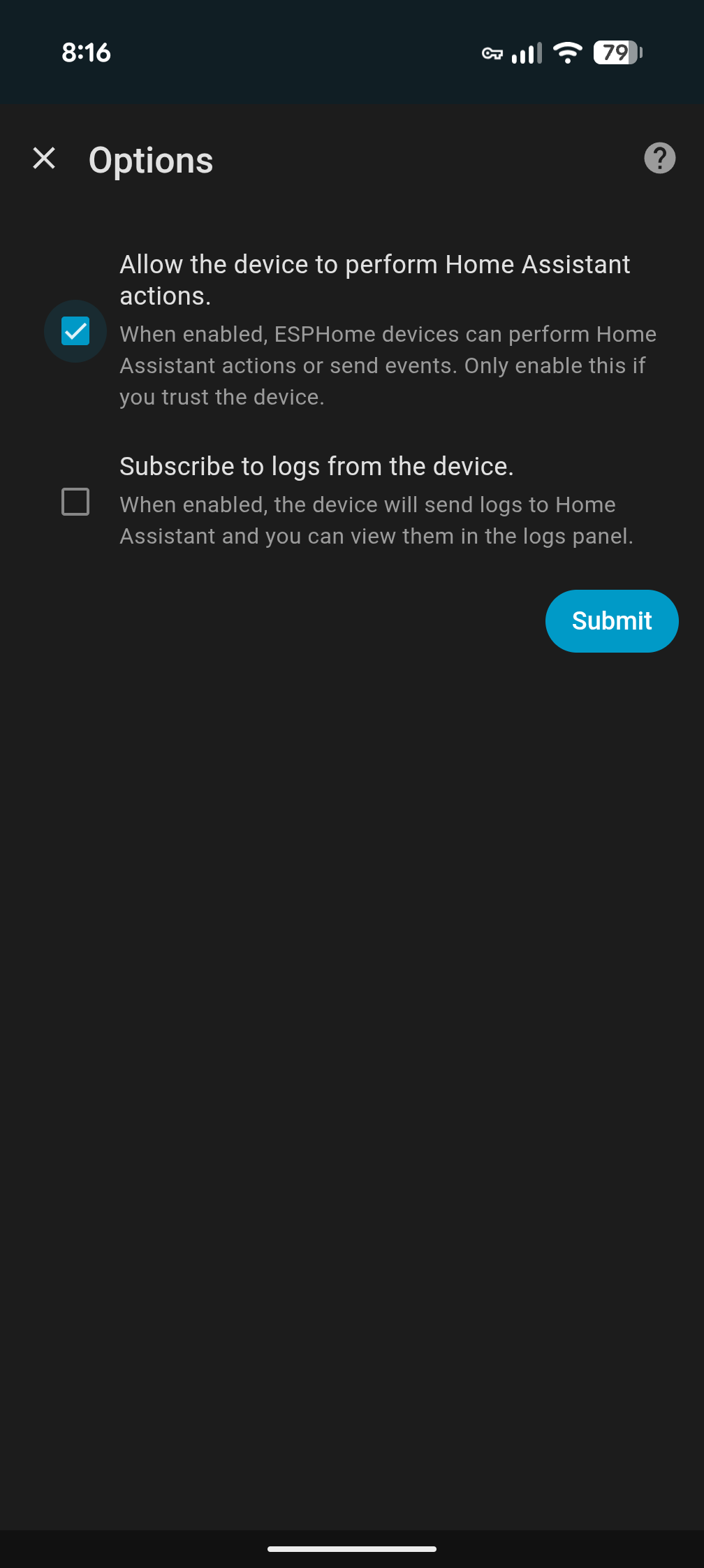
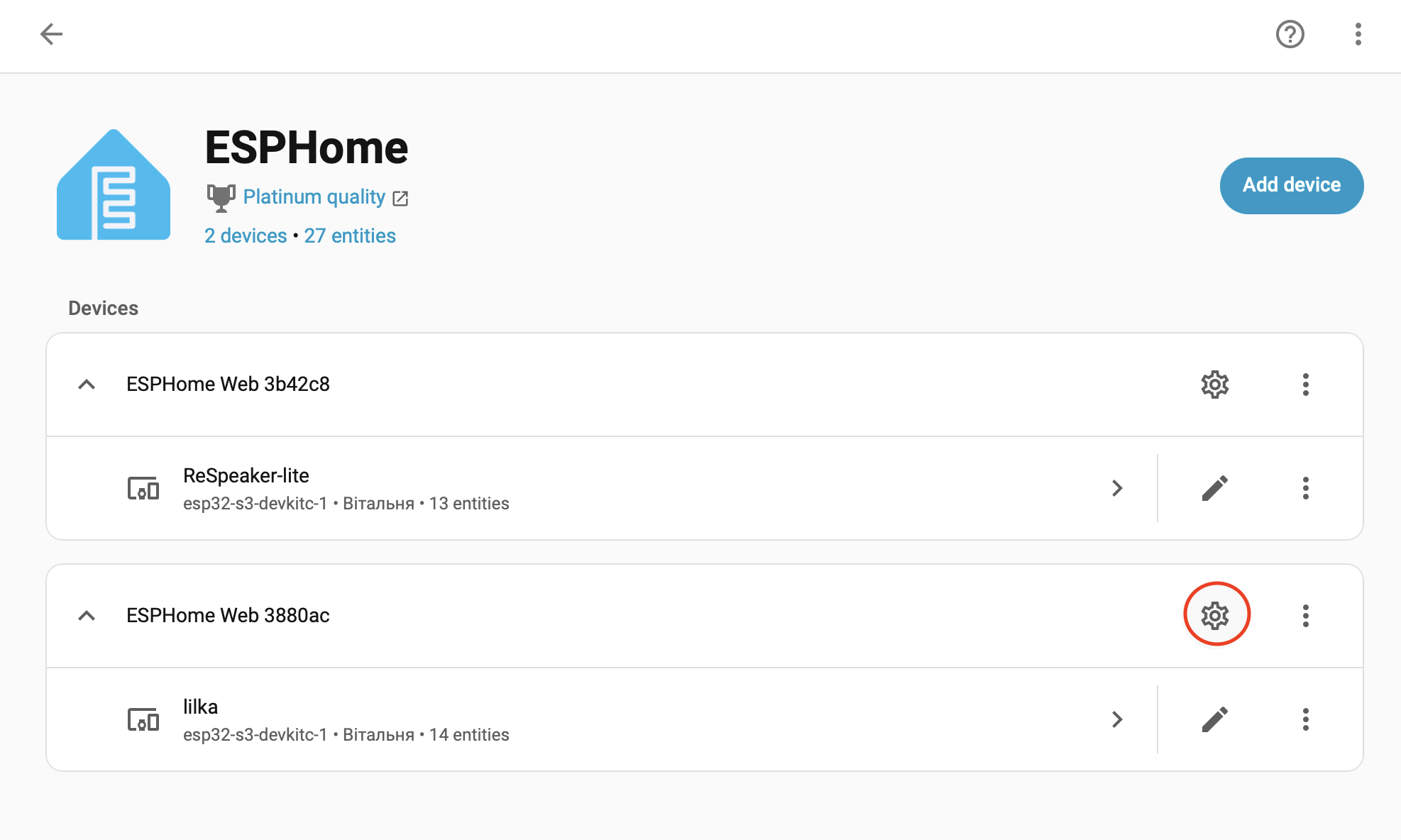
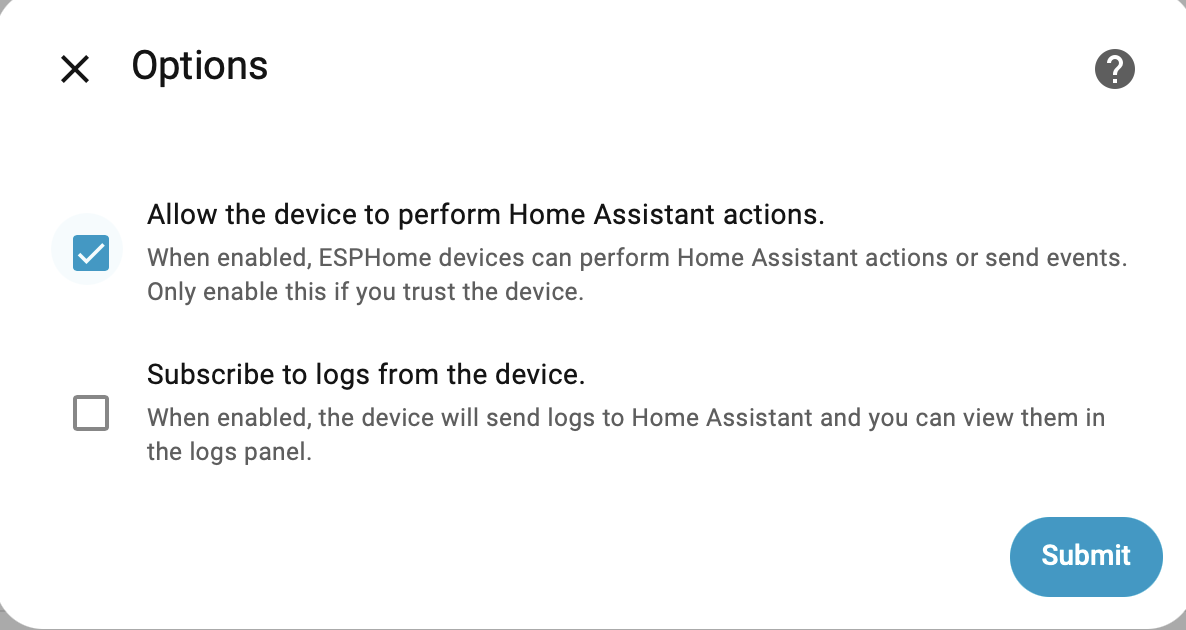
I have set up an ESP32-based device to control the boiler through a template switch in ESPHome. The status of this switch is correctly passed to Home Assistant. When I change the status in Home Assistant, it also updates on the ESPHome device’s screen. However, when I press the Select button on the ESPHome device, the logs show that an attempt to change the boiler’s state (ON/OFF) was made, but the physical boiler does not switch. There are also no changes in Home Assistant or on the ESPHome device’s screen. What am I doing wrong? Any advice?
Log
[07:23:36.736][C][safe_mode:018]:   Successful after: 60s
[07:23:36.736][C][safe_mode:018]:   Invoke after: 10 attempts
[07:23:36.736][C][safe_mode:018]:   Duration: 300s
[07:23:36.751][C][web_server.ota:241]: Web Server OTA
[07:23:36.758][C][api:222]: Server:
[07:23:36.758][C][api:222]:   Address: lilka.local:6053
[07:23:36.758][C][api:222]:   Listen backlog: 4
[07:23:36.758][C][api:222]:   Max connections: 8
[07:23:36.761][C][api:229]:   Noise encryption: YES
[07:23:36.773][C][homeassistant.binary_sensor:016]: Homeassistant Binary Sensor 'boiler_switch_state'
[07:23:36.775][C][homeassistant.binary_sensor:040]:   Entity ID: 'switch.boiler_switch'
[07:23:36.825][C][mdns:179]: mDNS:
[07:23:36.825][C][mdns:179]:   Hostname: lilka
[07:23:37.060][D][sensor:131]: 'Battery Level': Sending state 64.43417 % with 0 decimals of accuracy
[07:23:37.456][W][component:453]: lvgl took a long time for an operation (60 ms)
[07:23:37.458][W][component:456]: Components should block for at most 30 ms
[07:23:38.199][D][sensor:131]: 'Battery Voltage': Sending state 3.77055 V with 2 decimals of accuracy
[07:23:43.823][D][binary_sensor:039]: 'Button Down': New state is ON
[07:23:43.832][W][component:453]: lvgl took a long time for an operation (85 ms)
[07:23:43.834][W][component:456]: Components should block for at most 30 ms
[07:23:43.896][D][binary_sensor:039]: 'Button Down': New state is OFF
[07:23:46.359][D][binary_sensor:039]: 'Button Down': New state is ON
[07:23:46.463][D][binary_sensor:039]: 'Button Down': New state is OFF
[07:23:47.066][D][sensor:131]: 'Battery Level': Sending state 64.21252 % with 0 decimals of accuracy
[07:23:48.192][D][main:336]: Button Select pressed! Current index: 2
[07:23:48.193][D][main:422]: Toggling boiler switch
[07:23:48.193][D][switch:028]: 'Boiler Control' Toggling ON.
[07:23:48.194][D][main:634]: Turning boiler ON via Home Assistant
[07:23:48.194][D][switch:063]: 'Boiler Control': Sending state ON
[07:23:48.194][D][binary_sensor:039]: 'Button Select': New state is ON
[07:23:48.200][D][sensor:131]: 'Battery Voltage': Sending state 3.77321 V with 2 decimals of accuracy
[07:23:48.294][D][binary_sensor:039]: 'Button Select': New state is OFF
[07:23:51.291][D][main:336]: Button Select pressed! Current index: 2
[07:23:51.292][D][main:422]: Toggling boiler switch
[07:23:51.295][D][switch:028]: 'Boiler Control' Toggling OFF.
[07:23:51.298][D][main:626]: Turning boiler OFF via Home Assistant
[07:23:51.303][D][switch:063]: 'Boiler Control': Sending state OFF
[07:23:51.307][D][binary_sensor:039]: 'Button Select': New state is ON
[07:23:51.413][D][binary_sensor:039]: 'Button Select': New state is OFF
[07:23:55.248][D][main:336]: Button Select pressed! Current index: 2
[07:23:55.249][D][main:422]: Toggling boiler switch
[07:23:55.249][D][switch:028]: 'Boiler Control' Toggling ON.
[07:23:55.249][D][main:634]: Turning boiler ON via Home Assistant
[07:23:55.249][D][switch:063]: 'Boiler Control': Sending state ON
[07:23:55.249][D][binary_sensor:039]: 'Button Select': New state is ON
[07:23:55.361][D][binary_sensor:039]: 'Button Select': New state is OFF
[07:23:57.103][D][sensor:131]: 'Battery Level': Sending state 64.43417 % with 0 decimals of accuracy
[07:23:58.254][D][sensor:131]: 'Battery Voltage': Sending state 3.77188 V with 2 decimals of accuracy
[07:23:59.915][D][main:336]: Button Select pressed! Current index: 2
[07:23:59.916][D][main:422]: Toggling boiler switch
[07:23:59.917][D][switch:028]: 'Boiler Control' Toggling OFF.
[07:23:59.917][D][main:626]: Turning boiler OFF via Home Assistant
[07:23:59.969][D][switch:063]: 'Boiler Control': Sending state OFF
[07:23:59.969][D][binary_sensor:039]: 'Button Select': New state is ON
[07:24:00.071][D][binary_sensor:039]: 'Button Select': New state is OFF
[07:24:05.605][D][main:336]: Button Select pressed! Current index: 2
[07:24:05.606][D][main:422]: Toggling boiler switch
[07:24:05.607][D][switch:028]: 'Boiler Control' Toggling ON.
[07:24:05.607][D][main:634]: Turning boiler ON via Home Assistant
[07:24:05.607][D][switch:063]: 'Boiler Control': Sending state ON
[07:24:05.607][D][binary_sensor:039]: 'Button Select': New state is ON
[07:24:05.703][D][binary_sensor:039]: 'Button Select': New state is OFF
[07:24:07.038][D][main:336]: Button Select pressed! Current index: 2
[07:24:07.041][D][main:422]: Toggling boiler switch
[07:24:07.041][D][switch:028]: 'Boiler Control' Toggling OFF.
[07:24:07.042][D][main:626]: Turning boiler OFF via Home Assistant
[07:24:07.042][D][switch:063]: 'Boiler Control': Sending state OFF
[07:24:07.042][D][binary_sensor:039]: 'Button Select': New state is ON
[07:24:07.066][D][sensor:131]: 'Battery Level': Sending state 64.32335 % with 0 decimals of accuracy
[07:24:07.137][D][binary_sensor:039]: 'Button Select': New state is OFF
[07:24:08.062][D][main:336]: Button Select pressed! Current index: 2
[07:24:08.063][D][main:422]: Toggling boiler switch
[07:24:08.064][D][switch:028]: 'Boiler Control' Toggling ON.
[07:24:08.064][D][main:634]: Turning boiler ON via Home Assistant
[07:24:08.064][D][switch:063]: 'Boiler Control': Sending state ON
[07:24:08.064][D][binary_sensor:039]: 'Button Select': New state is ON
[07:24:08.161][D][binary_sensor:039]: 'Button Select': New state is OFF
[07:24:08.206][D][sensor:131]: 'Battery Voltage': Sending state 3.76789 V with 2 decimals of accuracy
[07:24:12.159][D][homeassistant.binary_sensor:026]: 'switch.boiler_switch': Got state ON
[07:24:12.162][D][binary_sensor:039]: 'boiler_switch_state': New state is ON
[07:24:16.572][D][homeassistant.binary_sensor:026]: 'switch.boiler_switch': Got state OFF
[07:24:16.573][D][binary_sensor:039]: 'boiler_switch_state': New state is OFF
[07:24:17.075][D][sensor:131]: 'Battery Level': Sending state 63.99083 % with 0 decimals of accuracy
[07:24:18.302][D][sensor:131]: 'Battery Voltage': Sending state 3.77188 V with 2 decimals of accuracy
[07:24:19.026][D][homeassistant.binary_sensor:026]: 'switch.boiler_switch': Got state ON
[07:24:19.026][D][binary_sensor:039]: 'boiler_switch_state': New state is ON
[07:24:23.664][D][homeassistant.binary_sensor:026]: 'switch.boiler_switch': Got state OFF
[07:24:23.669][D][binary_sensor:039]: 'boiler_switch_state': New state is OFF
[07:24:24.909][I][safe_mode:042]: Boot seems successful; resetting boot loop counter
[07:24:24.910][D][esp32.preferences:149]: Writing 1 items: 0 cached, 1 written, 0 failed
[07:24:27.111][D][sensor:131]: 'Battery Level': Sending state 64.32335 % with 0 decimals of accuracy
[07:24:28.338][D][sensor:131]: 'Battery Voltage': Sending state 3.77321 V with 2 decimals of accuracy
Config
esphome:
  name: lilka
  friendly_name: lilka
  on_boot:
    priority: 600
    then:
      - output.turn_on: display_power
      - delay: 100ms

esp32:
  board: esp32-s3-devkitc-1
  framework:
    type: esp-idf
    version: recommended
    sdkconfig_options:
      CONFIG_ESP32S3_DATA_CACHE_64KB: y
      CONFIG_ESP32S3_DATA_CACHE_LINE_64B: y
      CONFIG_SPIRAM_MODE_OCT: y
      CONFIG_SPIRAM: y

mdns:
  disabled: false

psram:
  mode: octal
  speed: 80MHz

wifi:
  ssid: !secret wifi_ssid
  password: !secret wifi_password
  power_save_mode: none
  ap:
    ssid: "Lilka Fallback Hotspot"
    password: "hnYImYM4O6I0"

captive_portal:
web_server:
  port: 80

api:
  encryption:
    key: "Yw3yq8lxsaze+jdggjAwxKpV4GD6gNZptvw4d6OPfOc="

logger:
  level: DEBUG

ota:
  - platform: esphome
    password: "bb198feb99159fdaefc8092f10039acd"

# ---------------------------------------------------
# Дозволяє Home Assistant виявляти Bluetooth пристрої
# через цей ESP32 (розширює покриття BLE мережі)
# https://esphome.io/components/bluetooth_proxy/
# ---------------------------------------------------

esp32_ble_tracker:
  scan_parameters:
    interval: 1100ms
    window: 1100ms
    active: true

bluetooth_proxy:
  active: true
  connection_slots: 3

# ---------------------------------------------------
# Динамік
# ---------------------------------------------------

output:
  - platform: gpio
    pin: 46
    id: display_power
    inverted: false

i2s_audio:
  - id: i2s_out
    i2s_lrclk_pin: GPIO1
    i2s_bclk_pin: GPIO42

speaker:
  - platform: i2s_audio
    id: lilka_speaker
    dac_type: external
    i2s_audio_id: i2s_out
    i2s_dout_pin: GPIO2
    channel: mono
    sample_rate: 16000
    bits_per_sample: 16bit
    buffer_duration: 100ms

media_player:
  - platform: speaker
    name: "Lilka Media Player"
    id: lilka_media_player
    buffer_size: 4000
    codec_support_enabled: false
    announcement_pipeline:
        speaker: lilka_speaker
        format: WAV
        num_channels: 1

# ---------------------------------------------------
# TEMPLATE SWITCH - для керування бойлером
# ---------------------------------------------------

switch:
  - platform: template
    id: boiler_switch
    name: "Boiler Control"
    optimistic: true
    turn_on_action:
      - logger.log: "Turning boiler ON via Home Assistant"
      - homeassistant.service:
          service: switch.turn_on
          data:
            entity_id: switch.boiler_switch
    turn_off_action:
      - logger.log: "Turning boiler OFF via Home Assistant"
      - homeassistant.service:
          service: switch.turn_off
          data:
            entity_id: switch.boiler_switch

# ---------------------------------------------------
# СЕНСОРИ БАТАРЕЇ
# ---------------------------------------------------

sensor:
  - platform: adc
    pin: GPIO3
    id: battery_voltage
    name: "Battery Voltage"
    icon: "mdi:lightning-bolt"
    update_interval: 10s
    attenuation: 12db
    filters:
      - multiply: 1.33

  - platform: template
    id: battery_level
    name: "Battery Level"
    icon: "mdi:battery"
    unit_of_measurement: "%"
    accuracy_decimals: 0
    update_interval: 10s
    lambda: |-
      float voltage = id(battery_voltage).state;
      float percent = (voltage - 3.0) / (4.2 - 3.0) * 100.0;
      if (percent > 100) percent = 100;
      if (percent < 0) percent = 0;
      return percent;

# ---------------------------------------------------
# ДИСПЛЕЙ ST7789V
# ---------------------------------------------------

spi:
  clk_pin: 18
  mosi_pin: 17

display:
  - platform: mipi_spi
    model: ST7789V
    id: my_display
    dc_pin: 15
    cs_pin: 7
    update_interval: 2s
    rotation: 270
    invert_colors: true
    color_order: BGR
    pixel_mode: 16bit
    dimensions:
      width: 280
      height: 240
      offset_width: 20
      offset_height: 0
    auto_clear_enabled: false

# ---------------------------------------------------
# LVGL З FLEX LAYOUT https://esphome.io/cookbook/lvgl/#flex-layout-positioning
# ---------------------------------------------------

lvgl:
  log_level: WARN
  buffer_size: 25%

  style_definitions:
    - id: default_style
      bg_color: 0x000000
      text_color: 0xFFFFFF
    - id: focused_style
      border_color: 0xFFFFFF
      border_width: 3

  pages:
    - id: main_page
      bg_color: 0x000000
      widgets:
        # Контейнер з flex layout для автоматичного розташування
        - obj:
            align: CENTER
            width: 200
            height: 200
            bg_opa: TRANSP
            border_opa: TRANSP
            border_width: 0
            outline_width: 0
            pad_all: 0
            layout:
              type: FLEX
              flex_flow: COLUMN  # Вертикальне розташування
              flex_align_main: CENTER
              flex_align_cross: CENTER
              pad_row: 10  # Відступ між кнопками
            widgets:
              - button:
                  id: red_button
                  width: 180
                  height: 50
                  bg_color: 0xFF0000
                  widgets:
                    - label:
                        id: battery_label
                        text: "\uF240 --% "
                        align: CENTER
                        text_font: montserrat_20

              - button:
                  id: green_button
                  width: 180
                  height: 50
                  bg_color: 0x00FF00
                  widgets:
                    - label:
                        id: voltage_label
                        text: "Voltage: --"
                        align: CENTER
                        text_color: 0x333333
                        text_font: montserrat_22

              - button:
                  id: blue_button
                  width: 180
                  height: 50
                  bg_color: 0x808080
                  widgets:
                    - label:
                        id: boiler_label
                        text: "Boiler: --"
                        align: CENTER
                        text_color: 0xFFFFFF
                        text_font: montserrat_22

# ---------------------------------------------------
# НАВІГАЦІЯ ФІЗИЧНИМИ КНОПКАМИ
# ---------------------------------------------------

globals:
  - id: current_button_index
    type: int
    restore_value: no
    initial_value: '0'

script:
  - id: update_focus
    then:
      - lvgl.widget.update:
          id: red_button
          border_width: !lambda 'return id(current_button_index) == 0 ? 3 : 0;'
      - lvgl.widget.update:
          id: green_button
          border_width: !lambda 'return id(current_button_index) == 1 ? 3 : 0;'
      - lvgl.widget.update:
          id: blue_button
          border_width: !lambda 'return id(current_button_index) == 2 ? 3 : 0;'

# ---------------------------------------------------
# BINARY SENSORS - ФІЗИЧНІ КНОПКИ + HOME ASSISTANT
# ---------------------------------------------------

binary_sensor:
  # Home Assistant binary sensor для статусу бойлера
  - platform: homeassistant
    id: boiler_switch_state
    entity_id: switch.boiler_switch
    internal: true

  # Навігаційні кнопки
  - platform: gpio
    pin:
      number: 38
      mode: INPUT_PULLUP
      inverted: true
    id: button_up
    name: "Button Up"
    icon: "mdi:arrow-up-circle"
    filters:
      - delayed_on_off: 50ms
    on_press:
      - lambda: |-
          id(current_button_index)--;
          if (id(current_button_index) < 0) id(current_button_index) = 2;
      - script.execute: update_focus

  - platform: gpio
    pin:
      number: 41
      mode: INPUT_PULLUP
      inverted: true
    id: button_down
    name: "Button Down"
    icon: "mdi:arrow-down-circle"
    filters:
      - delayed_on_off: 50ms
    on_press:
      - lambda: |-
          id(current_button_index)++;
          if (id(current_button_index) > 2) id(current_button_index) = 0;
      - script.execute: update_focus

  - platform: gpio
    pin:
      number: 39
      mode: INPUT_PULLUP
      inverted: true
    id: button_left
    name: "Button Left"
    icon: "mdi:arrow-left-circle"
    filters:
      - delayed_on_off: 50ms

  - platform: gpio
    pin:
      number: 40
      mode: INPUT_PULLUP
      inverted: true
    id: button_right
    name: "Button Right"
    icon: "mdi:arrow-right-circle"
    filters:
      - delayed_on_off: 50ms

  # Кнопки дій
  - platform: gpio
    pin:
      number: 5
      mode: INPUT_PULLUP
      inverted: true
    id: button_a
    name: "Button A"
    icon: "mdi:alpha-a-circle"
    filters:
      - delayed_on_off: 50ms

  - platform: gpio
    pin:
      number: 6
      mode: INPUT_PULLUP
      inverted: true
    id: button_b
    name: "Button B"
    icon: "mdi:alpha-b-circle"
    filters:
      - delayed_on_off: 50ms

  - platform: gpio
    pin:
      number: 10
      mode: INPUT_PULLUP
      inverted: true
    id: button_c
    name: "Button C"
    icon: "mdi:alpha-c-circle"
    filters:
      - delayed_on_off: 50ms

  - platform: gpio
    pin:
      number: 9
      mode: INPUT_PULLUP
      inverted: true
    id: button_d
    name: "Button D"
    icon: "mdi:alpha-d-circle"
    filters:
      - delayed_on_off: 50ms

  - platform: gpio
    pin:
      number: 4
      mode: INPUT_PULLUP
      inverted: true
    id: button_start
    name: "Button Start"
    icon: "mdi:play-circle"
    filters:
      - delayed_on_off: 50ms

  - platform: gpio
    pin:
      number: 0
      mode: INPUT_PULLUP
      inverted: true
    id: button_select
    name: "Button Select"
    icon: "mdi:checkbox-marked-circle"
    filters:
      - delayed_on_off: 50ms
    on_press:
      - logger.log:
          format: "Button Select pressed! Current index: %d"
          args: [ 'id(current_button_index)' ]
      # Перемикання бойлера при натисканні Select
      - if:
          condition:
            lambda: 'return id(current_button_index) == 2;'
          then:
            - logger.log: "Toggling boiler switch"
            - switch.toggle: boiler_switch
          else:
            - logger.log: "Not on boiler button, ignoring"

# ---------------------------------------------------
# АВТОМАТИЧНЕ ОНОВЛЕННЯ ДИСПЛЕЮ
# ---------------------------------------------------

interval:
  - interval: 5s
    then:
      - lvgl.label.update:
          id: battery_label
          text: !lambda |-
            return std::string("\uF240 ") + to_string((int)id(battery_level).state) + "%";

      - lvgl.label.update:
          id: voltage_label
          text: !lambda |-
            char buf[20];
            snprintf(buf, sizeof(buf), "\uF0E7 %.2fV", id(battery_voltage).state);
            return std::string(buf);

      # Оновлення статусу бойлера
      - lvgl.label.update:
          id: boiler_label
          text: !lambda |-
            return std::string(id(boiler_switch_state).state ? "Boiler: ON" : "Boiler: OFF");

      # Оновлення кольору кнопки бойлера
      - lvgl.widget.update:
          id: blue_button
          bg_color: !lambda |-
            lv_color_t green = lv_color_hex(0x00FF00);
            lv_color_t gray = lv_color_hex(0x808080);
            return id(boiler_switch_state).state ? green : gray;