Jarvis-AIO

Hi all! I’ve been building JARVIS, a HACS integration that gives Home Assistant something closer to Stark’s JARVIS: an assistant you can talk to, that also watches the house on its own and decides what’s worth telling you.

The best summary came from a user in the HA Facebook group:

“It takes a while to just monitor your day to day and eventually starts making suggestions based off your actions.”

That’s the core idea: suggest, don’t act.
Install: it’s in the HACS default store. Search JARVIS AI Assistant, install, restart, then add it under Settings → Devices & Services.
GitHub: GitHub - sam3gp8/jarvis-aio: MCU-inspired autonomous AI butler for Home Assistant — voice, vision, per-person memory, goals, and a full HUD panel. · GitHub

What makes it different from a regular LLM conversation agent

Most LLM integrations answer when you speak to them. JARVIS does that too (it plugs into the normal Assist voice pipeline). It also works in the background:

  • Learns your routine and suggests automations. It only starts doing something on its own after you’ve accepted the same suggestion three times, and you can revoke that at any time.
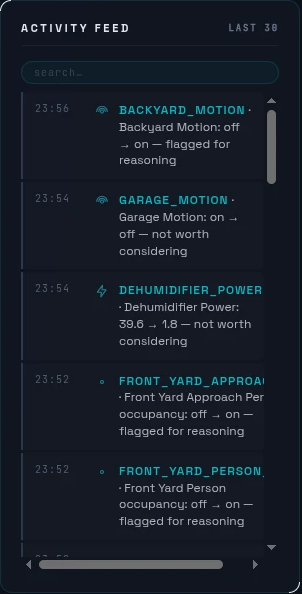
  • Decides what’s worth your attention. It classifies every home event by urgency, based on your home’s own history. The kitchen light at 7 a.m. is routine. The basement window opening at 3 a.m., when it never has before, gets flagged, and escalated if you’re away.
  • Keeps working offline. If the cloud provider drops, a local reasoning brain takes over event decisions. Or run everything on Ollama and nothing leaves your network.
  • Cameras (optional). Doorbell-press analysis, package and mail announcements, and quiet visitor learning, over Frigate (and Nest through it).
  • Answers from your paperwork. Drop appliance manuals and receipts into a folder and ask “what filter does the furnace take?”
  • Knows your calendar. It flags overlapping and back-to-back events, and can look things up on the web (DuckDuckGo, or your own SearXNG).
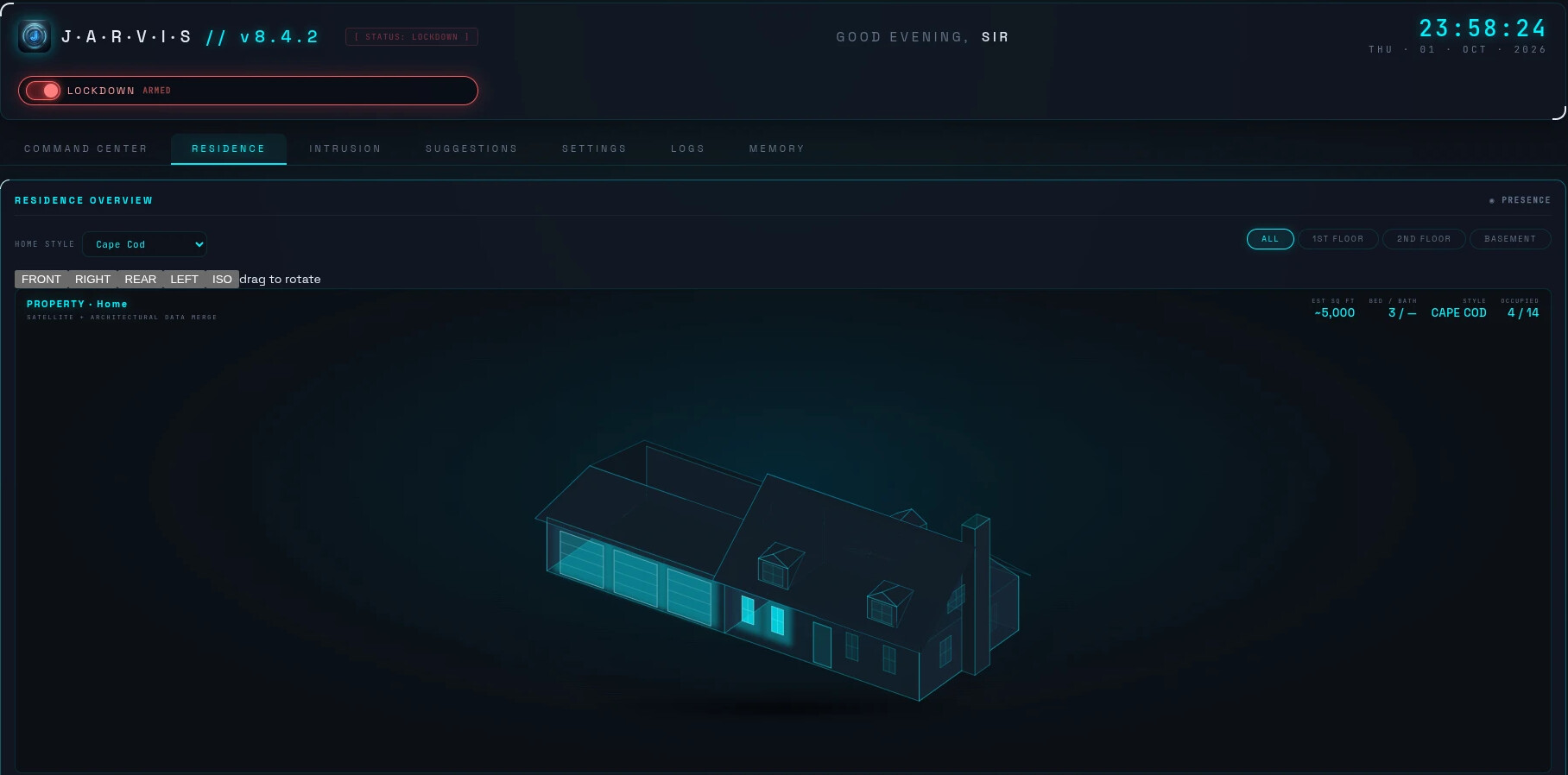
  • Iron Man HUD dashboard, with a live 3D house, per-room occupancy and an event feed.
Getting started is small

You need HA 2024.10+ and one LLM provider: Groq (free tier), OpenAI, Anthropic, Gemini, Ollama, or any OpenAI-compatible endpoint. You can be talking to it in about five minutes. Cameras, voice satellites and GPUs are all optional add-ons. It speaks in the language you address it in, and the UI is translated into 20 languages.

Everything it learns stays in /config/jarvis/ on your own instance: no JARVIS cloud, no telemetry.

What I’d love feedback on

  • What should it notice in your home that it doesn’t yet?
  • How much personality do you want? There’s a banter setting (plain / dry / full), and it always goes serious for smoke alarms and the like.
  • Anything confusing in setup. I’d like the first five minutes to be painless.

Bugs and ideas are welcome here or on GitHub Issues. I’ll post notable releases in this thread.

Nice Project. How much tokens does the analyser tool behind Jarvis use?

It varies by event rather than having one fixed token count. JARVIS is deliberately tiered to keep usage low:

• Classifier: Most events are handled locally by rules. Only ambiguous events reach the LLM, typically ~90–150 tokens per call.
• Reasoning: Only escalated/cache-miss events reach the LLM, typically ~2,000–2,600 tokens per call, largely due to the JARVIS persona, prime directive, reasoning instructions, and relevant home context.
• Review: Runs periodically (roughly 1 in 10 qualifying decisions), typically ~110–195 tokens.

The important part is that most HA events use zero LLM tokens because JARVIS handles them locally through filtering, rules, caching, and local reasoning before escalating.

I’m also adding Cognitive Token & Cost Telemetry so future releases can report actual input/output/cached tokens, usage by tier/model, and estimated cost rather than relying on estimates.

So overall, the analyser is designed to be very token-efficient, with real-time usage tracking being added to make that efficiency measurable.

I cant get Jarvis to read my email, ive set up the app password put it in my secrets.yaml file and everytime I try to access it Jarvis says its not in the secrets.yaml file yet it clearly is. any ideas? I should also mention this is a gmail account on imap.

@williammorran thanks for reporting this. It turned up a real bug.

JARVIS was reading secrets.yaml more strictly than Home Assistant does. If the file had a Home Assistant-only tag anywhere in it, like !env_var or !include, JARVIS ignored the whole file and said your password wasn’t there. That’s fixed in 9.30.2, which is in HACS now.

To get it working:

  1. Update JARVIS to 9.30.2 in HACS and restart Home Assistant.

  2. Make sure secrets.yaml has this line, not indented under anything else:

    jarvis_imap_password: your16charapppassword
    
  3. In JARVIS’s email settings, the field “secrets.yaml key holding the password” should contain the name jarvis_imap_password, not the password itself.

  4. For Gmail: host imap.gmail.com, port 993, SSL on, your full Gmail address as the username, and a Google app password (not your normal one). IMAP must also be turned on in Gmail’s settings.

If it still won’t connect, the error message will now say exactly what’s wrong:

  • the file is missing
  • a line in the file has a syntax error (the HA log names the line)
  • the entry isn’t in the file, or is empty

It will also point out a similarly named entry if you used a different name, such as gmail_password. Post the message here or on GitHub and I’ll take a look.


Thanks ill take a look when they restore internet to the area, cloud routers suck so I cant even access my internal network as the cloud based settings control even dhcp. But thanks for the change ill let you know what happens when I modify it.