I wanted to share a new integration I’ve been working on called JellyHA. First off, I want to say thanks to this amazing community with all the contributions you’ve all done so far. It has been incredibly helpful and inspiring.
I’ve been using Home Assistant for more than 9 years and recently got into the Jellyfin community, which I absolutely love. However, I was missing a good way to display my Jellyfin media library on my dashboards. Since I couldn’t find exactly what I was looking for, I decided to build it myself with the help of AI. It started as something just for my own needs, but I figured others might find it useful too, so I’m happy to share it.
What is JellyHA?
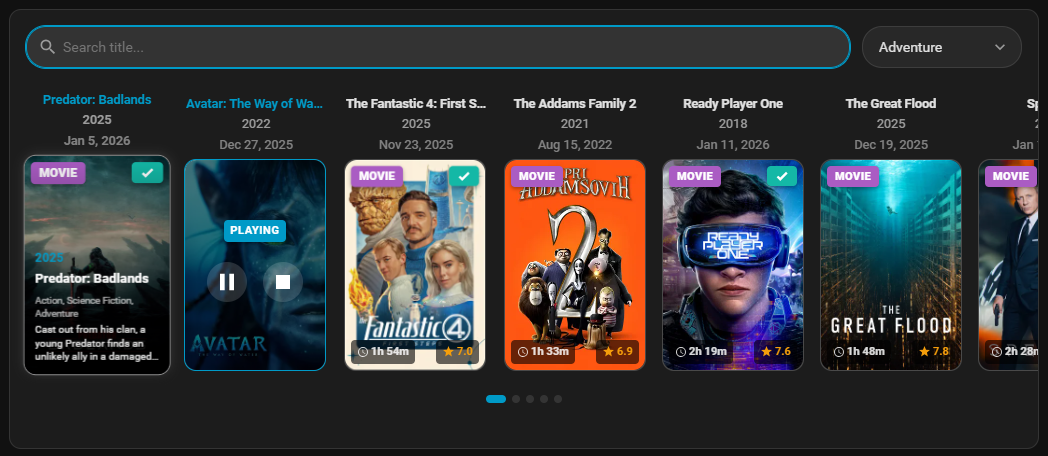
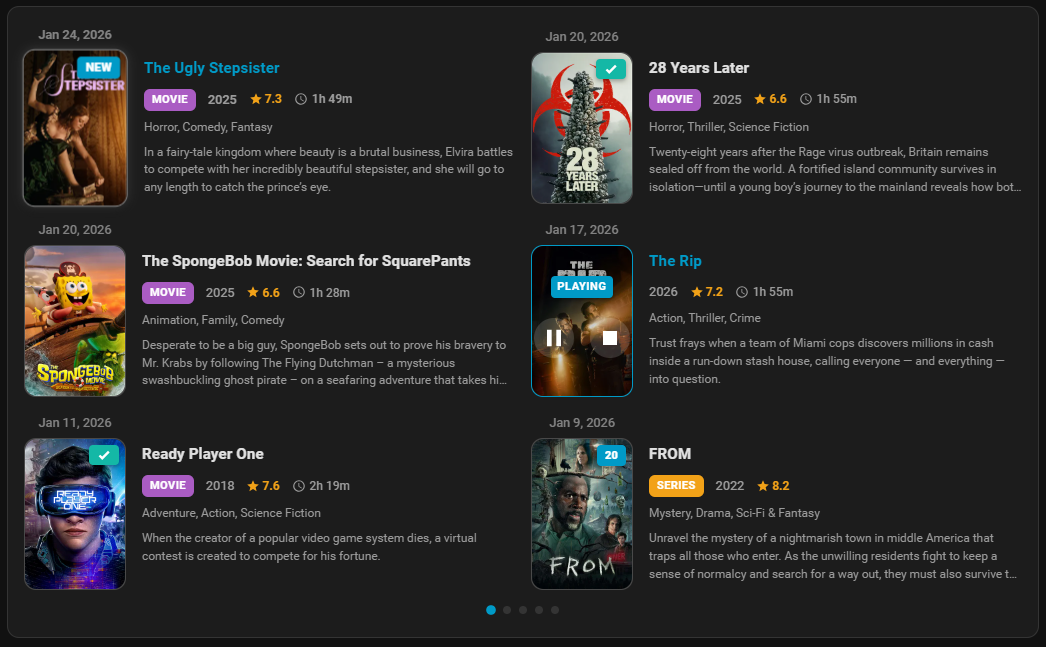
It’s a Home Assistant custom integration and Lovelace card that displays your movies and TV shows from Jellyfin in a nice, visual way. You can browse your media collection right from your dashboard with poster images, ratings, genres, and more. Build automations around your media library, playback status, and control your playback right from Home Assistant.
I’d love for people to try it out and let me know what you think.
Disclaimer: I don’t have a huge library, so not sure how it will perfrom for users with thousands of items in their Jellyfin library.
If you run into any issues or have suggestions for improvements, feel free to open an issue on GitHub or drop a comment here. I’m open to feedback and happy to work on making it better.
Thanks again to everyone who contributes to making Home Assistant such a great platform.
Love it. I would only use it to check what my users are playing and how much mbps they are consuming. Would that (kinda like jellfyin addon playback reporting) be possible too?
Since I just installed Jellyfin, this sounds like a good addition to my Home Assistant.
But, Step 1 is already out of date.
HACS → Integrations → Custom repositories …no longer exists.
It is now in the three-dot menu at the top of the HACS page.
After adding the repository, click on “save”, and JellyHA is not found. After restarting Home Assistant, the custom repository is missing.
Manual install works, but the provided instructions are vague.
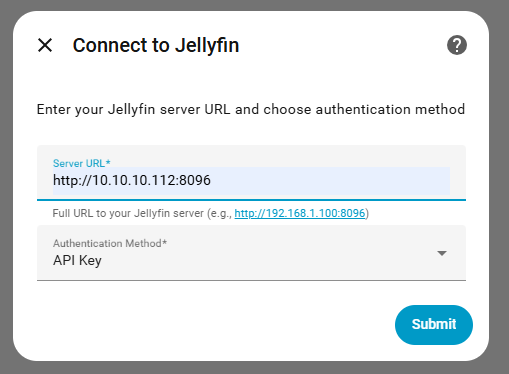
Nonetheless, I was unable to get the integration to connect to my Jellyfin server. I tried for the url: 192.168.1.64 and 192.168.1.6:8096. I tried using my login name and password and I tried creating an API key in Jellyfin. Nothing worked.
Thanks for your interest in this. I’ve updated the three-dot menu in readme. Not sure why it wouldn’t show you the JellyHA in HACS after adding the repository to the Custom Repositories. I’ve tried on 2 different installations of Home Assistant, worked no issues. Are you using the latest version of HACS?
Regarding the connection, did you add the http:// in front of your IP:Port?
Mine keeps failing on Initializing. I can see the server, see my users etc. But it just fails to initialize. I chose the user/password instead of the API key. Do I need the API key?
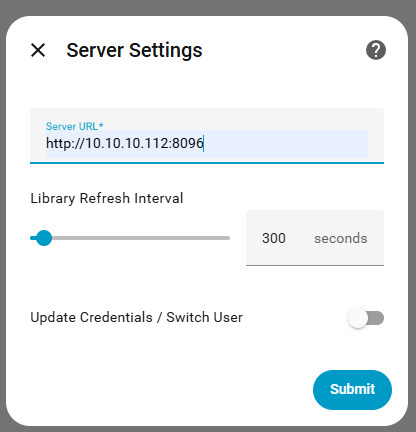
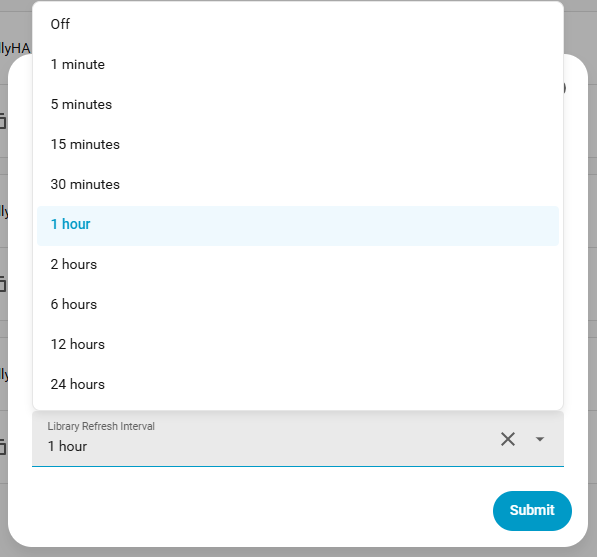
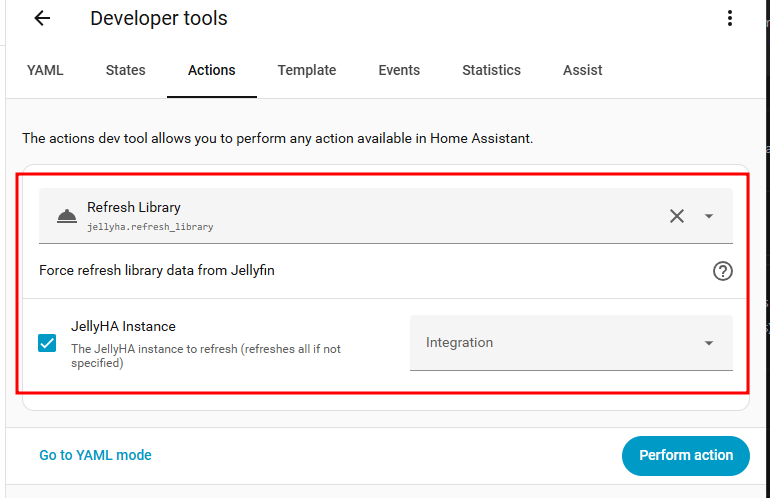
Is there a way to increase or turn off the Library Refresh Interval? I have it maxed out (3600 seconds-1 hour), but once a day/week, or a way to trigger it when needed.
Hey, not using Plex and not planning to. So this integration will be Jellyfin focused only. I’m sure you’re going to love Jellyfin. It’s a great product.
It is a small library, 2 dozen or so movies and about 10 or so series with roughly 12-24 episodes each.
Thank you so much for even considering this! The Home Assistant community rocks!
I mainly use Jellyfin to manage my personal videos, pictures, and music library. The integration does not scan my library or find any media because my libraries in Jellyfin are of the home videos, pictures, and music type.
I also get an error message when I add the Lovelace card “library” that the sensor.jellyha_library does not exist.
My music library contains approximately 1,500 albums and 31,000 songs.
This is briliant. Let alone the cards, which look beautiful and provide usefull info, this works better than any other Jellyfin integrations I tried so far. Thank you!
Very nice!
I only have one problem.
I cannot add the cards to my dashboard.
The are not available in the card selection.
Even configuring the card manually does not work.