Hi y’all,
i am having problems with using the layout-card-integration.
I installed it via HACS. After that, I restarted home assistant and wanted to use it.
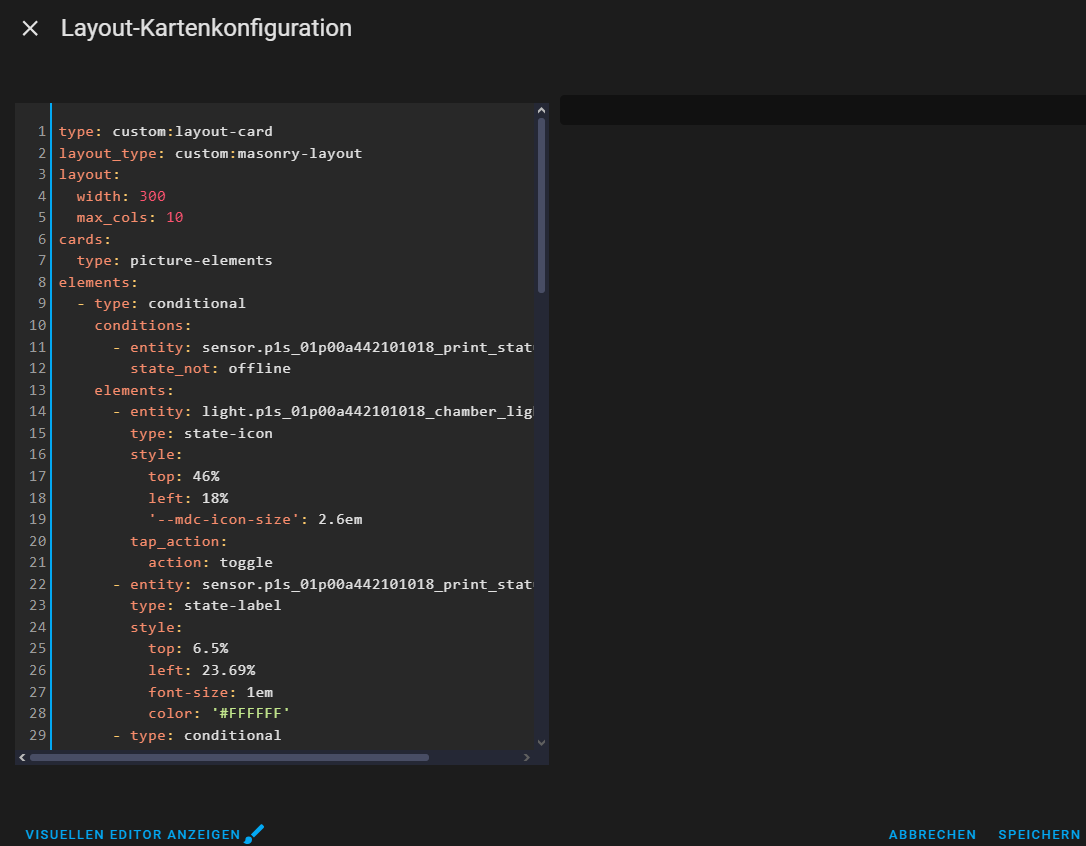
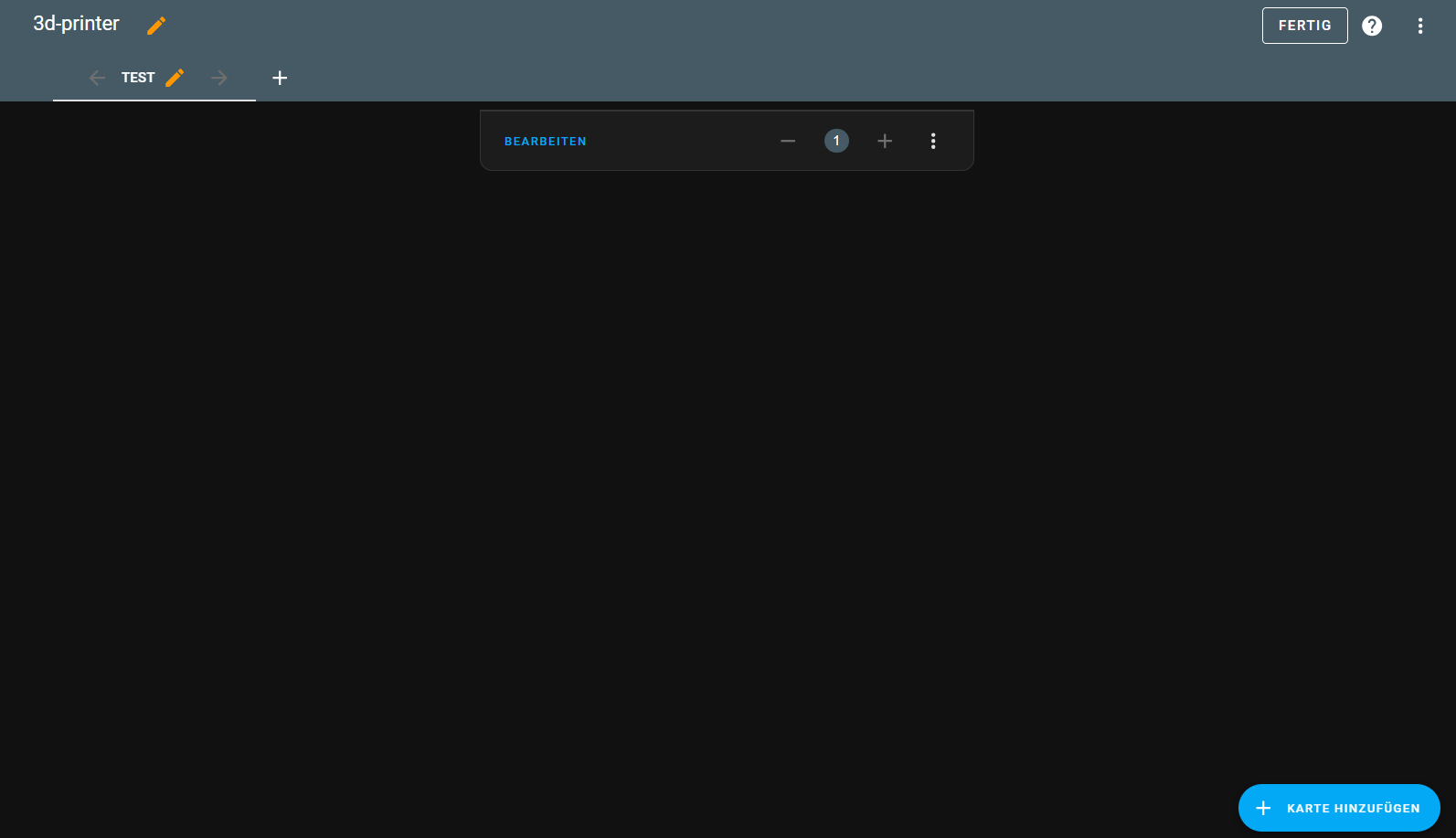
But everytime I try to use it by creating a manual card, it is empty:
What I am trying to do:
You can find an amazing web configurator to easily create a Dashboard for your Bambu printer like the one below at Bambulab Home Assistant Dashboards.
Now I am not sure what I am doing wrong, here the code which I am placing in the manual card:
type: custom:layout-card
layout_type: custom:masonry-layout
layout:
  width: 300
  max_cols: 10
cards:
  type: picture-elements
elements:
  - type: conditional
    conditions:
      - entity: sensor.p1s_01p00a442101018_print_status
        state_not: offline
    elements:
      - entity: light.p1s_01p00a442101018_chamber_light
        type: state-icon
        style:
          top: 46%
          left: 18%
          '--mdc-icon-size': 2.6em
        tap_action:
          action: toggle
      - entity: sensor.p1s_01p00a442101018_print_status
        type: state-label
        style:
          top: 6.5%
          left: 23.69%
          font-size: 1em
          color: '#FFFFFF'
      - type: conditional
        conditions:
          - entity: sensor.p1s_01p00a442101018_print_status
            state:
            - running
            - pause
        elements:
          - type: conditional
            conditions:
              - entity: image.p1s_01p00a442101018_cover_image
                state_not: unavailable
            elements:
              - type: custom:hui-element
                card_type: picture-entity
                show_name: false
                show_state: false
                entity: image.p1s_01p00a442101018_cover_image
                style:
                  top: 50%
                  left: 50%
                  transform: translate(-45%, -40%) scale(75%, 75%)
                  '--ha-card-border-width': 0px
                  '--ha-card-background': none
          - entity: sensor.p1s_01p00a442101018_print_progress
            type: state-badge
            tap_action:
              action: none
            style:
              top: 18.5%
              left: 81%
              font-size: 1em
              color: rgba(0,0,0,0)
              '--label-badge-red': '#11739D'
      - entity: sensor.p1s_01p00a442101018_nozzle_temperature
        type: state-badge
        style:
          top: 31%
          left: 51%
          font-size: 0.8em
          color: rgba(0,0,0,0)
      - entity: sensor.p1s_01p00a442101018_bed_temperature
        type: state-badge
        style:
          top: 78%
          left: 51%
          font-size: 0.8em
          color: rgba(0,0,0,0)
      - type: conditional
        conditions:
          - entity: sensor.p1s_01p00a442101018_chamber_temperature
            state_not:
                - "unavailable"
                - "unknown"
        elements:
          - entity: sensor.p1s_01p00a442101018_chamber_temperature
            type: state-badge
            style:
              font-size: 0.8em
              top: 31%
              left: 19%
              color: rgba(0,0,0,0)
card_mod:
  style: |
      ha-card {
        box-shadow: none !important;
        background: none !important;
        border: none !important;
      }
image: /local/media/bambuprinter/on_p1s.png
entity: light.p1s_01p00a442101018_chamber_light
state_image:
  unavailable: /local/media/bambuprinter/off_p1s.png
  'on': /local/media/bambuprinter/on_p1s.png
  'off': /local/media/bambuprinter/off_p1s.png
Thanks in advance! 
PS.: I know, this might be a dumb question and I am overseeing something, but every beginning is hard.
Kind Regards,
Peter from Belgium (but speaking German)