Hi all,
I built a remote card for LG webOS TV’s. It runs on top of the core LG webOS TV integration and loads itself, with no dashboard resource and no YAML needed.
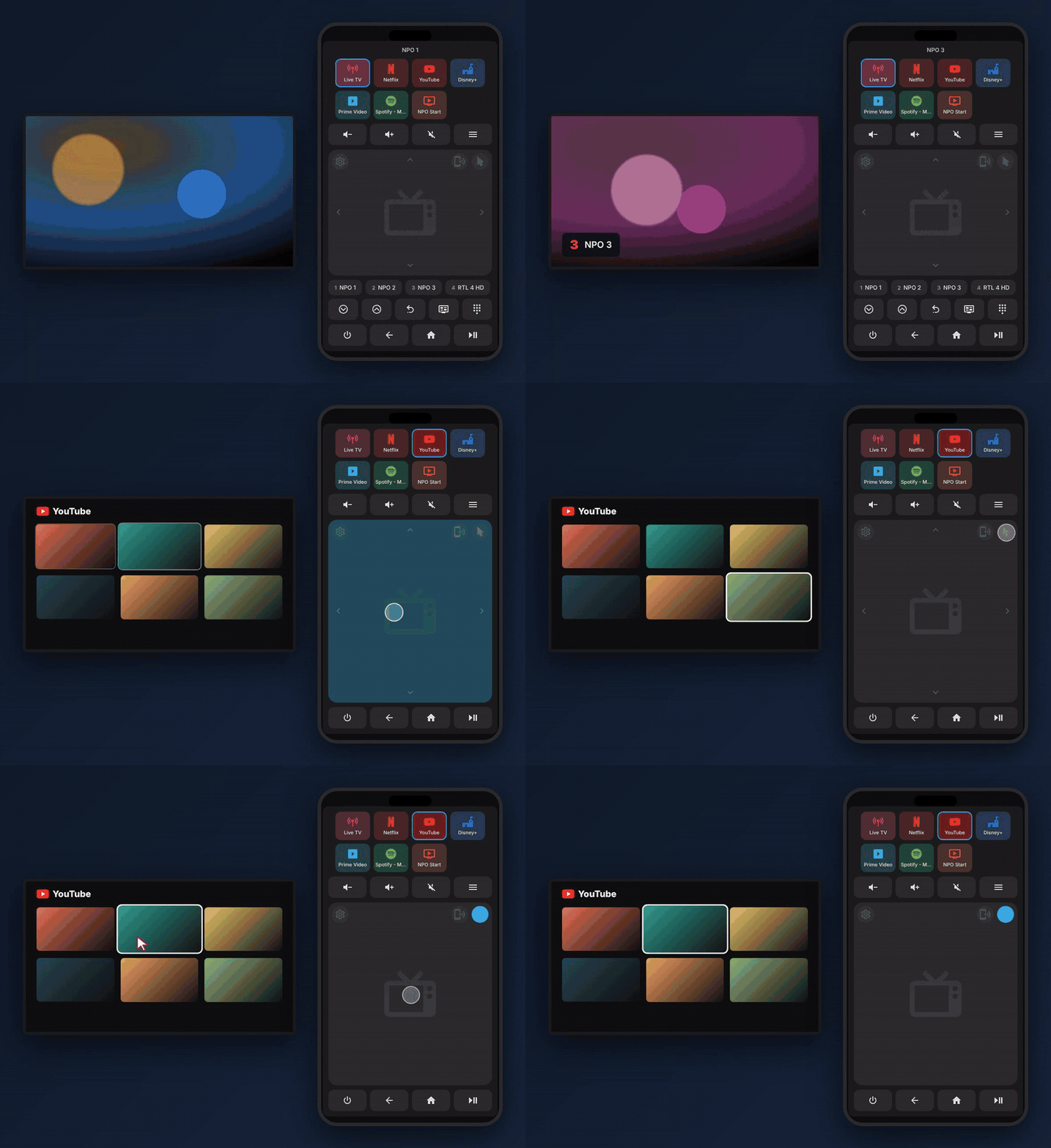
What it does
- Touchpad: swipe for arrow keys, tap for OK.
- Magic Remote pointer: drag to move the TV cursor, tap to click.
- Motion pointer: point your phone like a real Magic Remote.
- Tiles for inputs and apps: HDMI, Live TV, extra inputs (AV, USB …) and every app the TV lists, with icons and colours.
- Live TV: current channel name, channel up/down, keypad and your favourite channels as buttons.
- Channel list: one press on Scan now reads the channel list from the TV, radio channels included. Then reorder, rename and hide channels, or hide many at once by dragging over checkboxes.
- It keeps the same card height on every input, and works with several TVs.
Everything is configured in the card’s visual editor.
Install (Marketplace custom repository):

Settings > Marketplace > menu > Custom repositories > add the URL as Integration > Download > restart. Then Settings > Devices & services > Add integration > LG webOS Remote. Manual install steps are in the README.
A note on AI: I live with post-COVID, and I could only build this because of Claude. The code was written with Claude Code, with me describing what I wanted, testing it on my own TV and steering the results. Even this post was written with Claude. I’m sharing it openly in the hope that it is useful to others, and I’m happy to answer questions about how it was made.
It is new and has only been tested on one TV, so feedback, bug reports and ideas are very welcome (GitHub issues or here). The pictures in the README are renders made with the card’s code, not screenshots.


