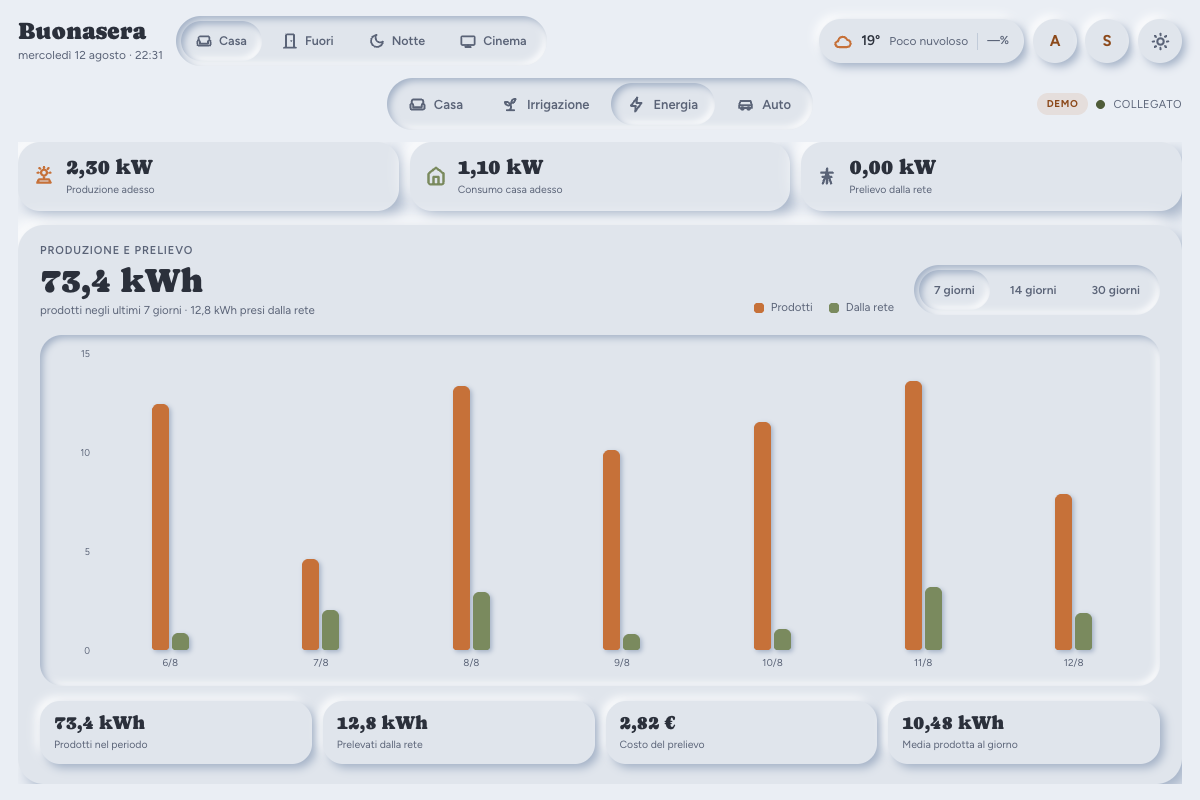
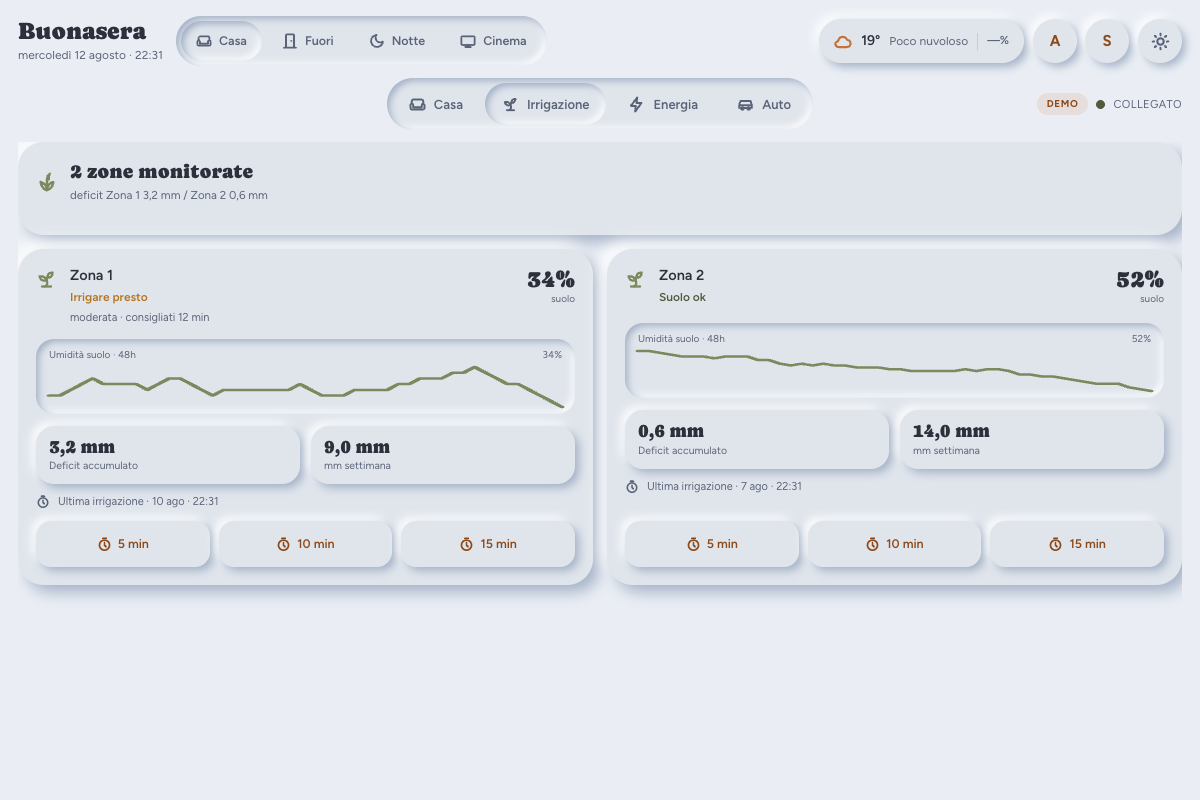
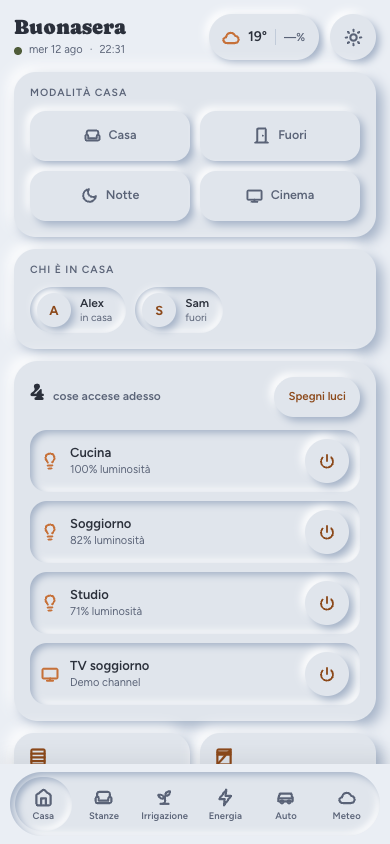
A hand-written, single-page dashboard for a wall tablet: rooms, alarm, weather and quick actions on one screen, with optional Energy, Irrigation, Cameras, Appliances and Car views. No Lovelace cards, no YAML dashboard — it reads the area/device/entity registries and builds itself.
Try it before installing
Clone the repo and open public/dash_neumo.html?demo in a browser. It works from file://, no Home Assistant needed — fake data, a visible DEMO badge, and every view enabled so you can see what’s there.
What it is, and what it isn’t
- A page in its own
panel_customentry. Not a card, not a theme, not a Lovelace replacement — no card picker, no drag-and-drop. - Designed for a wall tablet in landscape, about 1280x800, no scrolling on the home view. That’s a constraint, not an oversight.
- There’s a full mobile layout as well, but it’s secondary to the tablet.
- No npm, no build step. Plain HTML/CSS/JS loaded as ES modules.
Install
HACS → ⋮ → Custom repositories → https://github.com/mbonny95/live_dashboard, category Dashboard. Then Download, add the panel_custom block from the README to configuration.yaml, and restart.
Two things the README spells out because they’re the two ways people get a black screen: name: must be live_dashboard-panel (the element registers as -panel, and under HACS the folder is always live_dashboard), and the ?v= on module_url is real cache-busting you need to bump after an update. If the name is wrong, the panel now tells you so on screen with the expected value, instead of just going black.
Your own config goes in config/www/live_dashboard_config.js — one level above the HACS-managed folder, so updates never overwrite it.
Zero-config, and where it stops
With no config file: your areas as room tiles (up to 8), person.* entities, the first weather.*. Alarm, home-mode selector, Energy, Irrigation and Car stay hidden until you point them at something — there’s no safe way to guess which of several alarm panels is “the” one, so it doesn’t try.
Energy is the one that most often needs nothing at all: if you’ve configured the HA Energy Dashboard, the panel reads that mapping via energy/get_prefs and the solar ring appears on its own. Failing that, it guesses from any device_class: energy + state_class: total_increasing sensor whose name looks like production/import/export. The config block only exists to correct a bad guess.
The solar ring
Two concentric rings, each summing to something real:
- outer = today’s house consumption → self-consumed solar + grid import
- inner = today’s PV production → the same self-consumption + export
Self-consumption is the shared number, so it’s the same colour in both rings and both start aligned at the top. It’s never a sensor of its own — it’s derived as production − export, or as consumption − import if you have a whole-house daily counter.
Earlier versions compared production against grid import in a single ring: two numbers that were never meant to add up to anything. If you’re coming from one of those, expect different numbers, not a restyle. With no export sensor it falls back to the old single ring rather than drawing an empty one.
Cameras
Full auto-discovery from every camera.* entity — area from the registry, motion from a binary_sensor with device_class: motion on the same device. Snapshot tiles refreshing every 10s (paused when the page isn’t visible), tap for a full-screen MJPEG stream, no hls.js and no WebRTC. Anything pointed at a hallway can be set to show only an icon until tapped. The Surveillance tab appears from two cameras up.
Irrigation
A zone is useful with just a moisture sensor and a way to open water — either a switch.* the dashboard times itself, or one input_button.* per duration if your automations already own the timing. The agronomy (ET₀/ETc, accumulated deficit) is deliberately not part of the project: it depends on your weather station and soil. Any automation that writes the result into an input_number works, or leave those fields empty and use live moisture only.
Known limits
- It’s only as good as your assigned Areas. Never assigned them? It’ll look nearly empty, and that’s Settings → Areas waiting, not a bug to file.
- Wall tablet first; the mobile page is complete but secondary.
panel_customis the only supported install method in this release.
What I’d like feedback on
The auto-discovery is the part most likely to be wrong on hardware I’ve never seen — especially energy sensors from inverters other than the Huawei one I have. If it guesses badly on yours, tell me what it picked and what it should have picked; that’s the most useful bug report I can get right now.